
A sales engagement platform is where outreach actually happens: the emails, calls, and LinkedIn touches your reps run every day, all sequenced and tracked in one place. Get it right and reps spend their time selling instead of copying and pasting, but a platform can only send what you feed it, so a weak list quietly caps the results no matter how good the tool is.
But with so many platforms all promising more replies and more pipeline, how do you know which one is actually right for your team and your motion?
We compared 10 of the most widely used sales engagement platforms on channels, automation, data, and price, and ranked them on what they help teams do rather than what they promise. One thing held true across every one: the platform executes the sends, but it's only as good as the list and personalization behind it, which is why the best teams fix the data first and then pick the tool that fits their motion.
Here's the shortlist, then a closer look at each one.
What is a sales engagement platform?
A sales engagement platform runs and tracks multichannel outreach, email, phone, LinkedIn, and SMS, from one interface. Reps work sequences (also called cadences) that space out touches automatically, log activity to the CRM, and surface which prospects to contact next. The best platforms add analytics, dialers, and AI assistance so managers can see what's working and reps can spend more time in live conversations. What a platform does not do is build your list or make it accurate. It sends to whatever contacts and personalization you load in, so the quality of the data decides how far the automation gets you.
The 10 best sales engagement platforms for 2026
| # | Tool | Best for | Pricing from | G2 rating |
|---|---|---|---|---|
| 1 | Clay | List + personalization, then native sequencing | Free, paid from $185/mo | 4.6/5 |
| 2 | Apollo.io | All-in-one prospecting plus outreach | Free, paid from $49/user/mo | 4.7/5 |
| 3 | Salesloft | Full multichannel engagement suite | Quote-based | 4.5/5 |
| 4 | HubSpot Sales Hub | Sequences native to the HubSpot CRM | Free, paid from $20/seat/mo | 4.4/5 |
| 5 | Outreach | Enterprise execution and forecasting | Quote-based | 4.3/5 |
| 6 | Reply.io | AI-assisted multichannel for SMBs | Free trial, paid from $49/user/mo | 4.6/5 |
| 7 | lemlist | Personalization-led cold outreach | Free trial, paid from $79/user/mo | 4.6/5 |
| 8 | Salesforge | High-volume AI cold email | Paid from $48/mo | 4.6/5 |
| 9 | Crono | AI prospecting plus execution | Paid from €79/user/mo | 4.7/5 |
| 10 | Conquer | Salesforce-native engagement and dialer | Quote-based | 4.3/5 |
1. Clay
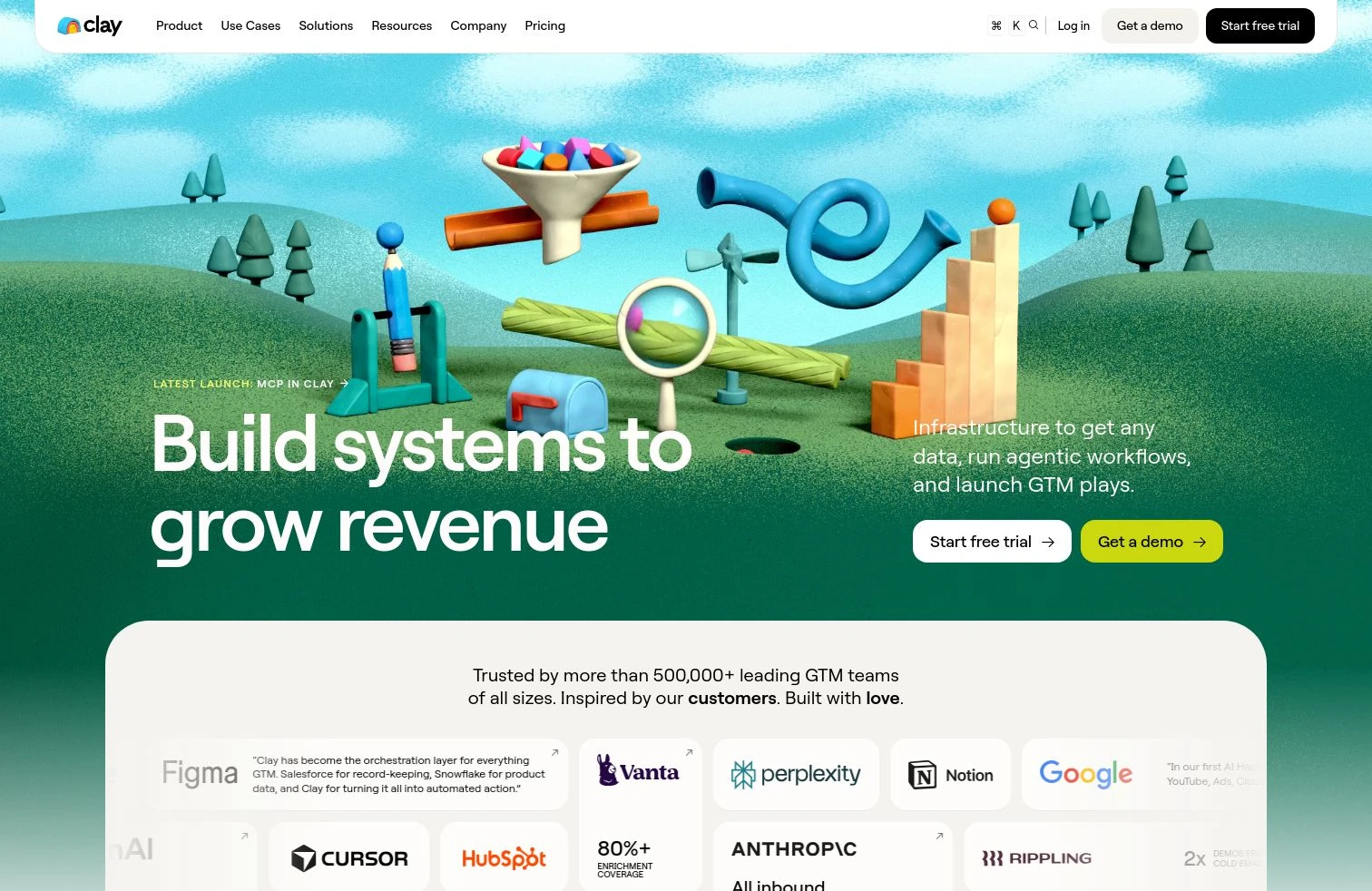
- Best forGTM and RevOps teams that want to build and personalize the list before it hits a sequence, with native email sending via Clay Sequencer
- PricingFree plan, then Launch ($185/mo), Growth ($495/mo), and custom Enterprise
- What we likeClay Sequencer, a native engagement engine that pairs enriched data, Signals, and AI copy with flexible reply flows to Slack or your inbox
Full disclosure: Clay is our product, and we put it first. The data and personalization behind engagement is one of the most common things teams build on Clay. Here's what it does well and where it doesn't fit.
Clay Sequencer is a native engagement engine that puts the right message in front of the right person at the right time, so you run outreach without extra tool sprawl. It combines Signals timing, Claygent AI copy, and enriched contact data in one engine, then routes replies to Slack or your inbox so reps act fast. Claygent, an AI research agent, generates the personalization inputs a mail merge could never hold, like a line about a prospect's recent product launch, while a waterfall across 200+ providers keeps the underlying list accurate. From there, the list, the personalization, and the send live in one place, and the same records sync to Salesforce or HubSpot for the rest of your motion.
The honest framing: Clay is a data and orchestration layer with native email sequencing, not a full multichannel engagement suite. If your motion depends on a heavy dialer, call recording, and phone analytics, you'll pair Clay with a calling tool or run its data into one of the platforms below.
Feed your engagement platform better data
Build, enrich, and personalize your list in Clay before it hits a sequence, free.
What we like about Clay
- Clay Sequencer runs native outreach that combines enriched data, Signals, and AI copy in one engine
- Claygent generates personalization inputs no static field can hold
- Clay Sequencer sends email natively, so the list and the send stay together
- Signals surface job changes, funding, and hiring so you reach out at the right time
- Writes enriched records back to Salesforce and HubSpot and re-runs as data changes
Where Clay could be better
- You build the send workflow yourself rather than switching on a prebuilt engagement cadence
- Sequencing is native for email, but Clay is not a full multichannel suite with a built-in dialer or call analytics
- Credits are usage-based, so high-volume sending programs need budget monitoring
Why choose Clay? Every engagement platform is only as good as the list behind it. Clay builds and personalizes that list, then sequences it natively.
Proof. Intercom sourced 140% more outbound pipeline after consolidating its GTM data on Clay.
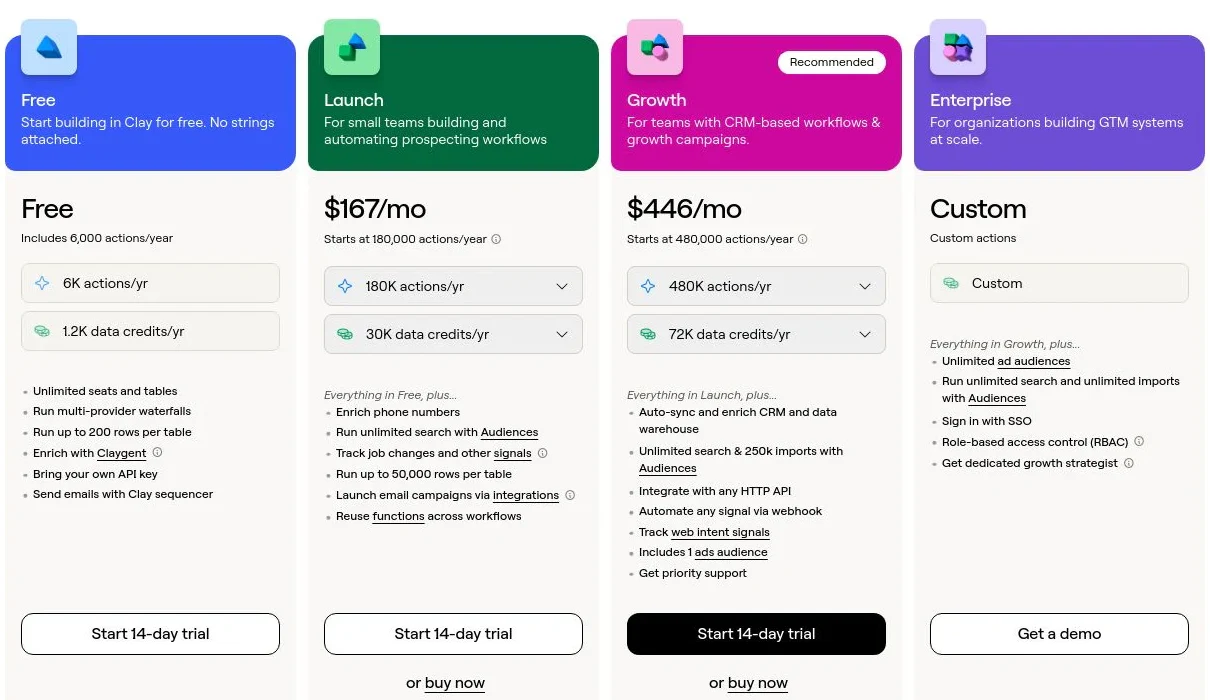
Clay pricing
- Free: $0/mo with 100 Data Credits, 500 Actions, unlimited seats and tables, multi-provider waterfalls, and Claygent
- Launch: starting at $185/mo with 2,500 Data Credits, 15,000 Actions, phone enrichment, and signal tracking
- Growth: starting at $495/mo with 6,000 Data Credits, 40,000 Actions, CRM auto-sync, and Clay Sequencer for native email
- Enterprise: custom pricing with an annual commitment, 100,000+ Data Credits, API access, SSO, and RBAC
Data Credits pay for the data itself and roll over; Actions pay for the platform work and reset monthly. Bring your own API keys and you skip Data Credits entirely. See Clay's pricing page for the full breakdown.
Clay reviews
- G2: 4.6/5 from 200+ reviews (G2)
2. Apollo.io
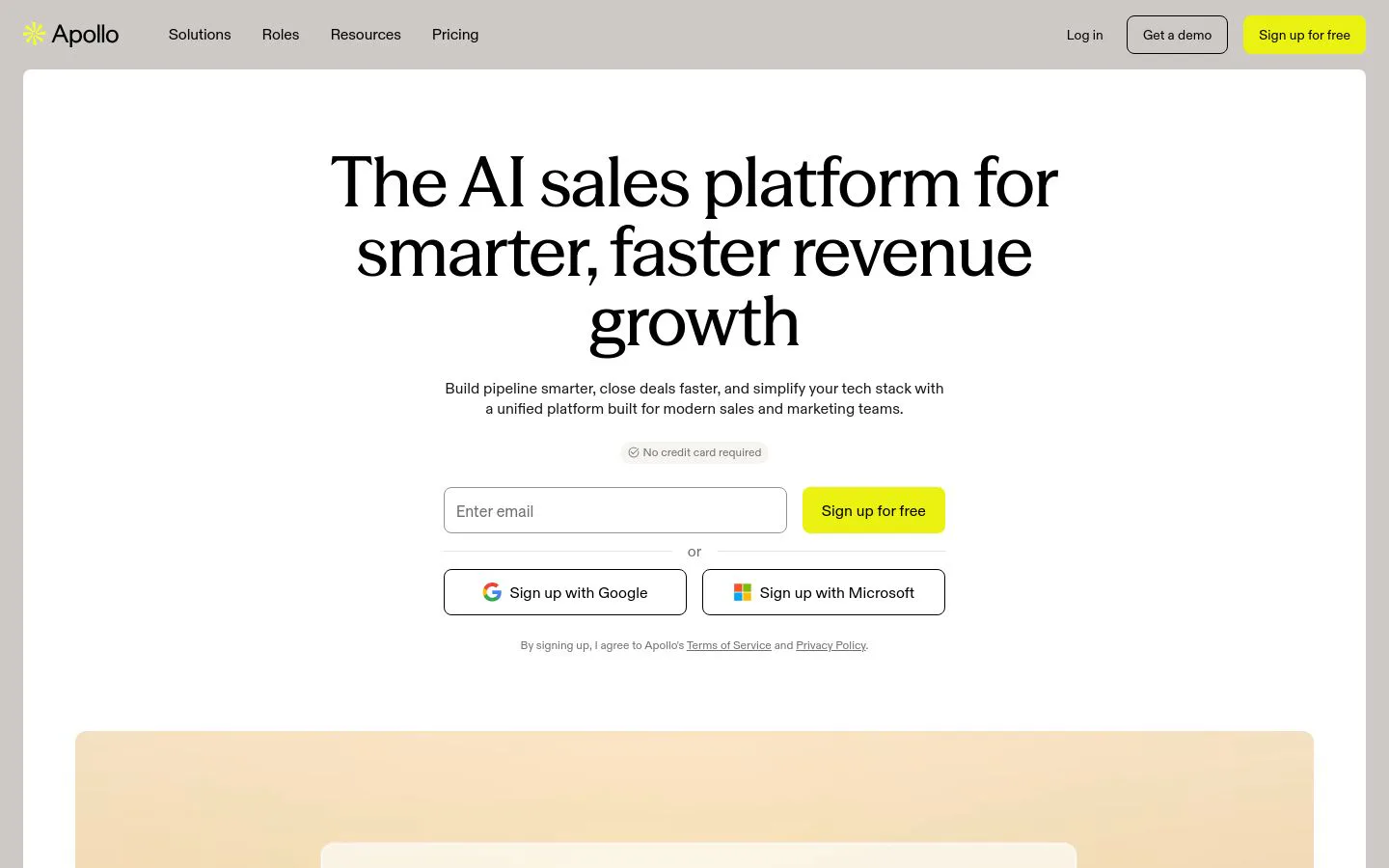
- Best forSMB and mid-market teams wanting prospecting, data, and sequences in one tool
- Pricingfree plan, then paid tiers from $49/user/mo (annual)
- What we likea database, enrichment, and engagement in one accessible platform
Apollo is a hybrid of a B2B contact database and a sales engagement platform. You can build a list, enrich it, and run email and call sequences without stitching two tools together, and the generous free tier makes it a common first stop for founders and small teams doing outbound. For a team that wants data and sending under one login, it's the best price-to-value pick on this list.
The all-in-one model is also the catch. Data accuracy varies by region and thins out outside North America, and because Apollo also handles sending, deliverability depends on your own list hygiene and sending discipline.
What we like about Apollo.io
- Database, enrichment, and email plus call sequences in one tool
- A genuinely usable free tier to start
- Accessible per-seat pricing for small teams
- Good CRM and email integrations out of the box
Where Apollo.io could be better
- Data accuracy varies by region, thinner outside North America
- Deliverability depends on your own list hygiene since Apollo also sends
- Engagement depth trails the enterprise suites for large call-heavy teams
Why choose Apollo.io? Best price-to-value all-in-one, data plus outreach without buying two platforms.
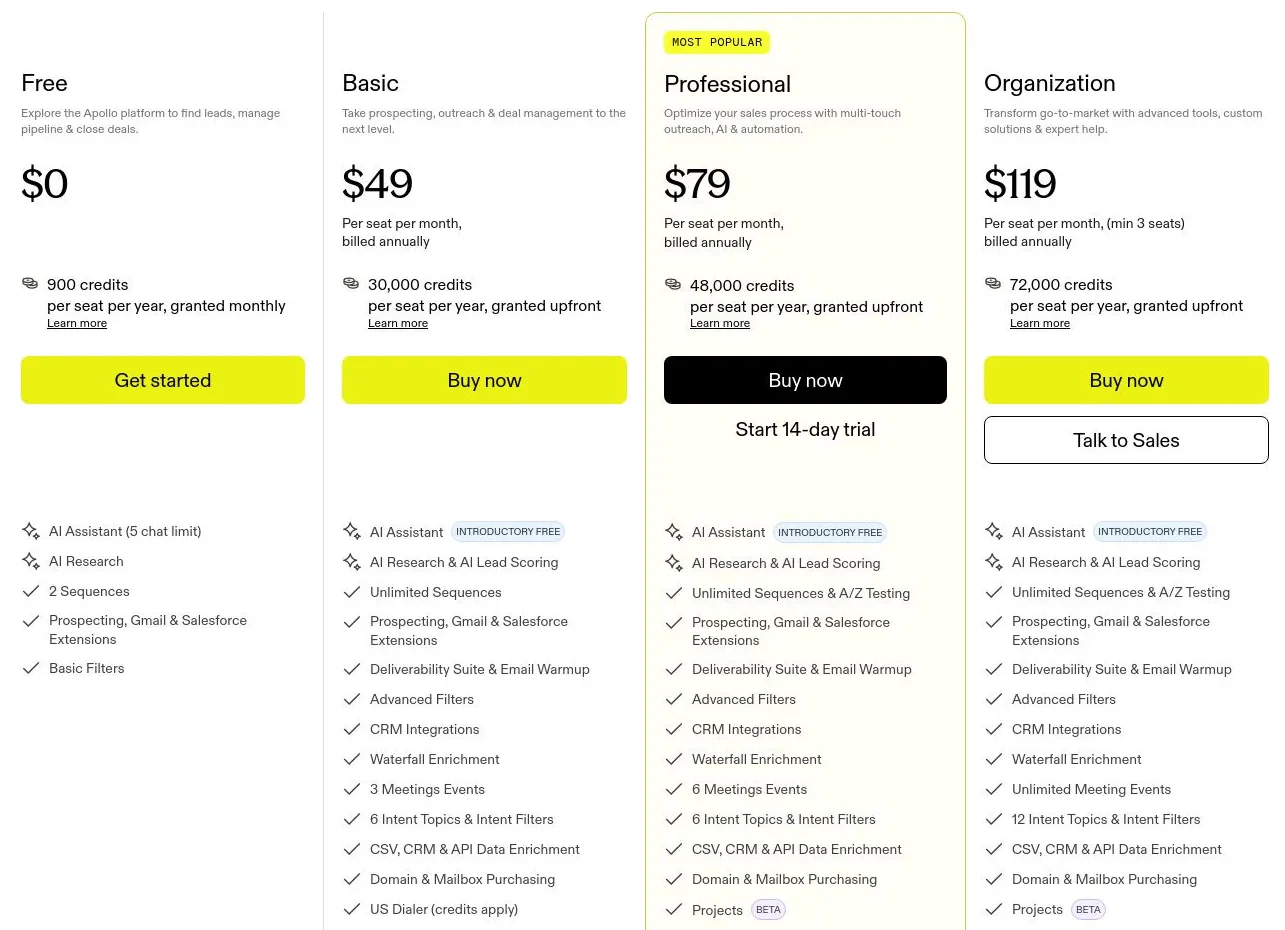
Apollo.io pricing
- Free: $0 with limited credits and core prospecting
- Basic: $49/user/mo (annual) with more credits and sequences
- Professional: $79/user/mo (annual) with advanced features and higher limits
- Organization: $119/user/mo (annual, 3-seat minimum) with the full feature set
Monthly billing runs higher than the annual rates shown. See Apollo's pricing page for current limits.
Apollo.io reviews
- G2: 4.7/5 from 9,000+ reviews (G2)
3. Salesloft
- Best formid-market and enterprise revenue teams wanting a full multichannel engagement suite
- Pricingquote-based, commonly from around $125/user/mo
- What we likemature cadences, a dialer, and deal and forecast tooling in one platform
Salesloft is one of the two names that defined the sales engagement category. Its Cadence product spaces out email, call, and LinkedIn touches, Conversations records and analyzes calls, and Deals and Forecast extend the platform into pipeline management. For a team that wants its whole selling motion, from first touch to close, running in one execution suite, Salesloft is a mature, well-supported choice.
That completeness comes at enterprise pricing. Salesloft is quote-based, contracts are annual, and the dialer and some AI features are add-ons, so the real per-seat cost climbs above the headline number. It's built for teams that will use the full platform, not for a small squad that just needs sequences.
What we like about Salesloft
- Cadences across email, phone, and LinkedIn in one workflow
- Built-in dialer and Conversations call recording and analysis
- Deals and Forecast extend it beyond outreach into pipeline
- Deep integrations across major CRMs
Where Salesloft could be better
- Quote-based pricing on annual contracts, with a real cost above the headline
- The dialer and some AI features are separate add-ons
- Heavier than an SMB team running email-only sequences needs
Why choose Salesloft? A mature, full-suite engagement and execution platform for teams that will use the whole thing.
Salesloft pricing
Salesloft does not publish prices. Plans (commonly Advanced and Premier) are quote-based and sold on annual contracts, priced by seats. Third-party analyses put per-user list pricing commonly in the range of $125 to $165 per user per month before add-ons, with the dialer sold separately. Get a quote on Salesloft's pricing page for your exact configuration.
Salesloft reviews
- G2: 4.5/5 from 3,900+ reviews (G2)
4. HubSpot Sales Hub
- Best forteams already on HubSpot that want sequences and engagement on top of the CRM
- Pricingfree tools, then Starter ($20/seat/mo), Professional ($100/seat/mo), Enterprise ($150/seat/mo)
- What we likeengagement native to the HubSpot CRM, so activity sits on the record
HubSpot Sales Hub adds sequences, email tracking, a dialer, and task queues directly on top of the HubSpot CRM. If your team already lives in HubSpot, outreach happens right on the contact record with no integration work, and reporting rolls up alongside marketing and service data in the same platform. For an inbound-heavy team that wants light outbound in the tool it already uses, it's the path of least resistance.
The value is tied to that ecosystem. Sequence limits and the better automation sit on the Professional and Enterprise tiers, and standalone it's less specialized for high-volume outbound than a dedicated engagement suite. It's most worthwhile when HubSpot is already your system of record.
What we like about HubSpot Sales Hub
- Sequences and engagement native to the HubSpot CRM
- Email tracking, templates, dialer, and task queues in one place
- Reporting rolls up with marketing and service data
- Free tools and a low Starter entry price
Where HubSpot Sales Hub could be better
- The better sequence and automation limits live on Professional and up
- Most of the value assumes you're already on HubSpot
- Less specialized for high-volume outbound than a dedicated suite
Why choose HubSpot Sales Hub? The default if you live in HubSpot, engagement where your records already are.
HubSpot Sales Hub pricing
- Free tools: $0 with basic email tracking, templates, and limited sends
- Starter: $20/seat/mo with sequences, automation, and quotes
- Professional: $100/seat/mo with more sequence capacity, forecasting, and reporting
- Enterprise: $150/seat/mo with predictive scoring, advanced permissions, and call transcription
Prices reflect annual billing and are per seat. See HubSpot's Sales Hub pricing page for current tiers.
HubSpot Sales Hub reviews
- G2: 4.4/5 from 12,000+ reviews (G2)
5. Outreach
- Best forenterprise sales teams wanting a deep execution and forecasting platform
- Pricingquote-based, annual contracts
- What we likedeep sequence, AI, and pipeline tooling for large revenue teams
Outreach is the other name that defined sales engagement, and it has grown into a full sales execution platform. Sequences run email, calls, and social touches, and the platform layers on deal management, forecasting, and AI features like conversation intelligence and rep guidance. For a large revenue org that wants prospecting, deal execution, and forecasting in one system, Outreach is built for that scale.
That depth is also the cost. Pricing is premium and quote-based on annual contracts, and the platform's breadth means real onboarding and admin time. Small teams often find it heavier and pricier than the job in front of them.
What we like about Outreach
- Multichannel sequences plus deal management and forecasting
- Conversation intelligence and AI rep guidance built in
- Strong analytics for managers running large teams
- Deep CRM and tooling integrations
Where Outreach could be better
- Premium, quote-based pricing on annual contracts
- Real onboarding and admin overhead given the breadth
- Overkill for small teams that just need sequences
Why choose Outreach? Enterprise-scale execution and forecasting for large revenue teams that will use the full platform.
Outreach pricing
Outreach does not publish prices. Plans are quote-based and sold on annual contracts, priced by seats and platform tier, and typically land at enterprise per-user rates. Get a quote on Outreach's pricing page for your team size and configuration.
Outreach reviews
- G2: 4.3/5 from 3,500+ reviews (G2)
6. Reply.io
- Best forSMB teams wanting AI-assisted multichannel sequences
- Pricingfree trial, then paid tiers from $49/user/mo
- What we likeemail, LinkedIn, and calls with AI SDR features at an SMB price
Reply.io packs multichannel sequencing and a set of AI features into a platform aimed at small and mid-market teams. You can run email, LinkedIn, and calls from one place, and the AI helps draft messages, sort responses, and even handle parts of the SDR workflow. For a team that wants more automation than a plain email tool without an enterprise contract, it's a practical middle ground.
The catch is that a true multichannel motion stacks up in price. The headline plan covers email, and LinkedIn automation and calls are add-ons per account, so the real cost lands well above the entry tier. As with any sending tool, deliverability still comes down to your list and your sending habits.
What we like about Reply.io
- Email, LinkedIn, and calls in one multichannel sequence
- AI drafting, response sorting, and SDR-style automation
- Accessible entry price for small teams
- CRM integrations and a built-in contact database
Where Reply.io could be better
- LinkedIn and calls are add-ons, so true multichannel costs more than the base plan
- Deliverability depends on your own list and sending discipline
- Depth trails the enterprise suites for large call-heavy teams
Why choose Reply.io? AI-assisted multichannel sequencing for SMB teams without an enterprise contract.
Reply.io pricing
Reply.io offers a free trial, then paid plans from around $49/user/mo for email, with a multichannel plan near $89/user/mo. LinkedIn automation and calls are priced as add-ons per account, so budget for those if your motion needs them. See Reply's pricing page for current tiers.
Reply.io reviews
- G2: 4.6/5 from 1,500+ reviews (G2)
7. lemlist

- Best foroutbound teams that lead with personalization at scale
- Pricingfree trial, then paid tiers from $79/user/mo (monthly)
- What we likedeep personalization plus a built-in lead database and email warm-up
lemlist made its name on personalization. You can drop a prospect's name into an image, add custom video thumbnails, and use dynamic text so every email reads like it was written by hand, all at sequence scale. It also bundles a lead database and email warm-up, so a small outbound team can source, warm up, and send from one tool. For teams whose edge is standout cold email, it's a natural fit.
The trade-off is scope and stacking costs. lemlist is strongest at email and LinkedIn rather than a full multichannel floor, and a real multichannel setup with extra mailboxes and credits pushes the per-seat cost above the plan on the page.
What we like about lemlist
- Deep personalization with images, video, and dynamic text
- Built-in lead database and email warm-up
- Email plus LinkedIn sequences in one flow
- Strong fit for personalization-led cold outreach
Where lemlist could be better
- Strongest at email and LinkedIn, not a full multichannel suite
- Extra mailboxes and credits push the real cost above the base plan
- Lighter reporting and admin than the enterprise platforms
Why choose lemlist? The pick when personalized cold email is your edge and you want it at scale.
lemlist pricing
lemlist offers a free trial, then paid tiers starting around $79/user/mo (monthly) for an email-focused plan and roughly $109/user/mo for multichannel, with annual billing lowering the rate. Extra mailboxes and credits are add-ons. See lemlist's pricing page for current tiers.
lemlist reviews
- G2: 4.6/5 from 1,400+ reviews (G2)
8. Salesforge

- Best forhigh-volume cold email teams that want AI-written sequences and deliverability tooling
- Pricingpaid from $48/mo, with Agent Frank AI SDR from $599/mo
- What we likeAI-generated sequences at scale plus mailbox and warm-up management
Salesforge is built for teams that send cold email at volume. It writes and personalizes sequences with AI, manages large numbers of mailboxes, and handles warm-up and rotation to protect deliverability, which is the real bottleneck once you scale sends. Its Agent Frank product goes further, running an AI SDR that drafts and sends outreach on its own. For high-volume outbound and agencies, it's a focused, modern option.
The focus is also the ceiling. Salesforge centers on email rather than a full multichannel floor with a dialer, and the AI-SDR tier is a meaningful step up in price. You bring the strategy and the list; it scales the sending.
What we like about Salesforge
- AI-written, personalized sequences at scale
- Mailbox management, warm-up, and rotation for deliverability
- Agent Frank AI SDR for hands-off outreach
- Accessible entry price for the core sending product
Where Salesforge could be better
- Email-centric, not a full multichannel suite with a dialer
- The AI-SDR tier is a large jump in price
- A newer platform with a smaller review base than the incumbents
Why choose Salesforge? The pick for high-volume AI cold email when deliverability at scale is the job.
Salesforge pricing
- Pro: from $48/mo for solo founders and small teams, with active contacts and monthly send limits
- Growth: from $96/mo for larger teams and agencies, with higher limits
- Agent Frank: AI SDR from $599/mo (billed quarterly)
See Salesforge's pricing page for current tiers and limits.
Salesforge reviews
- G2: 4.6/5 from 250+ reviews (G2)
9. Crono
- Best formid-market B2B teams wanting AI-driven prospecting and multichannel execution in one tool
- PricingPro from €79/user/mo, Ultra €119/user/mo, Enterprise custom
- What we likefind, enrich, and engage in one AI-driven workflow
Crono positions itself as an execution layer where reps and AI agents work side by side. In one tool you set your ICP to find companies and contacts, enrich them through a multi-provider waterfall, and run multichannel sequences across email, LinkedIn, and calls, with AI helping write and adapt the messaging. It integrates natively with HubSpot, Salesforce, Pipedrive, and dialers like Aircall and Ringover, so it slots into an existing stack rather than replacing it. For a mid-market team that wants prospecting and sending in one place, it's a modern, well-rated pick.
Because it does several jobs, there's a learning curve to set up, and very large prospect lists can feel heavier to work than in a single-purpose tool. As a younger platform, its review base is smaller than the incumbents even though the rating is high.
What we like about Crono
- Find, enrich, and engage across email, LinkedIn, and calls in one workflow
- Waterfall enrichment with 10+ providers built in
- AI helps write and adapt sequences
- Native integrations with HubSpot, Salesforce, Pipedrive, and dialers
Where Crono could be better
- A learning curve to set up given how much it does
- Very large prospect lists can feel heavier to manage
- Smaller review base than the category incumbents
Why choose Crono? AI-driven prospecting plus multichannel execution in one tool for mid-market teams.
Crono pricing
- Pro: starting at €79/user/mo with CRM integrations and multichannel sequences
- Ultra: starting at €119/user/mo with more mailboxes, dialer minutes, API access, and Salesforce integration
- Enterprise: custom pricing for larger teams with custom roles and services
See Crono's pricing page for current plans.
Crono reviews
- G2: 4.7/5 from 110+ reviews (G2)
10. Conquer

- Best forSalesforce-heavy teams that want engagement and dialing native to the CRM
- Pricingquote-based
- What we likesales engagement and a dialer that live inside Salesforce
Conquer takes a different angle: instead of a separate app, it runs sales engagement and a dialer directly inside Salesforce (and Microsoft Dynamics 365). Reps work cadences, auto-dial, send SMS, and get call recording and conversation intelligence without leaving the CRM, so activity stays connected to the pipeline it's meant to move. For a call-heavy team whose world already revolves around Salesforce, keeping everything on the record is the main draw.
That CRM-native model is also the boundary. Conquer is most relevant if you're committed to Salesforce or Dynamics, pricing is quote-based with no public tiers, and it's less of a fit for a team that wants a standalone, email-first tool.
What we like about Conquer
- Sales engagement, dialer, and SMS native to Salesforce and Dynamics 365
- Call recording and conversation intelligence built in
- Activity stays tied to CRM records and pipeline
- Strong fit for high-volume outbound and structured inbound calling
Where Conquer could be better
- Most relevant only if you're committed to Salesforce or Dynamics
- Quote-based pricing with no public tiers
- Less of a fit for standalone, email-first teams
Why choose Conquer? CRM-native engagement and dialing for Salesforce-heavy, call-driven teams.
Conquer pricing
Conquer is quote-based, with pricing sized by seats and modules (Conquer Voice, Conquer Cadence, or the full platform). There are no public tiers. Contact Conquer for a quote on its website.
Conquer reviews
- G2: 4.3/5 from 120+ reviews (G2)
Which sales engagement platform should you choose?
Match the tool to your motion, not the other way around.
- List and personalization, then native email sequencing: Clay. It's the only option here that builds and personalizes the data your outreach depends on, then sequences it.
- All-in-one prospecting plus outreach: Apollo.io, when you want data and sending in one accessible tool.
- Full multichannel engagement suite: Salesloft or Outreach, for mid-market and enterprise teams that will use the whole platform.
- Native to your CRM: HubSpot Sales Hub if you live in HubSpot, Conquer if you live in Salesforce.
- AI-assisted multichannel on an SMB budget: Reply.io or Crono.
- Personalization-led cold email: lemlist.
- High-volume AI cold email: Salesforge.
If your list is already complete, enriched, and well segmented, pick the engagement tool that fits your channels and team size. If the real problem is thin or generic data, no sequencer can fix that for you, so build the data and personalization layer first.
What is the best free sales engagement platform?
If you want to test outreach without paying, a few tools stand out. Apollo's free tier is the most generous all-in-one, giving you a database, enrichment, and a few sequences to run outbound end to end. HubSpot's free tools let you track and template emails inside the CRM. Reply.io, lemlist, and Crono offer free trials so you can run a real sequence before committing.
For the data and personalization behind engagement, Clay's free plan lets you build and enrich a real list, generate personalization with Claygent, and send email with Clay Sequencer before you spend on a bigger engagement contract. It's the best way to see whether your bottleneck is the sending tool or the list feeding it.
The catch with every free tier is limits. They're built for testing, not production, so treat them as a way to check fit on your own motion before you choose.
Where sales engagement is heading
For most of the last decade, "sales engagement" meant buying a bigger sequencing suite and pointing more reps at it. That model is hitting a wall. Inboxes are crowded, generic sequences get filtered, and the teams pulling ahead in 2026 aren't the ones sending the most touches, they're the ones sending relevant touches to the right accounts at the right time. The platform still matters, but the edge has moved to the data and personalization behind the send.
Practically, that means starting from the bottleneck rather than the brand name. If reps have a clean, enriched list and just need to work it across channels, almost any full suite here will do, and the one native to your CRM is often the quickest win. If the real problem is that sequences land flat because the list is stale or the copy is generic, fix the data and personalization layer first, because no engagement platform can send its way out of a weak list.
Whatever you shortlist, test it on your own data before committing a budget. The demo always looks perfect. Your list and your reply rates are the only things that tell the truth.
Engagement is only as good as the list behind it
Build and personalize your outreach list in Clay, then sequence, free.
FAQ
What is a sales engagement platform and how does it work?
A sales engagement platform runs and tracks multichannel outreach, email, phone, LinkedIn, and SMS, from one interface. Reps work sequences (or cadences) that space out touches automatically, log activity to the CRM, and surface who to contact next, while managers get analytics on what's working.
What's the difference between a sales engagement platform and a CRM?
A CRM is the system of record for contacts, deals, and history. A sales engagement platform is the execution layer on top of it, where reps actually send emails, make calls, and run sequences. Many tools integrate the two, and some, like HubSpot Sales Hub, build engagement directly into the CRM.
Do I still need good data if I have a sales engagement platform?
Yes. The platform sends to whatever list and personalization you load in, so accuracy and relevance decide your results. A sequence sent to stale contacts with generic copy underperforms no matter how good the tool is, which is why teams build and enrich the list first, often in Clay, before it hits a sequence.
How is sales engagement pricing usually structured?
Most platforms charge per seat per month, often on annual contracts, with dialers, extra channels, and AI features sold as add-ons. Enterprise suites like Salesloft and Outreach are quote-based. SMB tools like Apollo, Reply.io, and lemlist publish per-seat tiers, and usage-based data platforms like Clay separate the data cost from the platform cost.
Which sales engagement platforms are best for enterprise teams?
Salesloft and Outreach are the two mature, full-suite platforms built for enterprise execution and forecasting. Both run multichannel cadences, dialers, and pipeline tooling at scale, and both are quote-based on annual contracts.
Which tools integrate with HubSpot and Salesforce?
Most do. HubSpot Sales Hub is native to HubSpot and Conquer is native to Salesforce and Dynamics. Clay, Apollo, Salesloft, Outreach, Reply.io, and Crono sync to both HubSpot and Salesforce. Clay also writes enriched records back and re-runs them as data changes.
Can Clay send emails, or is it just for data?
Clay does both. It builds and enriches the target list and generates personalization with Claygent, and Clay Sequencer sends email natively, so the list and the send live in one place. Clay is a data and orchestration layer with native email sequencing rather than a full multichannel suite with a built-in dialer.
Which sales engagement platform is best for a small team on a budget?
For an all-in-one with data and sending, Apollo's free and low tiers are hard to beat. For AI-assisted multichannel, Reply.io and Crono are accessible. And if the real gap is the quality of the list, Clay's free plan lets you build, enrich, and personalize outreach before spending on a bigger engagement contract.