






































.avif)


























"Without Clay Functions I would literally hate my life. Functions let me treat enrichments like code — modular, reusable logic blocks. If you're a GTM engineer and not using Clay functions you're behind”
Christian Haskins

Centrally managed workflows
Package the enrichment logic that's custom to your business — your provider preferences, compliance checks, scoring criteria — into a single reusable workflow. Update it once, see your changes everywhere. Your team runs the function. You control what's inside.
Capabilities
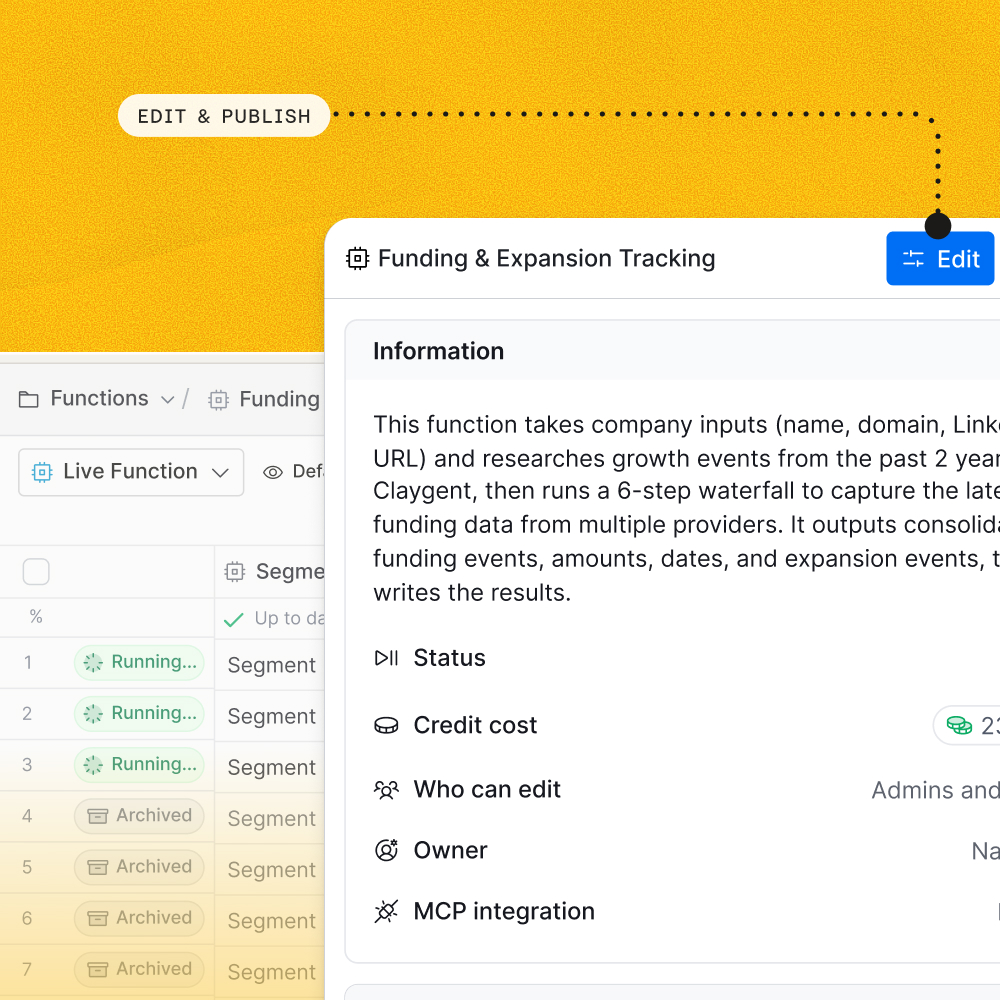
Centralized governance with instant changes
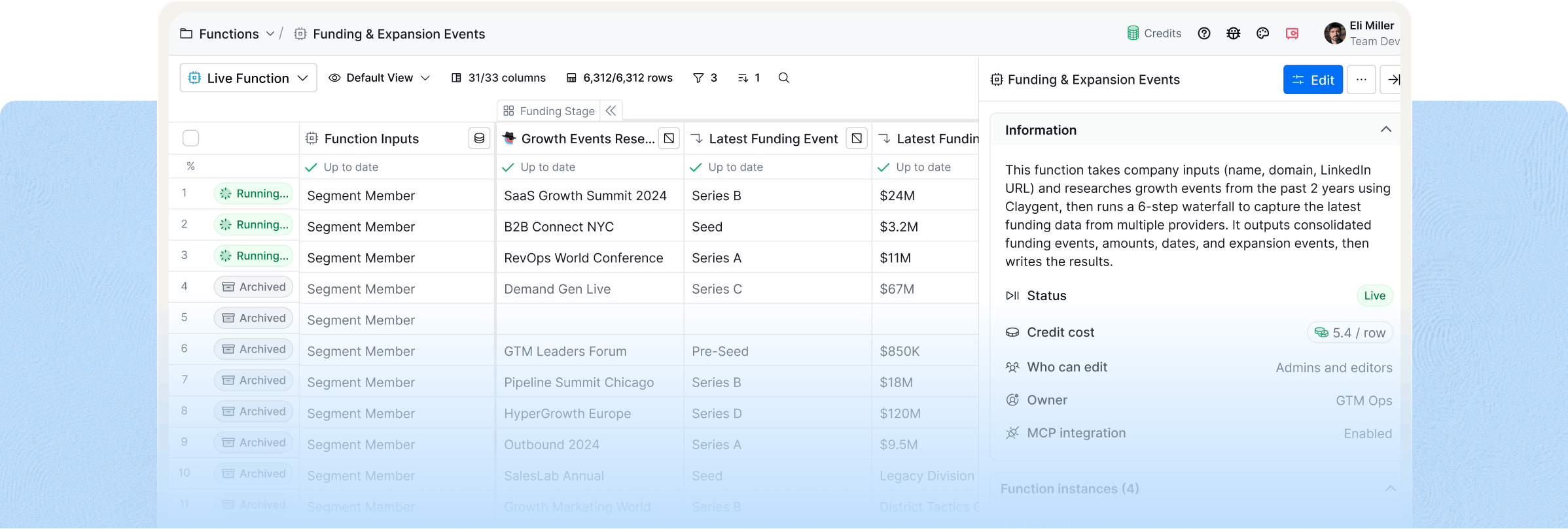
Edit a function once and publish — every table that references it picks up the change. No hunting through workflows, no missed updates. Test changes safely before publishing to not disrupt live workflows.

Anyone can use them, but you control the logic
Give marketers, SDRs, and non-power users access to your validated workflows — without any risk of breaking systems. Set permissions to control who can modify the logic.
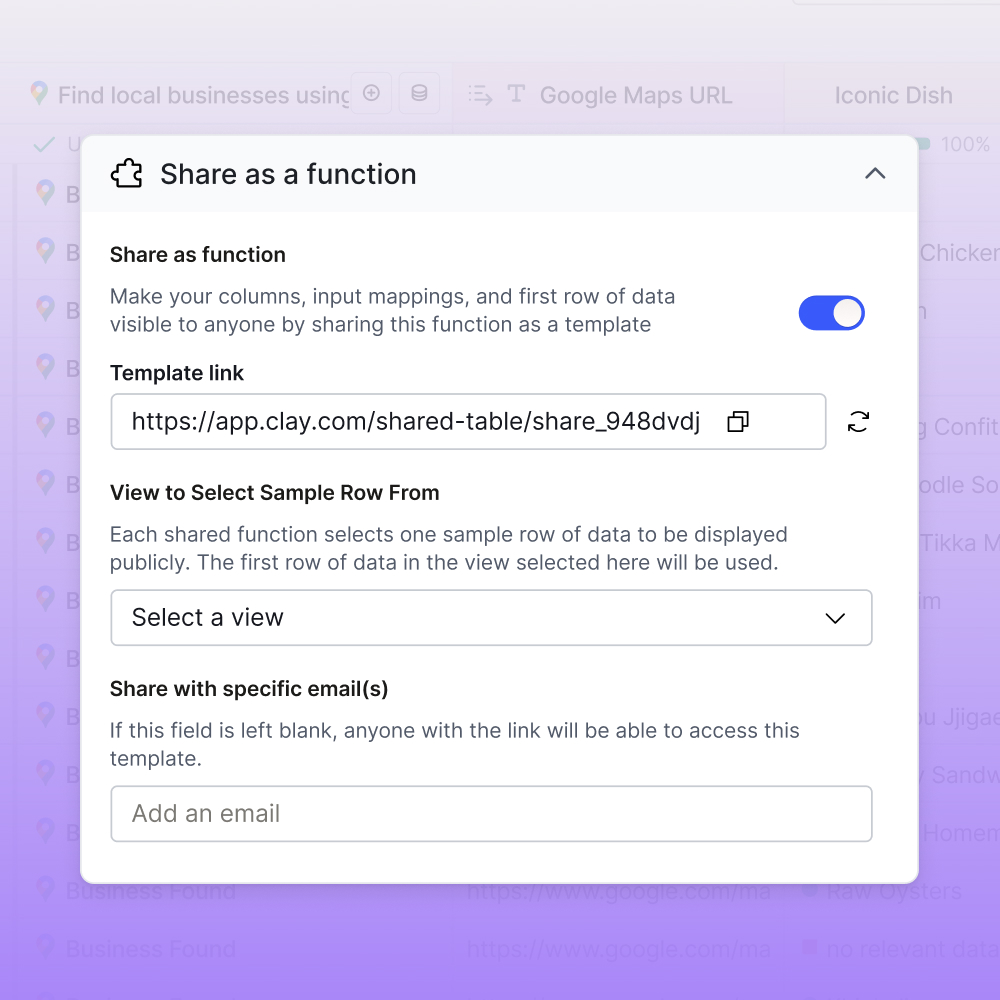
Share functions across workspaces
Duplicate functions into other workspaces with a shareable link — ideal for agencies deploying the same methodology across clients. Check out our library for best-practice functions from Clay's Solutions Engineering.
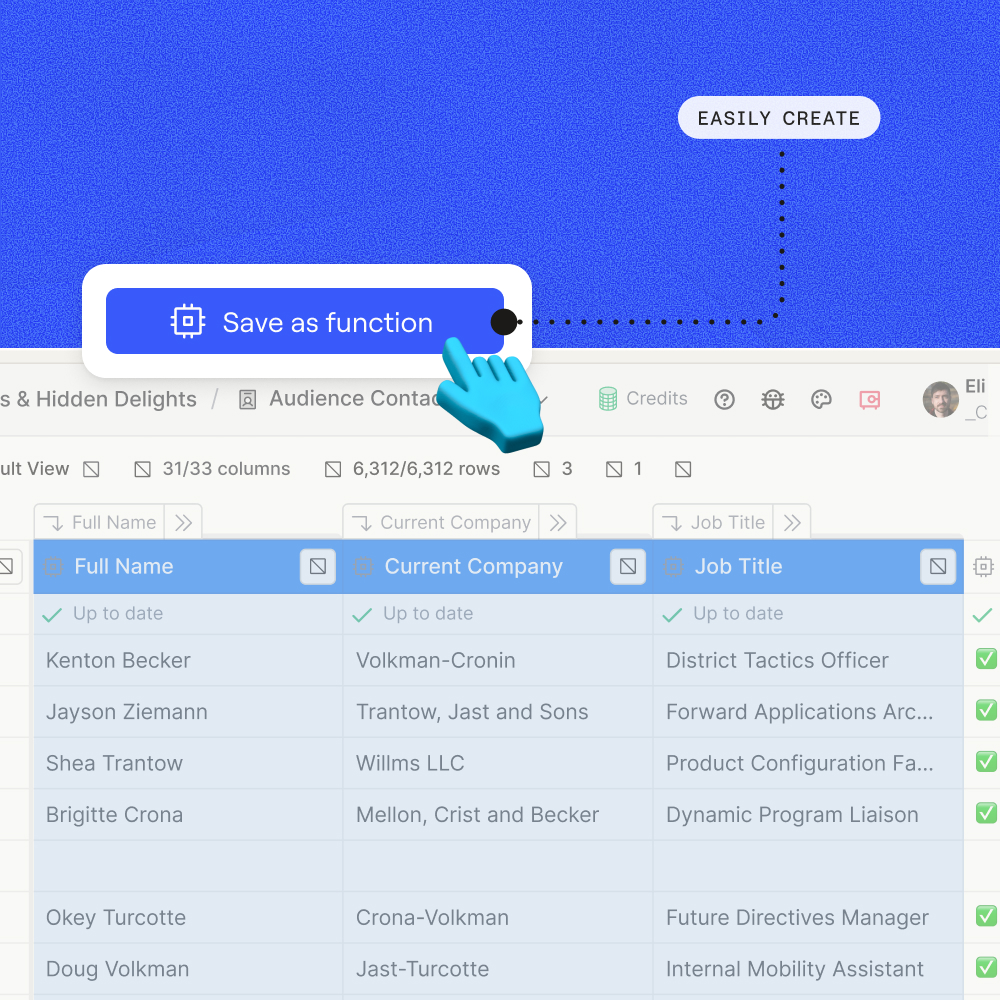
One function replaces an entire column group
Collapse a 12-step enrichment sequence that used to sprawl across a dozen columns into one. Keep your workflows clean and navigate dramatically faster.
Function Library
Des fonctions prêtes à l’emploi, basées sur les bonnespratiques des ingénieurs GTM de Clay
Company data points
Get Company Hierarchy
Map any company's full parent and subsidiary chain using multiple hierarchy sources, then return the immediate relationships and corporate level.
Use function
in app
Get Funding & Expansion Events
Surface funding rounds, M&A activity, and expansion events from the past two years for any company.
Use function
in app
Estimate Company IT Spend
Estimate any company's annual IT spend using firmographic data, revenue signals, tech stack, and IT leadership insights.
Use function
in app
Find Recent Company Developments
Find and summarize recent C-suite hires, M&A activity, product updates, and company news within any lookback window you define.
Use function
in app
validation
Validate Company Domain
Validate any company domain by classifying it as active, for sale, or mismatched and returns best company domain.
Use function
in app
Find and Validate Person at Company
Validate whether a professional profile actually belongs to the right contact by cross-referencing their name and company, then enrich the confirmed profile.
Use function
in app
How it works
[1]
Define your inputs
Choose what goes in — a company domain, a person's name, a LinkedIn URL. These are the starting points for your enrichment logic.
[2]
Build workflow
Add enrichment steps, AI agents, conditional logic, and even nested Functions. Clay runs the full sequence in a dedicated table behind the scenes.
[3]
Reference it anywhere
Add your Function as a single column in any table. It takes the inputs from that row and returns structured outputs — no column bloat, no duplicate logic.
[4]
Update once,
propagate everywhere
Edit your Function in a sandboxed environment with a clear diff view. When you publish, changes propagate to every table where it's referenced.
Frequently asked questions
Can I reuse enrichment logic across multiple tables?
Yes. You can create a Function from any set of enrichment columns and instantly reference it across unlimited tables and workbooks.
How do I make changes to a Function without breaking live workflows?
Functions have a sandboxed edit mode with publish diffs — so you can iterate safely without disrupting anything that's already running.
Is there a limit to how many columns I can have in a table?
No. There's no column limit.
Can Functions call other Functions?
Yes. You can compose Functions from other Functions, making it possible to build layered enrichment workflows that reference each other.
How do I know what each Function run is costing me?
Functions include full credit cost tracking at every level, so you can see exactly what each run costs across your entire workspace.
Do I need a special plan to use Functions?
Functions are available on all paid plans both modern (Launch, Growth, Enterprise) and legacy.



.avif)





.avif)

.avif)

.avif)

.avif)

.avif)

.avif)