
A B2B contact database is the store your whole go-to-market motion reads from: the emails, direct dials, titles, and firmographics that decide who your reps can actually reach. When that store is complete and current, sourcing an account list takes minutes. When it's stale, every campaign inherits the rot, and no sequencer or SDR can fix a record that points at someone who left 14 months ago.
But with dozens of vendors all claiming the biggest, freshest set of records, how do you know which one holds up on the accounts you actually sell into?
We compared 10 of the most widely used B2B contact databases on coverage, freshness, region, and price, and ranked them on the records they return rather than the size they advertise. One pattern held across all of them: a single static database, however large, is always partly out of date the day you buy it, which is why the strongest teams pull from many sources and rebuild the list instead of renting one.
Here's the shortlist, then a closer look at each one.
What is a B2B contact database?
A B2B contact database is a searchable store of company and people records, work emails, direct-dial phones, titles, headcount, industry, and location, that you filter to build a target list and push into your CRM or sequencer. What separates a good one from a bad one is not raw size but how current the records are and how much of your specific ICP they actually cover. Because people change jobs constantly, the best options verify records and pull from more than one source instead of trusting a single fixed file.
The 10 best B2B contact databases for 2026
| # | Tool | Best for | Pricing from | G2 rating |
|---|---|---|---|---|
| 1 | Clay | A live contact list built from 200+ sources | Free, paid from $185/mo | 4.6/5 |
| 2 | Apollo.io | All-in-one database on a budget | Free, from $49/user/mo | 4.7/5 |
| 3 | ZoomInfo | Enterprise-scale B2B database | Quote-based | 4.5/5 |
| 4 | Seamless.AI | Real-time contact discovery | Free, then quote-based | 4.4/5 |
| 5 | Cognism | Phone-verified EU/UK database | Quote-based | 4.5/5 |
| 6 | Lusha | Fast SMB self-serve lookups | Free, from $37.45/user/mo | 4.3/5 |
| 7 | RocketReach | Broad professional coverage at scale | Free, from ~$33/mo | 4.4/5 |
| 8 | UpLead | Verified data with an accuracy guarantee | Free trial, from $74/mo | 4.7/5 |
| 9 | Kaspr | LinkedIn contact extraction (SMB) | Free, then paid tiers | 4.4/5 |
| 10 | Lead411 | US contacts plus Bombora intent | From $49/mo | 4.5/5 |
1. Clay
- Best forRevOps and GTM teams that want a live contact list built from 200+ sources instead of one static database
- PricingFree plan, then Launch ($185/mo), Growth ($495/mo), and custom Enterprise
- What we likeit builds and refreshes the contact list from 200+ sources rather than reselling a single fixed file
Full disclosure: Clay is our product, and we put it first. Building a fresh contact list is one of the most common things teams do on Clay. Here's what it does well and where it doesn't fit.
Clay is not a database you rent. It builds the contact list live, sourcing accounts and people across 200+ providers and keeping them current as data changes, so you're never stuck with whatever one vendor happened to have on file the day you signed. You filter to your ICP with TAM sourcing, then Audiences holds always-on lists that re-run and refresh in the background rather than freezing the moment you export. Behind each record, a waterfall checks provider after provider and stops at the first verified hit, and Claygent, an AI research agent, answers the questions a fixed field never holds, like whether an account just opened a role you sell into. The finished list writes back to Salesforce or HubSpot and re-runs as records go stale.
Build your contact list from 200+ sources
Filter to your ICP, enrich it live, and see the coverage on your own accounts, free.
What we like about Clay
- Builds a contact list from 200+ sources instead of querying one static database
- TAM sourcing and Audiences keep lists always-on and refreshed, not frozen at export
- Waterfall enrichment finds the best available email and phone and you pay once per record
- Claygent researches context no database field can hold
- Writes records back to Salesforce and HubSpot and re-runs them as data ages
Where Clay could be better
- You build the list-building workflow yourself; there's no pre-loaded database to search on day one
- Getting source order and filters dialed in takes some setup before coverage is at its best
- Data Credits are usage-based, so a large one-off list pull needs a spend check
Why choose Clay? Every other option hands you records from one database. Clay assembles the contact list from 200+ sources first, then keeps it fresh.
Proof. OpenAI hit 2x data enrichment coverage on Clay, taking fill rates from roughly 40% into the high 80s.
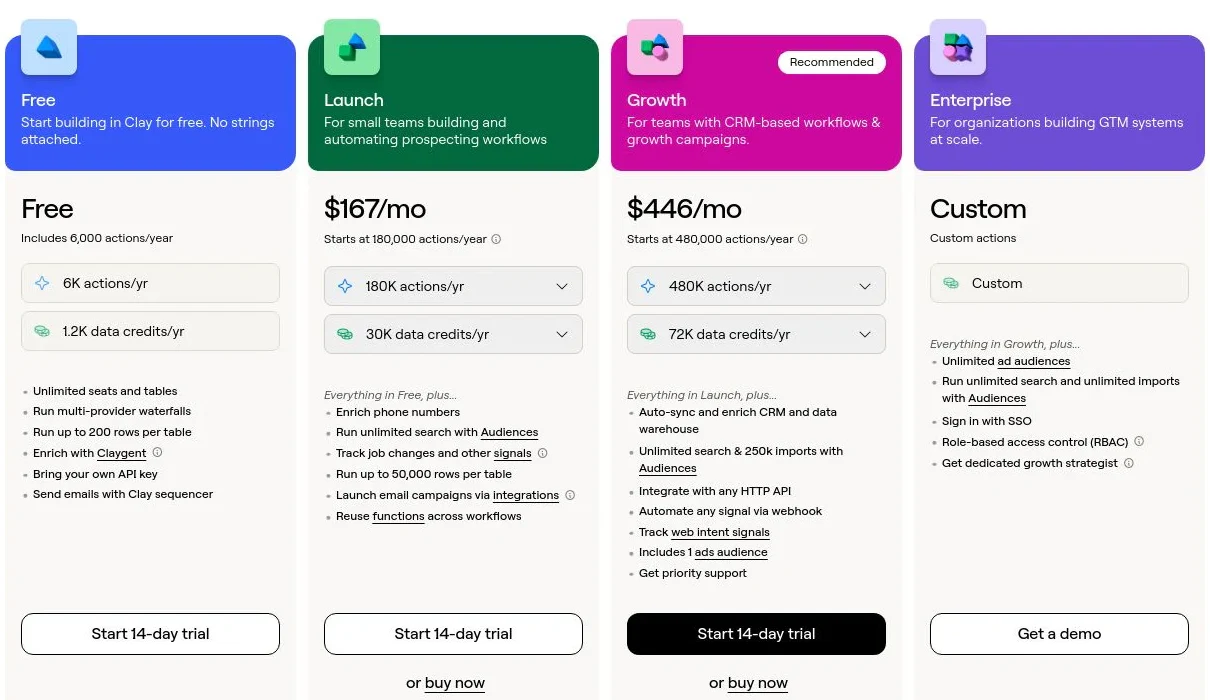
Clay pricing
- Free: $0/mo with 100 Data Credits, 500 Actions, unlimited seats and tables, multi-provider waterfalls, and Claygent
- Launch: from $185/mo with 2,500 Data Credits, 15,000 Actions, phone enrichment, and signal tracking
- Growth: from $495/mo with 6,000 Data Credits, 40,000 Actions, and CRM auto-sync
- Enterprise: custom pricing on an annual commitment with 100,000+ Data Credits, unlimited Audiences, API access, SSO, and RBAC
Data Credits pay for the data itself and roll over; Actions pay for the platform work and reset monthly. Bring your own API keys and you skip Data Credits entirely. See Clay's pricing page for the full breakdown.
Clay reviews
- G2: 4.6/5 from 200+ reviews (G2)
2. Apollo.io
- Best forSMB and mid-market teams that want a searchable database plus outreach in one tool
- Pricingfree plan, then paid tiers from $49/user/mo (annual)
- What we likea large self-serve database with a genuinely usable free tier
Apollo is the database most small teams meet first. It holds a large store of company and contact records you can filter by role, industry, and size, and because sequencing sits in the same product, you can go from a saved search to a list to a first email without a second tool. The free tier is what makes it the default starting point for founders.
The size comes with the usual database caveat: records vary in freshness, and accuracy is noticeably stronger in North America than elsewhere. Treat exports as a starting point and verify before a big send.
What we like about Apollo.io
- Large, filterable contact and company database
- Search, list building, and sequencing in one place
- A free tier that lets you test the data before paying
- Solid CRM and email integrations out of the box
Where Apollo.io could be better
- Record freshness varies, so bulk exports need a verification pass
- Coverage thins outside North America
- Data depth trails the enterprise databases
Why choose Apollo.io? The best price-to-value database when you want search and outreach without buying two products.
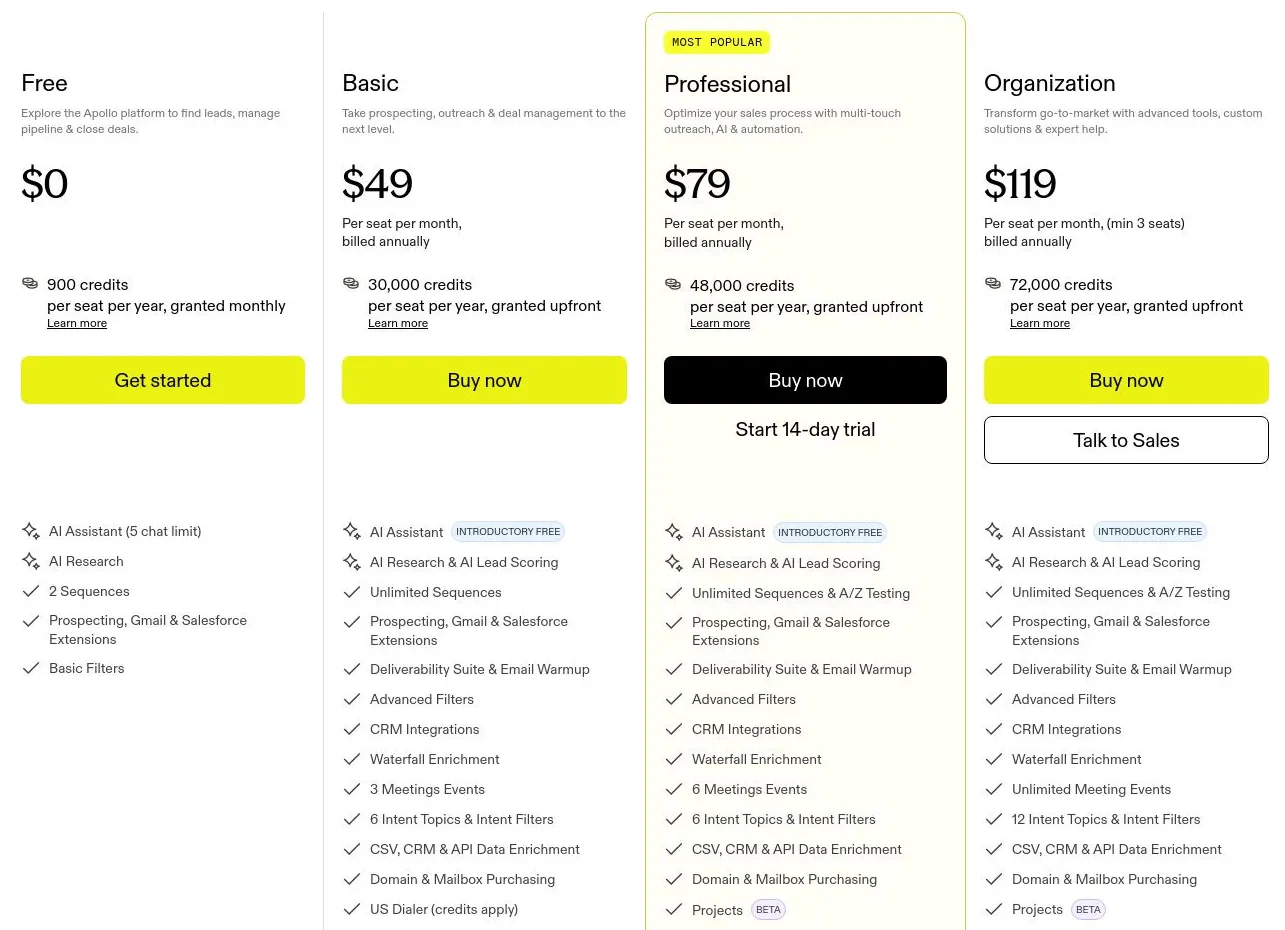
Apollo.io pricing
- Free: $0 with limited credits and core search
- Basic: $49/user/mo (annual) with more credits and sequences
- Professional: $79/user/mo (annual) with advanced features and higher limits
- Organization: $119/user/mo (annual, 3-seat minimum) with the full feature set
Monthly billing runs higher than the annual rates shown. See Apollo's pricing page for current limits.
Apollo.io reviews
- G2: 4.7/5 from 9,000+ reviews (G2)
3. ZoomInfo
- Best forenterprise teams needing the deepest, broadest B2B database plus intent
- Pricingquote-based, annual contracts
- What we likethe scale benchmark, with org charts, intent, and website-visitor reveal
ZoomInfo is the database everything else is measured against. It stores roughly 14 million companies and 235 million business professionals, layered with intent data, org charts, and WebSights visitor identification, so an enterprise team can search, segment, and act on buying signals in one place. When the requirement is sheer coverage across a large TAM, it's the incumbent for a reason.
The cost shows up beyond the invoice. Pricing is premium and quote-based on annual contracts, and as with any single static store, coverage is uneven by region and needs re-verifying as records age.
What we like about ZoomInfo
- One of the largest verified B2B databases available
- Intent data and org charts in the same store
- WebSights reveals which companies visit your site
- Deep integrations across major CRMs and sales tools
Where ZoomInfo could be better
- Premium, quote-based pricing on annual contracts
- Accuracy is strongest in North America and thins in parts of EMEA
- Overkill and overpriced for small teams
Why choose ZoomInfo? Uniquely good at enterprise-scale coverage and intent in a single database.
ZoomInfo pricing
ZoomInfo doesn't publish prices. Plans (commonly Professional, Advanced, and Elite) are quote-based and sold on annual contracts, priced by seats and credits. Third-party pricing analyses put entry-level contracts around $15,000 per year, rising with credits and add-ons. Get a quote on ZoomInfo's pricing page for your exact configuration.
ZoomInfo reviews
- G2: 4.5/5 from 8,000+ reviews (G2)
4. Seamless.AI
- Best forteams that want records built in real time rather than pulled from a fixed file
- Pricingfree tier, then quote-based
- What we likea search-engine model that assembles contacts on demand
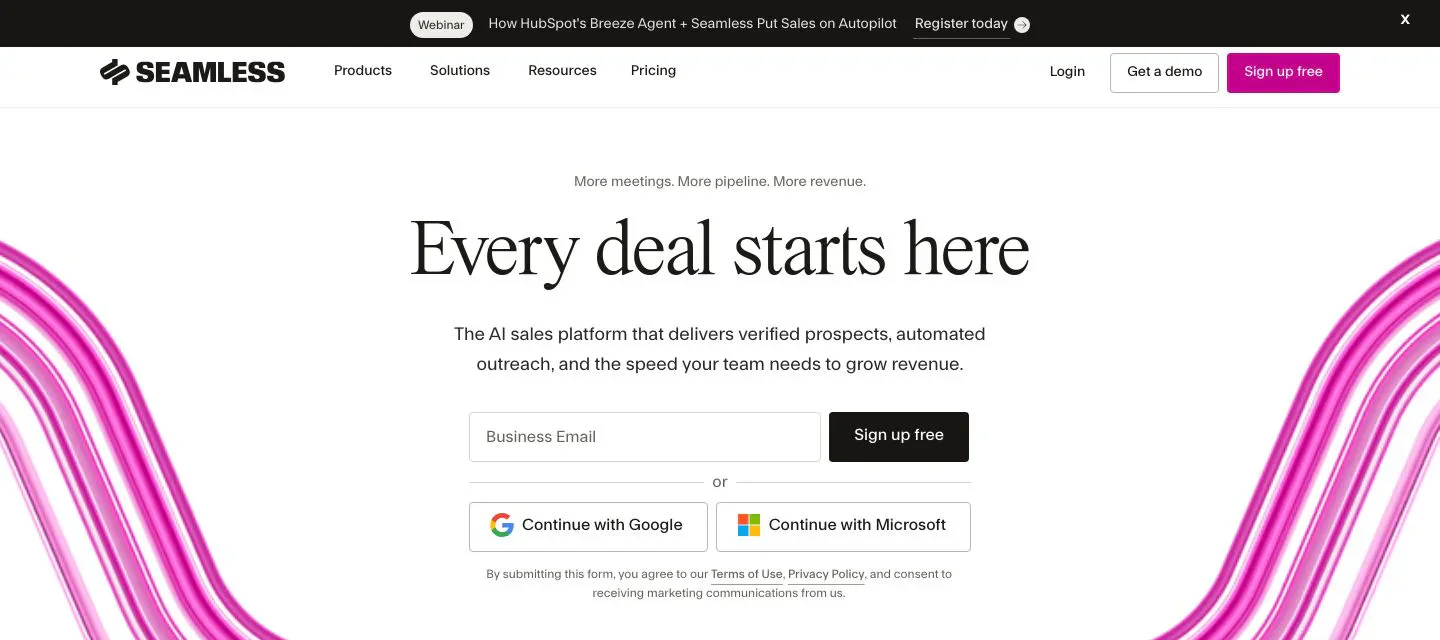
Seamless.AI takes a different stance on the static-database problem: instead of serving records from one stored file, it builds them in real time, scraping and stitching sources the moment you search. A Chrome extension pulls contacts as you browse, and buyer-intent add-ons help prioritize. For high-volume teams that would rather have fresh-off-the-web records than a months-old export, the approach fits.
Building on the fly is a strength and a risk. Accuracy varies record to record, so a verification step matters, and the credit-and-upsell model means costs can climb as you scale usage.
What we like about Seamless.AI
- Builds records in real time instead of serving a static file
- Email and phone finder with a Chrome extension
- Buyer-intent and other data add-ons available
- Free tier to try before committing
Where Seamless.AI could be better
- Accuracy varies record to record, so verify before sending
- Credit and upsell model can make costs climb
- Pricing is quote-based with no clear public tiers
Why choose Seamless.AI? Assembles fresh contact records on demand rather than querying an aging database.
Seamless.AI pricing
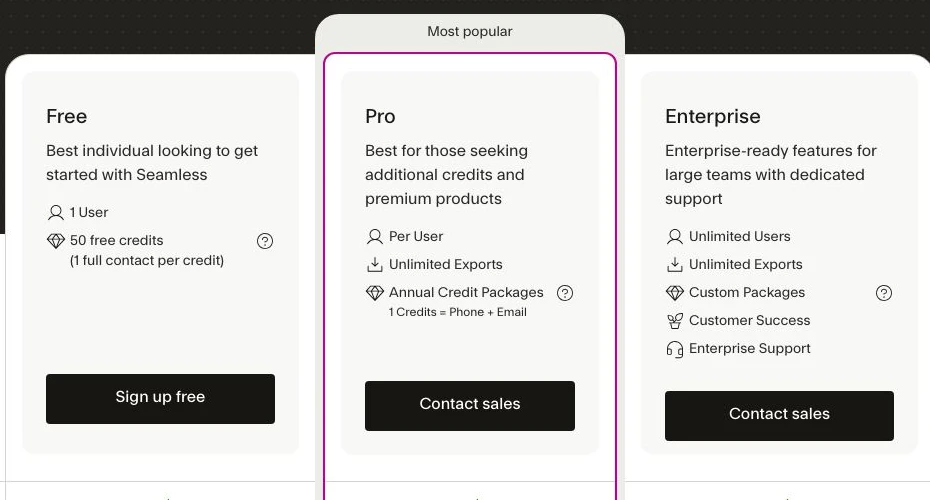
Seamless.AI is largely quote-based. There's a free tier with a limited number of lifetime credits, and Pro and Enterprise plans are custom-quoted annual contracts, often with a seat minimum. Contact Seamless.AI for a quote on its pricing page.
Seamless.AI reviews
- G2: 4.4/5 from 5,000+ reviews (G2)
5. Cognism
- Best forteams selling into the EU and UK that need a phone-verified, compliant database
- Pricingquote-based
- What we likeDiamond Data phone verification and a strong GDPR posture
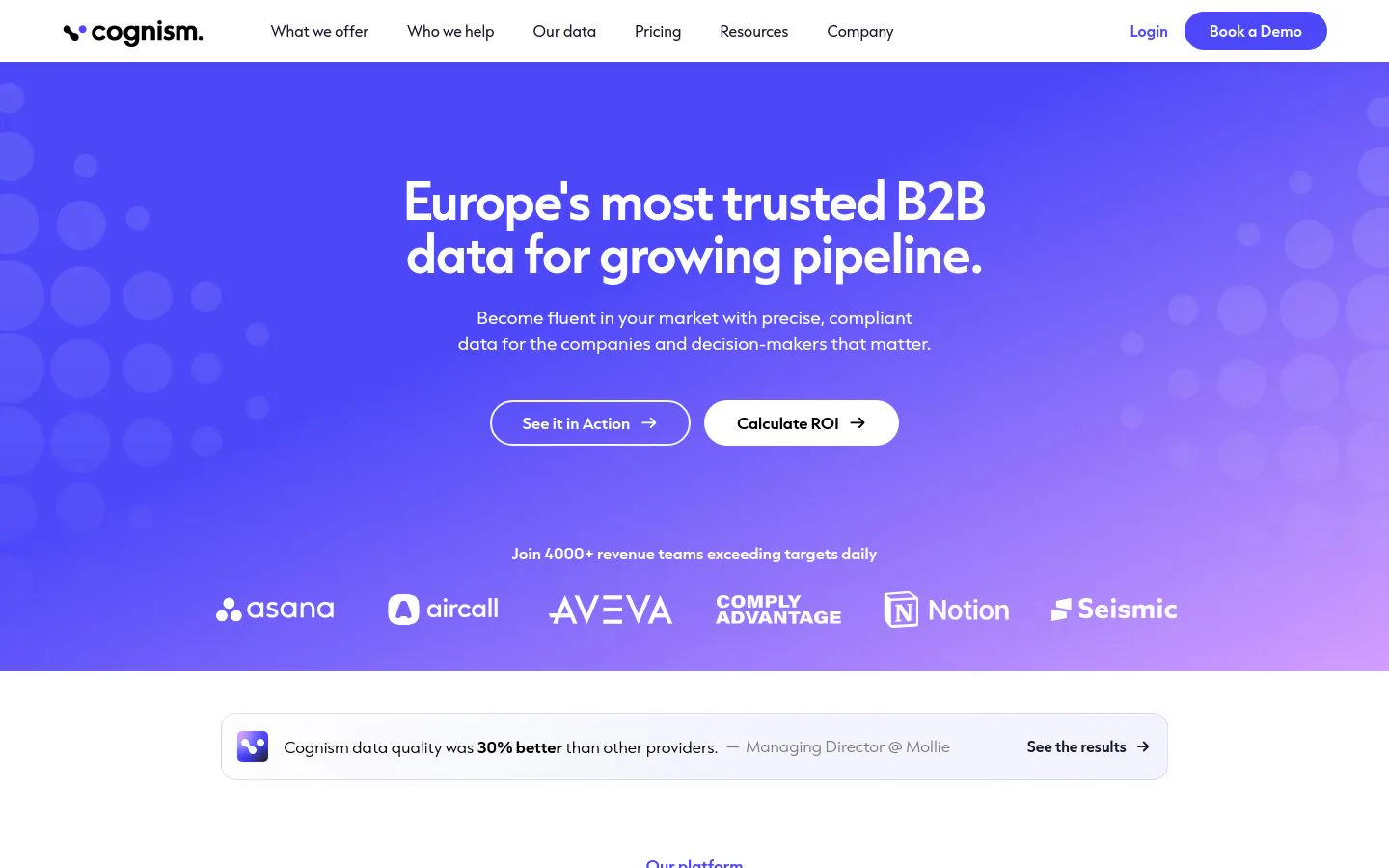
Cognism is the database to reach for when your accounts sit in Europe. Its Diamond Data phone numbers are human-verified rather than modeled, its EU and UK company and contact coverage is deep, and its GDPR posture is a real differentiator for compliance-sensitive teams. Records enrich into Salesforce automatically, and many plans offer unrestricted-view access, so seats aren't rationed by credit.
The trade-offs are regional and commercial. It's a premium, quote-based product, and coverage is strongest in the UK, EMEA, and DACH while thinner than the US incumbents stateside.
What we like about Cognism
- Diamond Data phone numbers are human-verified
- Deep, compliant EU and UK coverage with a strong GDPR posture
- Automatic Salesforce enrichment and intent data
- Unrestricted-view access on many plans
Where Cognism could be better
- Premium, quote-based pricing with no public tiers
- US coverage is thinner than the North American databases
- Credit and seat structure needs a sales conversation to size
Why choose Cognism? The database that wins on phone-verified, compliant EU and UK records where others thin out.
Cognism pricing
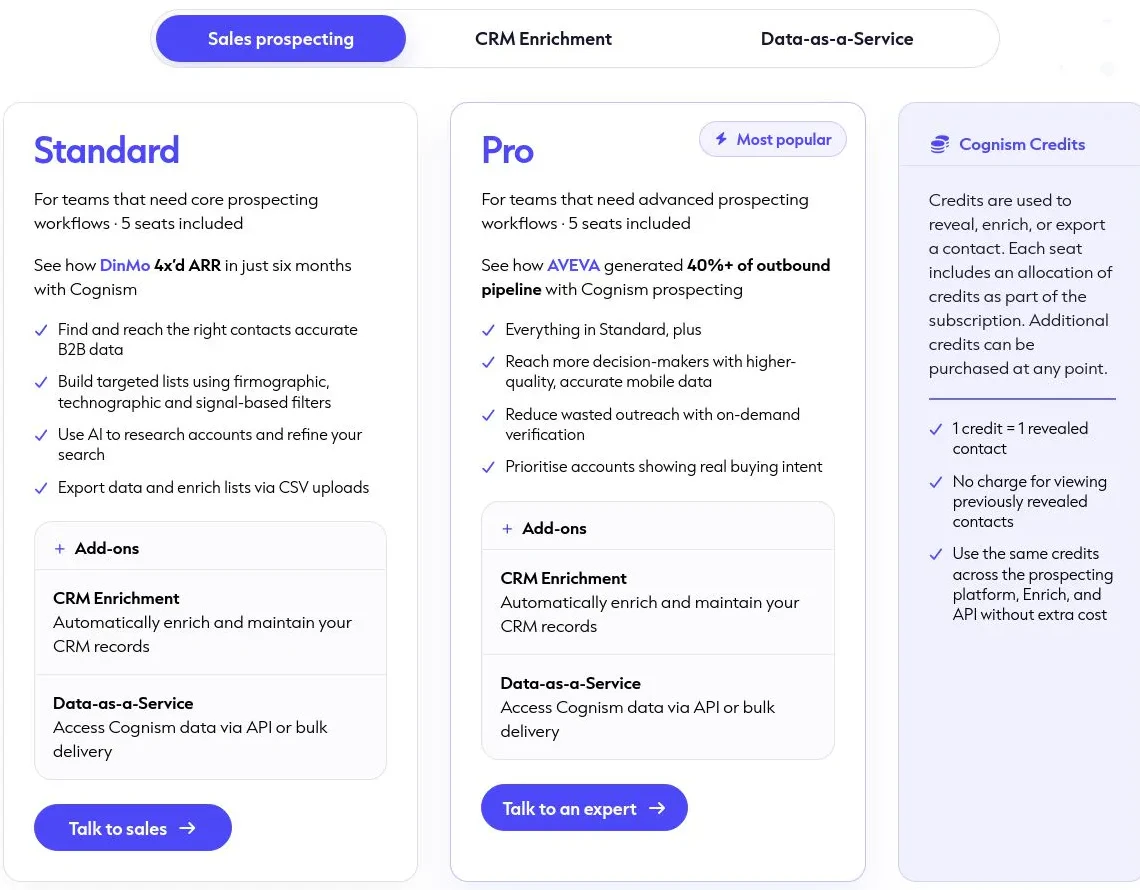
Cognism is quote-based. The pricing page lists Sales Prospecting packages (Standard and Pro) plus CRM Enrichment and Data-as-a-Service add-ons, all priced through sales. The model is credit-based, where one credit reveals one contact. Talk to Cognism for a quote sized to your region and seats. Start on Cognism's pricing page.
Cognism reviews
- G2: 4.5/5 from 1,300+ reviews (G2)
6. Lusha
- Best forSMB reps who want fast, self-serve lookups against a live profile
- Pricingfree plan (40 credits/mo), then paid tiers
- What we likea simple Chrome extension and quick time-to-value
Lusha is the lightest way to touch a contact database. Rather than sit a rep in front of a big search UI, its Chrome extension pulls a work email and phone straight off a professional profile as they browse, and paid tiers add bulk enrichment and CRM sync. For SMB teams that value speed over depth, it's live in minutes with no training.
That simplicity sets the ceiling. Credit caps arrive quickly on lower tiers, and the underlying store is lighter than the enterprise databases, so it suits one-off lookups more than standing up a whole TAM.
What we like about Lusha
- Chrome extension pulls email and phone off a profile in a click
- Fast setup with a free plan to start
- Bulk enrichment and CRM sync on paid tiers
- Simple enough that a rep needs no training
Where Lusha could be better
- Credit caps arrive quickly on lower tiers
- The dataset is lighter than the enterprise databases
- Better for one-off lookups than building a whole TAM
Why choose Lusha? The fastest self-serve lookup for SMB reps who want a contact in a click.
Lusha pricing
Lusha offers a free plan with 40 credits per month, then paid Pro, Premium, and Scale tiers from around $37.45/user/mo (annual) that add credits, bulk enrichment, and team features. The model is credit-based (revealing an email costs one credit, a phone number more). Check Lusha's pricing page for current per-tier rates.
Lusha reviews
- G2: 4.3/5 from 1,600+ reviews (G2)
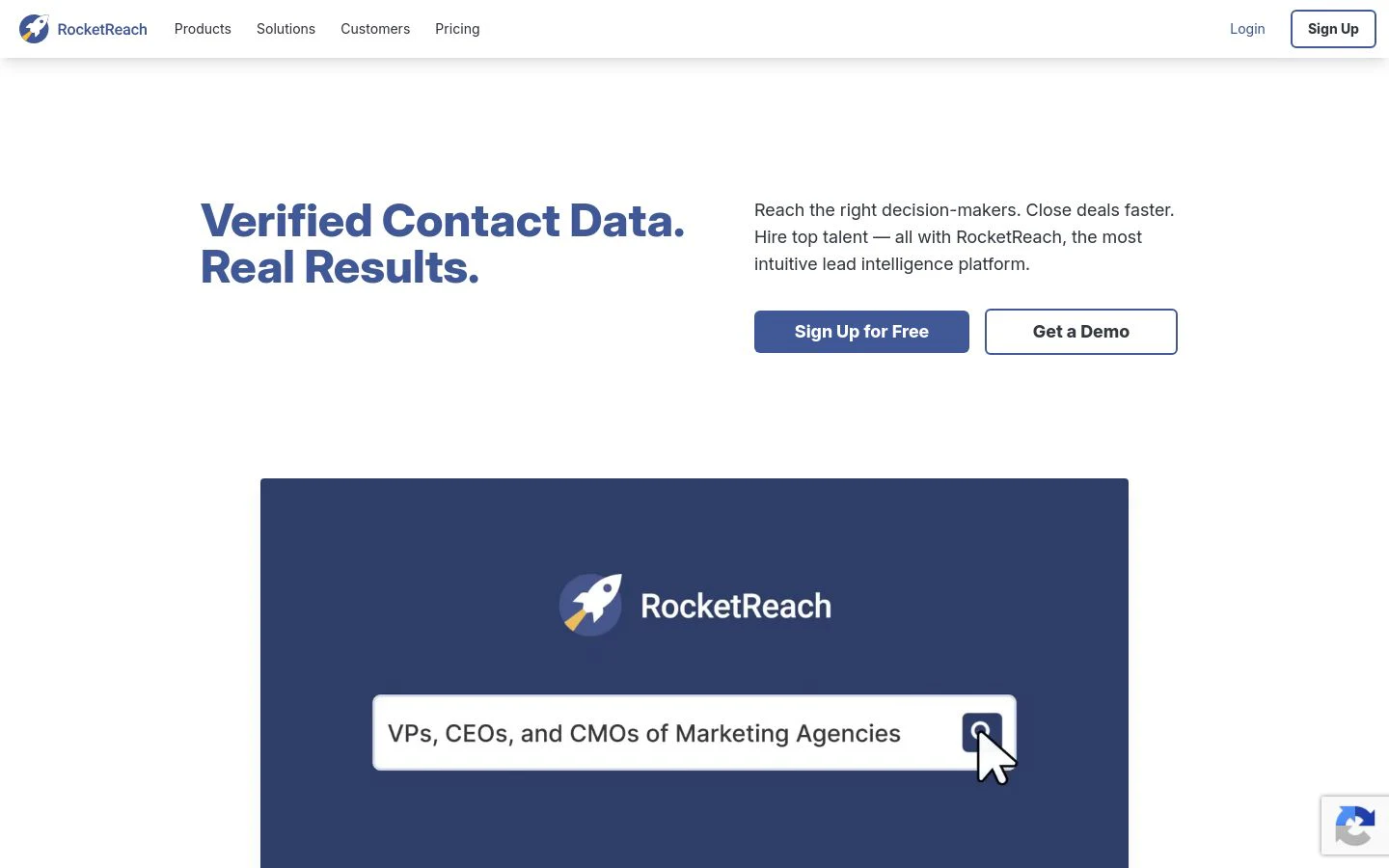
7. RocketReach
- Best forindividual reps and recruiters who want broad professional coverage at a low entry price
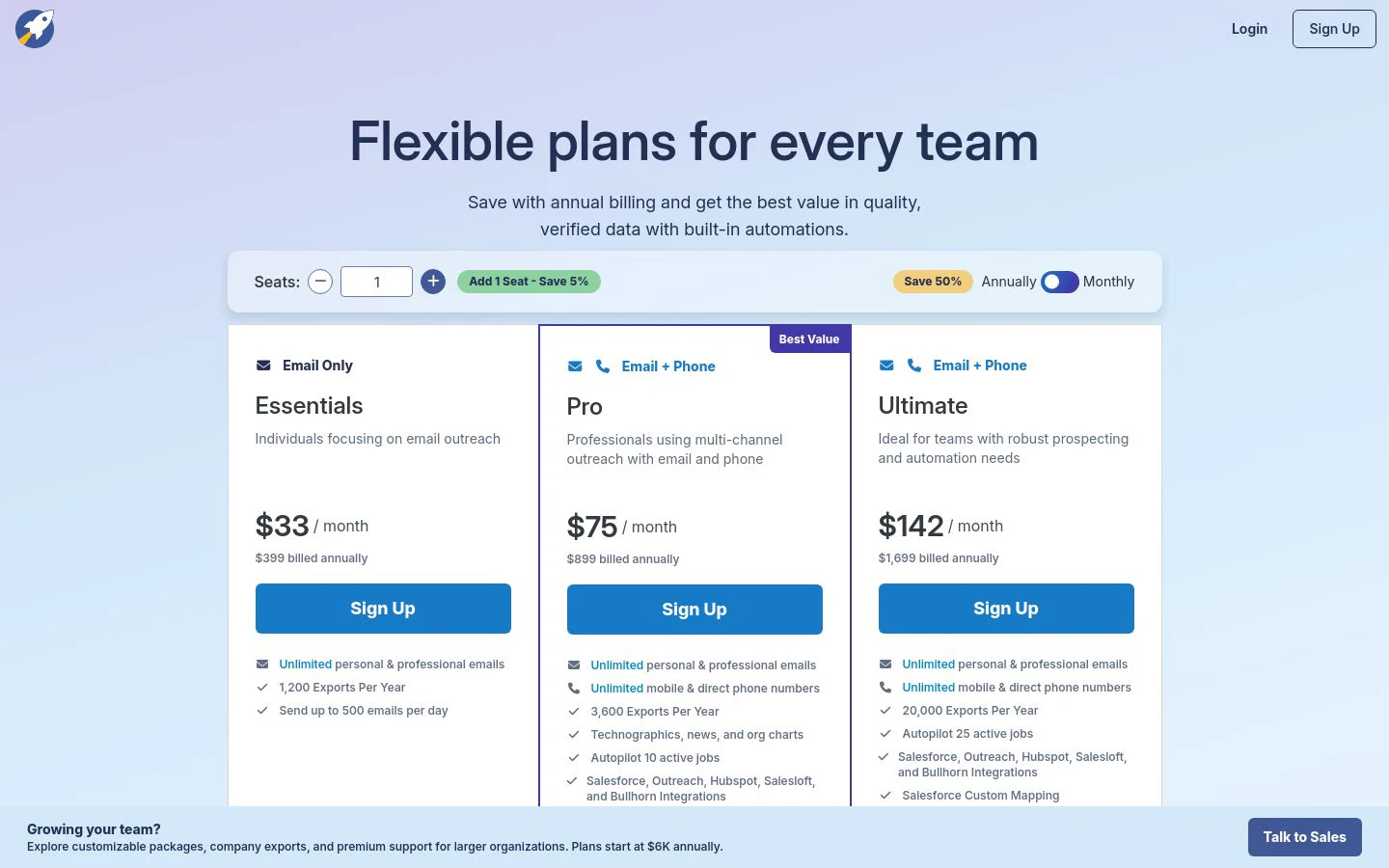
- Pricingfree plan, then paid tiers from around $33/mo (annual)
- What we likea very large store of professional profiles and simple per-lookup access
RocketReach leans on breadth. It stores contact details for a very large set of professionals across industries and geographies, which makes it a reliable place to find an email or phone for someone a narrower database misses. Search by name, company, or role, run a browser extension while you browse, or hit the API, and pull contacts without a heavy platform around it.
The catch is the usual freshness trade of a broad static store: hit rates and accuracy vary by record, phone numbers sit behind higher tiers, and month-to-month billing costs meaningfully more than the annual rates. Verify before you rely on a pull.
What we like about RocketReach
- Very large store of professional profiles across regions
- Search, browser extension, and API access
- Low entry price with a free plan to start
- Handy for recruiting and hard-to-find roles, not just sales
Where RocketReach could be better
- Accuracy varies by record, so verify before sending
- Phone numbers and intent data require the higher tiers
- Monthly billing costs notably more than annual, and lookup overages add up
Why choose RocketReach? Broad professional coverage at a low price when you need a contact a narrower database doesn't hold.
RocketReach pricing
RocketReach has a free plan, then Essentials, Pro, and Ultimate tiers. On annual billing, Essentials starts around $33/mo (email only), with Pro adding phone numbers and Ultimate adding intent data and full API access. Team plans carry a seat minimum, and monthly billing runs noticeably higher than the annual rates. See RocketReach's pricing page for current tiers.
RocketReach reviews
- G2: 4.4/5 from 1,300+ reviews (G2)
8. UpLead
- Best forteams that value verified accuracy over raw record count
- Pricing7-day free trial, then paid tiers from $74/mo (annual)
- What we likereal-time email verification and a published accuracy guarantee
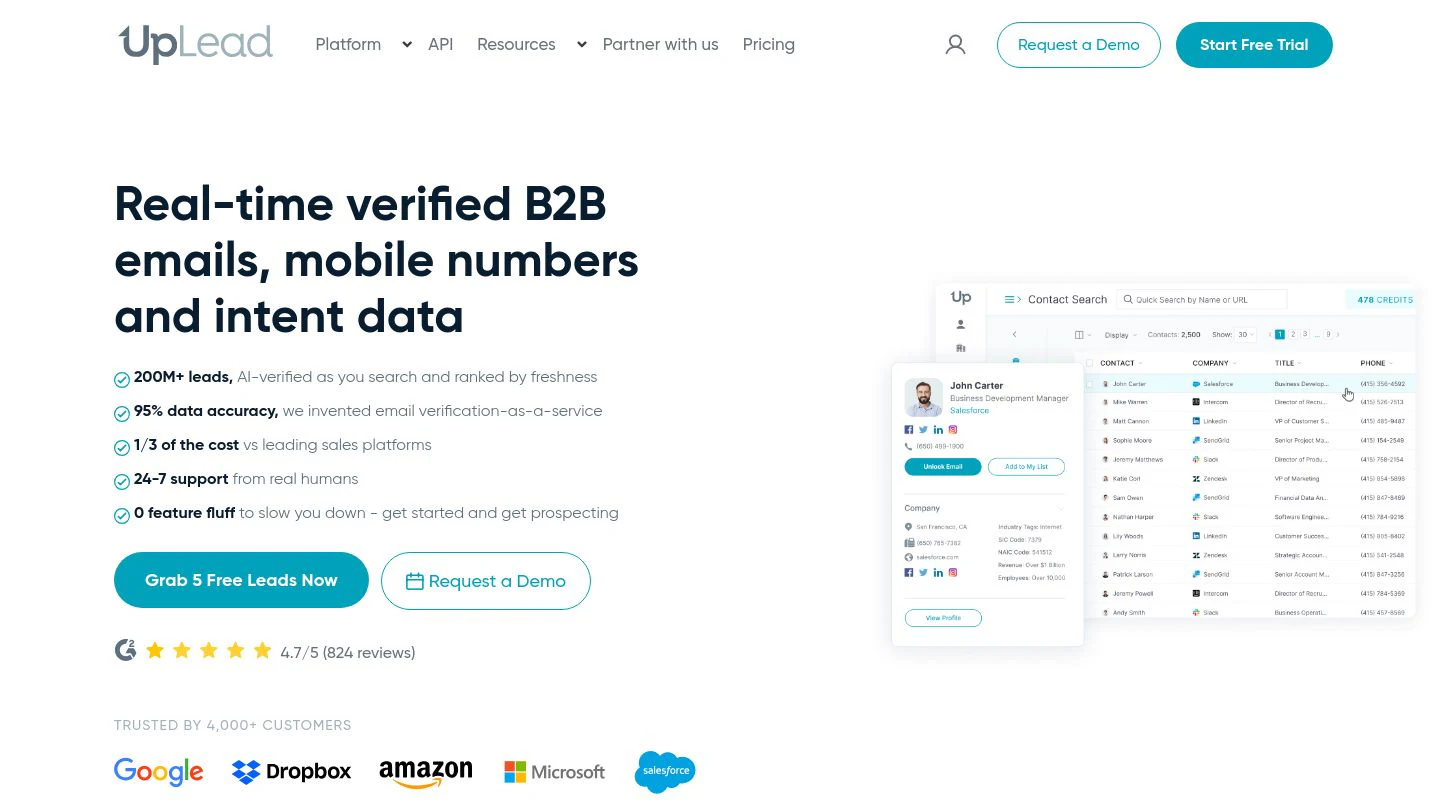
UpLead competes on quality rather than size. It verifies emails in real time at the point of export and backs the data with a 95% accuracy guarantee, crediting you back for anything that bounces. You filter a mid-sized but clean store by more than 50 attributes, including technographics and intent, and export contacts complete with a verified email and mobile in one credit. For teams tired of paying to clean a bloated list, that model lands.
The store is smaller than the enterprise databases by design, so it's less suited to the widest TAM pulls, and the credit ceilings on lower tiers arrive faster than heavy users would like.
What we like about UpLead
- Real-time email verification with a 95% accuracy guarantee
- Filter by 50+ attributes, including technographics and intent
- One credit returns a verified email plus a mobile number
- Clean CRM export and integrations
Where UpLead could be better
- Smaller store than the enterprise databases
- Credit caps on lower tiers arrive quickly for heavy users
- The Professional tier is quote-only
Why choose UpLead? The database to pick when verified accuracy matters more than the biggest record count.
UpLead pricing
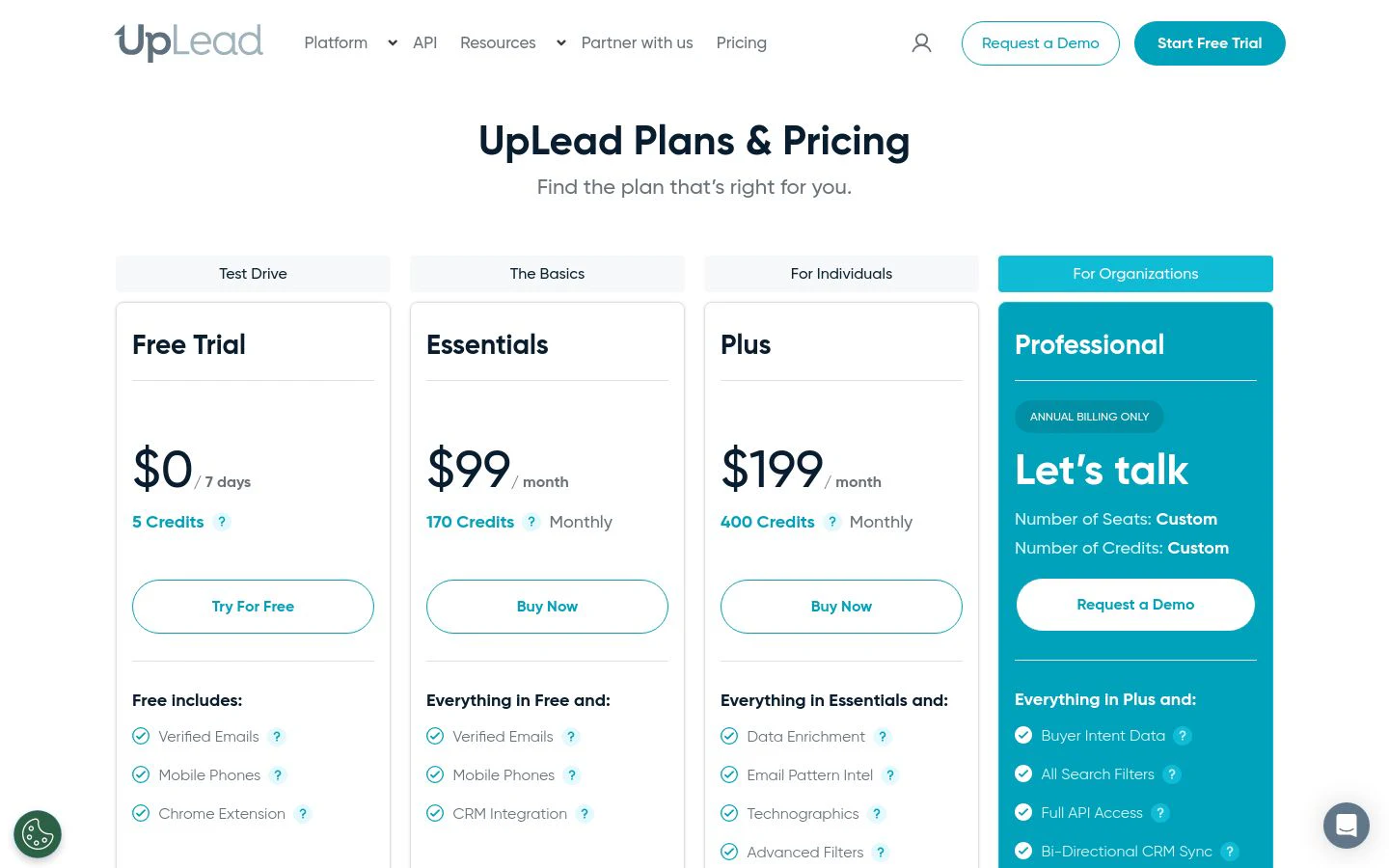
UpLead offers a 7-day free trial (5 credits), then Essentials at $99/mo (170 credits) and Plus at $199/mo (400 credits), dropping to about $74/mo and $149/mo on annual billing. The Professional tier is custom-quoted. One credit unlocks one contact with a verified email and mobile; extra credits run $0.50 to $0.60 each. See UpLead's pricing page for current plans.
UpLead reviews
- G2: 4.7/5 from 700+ reviews (G2)
9. Kaspr
- Best forSMB reps extracting contacts straight off LinkedIn
- Pricingfree plan, then paid tiers
- What we likea simple LinkedIn extension with GDPR-aligned EU data
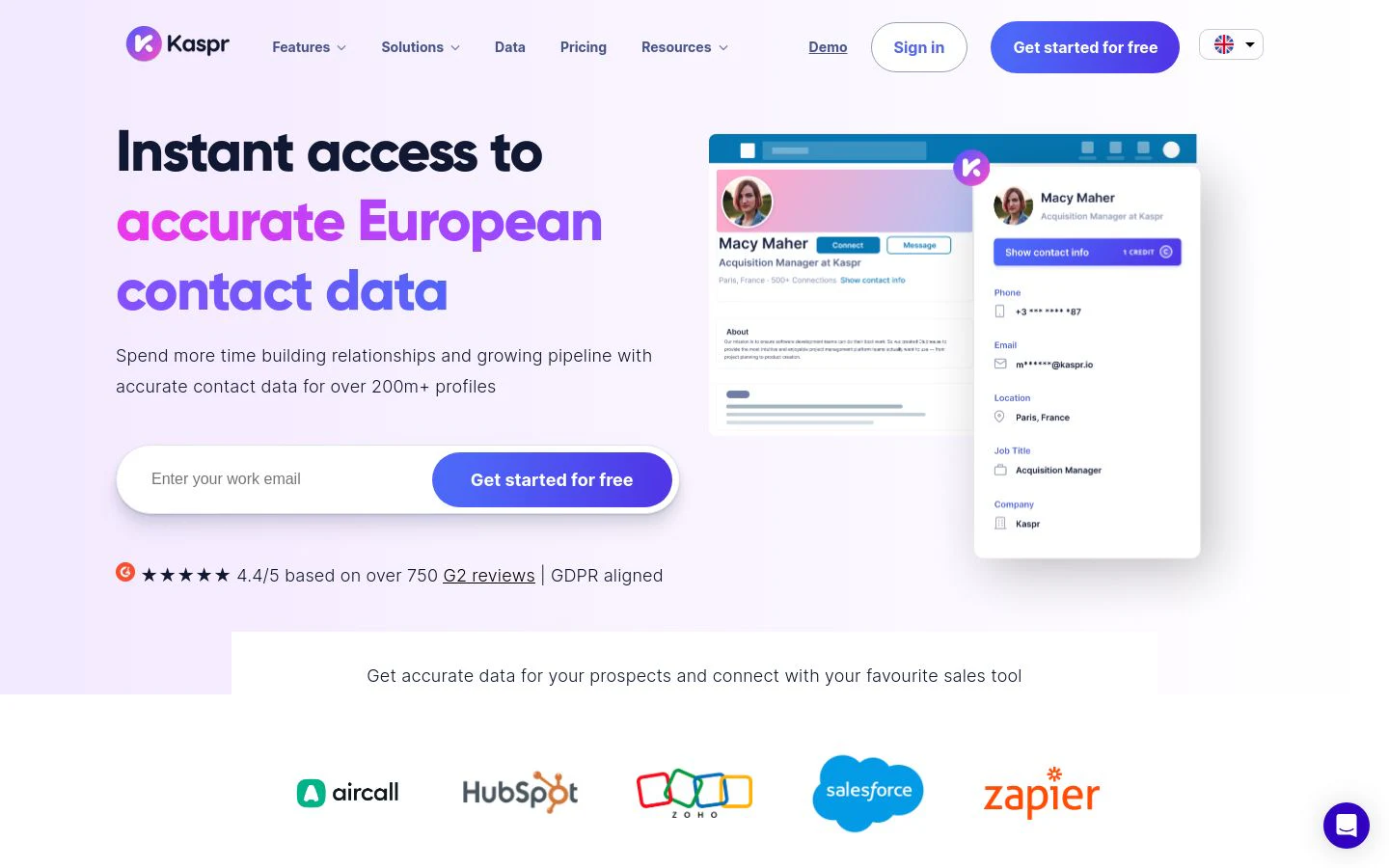
Kaspr (owned by Cognism) treats LinkedIn as the front end to a contact database. Its extension pulls emails and phone numbers from a profile in a click and pushes them to your CRM, drawing on a compliant EU-focused store. For an individual rep who lives in LinkedIn and wants a fast, cheap way to grab a contact, it's a low-commitment start.
The database and feature set are lighter than a full platform's, so it works best for one-off extraction rather than sourcing a large, structured TAM.
What we like about Kaspr
- One-click contact extraction on LinkedIn
- Free plan to start
- GDPR-aligned EU data, backed by Cognism
- CRM integrations
Where Kaspr could be better
- Lighter store than the enterprise databases
- Credit-limited on lower tiers
- Best for individual reps, not TAM sourcing
Why choose Kaspr? Cheap, fast LinkedIn contact extraction for SMB reps working in the EU.
Kaspr pricing
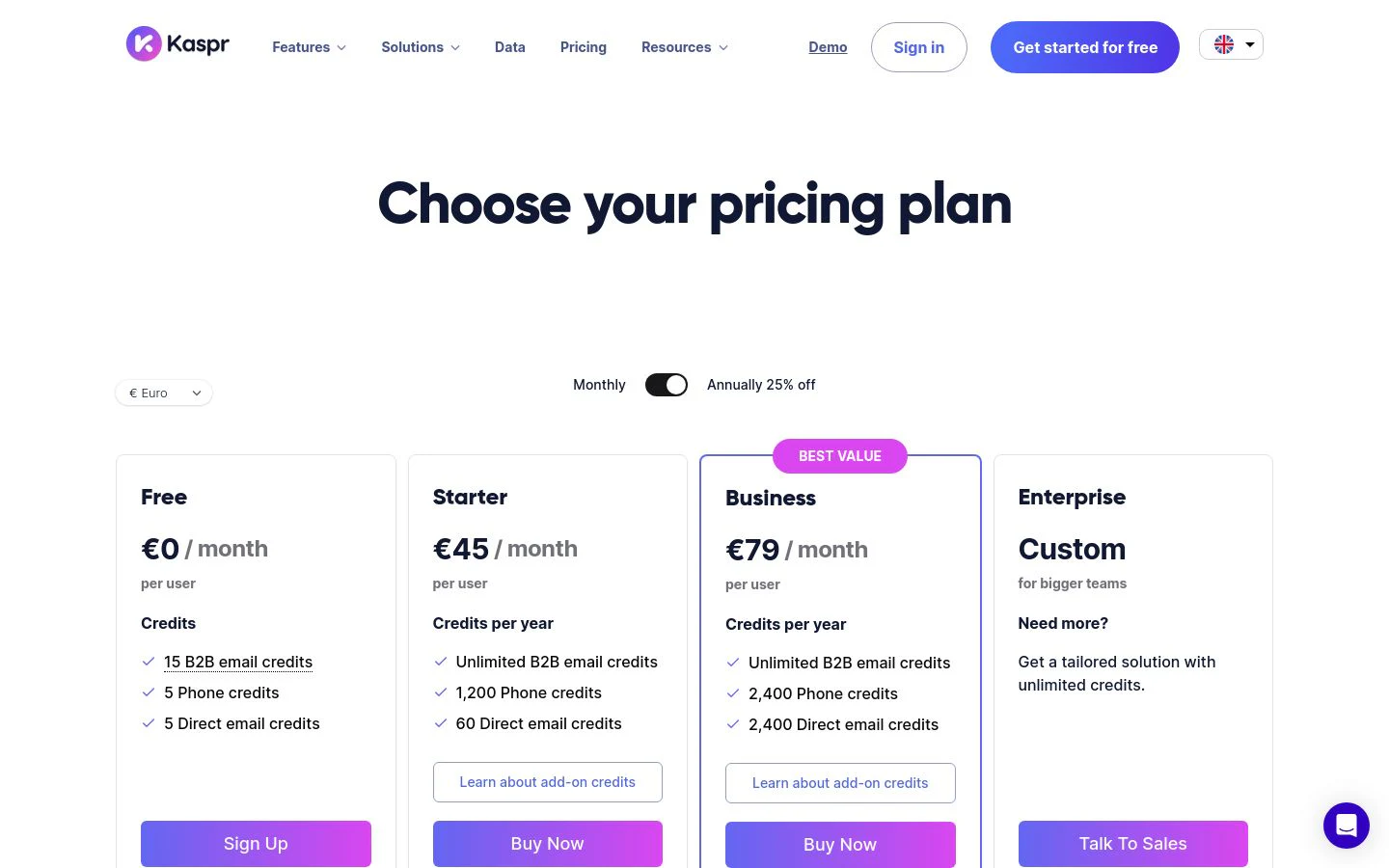
Kaspr has a free plan, then Starter, Business, and Organization tiers that add credits and team features, priced per license. Talk to Kaspr for the Organization tier. See Kaspr's pricing page for current rates.
Kaspr reviews
- G2: 4.4/5 from 800+ reviews (G2)
10. Lead411
- Best forUS-focused teams that want contact data plus Bombora intent in one plan
- Pricingfrom $49/mo (Spark, annual)
- What we likeunlimited-style export tiers and bundled intent data
Lead411 is a US-centric database that pairs verified contact records with Bombora buyer-intent data, so you can see which accounts are researching your category and reach the right people in one workflow. Its lower tiers lean generous on exports compared with credit-capped rivals, which suits high-volume US outbound teams on a budget.
Coverage is strongest in North America and thinner internationally, and the best value depends on annual billing: month-to-month plans drop the bundled intent data, so the pricing model rewards commitment.
What we like about Lead411
- Verified US contact and company data
- Bombora buyer-intent bundled on annual plans
- Generous export limits on entry tiers
- Chrome extension and CRM integrations
Where Lead411 could be better
- Coverage is thinner outside North America
- Intent data requires annual billing, not month-to-month
- Smaller store and lighter tooling than the enterprise databases
Why choose Lead411? Affordable US contact data with intent bundled in, for teams that sell mostly stateside.
Lead411 pricing
- Spark: $49/mo (or about $490/year) with 1,000 exports and no API
- Ignite: from $150/mo, adding API access and higher export limits
- Blaze: custom pricing with unlimited-style exports
Annual subscribers get Bombora intent data included; month-to-month plans do not. See Lead411's pricing page for current tiers.
Lead411 reviews
- G2: 4.5/5 from 470+ reviews (G2)
Which B2B contact database should you choose?
Match the database to your situation, not the other way around.
- A live list built from many sources: Clay. It's the only option here that assembles and refreshes the contact list instead of reselling one static file.
- All-in-one on a budget: Apollo.io, when you want search and outreach in one tool.
- Enterprise scale and intent: ZoomInfo, if the budget and North American focus fit.
- Records built in real time: Seamless.AI.
- Phone-verified, EU/UK compliant: Cognism, with Kaspr for lightweight LinkedIn extraction.
- Fast SMB self-serve lookups: Lusha or RocketReach.
- Verified accuracy over raw size: UpLead.
- US contacts plus intent on a budget: Lead411.
If your accounts already sit clean and current in your CRM, a self-serve lookup tool is the quickest fix. If the accounts you care about depend on records no single vendor keeps fresh, stop renting a snapshot and build the list from many sources instead.
What is the best free B2B contact database?
If you want to test a database without paying, a few stand out. Apollo's free tier is the most generous all-in-one, with search, a starter credit balance, and a few sequences to try outreach end to end. RocketReach and Kaspr both offer free plans for quick lookups, and UpLead's 7-day trial lets you check its accuracy guarantee on a handful of records.
For building a real, custom list, Clay's free plan is the one that lets you filter to your ICP, run a multi-source waterfall, and use Claygent against your own accounts before you spend a credit. It shows coverage on the accounts you actually sell into, not a vendor's demo file.
The catch with every free tier is credits. They're built for testing, not production, so treat them as a way to check freshness and coverage on your own data before you choose.
Where B2B contact databases are heading
For most of the last decade, buying contact data meant renting one big database and hoping your accounts happened to sit inside it, current. That model is quietly breaking. A static store is a snapshot, and roughly a third of it goes stale every year as people change jobs, so the teams pulling ahead in 2026 treat contact data as something to assemble from many sources on demand, verify at the moment of use, and rebuild continuously rather than re-buy annually.
Practically, start from where you actually hurt. If reps just need a phone number before a call, a self-serve lookup tool is the fastest win. If your CRM is riddled with records pointing at people who left, the fix is freshness, not a bigger database. And if the accounts that matter depend on data no single vendor keeps current, build the list from many sources first, because no sequencer rescues contacts who moved on.
Whatever you shortlist, run it against your own accounts before committing a budget. Every vendor's demo list looks complete. Only yours tells you how much is actually reachable.
Build your contact list, don't rent it
Filter to your ICP, pull verified contacts from 200+ sources, and keep the list fresh, free.
FAQ
What is a B2B contact database?
It's a searchable store of company and people records, work emails, direct-dial phones, titles, headcount, industry, and location, that teams filter to build a target list and push into a CRM or sequencer. The best ones matter less for their size than for how current the records are on your specific ICP.
How accurate is B2B contact data, and how does it decay?
Accuracy varies by vendor and region, and every database ages: roughly a third of contacts change jobs or details each year. The strongest options verify at the point of use and pull from more than one source, so a miss in one becomes a hit in another. Always test accuracy on your own list before you commit.
What's the difference between a contact database and data enrichment?
A database is the store you search to find records. Enrichment fills the missing fields on records you already have. Tools like Clay blur the line: they build the list from many sources and enrich it in the same workflow, so you're not buying a static file and cleaning it separately.
Which B2B contact databases are best for GDPR and CCPA compliance?
Cognism is built around a strong GDPR posture and compliant EU and UK data, and Kaspr (Cognism-owned) carries the same EU alignment. Most enterprise databases support CCPA opt-out and DNC handling. If you sell into Europe, prioritize a vendor with clear regional compliance and verified consent.
Do these databases integrate with HubSpot and Salesforce?
Most do, syncing contacts both ways. Clay also writes enriched records back and re-runs them as data changes, so the list in your CRM stays current instead of freezing at export.
How is B2B contact database pricing structured?
Usually credits (one credit per revealed contact), per-seat licenses, or usage tiers. Enterprise databases like ZoomInfo and Cognism are quote-based on annual contracts. Usage-based platforms like Clay separate the data cost from the platform cost.
Which contact database is best for a small team on a budget?
Apollo's free and low tiers are hard to beat for an all-in-one, RocketReach and Lusha are cheap for quick lookups, and Lead411 bundles US intent affordably. To build a custom list without paying up front, Clay's free plan lets you filter and enrich a real list before spending a credit.