
A B2B sales CRM should give every rep and leader the same reliable view of accounts, contacts, deals, and next steps. When the system fits the sales motion, it sharpens follow-up, forecasting, and handoffs. When it does not, the team works around it in spreadsheets and the forecast becomes a debate about the data.
The harder problem is that feature depth alone does not make a CRM useful. A system can have sophisticated automation and reporting, but stale titles, duplicate accounts, and missing firmographics still break routing and hide risk.
We compared 10 widely used options on pipeline management, reporting, automation, integrations, pricing, and the quality of the data they help teams act on. Clay is included first with an important caveat: it is not a traditional CRM. It is the data and orchestration layer that keeps a CRM accurate enough to trust.
What is a B2B sales CRM?
A B2B sales CRM is the system of record for accounts, contacts, deals, activities, and the relationships between them. It gives sellers a shared pipeline, managers a way to forecast and report, and operations teams a place to automate routing and handoffs. The best CRM is the one that fits how your team actually sells and keeps the underlying records accurate. A polished pipeline view cannot compensate for stale contacts, missing account fields, or duplicates that send work to the wrong rep.
The 10 best CRMs for B2B sales in 2026
| # | Tool | Best for | Pricing from | G2 rating |
|---|---|---|---|---|
| 1 | Clay | Keeping CRM data accurate and enriched | Free, paid from $185/mo | 4.6/5 |
| 2 | Salesforce Sales | Highly customized enterprise B2B sales | $25/user/mo | 4.4/5 |
| 3 | HubSpot Sales Hub | CRM, marketing, and service in one platform | Free, paid from $7/seat/mo | 4.4/5 |
| 4 | Close | High-velocity inside sales | $9/user/mo | 4.7/5 |
| 5 | Pipedrive | Pipeline-first SMB and mid-market sales | $14/seat/mo | 4.3/5 |
| 6 | monday CRM | Flexible, visual sales workflows | Free trial, paid by seat | 4.6/5 |
| 7 | Zoho CRM | Broad features on a controlled budget | Free, paid from $14/user/mo | 4.1/5 |
| 8 | Nimble CRM | Relationship-first selling | $24.90/seat/mo | 4.5/5 |
| 9 | Nutshell | Easy all-in-one CRM for small B2B teams | $13/user/mo | 4.3/5 |
| 10 | Pipeline CRM | Straightforward pipeline management | $25/user/mo | 4.4/5 |
1. Clay
- Best forkeeping CRM data accurate and enriched as the data layer under your CRM
- PricingFree plan, then Launch from $185/mo, Growth from $495/mo, and custom Enterprise
- What we likeenrichment, deduplication, routing, and scheduled refreshes across 150+ data sources
Clay isn't a traditional CRM. It is the data layer that keeps your CRM worth using.
Full disclosure: Clay is our product, and we put it first because data quality is the central problem this guide is designed to solve. Teams keep Salesforce, HubSpot, or another CRM as the system of record, then use Clay's CRM enrichment workflows to enrich new and existing accounts, standardize fields, remove duplicates, route records, and write clean data back automatically. Waterfall enrichment checks multiple providers in sequence, while Claygent researches fields that fixed databases do not carry.
That makes Clay a strong companion to every CRM on this list, not a replacement for deal stages, activity logging, or forecasting.
Fix the data in your CRM
Enrich, deduplicate, route, and refresh your records in Clay, then sync them back to your system of record.
What we like about Clay
- Waterfall enrichment across 150+ data sources improves coverage without locking the team to one provider
- Scheduled refreshes keep titles, firmographics, and account details current after the initial import
- Deduplication, normalization, scoring, and routing can run in the same workflow
- Native CRM sync writes enriched records back to Salesforce and HubSpot
- Claygent researches custom fields that standard CRM databases do not contain
Where Clay could be better
- It does not replace pipeline management, forecasting, or activity tracking in a real CRM
- Teams need to design and govern the enrichment workflow rather than switch on a fixed database
- Usage-based costs require planning when millions of records or frequent refreshes are involved
Why choose Clay? Choose it when your CRM structure is working but the records inside it are incomplete, duplicated, or stale.
Proof. Sana used Clay across 150,000 Salesforce accounts and improved data accuracy by 60%, while continuously enriching new and changing records.
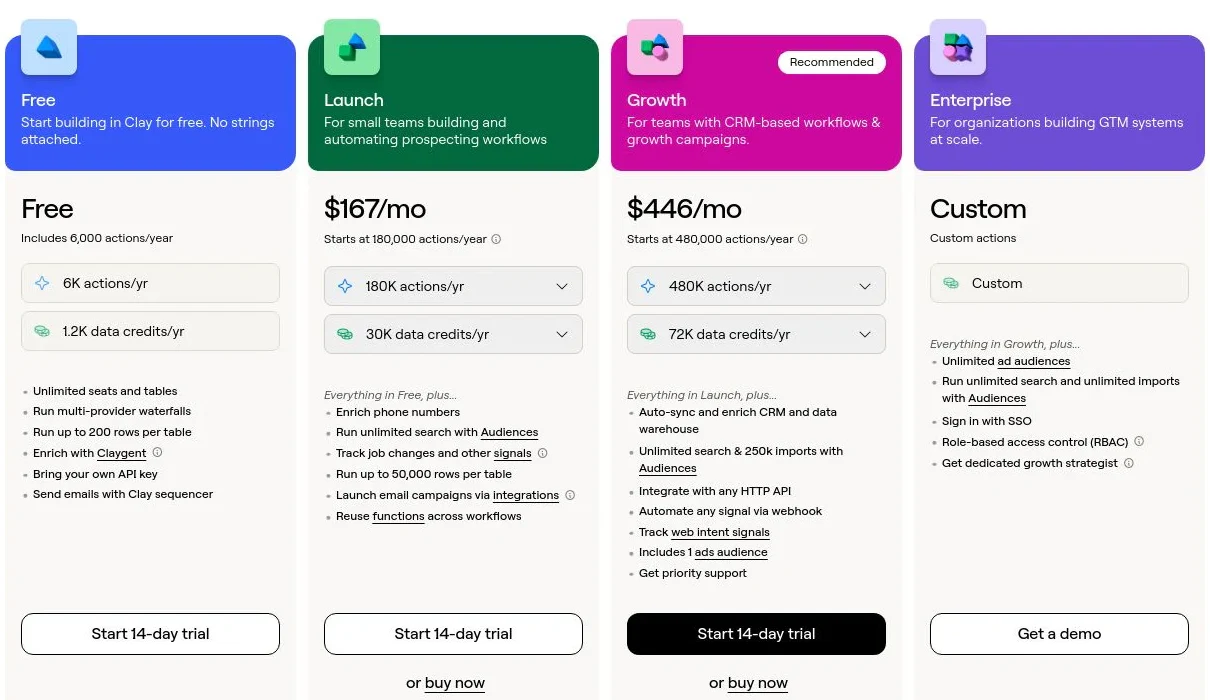
Clay pricing
- Free: $0/mo with 100 Data Credits, 500 Actions, unlimited seats and tables, waterfalls, and Claygent
- Launch: from $185/mo with 2,500 Data Credits, 15,000 Actions, phone enrichment, and signal tracking
- Growth: from $495/mo with 6,000 Data Credits, 40,000 Actions, CRM auto-sync, and ad audience pushes
- Enterprise: custom annual pricing with higher data volumes, Audiences, API access, SSO, and RBAC
See Clay's pricing page for current plan limits and usage details.
Clay reviews
- G2: 4.6/5 from 200+ reviews (G2)
2. Salesforce Sales

- Best forenterprise B2B sales organizations that need deep customization and governance
- PricingStarter Suite from $25/user/mo, with higher tiers for advanced automation and controls
- What we likea highly configurable CRM platform with mature forecasting, permissions, and ecosystem depth
Salesforce is the default enterprise CRM for a reason. It can model complex account structures, territories, products, approvals, and sales processes while giving operations teams extensive control over fields, permissions, automation, and reporting.
The flexibility is also the cost center. Salesforce rewards careful architecture and dedicated administration. Without that discipline, custom fields multiply, workflows conflict, and the system becomes harder for reps to use.
What we like about Salesforce
- Deep customization for complex B2B sales processes
- Strong forecasting, reporting, territory, and permission controls
- A large ecosystem of implementation partners and integrations
- Scales from a basic sales CRM to a broad enterprise platform
Where Salesforce could be better
- Implementation and administration can be expensive
- Customization can create complexity and rep friction
- Advanced automation and AI features sit on higher-priced editions
Why choose Salesforce? It is the strongest option when your sales process is complex enough to justify a configurable platform and a dedicated operations team.
Salesforce Sales pricing
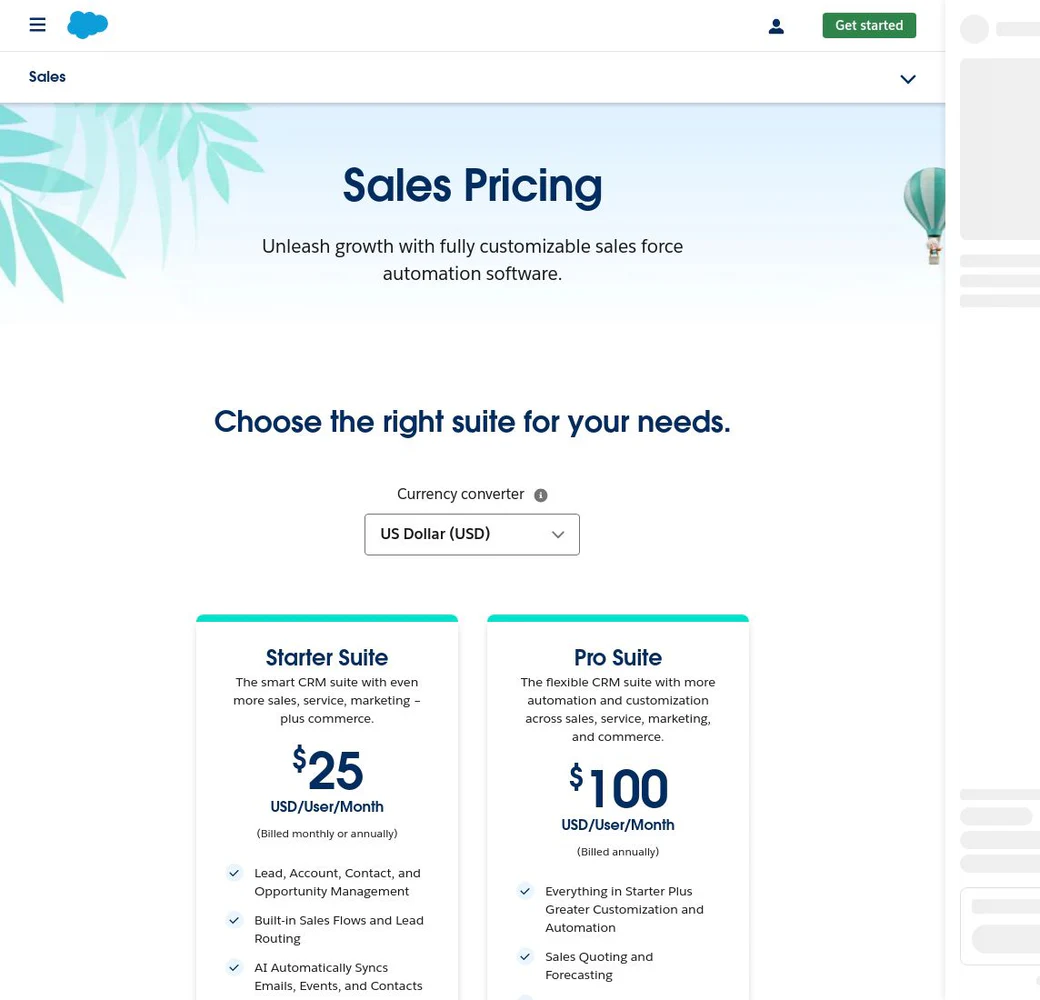
- Starter Suite: $25/user/mo
- Pro Suite: $100/user/mo billed annually
- Enterprise, Unlimited, and Agentforce 1 Sales add advanced automation, governance, and AI at higher prices
Salesforce prices per user and offers a 30-day trial. See Salesforce Sales pricing for current editions.
Salesforce Sales reviews
- G2: 4.4/5 from 25,800+ reviews (G2)
3. HubSpot Sales Hub
- Best forteams that want CRM, marketing, service, and content tools on one platform
- PricingFree for up to two users, with paid Starter access from $7/seat/mo at the time of review
- What we likea fast, approachable CRM with strong cross-hub context and an unusually useful free tier
HubSpot combines a free Smart CRM with paid sales, marketing, service, content, and data products. For a growing B2B company that wants one contact timeline across the funnel, that shared platform can reduce the integration work between marketing and sales.
The entry experience is simple, but total cost rises as the team adds seats, hubs, automation, reporting, and credits. Buyers should model the full stack they expect to use in two years, not just the first paid tier.
What we like about HubSpot
- Free CRM with no time limit for up to two users
- Shared customer context across sales, marketing, and service
- Easy onboarding and a polished interface
- Strong email, meeting, pipeline, and automation features on paid tiers
Where HubSpot could be better
- Costs rise quickly as teams add hubs, seats, credits, and advanced features
- Complex reporting and governance require higher tiers
- The broad platform can be more than a sales-only team needs
Why choose HubSpot? It is a strong fit when you want one approachable customer platform across marketing, sales, and service.
HubSpot Sales Hub pricing
- Free Tools: $0/mo for up to two users
- Starter: from $7/seat/mo at the time of review
- Professional and Enterprise packages add automation, forecasting, governance, and reporting at higher prices
Promotional pricing can change. Check HubSpot CRM pricing for current rates and included credits.

HubSpot Sales Hub reviews
- G2: 4.4/5 from 13,800+ reviews (G2)
4. Close
- Best forinside-sales and high-velocity SMB teams that want communication built into the CRM
- PricingSolo from $9/user/mo, Essentials from $35/user/mo
- What we likecalling, email, SMS, tasks, and pipeline management in one focused sales workspace
Close is purpose-built for teams that sell through a high volume of calls, emails, and follow-ups. Communication tools live inside the CRM, so reps can work a lead list, manage deals, and keep the activity history current without moving between a dialer, inbox, and system of record.
The focus is narrower than a broad customer platform. Marketing, service, and highly customized enterprise processes usually need other tools or a different CRM.
What we like about Close
- Built-in calling, email, SMS, and scheduling
- Fast workflow for inside sales and founder-led teams
- Strong automation and power dialing on higher tiers
- Clear plan structure for small and scaling sales teams
Where Close could be better
- Less suitable for complex enterprise governance
- Marketing and customer service are outside its core scope
- Advanced workflows and dialing require higher tiers
Why choose Close? It is the best fit when rep productivity depends on fast, high-volume communication inside the CRM.
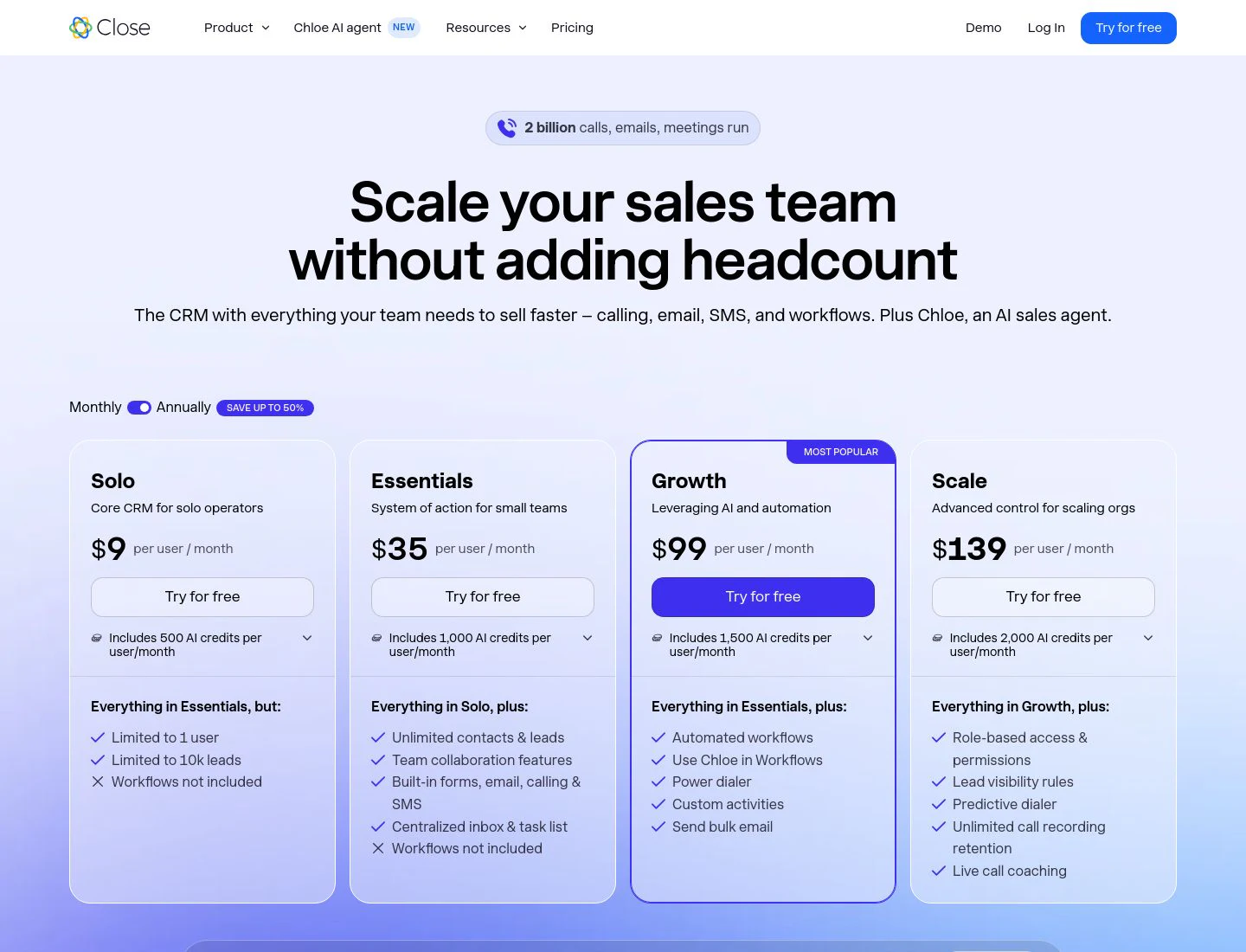
Close pricing
- Solo: $9/user/mo
- Essentials: $35/user/mo
- Growth: $99/user/mo
- Scale: $139/user/mo
Every plan includes the core CRM plus varying AI credits and communication controls. See Close pricing.
Close reviews
- G2: 4.7/5 from 2,000+ reviews (G2)
5. Pipedrive
- Best forsales-led SMB and mid-market teams that want a visual, pipeline-first CRM
- PricingLite from $14/seat/mo billed annually
- What we likea focused deal pipeline that reps can understand and adopt quickly
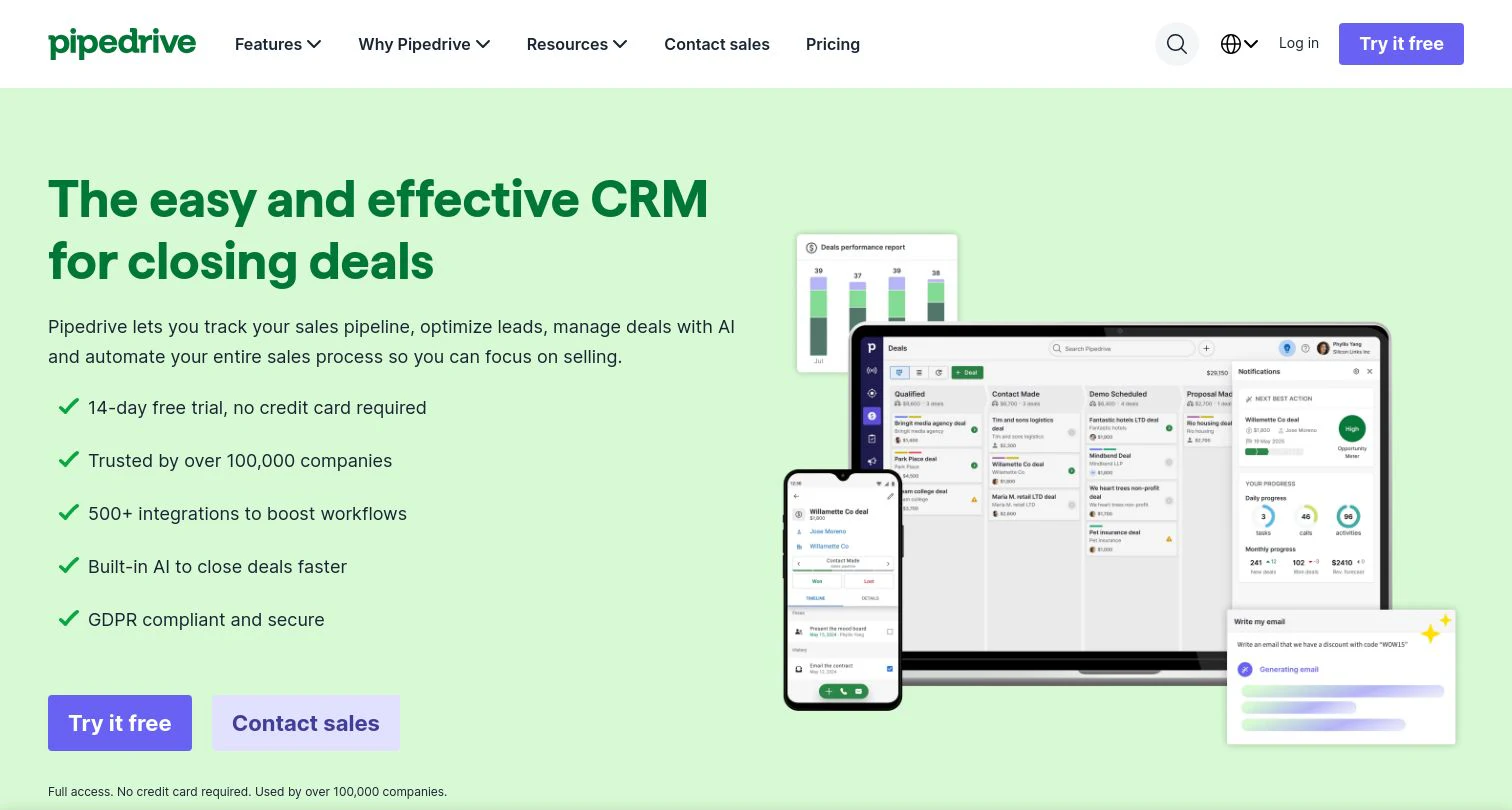
Pipedrive is organized around the deal pipeline. Stages, activities, follow-ups, and forecasts stay visible, which makes it easy for a sales-led team to see what is moving and what needs attention without navigating a broad suite.
That focus makes Pipedrive easier to adopt than many enterprise CRMs, but deeper marketing, service, governance, and data operations often arrive through integrations or add-ons.
What we like about Pipedrive
- Clear visual pipeline and activity-based selling workflow
- Fast onboarding with relatively little administration
- Workflow automation and email sync on paid tiers
- 500+ integrations and a straightforward API
Where Pipedrive could be better
- Advanced lead generation, campaigns, projects, and documents can require add-ons
- Reporting and governance are lighter than enterprise platforms
- No permanent free plan
Why choose Pipedrive? It is a strong option when the sales pipeline is the center of the workflow and fast rep adoption matters more than platform breadth.
Pipedrive pricing
- Lite: $14/seat/mo billed annually
- Growth: $39/seat/mo billed annually
- Premium: $59/seat/mo billed annually
- Ultimate: $79/seat/mo billed annually
Pipedrive offers a 14-day free trial. Add-ons such as LeadBooster, Projects, Campaigns, and Smart Docs cost extra. See Pipedrive pricing.
Pipedrive reviews
- G2: 4.3/5 from 3,000+ reviews (G2)
6. monday CRM

- Best forteams that want a flexible, visual CRM shaped around their own workflows
- Pricing14-day trial, then paid plans priced by plan and team size
- What we likevisual boards and flexible workflows that connect pre-sale, sales, and post-sale work
monday CRM brings the company's visual work-management model into sales. Teams can configure boards, automations, dashboards, and connected workflows around lead management, deals, accounts, and post-sale delivery without starting from a rigid CRM structure.
That flexibility is ideal for teams with cross-functional workflows, but it also creates setup decisions. A team that wants a prescriptive sales process may prefer a more opinionated CRM, and the generic monday.com pricing page can make product-specific costs harder to compare at a glance.
What we like about monday CRM
- Flexible visual boards that non-technical teams can configure
- Sales and delivery work can live in connected workflows
- Automations reduce manual status updates and handoffs
- Dashboards make pipeline and workload visible across teams
Where monday CRM could be better
- Flexible setup can become inconsistent without clear ownership
- Less prescriptive than a dedicated pipeline-first CRM
- Pricing varies by product, plan, billing cycle, and team size
Why choose monday CRM? It stands out when your sales process needs to connect closely with project, delivery, or other cross-functional work.
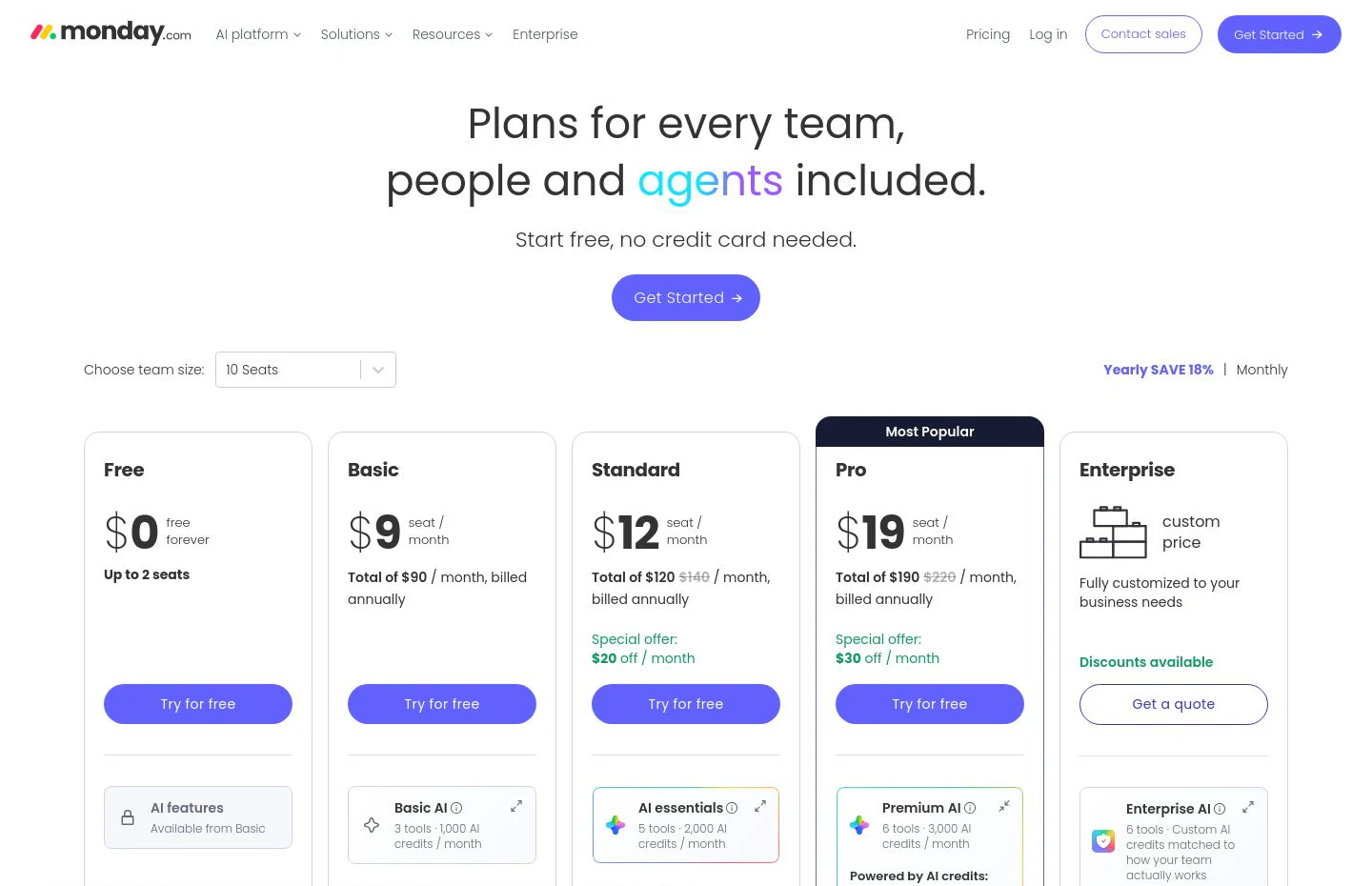
monday CRM pricing
monday CRM offers a 14-day trial. Paid pricing depends on the product plan, team size, billing cycle, and region, and monday.com states that plans start at three users.
Use monday.com's pricing page to select monday CRM and calculate the current price for your team.
monday CRM reviews
- G2: 4.6/5 from 1,300+ reviews (G2)
7. Zoho CRM

- Best forbudget-conscious teams that still want broad CRM features and automation
- PricingFree for three users, paid from $14/user/mo billed annually
- What we likea broad feature set and a real free edition at a comparatively low entry price
Zoho CRM covers lead and contact management, deals, workflows, reports, forecasting, email, calling, and AI across a wide range of editions. Its free plan and lower paid entry point make it appealing to teams moving from spreadsheets or trying to control software spend.
The breadth comes with interface and configuration density. Zoho can do a lot, but teams should expect more setup and a steeper learning curve than the simplest SMB CRMs.
What we like about Zoho CRM
- Free edition for up to three users
- Broad automation, reporting, and customization across paid tiers
- Strong value for the depth of features
- Connects naturally to the wider Zoho business suite
Where Zoho CRM could be better
- The interface can feel dense
- Configuration and terminology take time to learn
- Support and ease-of-use scores trail some simpler competitors on G2
Why choose Zoho CRM? It is a value pick for teams that want substantial CRM depth without enterprise-level pricing.
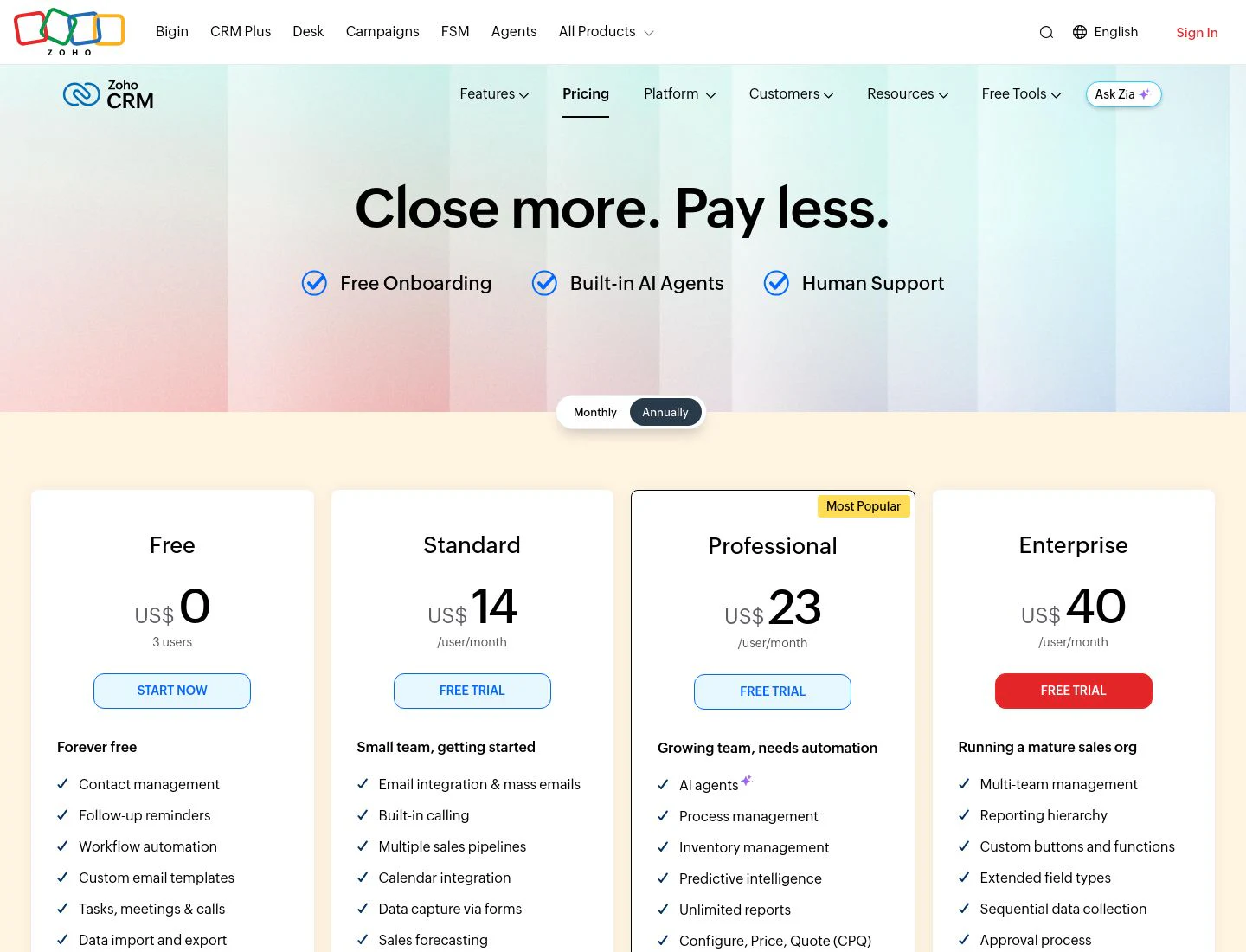
Zoho CRM pricing
- Free: $0 for three users
- Standard: $14/user/mo billed annually
- Professional: $23/user/mo billed annually
- Enterprise: $40/user/mo billed annually
- Ultimate: higher-priced edition for advanced deployments
See Zoho CRM pricing for current regional rates.
Zoho CRM reviews
- G2: 4.1/5 from 2,900+ reviews (G2)
8. Nimble CRM
- Best forrelationship-first SMBs, consultants, and solopreneurs
- Pricing$24.90/seat/mo billed annually with a 14-day trial
- What we likecontact context from email, calendar, Microsoft 365, Google Workspace, and the open web
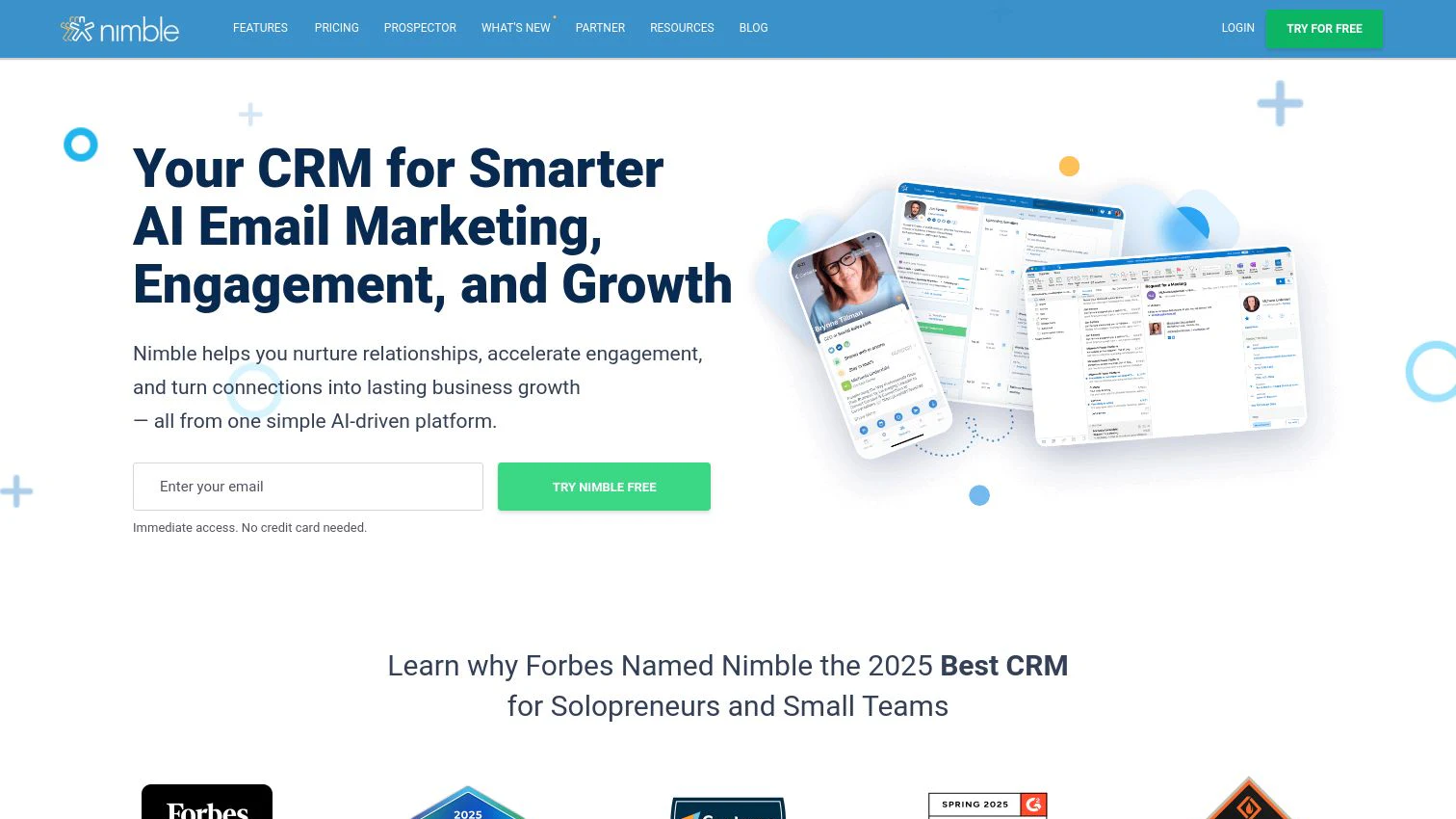
Nimble is built around relationships rather than heavy process. It brings contact details, communication history, social context, and enrichment into one profile and works closely with Microsoft 365 and Google Workspace.
That makes it useful for small teams where selling depends on personal networks and context. Larger organizations that need complex territories, permissions, forecasting, and custom objects will reach its ceiling sooner.
What we like about Nimble
- Strong contact and relationship context
- Microsoft 365 and Google Workspace integration
- Nimble Prospector captures and enriches contacts from the web
- One clear core plan keeps buying simple
Where Nimble could be better
- Limited enterprise governance and customization
- 25,000 contact records are included before paid expansion
- Advanced enrichment and marketing volume use add-ons or credits
Why choose Nimble? It is a good fit when individual relationships and contact context matter more than a deeply customized sales process.
Nimble CRM pricing
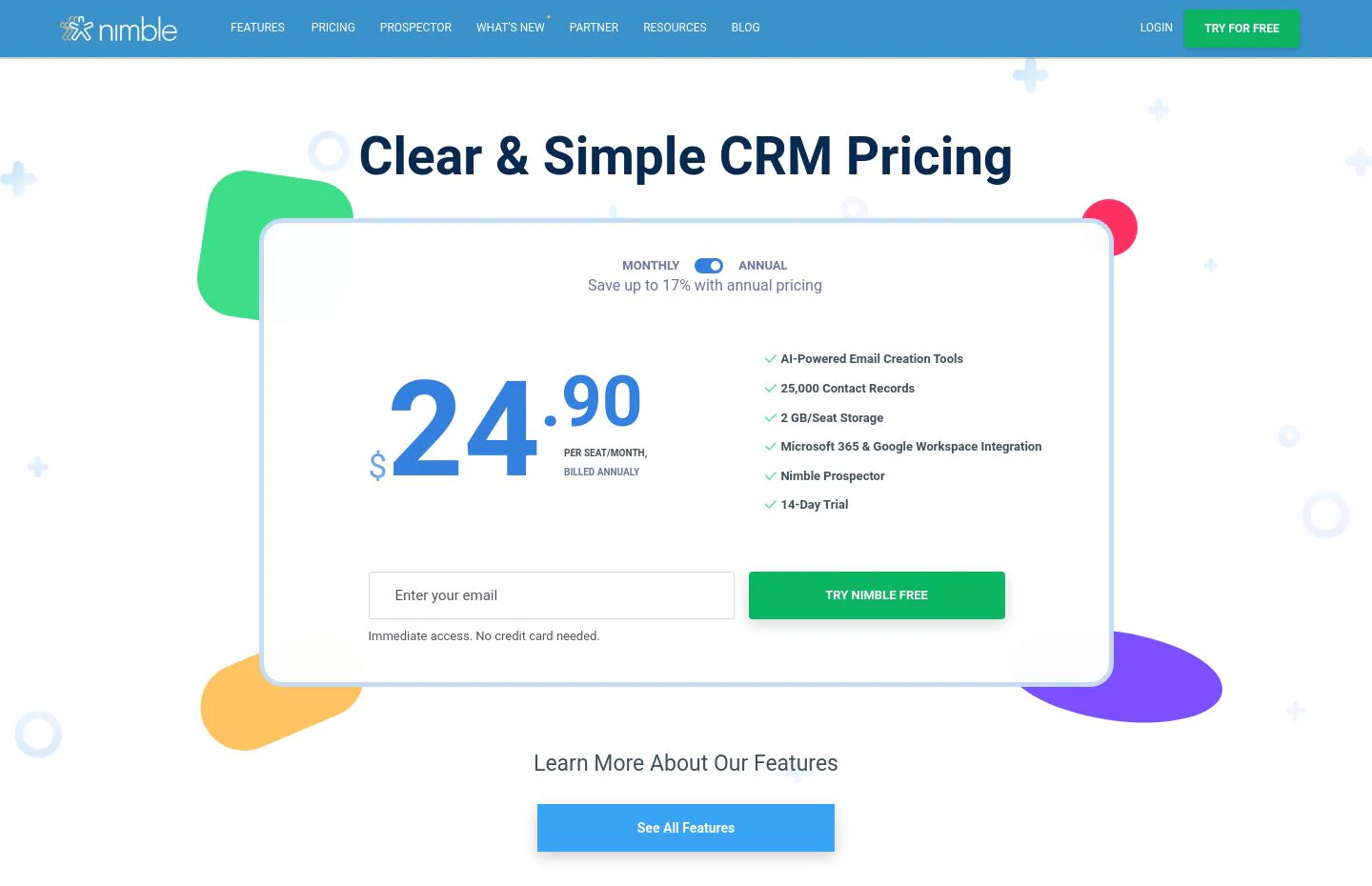
- Business plan: $24.90/seat/mo billed annually
- Includes 25,000 contact records, 2 GB storage per seat, Nimble Prospector, and a 14-day trial
- Email marketing, extra contacts, storage, web forms, and prospecting credits are available as add-ons
See Nimble pricing for current monthly and annual rates.
Nimble CRM reviews
- G2: 4.5/5 from 1,100+ reviews (G2)
9. Nutshell
- Best forsmall B2B teams that want an easy all-in-one CRM with live support
- PricingFoundation from $13/user/mo billed annually
- What we likestraightforward sales CRM packaging with marketing tools, onboarding, and support
Nutshell packages sales CRM, web chat, forms, landing pages, email marketing capabilities, and attribution into an approachable product for small B2B teams. The pipeline is easy to understand, onboarding is designed to be quick, and live support is included across plans.
The trade-off is depth. Teams with complex objects, global governance, or highly customized workflows may find the platform less extensible than Salesforce, HubSpot, or Zoho.
What we like about Nutshell
- Simple onboarding and an approachable interface
- Live support and migration help
- Sales and lightweight marketing capabilities in one product
- No seat minimums or maximums on the current pricing page
Where Nutshell could be better
- Less extensible for complex enterprise processes
- Advanced engagement and marketing needs can require add-ons
- International and after-hours support needs should be checked before purchase
Why choose Nutshell? It is a practical pick for a small B2B team that values ease of use, support, and an all-in-one starter stack.
Nutshell pricing
- Foundation: $13/user/mo billed annually
- Growth: $25/user/mo billed annually
- Pro: $42/user/mo billed annually
- Business: $59/user/mo billed annually
Nutshell offers a 14-day trial with no credit card. See Nutshell pricing for current tiers and add-ons.
Nutshell reviews
- G2: 4.3/5 from 1,400+ reviews (G2)
10. Pipeline CRM

- Best forSMB sales teams that want a straightforward, no-frills pipeline CRM
- PricingStart from $25/user/mo billed annually
- What we likeclear pipeline management, free migration support, and predictable core plans
Pipeline CRM focuses on the fundamentals: accounts, contacts, deals, activities, reporting, email, and a pipeline that sales teams can operate without a large administration layer. The vendor also emphasizes onboarding and migration support, which can reduce the risk of moving from spreadsheets or another SMB CRM.
It does not try to be a broad customer platform. Teams that need sophisticated marketing automation, service workflows, or complex enterprise objects will need integrations or a larger system.
What we like about Pipeline CRM
- Straightforward pipeline and activity management
- Free data migration and onboarding support
- Clear annual and monthly prices
- Optional enrichment and email validation add-ons
Where Pipeline CRM could be better
- Fewer advanced automation and ecosystem options than larger platforms
- Marketing and service workflows sit outside the core product
- The entry price is higher than several SMB alternatives
Why choose Pipeline CRM? It is a solid option when a small sales team wants a focused pipeline system with hands-on migration support.
Pipeline CRM pricing
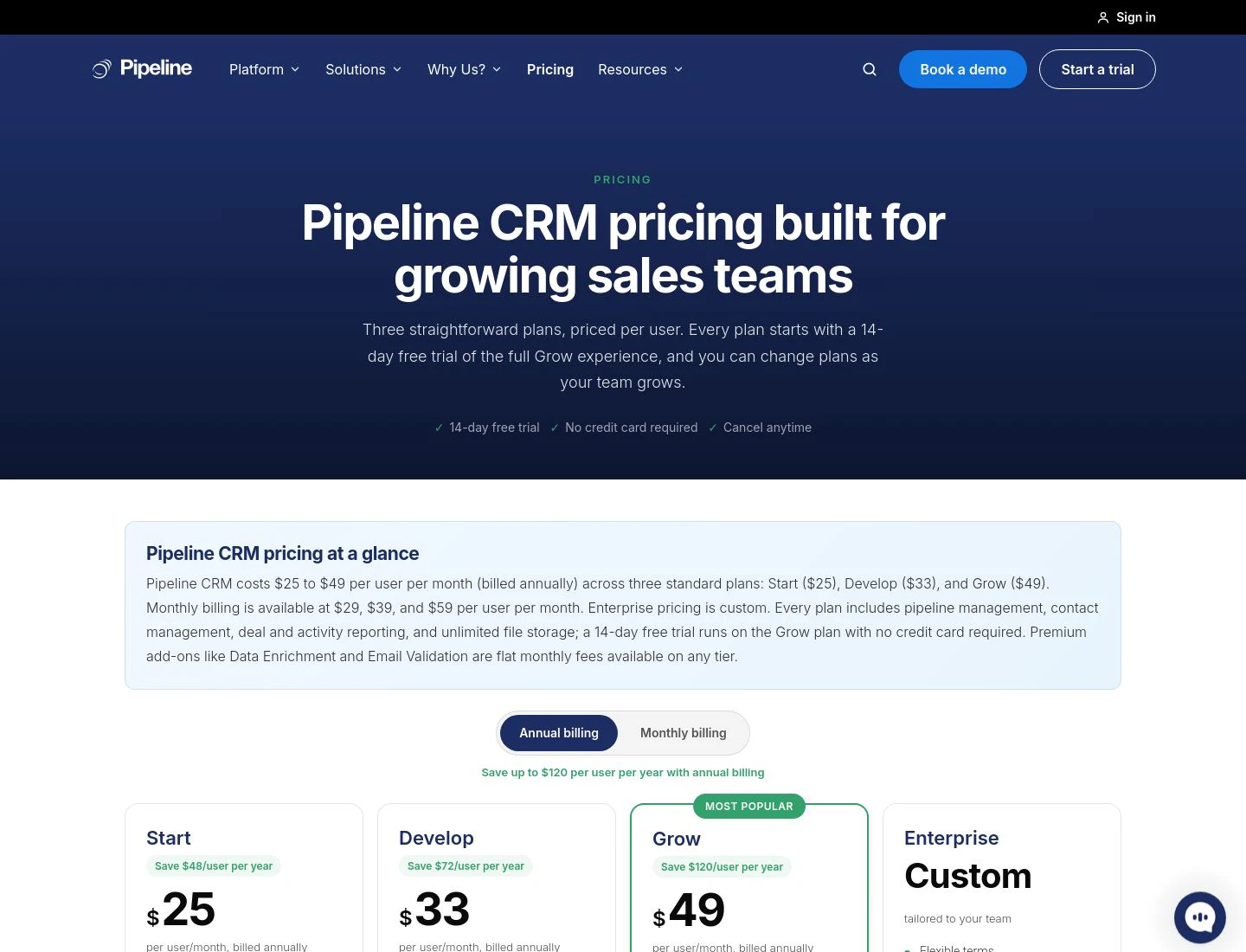
- Start: $25/user/mo billed annually
- Develop: $33/user/mo billed annually
- Grow: $49/user/mo billed annually
- Enterprise: custom pricing
Monthly prices are higher. Every trial starts on Grow for 14 days. See Pipeline CRM pricing.
Pipeline CRM reviews
- G2: 4.4/5 from 930+ reviews (G2)
Which B2B sales CRM should you choose?
Start with the shape of your sales motion, then pressure-test the data and total cost.
- Complex enterprise sales and governance: Salesforce Sales.
- One platform across marketing, sales, and service: HubSpot Sales Hub.
- High-velocity inside sales with calling and email built in: Close.
- A simple visual pipeline: Pipedrive.
- Flexible sales workflows connected to delivery work: monday CRM.
- Broad features at a lower entry price: Zoho CRM.
- Relationship-first selling: Nimble CRM.
- Easy all-in-one setup for a small B2B team: Nutshell.
- Straightforward pipeline management with migration support: Pipeline CRM.
- Accurate, enriched records underneath any of these CRMs: Clay.
The system of record and the data layer solve different problems. Pick the CRM that matches how your team sells, then make sure the records inside it stay complete, deduplicated, and current.
What is the best free CRM for B2B sales?
HubSpot offers the strongest permanent free CRM for most B2B teams, with core contact, pipeline, task, email, and meeting tools for up to two users. Zoho CRM also has a free edition for up to three users and is worth considering if you want a broader set of traditional CRM features.
Clay has a free plan too, but it solves a different problem. Use it as the data layer to enrich and clean the records that live in your CRM, not as the system where reps manage deals.
Where B2B CRMs are heading
B2B CRMs are becoming more automated, but the most important shift is not another AI assistant in the sidebar. It is the move from static records to continuously maintained data. The CRM is starting to combine system-of-record structure with agents, intent signals, enrichment, and workflows that update fields and route work as the market changes.
That makes data governance more important, not less. An automated workflow can only move faster in the direction the data points it. The winning stack will pair a CRM that fits the sales motion with a data layer that keeps every account, contact, and signal accurate enough to act on.
Keep your CRM worth using
Enrich, deduplicate, route, and refresh the records in your CRM with Clay.
FAQ
What is the best CRM for a small B2B sales team?
Pipedrive is a strong pipeline-first choice, Close is better for high-velocity calling and email, and Nutshell is a good all-in-one option with hands-on support. HubSpot is the best place to start if a permanent free CRM and future marketing integration matter most.
What's the difference between a CRM and a data enrichment tool?
A CRM stores and organizes accounts, contacts, deals, and activities. A data enrichment tool fills in missing fields, verifies records, removes duplicates, and keeps information current. The CRM is the system of record. Clay is the data layer that keeps that system accurate.
How much does a B2B CRM cost?
Entry plans in this list range from free to roughly $25 per user per month, while advanced automation, reporting, AI, governance, add-ons, and implementation can raise the total substantially. Model the expected seat count and required features over the next two years before comparing vendors.
Which CRM has the best automation?
Salesforce offers the deepest enterprise automation and customization, HubSpot connects automation across marketing, sales, and service, and Zoho offers broad workflow features at a lower entry price. Close is especially effective for sales communication workflows, while monday CRM is flexible for cross-functional processes.
Do these CRMs integrate with tools like Clay, Gong, and Outreach?
Most of the CRMs in this guide support major GTM integrations directly or through APIs and automation platforms. Exact capabilities vary by vendor and plan, so confirm the objects, write-back behavior, and sync frequency your workflow needs before buying.
What is the best free CRM?
HubSpot has the strongest permanent free CRM for most B2B sales teams, while Zoho CRM supports up to three users on its free edition. Clay also offers a free plan for enrichment and orchestration, but it is not a CRM and should be used alongside a system of record.