
Your go-to-market motion is only as strong as the stack behind it. The tools you use to find accounts, enrich them, reach buyers, and read the signals are what turn a target market into pipeline. A stack that is bloated, disconnected, or running on stale data quietly caps growth long before anyone notices.
But with so many tools across data, CRM, engagement, signals, and intelligence, how do you know which ones are actually right for your team?
We compared 10 of the most widely used GTM tools across the whole go-to-market stack. We looked at what they do, what they cost, and their real G2 ratings. We ranked them on adoption and satisfaction rather than marketing claims. One thing held true across every one: a GTM stack is a chain, and every link in it runs on data. The tools that feed and connect that data do the most work.
Here's the shortlist, then a closer look at each tool.
What is a GTM tool?
A GTM tool is any software a revenue team uses to run its go-to-market motion, from finding and researching accounts, to enriching and orchestrating data, to reaching buyers and reading intent. The category is broad on purpose: it spans data and enrichment, prospecting, sales engagement, buying signals, the CRM that holds everything, and the intelligence layer that tells you what happened on a call or a deal. No single tool covers the whole motion, which is why teams run a stack. The trick is picking the highest-impact tools at each layer and keeping them fed by clean, current data so the whole chain works together.
The 10 best GTM tools for 2026
| # | Tool | Best for | Pricing from | G2 rating |
|---|---|---|---|---|
| 1 | Clay | AI plus waterfall data and orchestration | Free, paid from $185/mo | 4.6/5 |
| 2 | Salesforce | Enterprise CRM and system of record | Paid from $25/user/mo | 4.4/5 |
| 3 | Apollo.io | All-in-one prospecting and outreach | Free, paid from $49/user/mo | 4.7/5 |
| 4 | HubSpot Sales Hub | CRM and connected GTM suite | Free CRM, paid from $15/seat/mo | 4.4/5 |
| 5 | Gong | Revenue intelligence and call analysis | Quote-based | 4.7/5 |
| 6 | ZoomInfo | Enterprise B2B intelligence | Quote-based | 4.5/5 |
| 7 | Instantly | High-volume cold email | Free trial, paid from $37/mo | 4.8/5 |
| 8 | Salesloft | Enterprise sales engagement | Quote-based | 4.5/5 |
| 9 | Demandbase | Account-based marketing and intent | Quote-based | 4.4/5 |
| 10 | LinkedIn Sales Navigator | Social selling and prospecting | Paid from $99/user/mo | 4.3/5 |
1. Clay
- Best forRevOps and GTM teams wanting to build, enrich, and orchestrate the data their whole stack runs on
- PricingFree plan, then Launch ($185/mo), Growth ($495/mo), and custom Enterprise
- What we likethe GTM infrastructure layer that ties the whole stack together, a data marketplace, AI agents, orchestration, and execution in one place
Full disclosure: Clay is our product, and we put it first. Building the data layer under a GTM stack is exactly what teams use Clay for. Here's what it does well and where it doesn't fit.
Clay is the orchestration layer the rest of your GTM stack runs on. Pull in any data point you need from a marketplace of 200+ providers, run agentic research and workflows over it, then launch plays that push clean records into your CRM and engagement tools. The waterfall that runs those providers in sequence and Claygent, an AI agent that answers questions a fixed field never could, are the support underneath, feeding the plays you orchestrate on top. Because every other tool acts on data Clay assembles and routes, it sits at the center of the stack rather than at one edge of it.
Build the data layer under your GTM stack
Source, enrich, and orchestrate your GTM data in one place, free.
What we like about Clay
- Waterfall enrichment across 200+ providers, so you pay once per record for the best available hit
- Claygent runs AI research that no fixed data field can answer
- Signals surface job changes, funding, hiring, and web intent to prioritize accounts
- Writes enriched records back to Salesforce and HubSpot and pushes into engagement tools
- Orchestrates the data every other tool in your stack depends on, not just a single lookup
Where Clay could be better
- As the orchestration layer it rewards teams with a GTM engineer; it's not a plug-and-play point tool
- Its flexibility is the trade-off: more to learn than a single-purpose app in your stack
- Usage-based pricing scales with the data and automation you run through it
Why choose Clay? Every other tool in your stack acts on data it assumes is already there. Clay builds and orchestrates that data first, so the rest of the motion has something worth acting on.
Proof. Pump scaled from $1M to $25M+ in 18 months and lifted booked meetings 30% on Clay.
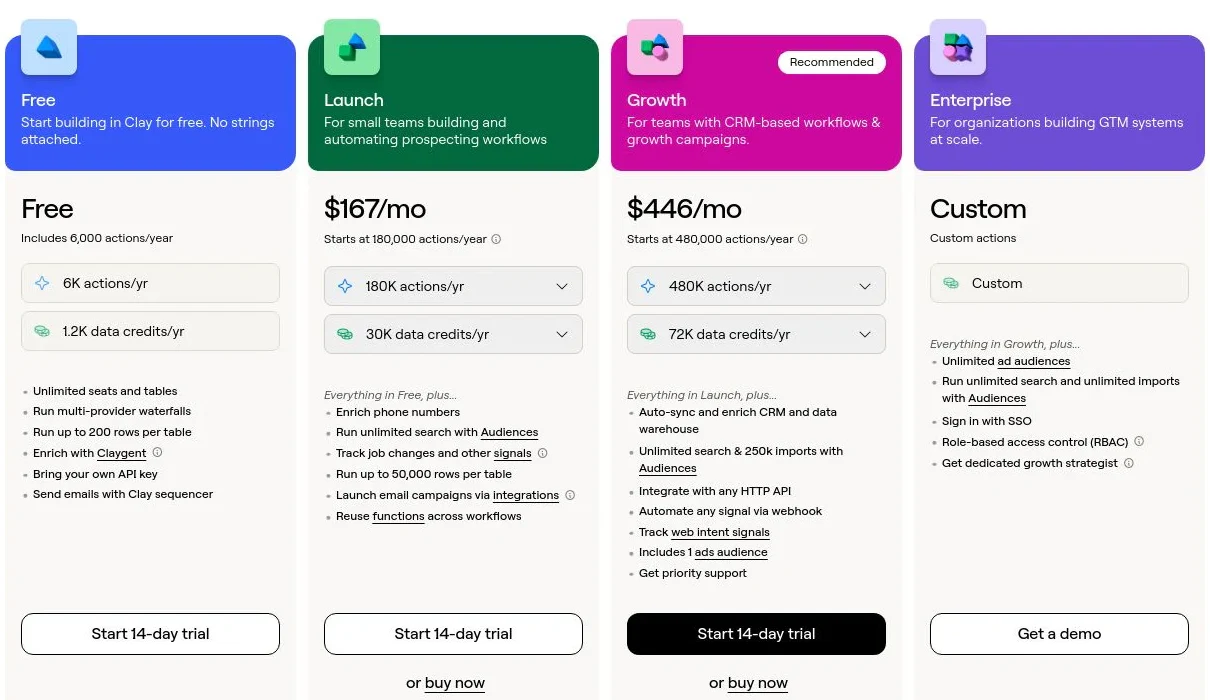
Clay pricing
- Free: $0/mo with 100 Data Credits, 500 Actions, unlimited seats and tables, multi-provider waterfalls, and Claygent
- Launch: starting at $185/mo with 2,500 Data Credits, 15,000 Actions, phone enrichment, and signal tracking
- Growth: starting at $495/mo with 6,000 Data Credits, 40,000 Actions, CRM auto-sync, and ads-audience pushes
- Enterprise: custom pricing with an annual commitment, 100,000+ Data Credits, unlimited Audiences, API access, SSO, and RBAC
Data Credits pay for the data itself and roll over; Actions pay for the platform work and reset monthly. Bring your own API keys and you skip Data Credits entirely. See Clay's pricing page for the full breakdown.
Clay reviews
- G2: 4.6/5 from 200+ reviews (G2)
2. Salesforce

- Best forenterprise revenue teams wanting the CRM and system of record the rest of the stack reports into
- Pricingpaid tiers from $25/user/mo (Starter Suite), scaling to enterprise
- What we likethe deepest CRM platform and integration ecosystem in go-to-market
Salesforce Sales Cloud is the CRM the enterprise GTM stack reports into. It stores accounts, contacts, opportunities, and activity, then adds forecasting, workflow automation, and an AppExchange of thousands of integrations, so most other tools in the stack sync to it as the source of truth. It's the most-reviewed B2B product on this list, and its 4.4/5 across more than 25,000 reviews reflects how entrenched it is.
The depth is also the cost. Salesforce is priced and built for scale, admin and configuration work is real, and smaller teams often find it heavier than their motion needs.
What we like about Salesforce
- The system of record most of the GTM stack syncs into
- Forecasting, workflow automation, and reporting on one data model
- AppExchange marketplace with thousands of integrations across the stack
- Scales from mid-market into the largest enterprise motions
Where Salesforce could be better
- Priced and built for scale, so it can outsize a small team's motion
- Admin and configuration work to set up and maintain
- Advanced features and higher tiers add up quickly per user
Why choose Salesforce? The enterprise system of record when you want every other tool in the stack reporting into one CRM built to scale.
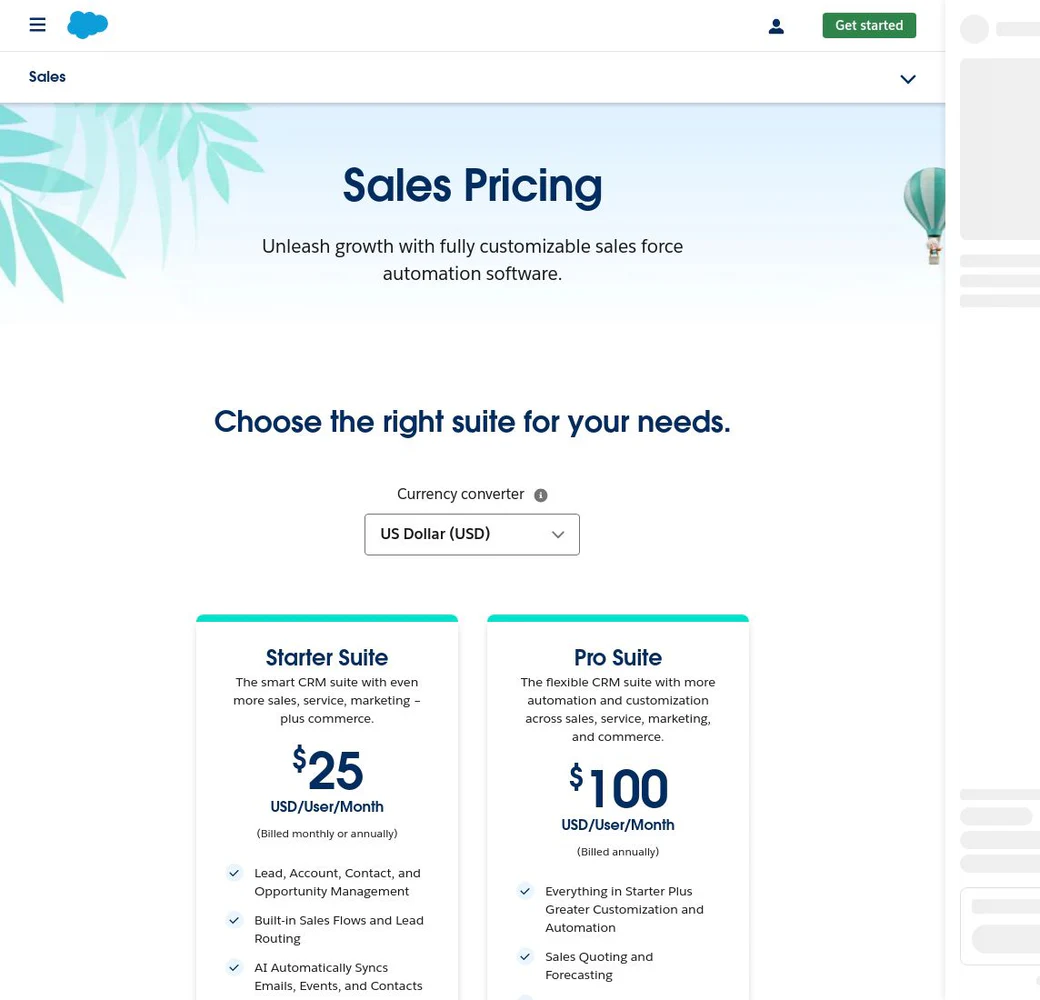
Salesforce pricing
- Starter Suite: $25/user/mo (billed monthly or annually), core CRM for up to 10 users
- Pro Suite: $100/user/mo (annual), adding forecasting, quotes, and campaigns
- Enterprise: $175/user/mo (annual), with workflow automation and API access
- Unlimited: $330/user/mo (annual), plus advanced support and sandboxes
- Agentforce 1 Sales: $550/user/mo (annual), with built-in AI agents
Higher tiers and add-ons raise the per-user cost. See Salesforce's Sales Cloud pricing page for current tiers.
Salesforce reviews
- G2: 4.4/5 from 25,000+ reviews (G2)
3. Apollo.io
- Best forSMB and mid-market teams wanting prospecting, data, and outreach in one tool
- Pricingfree plan, then paid tiers from $49/user/mo (annual)
- What we likean all-in-one GTM platform at an accessible entry price
Apollo collapses several layers of the GTM stack into one tool, pairing a B2B contact database with a sales-engagement engine, and it's the most-reviewed tool on this list. A team can source a list, fill in contact data, and fire sequences without wiring separate prospecting and outreach systems, and the free tier makes it the usual starting point for founders and small teams standing up a first stack.
Folding that many layers into one product is the trade-off. Coverage quality shifts depending on the region you sell into, and since Apollo owns the sending too, whether messages land comes down to how you manage your own list and cadence.
What we like about Apollo.io
- Covers the sourcing, enrichment, and outreach layers of the stack in a single tool
- A free tier usable enough to run a real outbound test
- Per-seat pricing small teams can actually afford
- Connects to the major CRMs and email out of the box
Where Apollo.io could be better
- Coverage quality swings by region and thins outside North America
- Because it also sends, inbox placement rides on your own list discipline
- Its data layer is shallower than the dedicated enterprise data specialists
Why choose Apollo.io? Best price-to-value all-in-one, prospecting plus outreach without buying two platforms.
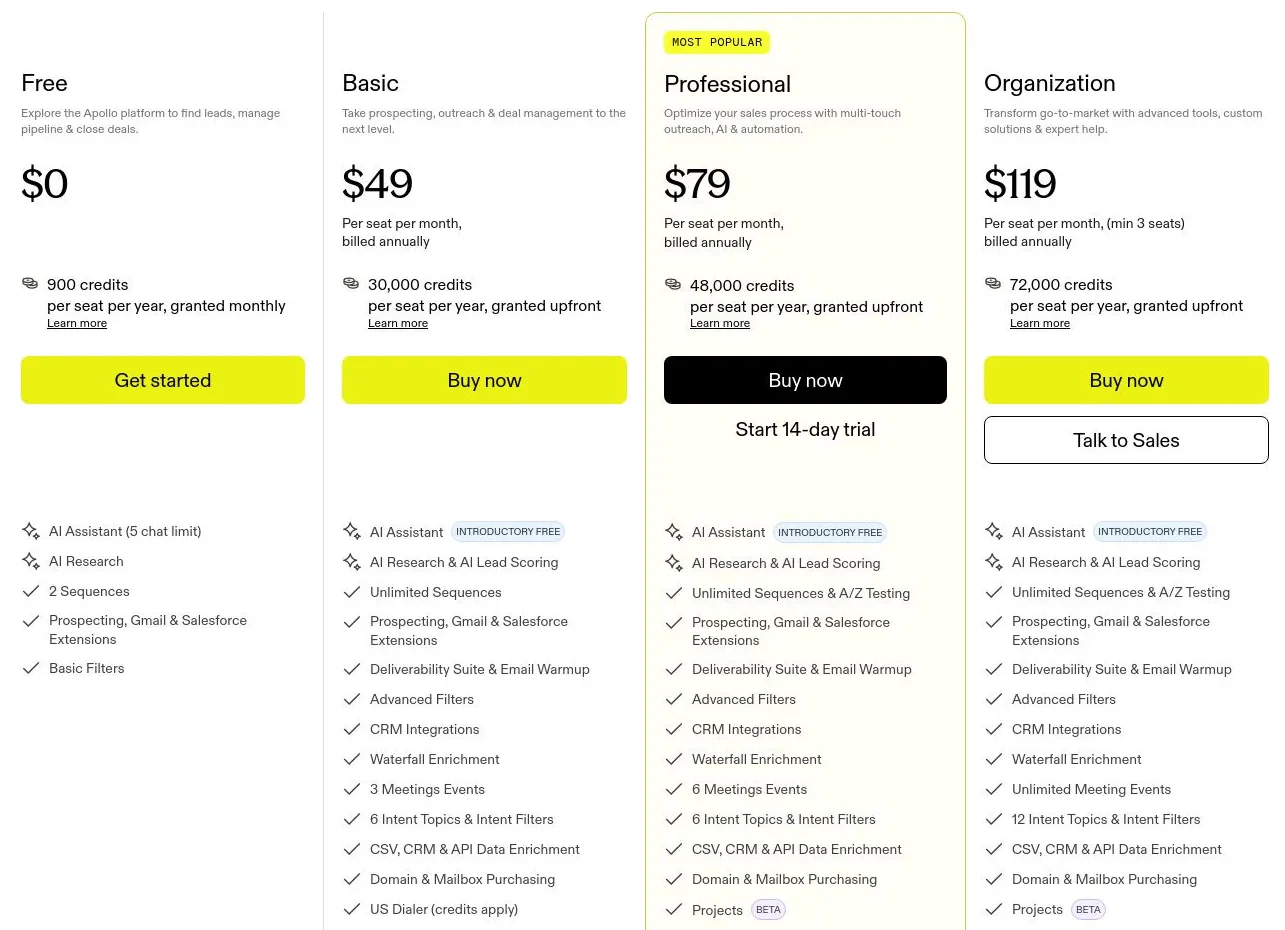
Apollo.io pricing
- Free: $0 with limited credits and core prospecting
- Basic: $49/user/mo (annual) with more credits and sequences
- Professional: $79/user/mo (annual) with advanced features and higher limits
- Organization: $119/user/mo (annual, 3-seat minimum) with the full feature set
Monthly billing runs higher than the annual rates shown. See Apollo's pricing page for current limits.
Apollo.io reviews
- G2: 4.7/5 from 9,000+ reviews (G2)
4. HubSpot Sales Hub
- Best forteams wanting a CRM and system of record that grows with a full GTM suite
- Pricingfree CRM, then paid seats from $15/seat/mo (annual)
- What we likean approachable CRM at the center of a connected marketing, sales, and service suite
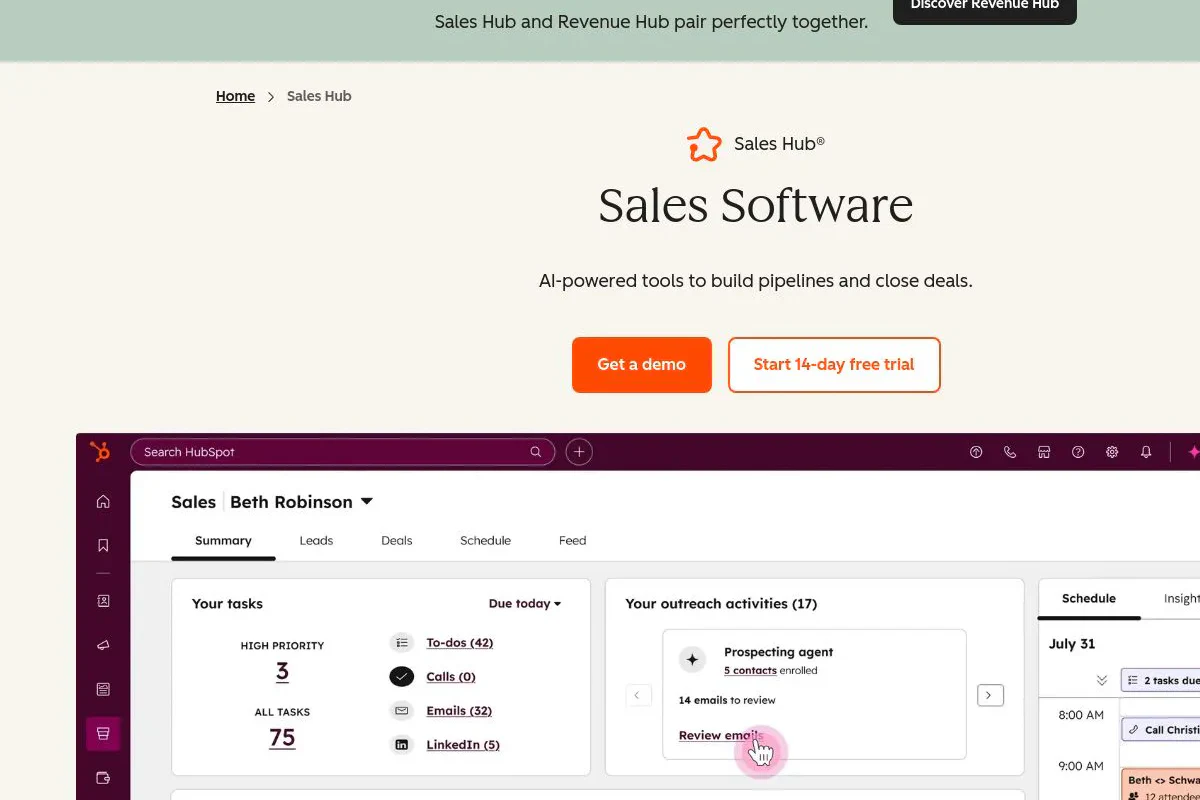
HubSpot Sales Hub is the CRM many go-to-market teams build the rest of their stack around, and with more than 13,500 G2 reviews it's one of the most widely adopted tools on this list. The free CRM lowers the barrier to entry, and Sales Hub adds sequences, deal pipelines, meeting scheduling, and reporting that connect to HubSpot's marketing and service products, so the whole customer record lives in one place.
The breadth is also where cost creeps in. Sequences, automation, and advanced reporting sit behind the Professional tier, onboarding fees apply, and some capabilities other tools include come as paid add-ons.
What we like about HubSpot Sales Hub
- A capable free CRM that scales into a full GTM suite
- Sequences, deal tracking, and reporting in one connected system of record
- Deep marketplace of integrations across the GTM stack
- Familiar, easy-to-adopt interface that reps actually use
Where HubSpot Sales Hub could be better
- Key features like sequences and automation are gated at Professional
- Per-seat costs and onboarding fees add up as you scale
- Some functionality other tools bundle is a paid add-on here
Why choose HubSpot Sales Hub? The default system of record when you want a CRM that grows into a connected GTM suite without an enterprise implementation.
HubSpot Sales Hub pricing
- Free tools: $0 with core CRM
- Starter: $15/seat/mo (annual), or $20/seat/mo monthly
- Professional: $90/seat/mo (annual), with a one-time onboarding fee
- Enterprise: custom, for advanced controls and higher limits
Quoting and some other capabilities are paid add-ons on top of the base plan. See HubSpot's Sales Hub pricing page for current tiers.

HubSpot Sales Hub reviews
- G2: 4.4/5 from 13,500+ reviews (G2)
5. Gong

- Best forrevenue teams wanting conversation analysis and deal intelligence from real calls
- Pricingquote-based, platform fee plus per-user licensing
- What we likecaptures every customer interaction and turns it into coaching and forecast insight
Gong is the intelligence layer of the GTM stack. It records and transcribes calls, emails, and meetings, then uses AI to surface what's actually moving deals, where reps go off-script, and which forecasted deals are at risk. For sales leaders who want to coach on real conversations instead of hunches, it's the category benchmark, and its 4.7/5 across more than 6,600 reviews reflects how much teams rely on it.
The value comes at an enterprise price. Gong charges a platform fee before the first seat, per-user licensing on top, and mandatory onboarding, so it's a serious commitment sized for teams that will use the coaching and forecasting muscle.
What we like about Gong
- Captures and transcribes every call, email, and meeting automatically
- AI surfaces deal risk, coaching moments, and pipeline reality
- Strong forecasting and deal-intelligence modules
- Deep integrations with major CRMs and engagement tools
Where Gong could be better
- Quote-based pricing with a platform fee on top of per-user costs
- Mandatory onboarding adds meaningful first-year cost
- Overkill for small teams that don't run a high call volume
Why choose Gong? The strongest revenue-intelligence layer when you want to coach and forecast off real conversations, not guesswork.
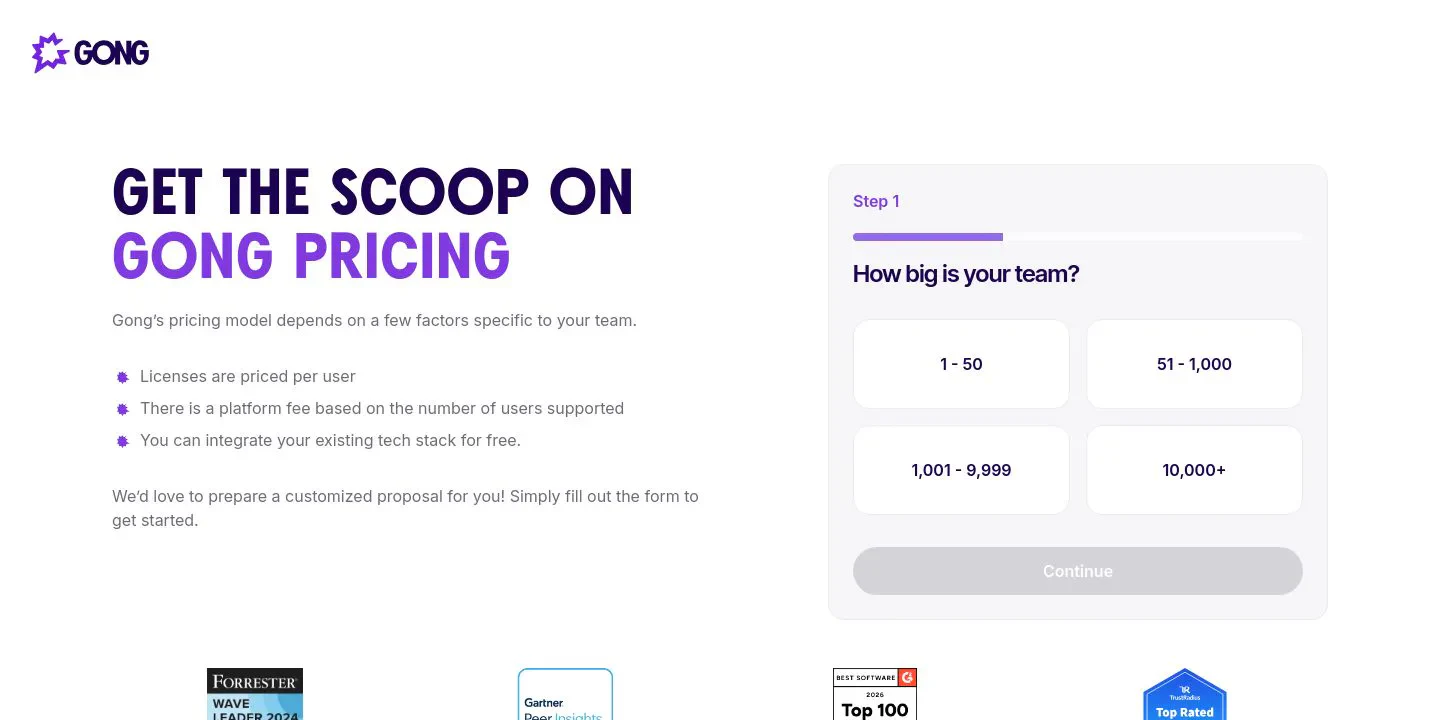
Gong pricing
Gong doesn't publish prices. Pricing combines a platform fee (commonly in the $5,000+ range per year for smaller teams) with per-user licensing that industry benchmarks put around $1,600 per user per year for its core tier, plus onboarding. Bundles that add engagement and forecasting run higher per user. Get a quote on Gong's pricing page for your exact configuration.
Gong reviews
- G2: 4.7/5 from 6,600+ reviews (G2)
6. ZoomInfo
- Best forenterprise sales and marketing teams needing deep, broad B2B intelligence
- Pricingquote-based, annual contracts
- What we likea large verified database plus intent and org-chart data
ZoomInfo anchors the data and intelligence layer of an enterprise GTM stack. Its database reaches across millions of companies and hundreds of millions of business professionals, then adds intent data, org charts, and website-visitor identification on top, so a large revenue org can run coverage and buying signals from one source. That breadth is why it stays the enterprise default, and a 4.5/5 across more than 8,000 reviews reflects how entrenched it is.
What it feeds the stack comes at an enterprise price. Plans are premium and quote-based, sold on annual contracts, and both coverage and cost shift by region, which teams selling heavily outside North America often struggle to justify.
What we like about ZoomInfo
- A verified B2B database broad enough to feed an entire enterprise stack
- Buying intent and org charts sit in the same platform as the contact data
- Website-visitor identification flags which companies are on your site
- Connects deeply into the major CRMs and sales tools around it
Where ZoomInfo could be better
- Premium pricing, quote-based and locked to annual contracts
- Coverage holds up in North America but thins across parts of EMEA
- More scale and spend than a small team's stack can use
Why choose ZoomInfo? The enterprise data layer the rest of the stack benchmarks against when you need coverage and intent at scale.
ZoomInfo pricing
ZoomInfo doesn't publish prices. Plans are quote-based and sold on annual contracts, priced by seats and credits. Third-party pricing analyses put entry-level contracts around $15,000 per year, rising with credits and add-ons. Get a quote on ZoomInfo's pricing page for your exact configuration.
ZoomInfo reviews
- G2: 4.5/5 from 8,000+ reviews (G2)
7. Instantly
- Best forteams running high-volume cold email who need deliverability and inbox management
- Pricingfree trial, then paid tiers from $37/mo (annual)
- What we likeunlimited inboxes, built-in warmup, and a unified reply inbox at a low entry price
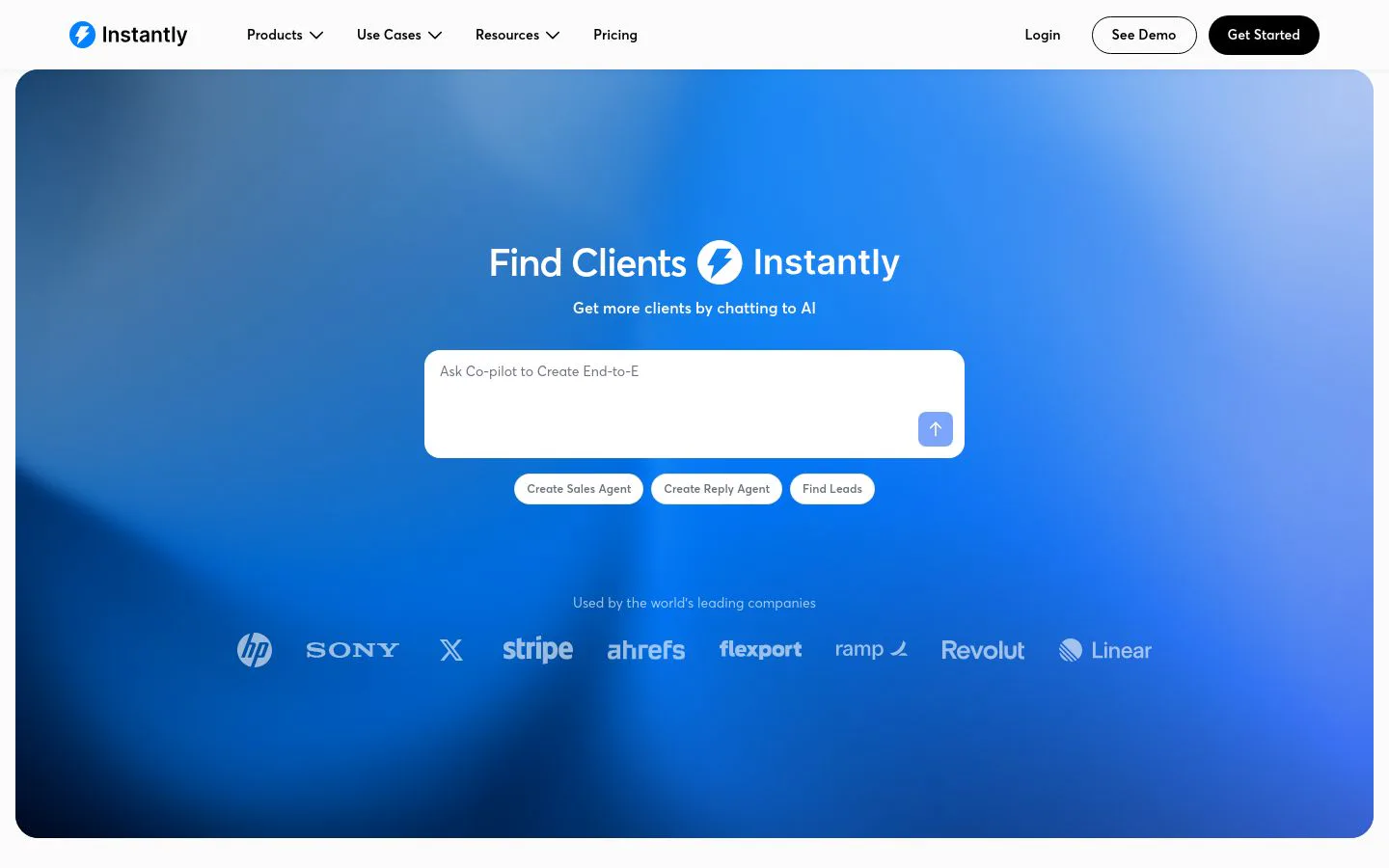
Instantly is built for one job in the GTM stack: getting cold email delivered and answered at scale. It handles unlimited sending accounts, automatic inbox warmup, and a Unibox that pulls every reply into one place, so outbound teams can run large sends without babysitting deliverability. At 4.8/5 across more than 4,000 reviews, it's the highest-rated tool on this list after Clay.
The focus is also the ceiling. Instantly is a sending and deliverability layer, not a database or a full engagement platform, so you bring the list and the data and pair it with a sourcing and enrichment tool.
What we like about Instantly
- Unlimited email accounts and automatic warmup on paid plans
- Unibox brings every reply into a single inbox
- Low entry price for high sending volume
- Simple to launch a large cold-email motion
Where Instantly could be better
- A sending and deliverability layer, not a database or CRM
- You bring the target list and the data
- Best paired with a dedicated sourcing and enrichment tool
Why choose Instantly? The pick when high-volume cold email deliverability is the bottleneck and you want warmup and reply management in one place.
Instantly pricing
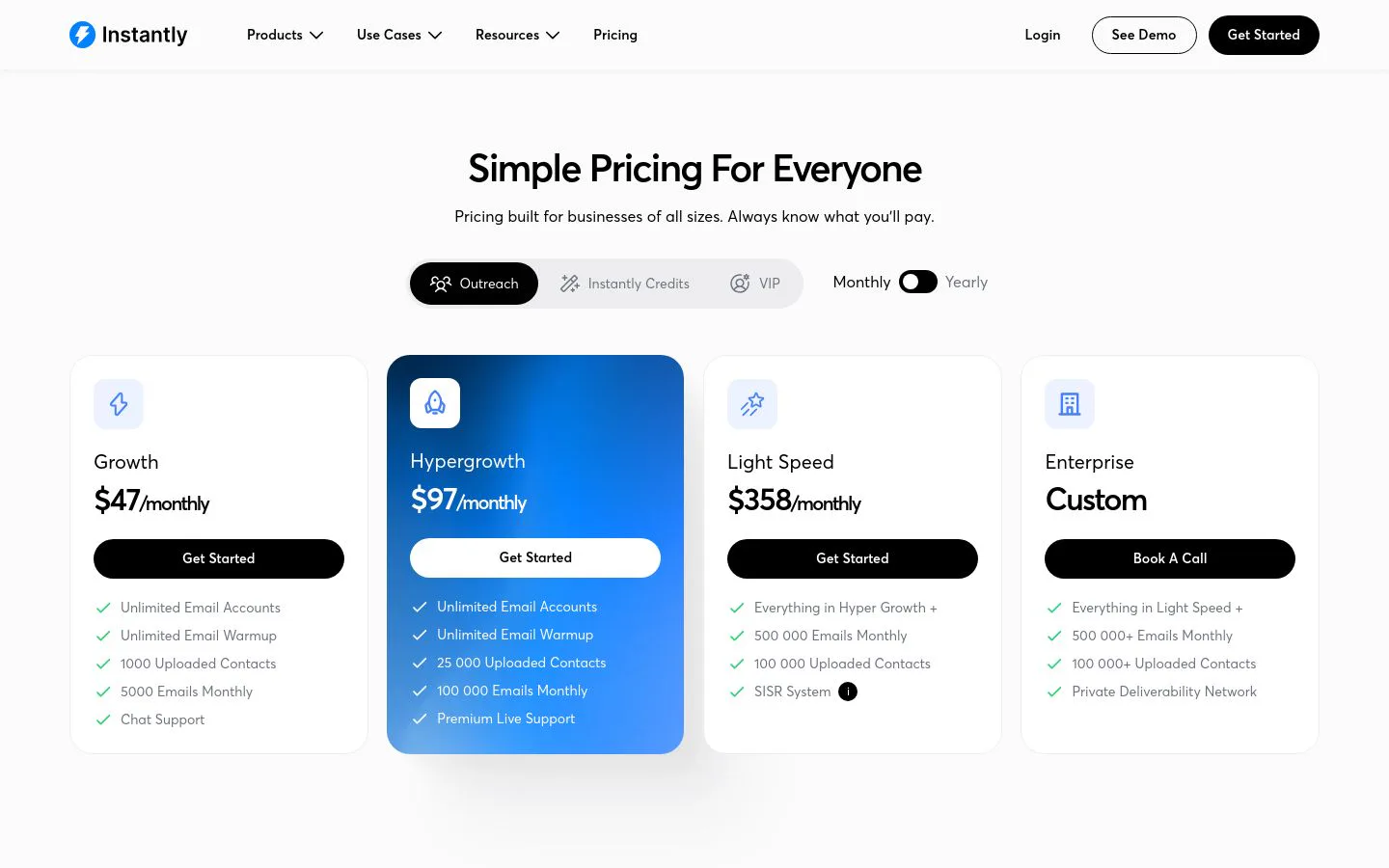
- Growth: $37/mo (annual), or $47/mo monthly, with 5,000 emails/mo
- Hypergrowth: $77/mo (annual), or $97/mo monthly, with 100,000 emails/mo
- Light Speed and Enterprise: higher tiers for larger sending volumes
Lead data and other add-ons are priced separately. See Instantly's pricing page for current tiers.
Instantly reviews
- G2: 4.8/5 from 4,000+ reviews (G2)
8. Salesloft
- Best forenterprise sales teams wanting a structured, multichannel engagement platform
- Pricingquote-based, per-seat annual contracts
- What we likedisciplined cadences, a built-in dialer, and deep CRM workflow
Salesloft is the enterprise sales-engagement layer: it structures outbound and follow-up into cadences across email, phone, and social, with a dialer, conversation intelligence, and forecasting built in. For teams that want reps working a consistent, measurable process rather than ad-hoc outreach, it's a category leader, reflected in its 4.5/5 across more than 4,200 reviews.
The trade-off is cost and complexity. Salesloft is quote-based and priced for teams, the dialer and conversation modules add to the base, and the platform is more than a small team needs.
What we like about Salesloft
- Structured multichannel cadences keep reps on process
- Built-in dialer and conversation intelligence
- Strong forecasting and deal workflow
- Deep Salesforce and CRM integration
Where Salesloft could be better
- Quote-based pricing with no public tiers
- Dialer and conversation modules cost extra on top of the base
- More platform than a small team needs
Why choose Salesloft? The pick when you want reps running a disciplined, multichannel engagement process at scale.
Salesloft pricing
Salesloft doesn't publish prices. Plans (commonly Essentials, Advanced, and Premier) are quote-based on annual, per-seat contracts, with third-party analyses putting most buyers in the $75 to $165 per user per month range depending on tier and seat count. The dialer and conversation intelligence add to that. Talk to Salesloft for a quote on its pricing page.

Salesloft reviews
- G2: 4.5/5 from 4,200+ reviews (G2)
9. Demandbase
- Best formarketing and sales teams running account-based programs off intent and account data
- Pricingquote-based, annual contracts
- What we likeintent data, advertising, and account intelligence in one ABM platform
Demandbase is the account-based and signals layer of the GTM stack. It combines intent data, account intelligence, B2B advertising, and orchestration in one platform, so marketing and sales can focus on the accounts showing buying signals right now. For teams running a coordinated ABM motion rather than spray-and-pray outbound, it's a category leader, and its 4.4/5 across more than 1,900 reviews reflects steady enterprise adoption.
The platform is sized for teams that will use it. Demandbase is quote-based on annual contracts, onboarding is a real project, and the value shows up when a dedicated ABM program feeds it, not a small outbound team.
What we like about Demandbase
- Intent data and account intelligence in the same platform as advertising
- Orchestrates account-based plays across marketing and sales
- Surfaces which accounts are in-market before they raise a hand
- Connects into the major CRMs and marketing tools around it
Where Demandbase could be better
- Quote-based pricing on annual contracts, sized for enterprise budgets
- Onboarding and setup are a real project, not a quick start
- More platform than a small team without an ABM motion needs
Why choose Demandbase? The account-based layer when you want intent, advertising, and orchestration in one platform aimed at the accounts most likely to buy.
Demandbase pricing
Demandbase doesn't publish prices. Plans are quote-based on annual contracts, priced by the modules you turn on, seats, and account volume. Third-party pricing analyses put mid-market deployments around $45,000 to $70,000 per year, rising with modules and add-ons, plus onboarding. Get a quote on Demandbase's pricing page for your exact configuration.
Demandbase reviews
- G2: 4.4/5 from 1,900+ reviews (G2)
10. LinkedIn Sales Navigator

- Best forreps prospecting and social selling directly inside LinkedIn
- Pricingpaid from about $99/user/mo (Core, billed annually)
- What we likeadvanced search and lead recommendations on the largest professional network
LinkedIn Sales Navigator is the social-selling layer of the GTM stack. It sits on top of the largest professional network and gives reps advanced search filters, lead and account recommendations, InMail, and real-time updates on the people and companies they follow. For prospecting and warm outreach where the buyer already lives, it's close to standard-issue, with a 4.3/5 across more than 2,100 reviews.
The catches are price and portability. It's a per-seat cost on top of the rest of your stack, export and integration are limited by design, and the data lives inside LinkedIn rather than flowing freely into your CRM.
What we like about LinkedIn Sales Navigator
- Advanced search and filtering on the largest professional network
- Lead and account recommendations plus real-time updates
- InMail to reach buyers outside your network
- The source of truth for current roles and job changes
Where LinkedIn Sales Navigator could be better
- Per-seat cost on top of the rest of your stack
- Limited export and integration by design, so data stays in LinkedIn
- Not a database or engagement platform on its own
Why choose LinkedIn Sales Navigator? The best way to prospect and social-sell where buyers already are, with the freshest role and job-change data anywhere.
LinkedIn Sales Navigator pricing
- Core: from about $99/user/mo billed annually, higher month to month
- Advanced: around $149/user/mo (annual), adding team and CRM features
- Advanced Plus: custom, enterprise pricing with deeper CRM integration
Prices vary by region and billing term. See LinkedIn's Sales Navigator plans for current rates.
LinkedIn Sales Navigator reviews
- G2: 4.3/5 from 2,100+ reviews (G2)
Which GTM tool should you choose?
Match the tool to the layer of your motion that's holding you back, not the other way around.
- Data and orchestration: Clay. It's the only option here that builds and orchestrates the data the rest of the stack acts on, instead of assuming it's already there.
- Enterprise CRM and system of record: Salesforce, when you want every tool in the stack reporting into one CRM built to scale.
- All-in-one on a budget: Apollo.io, when you want prospecting and outreach in one tool.
- CRM and connected suite: HubSpot Sales Hub, if you want a system of record that grows with you.
- Revenue intelligence: Gong, for coaching and forecasting off real conversations.
- Enterprise B2B data and intent: ZoomInfo, if the budget and North American focus fit.
- High-volume cold email: Instantly, when deliverability is the bottleneck.
- Enterprise sales engagement: Salesloft, for disciplined multichannel cadences at scale.
- Account-based marketing: Demandbase, when you run a coordinated ABM motion off intent and account data.
- Social selling and prospecting: LinkedIn Sales Navigator.
Most teams end up running several of these together. The layer that decides whether the rest work is the data underneath them, so if your records are thin or stale, fix that first.
What is the best free GTM tool?
If you want to build a GTM stack without paying up front, a few tools stand out. HubSpot's free CRM is the simplest way to get a system of record in place. Apollo's free tier is the most generous all-in-one, giving you a database, enrichment, and a few sequences to try outbound end to end.
For the data layer everything else runs on, Clay's free plan is the one that lets you build a real workflow, run a multi-provider waterfall, and use Claygent against your own list before you spend a credit. It's the best way to see coverage on your actual accounts, not a vendor's demo list, before committing.
The catch with every free tier is limits. They're built for testing, not production, so treat them as a way to check fit on your own data before you choose.
Where GTM tooling is heading
For most of the last decade, building a GTM stack meant buying a tool for every layer and hoping they'd talk to each other. That model is quietly consolidating. The teams pulling ahead in 2026 aren't the ones with the most tools, they're the ones running a tighter stack led by data and AI, where fewer systems share one clean source of truth and AI does the research and routing that used to eat a rep's day.
Practically, that means starting from the bottleneck rather than the brand name. If reps can't run a consistent process, an engagement platform is the quickest win. If deals stall because leaders can't see what's happening on calls, an intelligence layer earns its keep. But if the real problem is thin, stale, or disconnected data, no amount of tooling on top can fix it, because every tool in the stack runs on that data. Fix the data layer first, then let the rest of the stack act on it.
Whatever you shortlist, test it on your own data before committing a budget. The demo always looks perfect. Your accounts are the only ones that tell the truth.
Every GTM tool runs on data
Build and orchestrate the data your GTM stack depends on in Clay, free.
FAQ
What is a GTM tool?
A GTM tool is any software a revenue team uses to run its go-to-market motion, spanning data and enrichment, prospecting, sales engagement, buying signals, the CRM that holds everything, and the intelligence layer that reads calls and deals. No single tool covers the whole motion, so teams run a stack of them.
What tools belong in a GTM stack?
Most stacks include a data and enrichment layer, a CRM as the system of record, prospecting and engagement tools to reach buyers, a signals or intent layer to time outreach, and often a revenue-intelligence tool to coach and forecast. The right mix depends on your motion, but the data layer is what ties the rest together.
How many GTM tools does a team actually need?
Fewer than most stacks carry. The trend in 2026 is consolidation: one clean source of truth, a CRM, an engagement layer, and a signals layer will cover most teams. Start from your bottleneck and add tools only where a layer is genuinely missing.
Do these GTM tools integrate with HubSpot and Salesforce?
Most do. HubSpot Sales Hub and Salesforce are themselves CRMs; Clay, ZoomInfo, Apollo, Gong, Salesloft, and Demandbase sync to both HubSpot and Salesforce. Clay also writes enriched records back and pushes data into your engagement tools.
How is GTM tooling usually priced?
It varies by layer. Prospecting and engagement tools are often per-seat on tiered plans. Data platforms use credits. Enterprise intelligence tools like Gong and ZoomInfo are quote-based on annual contracts, sometimes with a platform fee. Usage-based platforms like Clay separate the data cost from the platform cost.
What's the best GTM tool for a small team on a budget?
Apollo's free and low tiers are hard to beat for all-in-one prospecting and outreach, and HubSpot's free CRM gives you a system of record. For the data layer everything else runs on, Clay's free plan lets you build and test a real workflow before spending a credit.
Which GTM tool should you buy first?
Start where you're blocked. If you can't reach buyers, an engagement tool helps first. If your outreach fails because your data is thin or stale, fix the data layer first, because every other tool in the stack acts on that data.
What's the difference between a GTM tool and a CRM?
A CRM like HubSpot Sales Hub is one layer of the GTM stack: the system of record that stores contacts, deals, and activity. GTM tooling is the broader category that also includes the data, prospecting, engagement, signals, and intelligence tools that feed and act on that record.