






































.avif)




























How to append data to records
Paste your target account list
Drop in your existing account list. Sculptor enriches each record with missing firmographic and contact data, filling gaps across your full table.
Sculptor enriches every record in sequence
Sculptor appends missing firmographic fields like industry, headcount, and funding stage, then waterfalls through 150+ providers to find a verified email for the title you specified. Only matched rows get an email appended.
Finished table with verified contact email
The finished table has company name and verified email where the waterfall found a match. Push enriched records back to HubSpot or Salesforce, or route to Smartlead to trigger outreach.
Why Clay for appending data to records

Waterfall coverage on matched rows
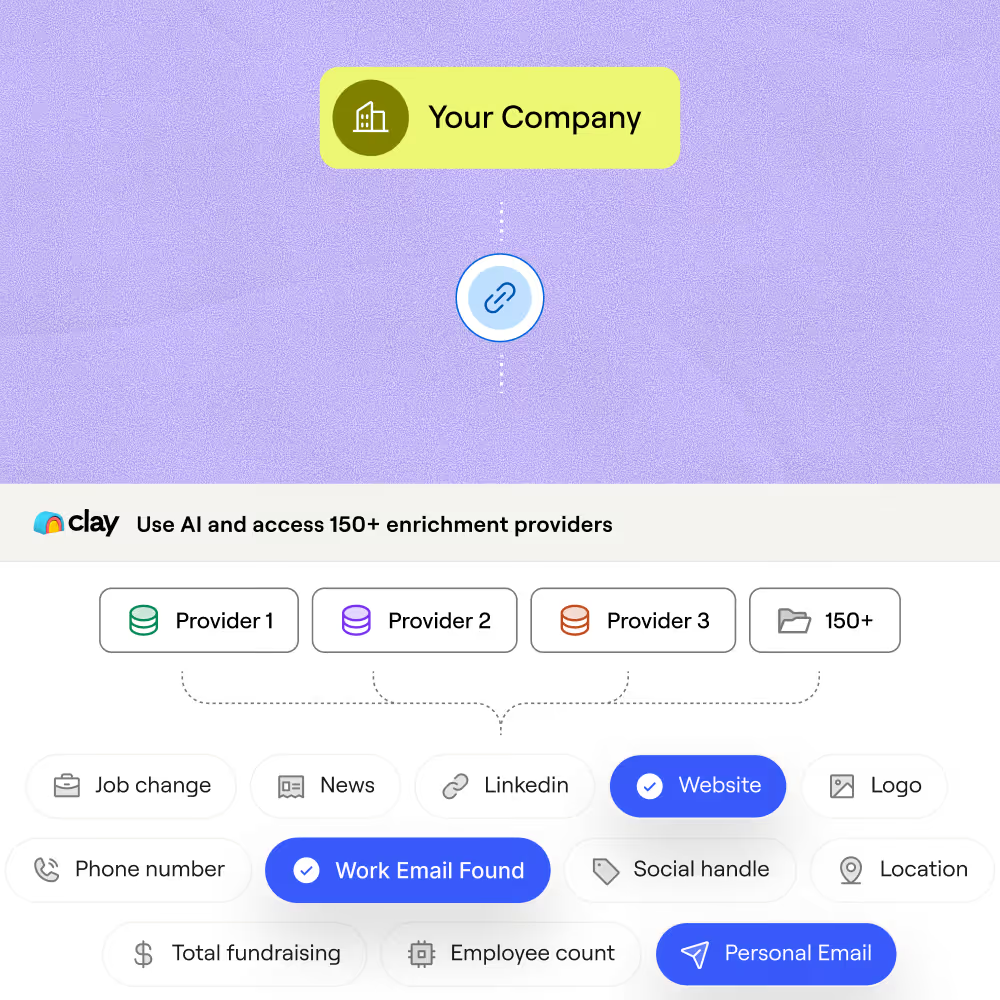
Get verified emails appended to matched rows without overpaying. Clay waterfalls through 150+ providers in sequence, stopping at the first confident result and charging credits only when a match is found.
Firmographic depth across every record
Append industry, headcount, funding stage, tech stack, and hiring signals to each account in your list. Claygent browses Crunchbase, BuiltWith, and each company site to fill fields no single provider covers.
Auto-refresh keeps appended data current
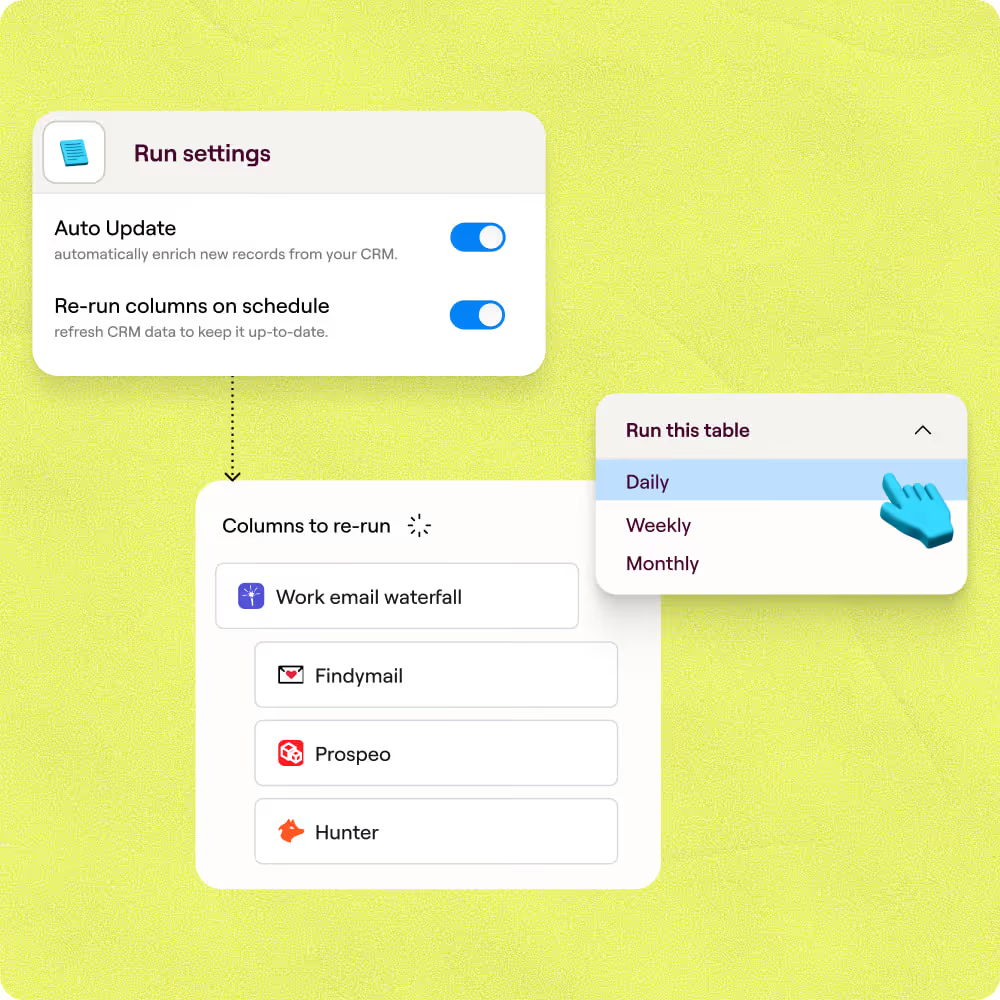
Stale records get flagged and re-enriched on a schedule, so appended fields stay accurate as contacts change roles or companies update. Set a refresh cadence and Clay handles the rest automatically.
Bidirectional CRM sync after enrichment
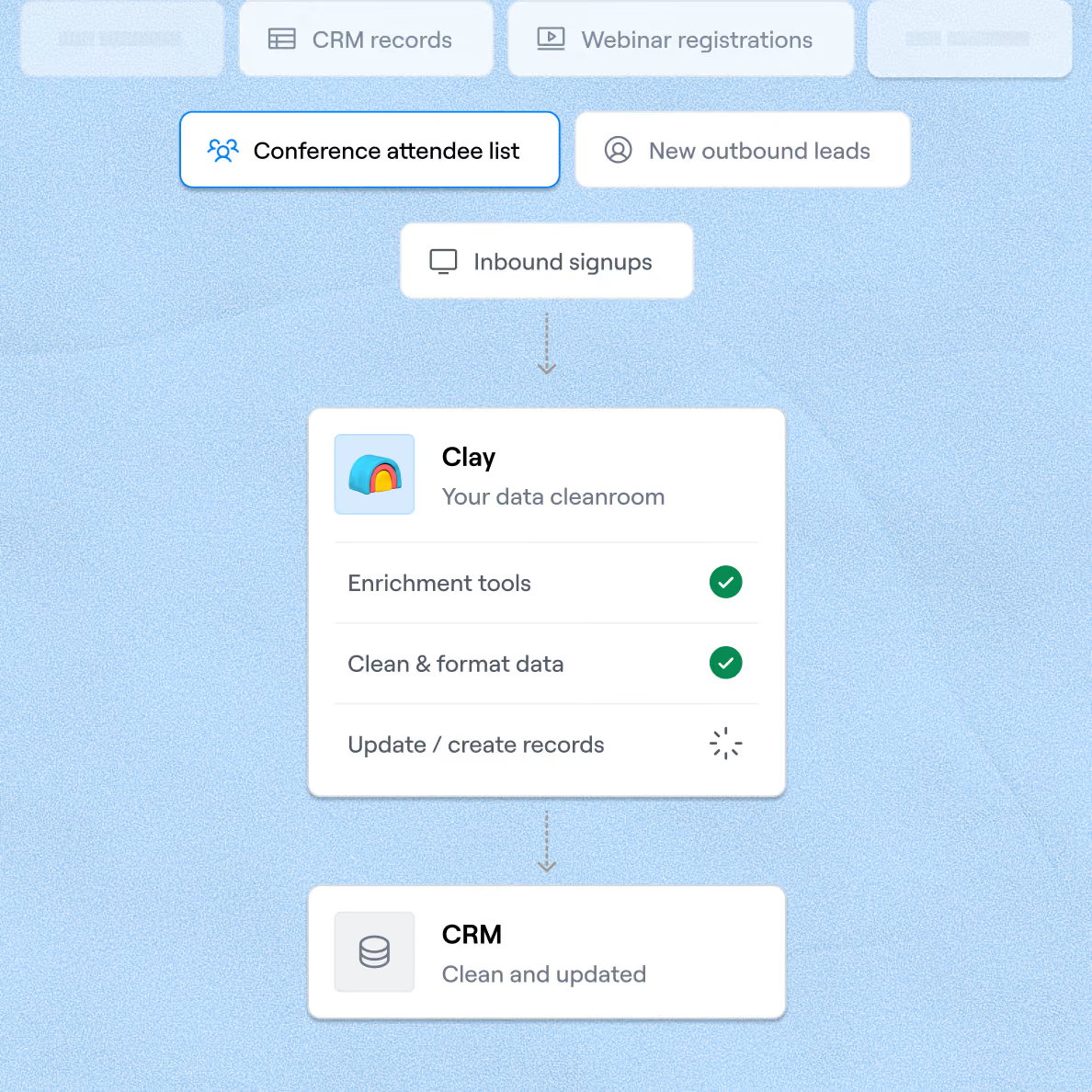
Enriched rows write back to the correct fields in HubSpot or Salesforce automatically, or route to Smartlead for immediate outreach. No manual export steps required between Clay and your downstream tools.

Clay is a game changer for marketing, data, and operations. We have 3x our enrichment rate with Clay’s combination of data providers. Clay makes it easy to use AI for GTM initiatives, unlocking new workflows that were infeasible before.
Frequently asked questions
How does Sculptor append data to my records?
Sculptor runs each record through a waterfall of 150+ contact-data providers in sequence. It checks the first source for a match, and if none is found, moves to the next provider automatically. For each row, it appends verified work email and company name, building out your records without manual lookups across multiple tools.
How accurate is the appended email and company data?
Clay's waterfall enrichment lifts verified email coverage from around 30% with a single provider to 80% or higher across the full list. Individual providers like Datagma and Hunter score above 97% confidence on SMB contacts in Clay's own testing. Appended emails also pass through verification steps via NeverBounce or ZeroBounce before export, catching invalid addresses early.
Can I append data to a whole list of records at once?
Yes. Paste a list, upload a CSV, or pull records directly from Salesforce or HubSpot into a Clay table. Sculptor enriches every row in parallel, then you push the appended fields back to your CRM or export as CSV for your outbound sequences. Enterprise plans support bulk enrichment across millions of records in a single workflow.
Is it legal to enrich and email B2B contacts with appended data?
The CAN-SPAM Act governs all commercial email in the U.S., including B2B messages. It requires accurate sender info, a physical postal address, a working opt-out mechanism honored within 10 business days, and penalties up to $53,088 per violation. In the EU, GDPR allows B2B outreach under a documented legitimate interest basis, but you must offer a clear opt-out and handle data responsibly.
Always check the rules for your jurisdiction before sending outreach to appended contacts.