



























.avif)










.avif)




























How to find company decision-makers
Paste your target account list into Sculptor
Paste your account list and specify the title you want to reach. Sculptor searches Clay's people database for matching contacts at each company.
Sculptor finds and verifies contacts at scale
Sculptor searches Clay's people database for contacts matching your target title at each account, filtered by job title and seniority. It then waterfalls through 150+ providers to find a verified work email for matched contacts, spending credits only when a match is found.
Review your contact table, then push to outreach
The finished table has contact name and, for matched rows, a verified email at the title you specified. Push to Smartlead, Instantly, or your sequencer to trigger a campaign the moment a row lands.
Why Clay for finding company decision-makers
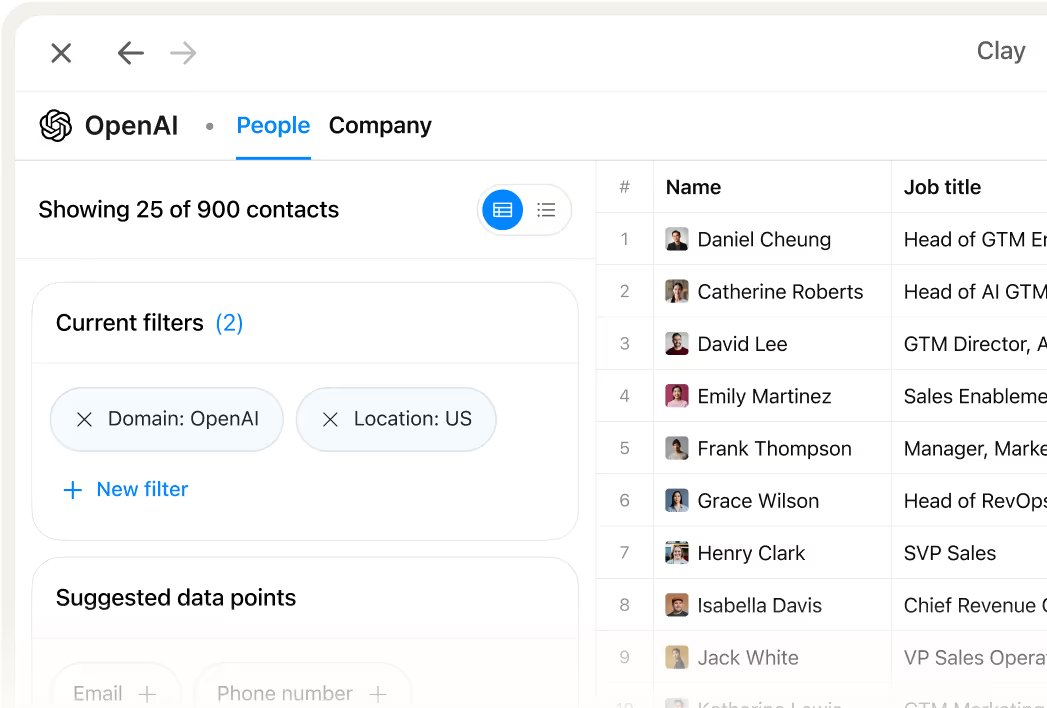
Filter contacts by title, function, and seniority
Get a precise contact list without manual research. Clay's people database lets you filter by job title, organizational function, seniority, location, and tenure so only relevant decision-makers land in your table.
Waterfall enrichment finds verified work emails
Get verified work emails for matched contacts at scale. Clay waterfalls through 150+ providers in sequence, spending credits only when a provider returns a confirmed hit.

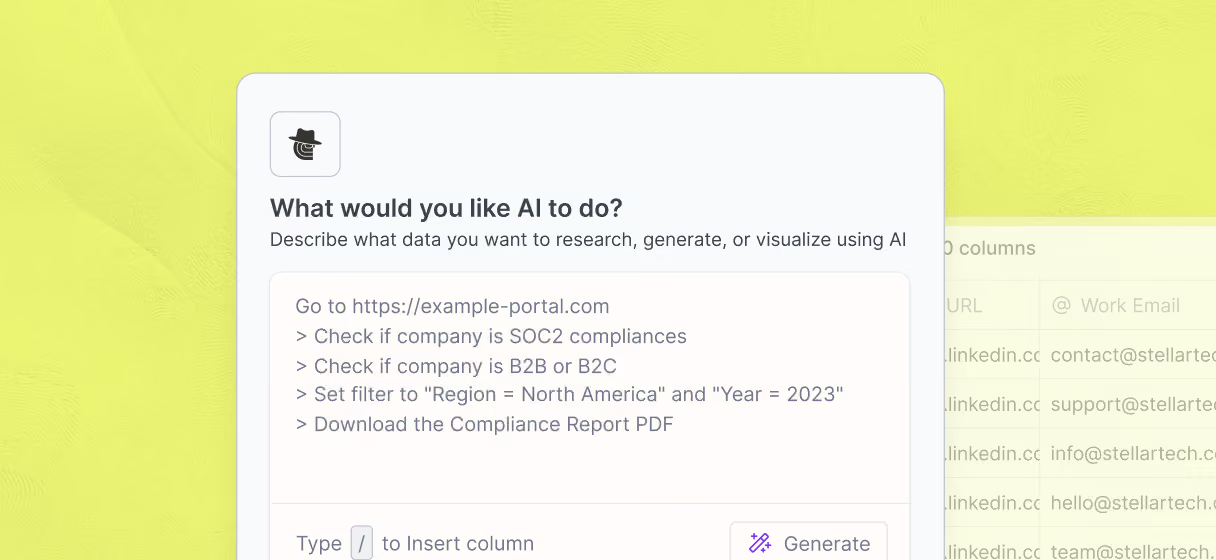
Claygent confirms contacts are still in role
Avoid emailing decision-makers who have moved on. Claygent browses each contact's LinkedIn profile and company site to verify they are still in the target role before any email goes out.
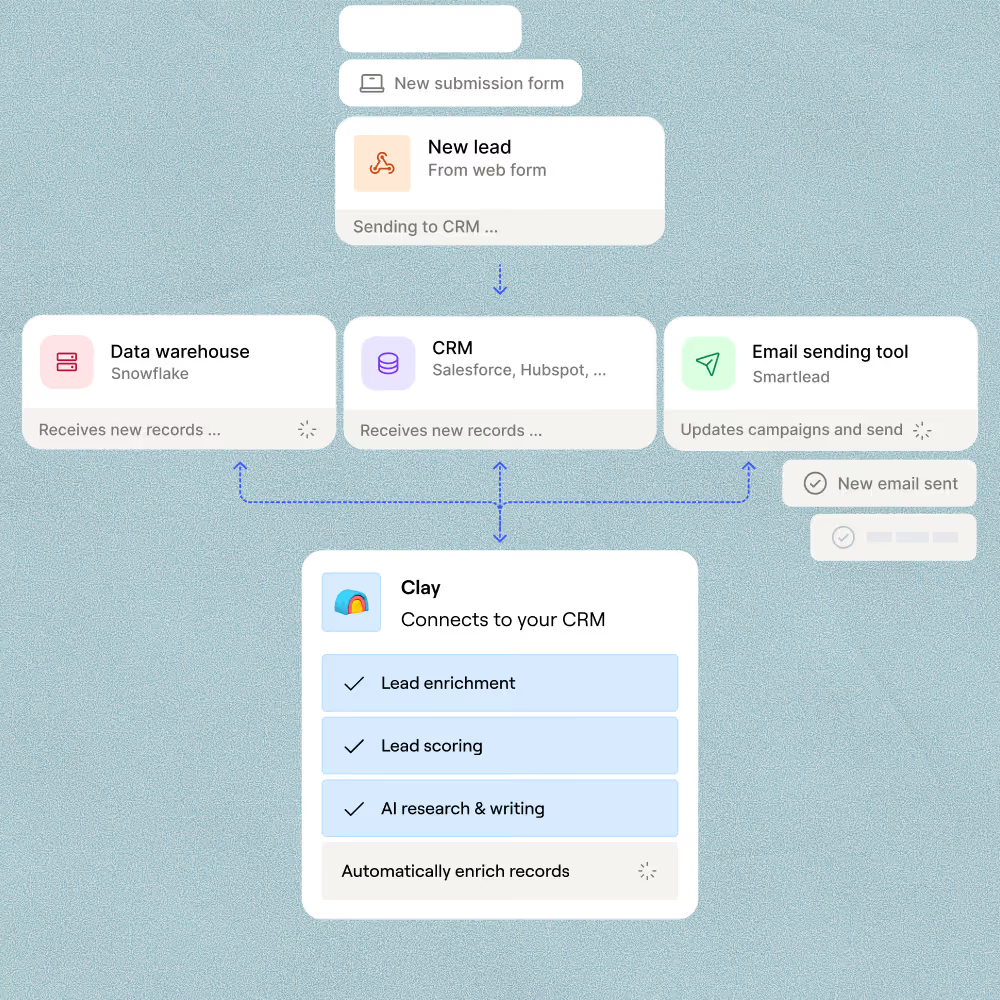
Push verified contacts to Salesforce or Outreach
Verified, validated rows sync directly to HubSpot, Salesforce, Outreach, or Salesloft in one step. GTM teams trigger cadences the moment a matched contact clears verification, with no manual export needed.

Clay should be an essential pillar of every company's GTM stack, enabling outbound built on the highest quality data foundation possible. Now you can automate hours of manual research so sales teams can focus on selling.
Frequently asked questions
How does Sculptor find decision-makers at target companies?
Sculptor takes your target industry or company list and searches for contacts matching your title, function, and seniority filters. It builds a structured table of decision-makers, then runs a work email waterfall across providers like Hunter, Prospeo, and Datagma in sequence, stopping at the first verified match. You can also add a Claygent column that checks each contact's company website to confirm they actually own the role you need.
How accurate are the decision-maker emails Clay finds?
Clay tested 12 email providers across 4,700+ contacts and found top providers like Datagma score above 97% confidence on SMB contacts. A single provider typically covers around 30% of a list, but Clay's waterfall stacks 10+ providers to push coverage from 30% toward 80% or higher. You only pay credits on the provider that returns a match, so accuracy stays high while coverage scales.
Can I find decision-makers for a whole list at once?
Yes. Paste a list of company names or domains, upload a CSV, or pipe rows from an existing Clay table, and Sculptor processes up to 50,000 contacts in one run. Each row returns company name and verified email. When the table is ready, push directly to HubSpot, Salesforce, Outreach, or Smartlead, or export as a CSV for any other tool.
Is it legal to cold-email decision-makers I find this way?
In the U.S., the CAN-SPAM Act permits unsolicited B2B email as long as you include a working opt-out link, a physical mailing address, and honest sender information. Penalties can reach $53,088 per non-compliant message. In the EU, GDPR Article 6(1)(f) allows B2B outreach under a legitimate interest basis, but you must document your justification and honor data-subject requests promptly.
Rules vary by country and sometimes by state, so always check the regulations for your jurisdiction before launching a campaign.