







































.avif)




























How to refresh stale data
Paste your target account list to refresh
Drop in your target account list. Sculptor enriches each record against Clay's company database to surface what has changed.
Sculptor re-enriches every stale record
Sculptor scans each company row against Clay's B2B company data, flags fields that have decayed, then waterfalls through 150+ providers to return a fresh, verified contact email for the title you specified.
Refreshed table with company name and verified email
The finished table has company name and, for matched rows, a verified contact email. Write enriched fields back to HubSpot or Salesforce automatically as Clay refreshes the data.
Why Clay for refreshing stale data (general)

Waterfall enrichment on every matched row
Get a verified contact email for matched rows in your target account list. Clay waterfalls through 150+ providers in sequence, charging credits only when one returns a hit.
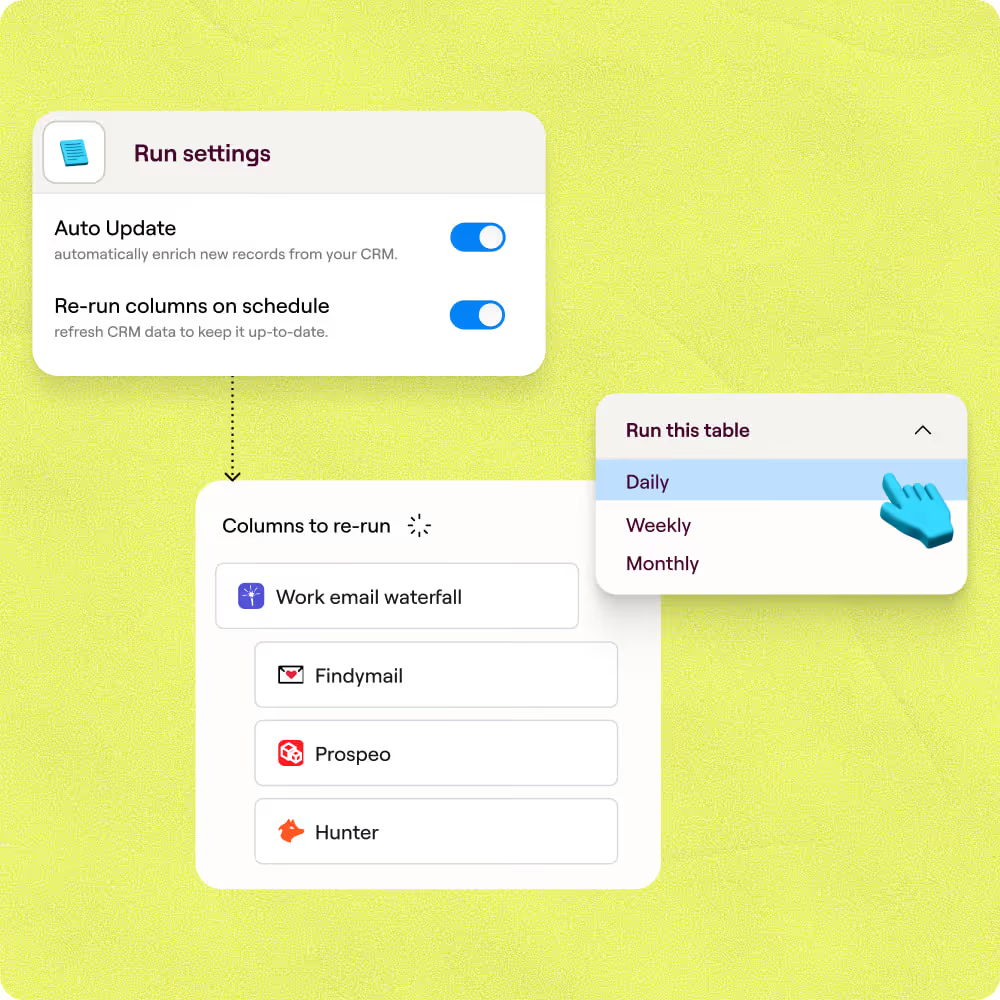
Auto-refresh on a set schedule
Set a daily, weekly, or monthly cadence per field so decayed records re-enrich automatically. Clay's scheduled source re-runs each cycle and updates only the rows that have aged past your freshness threshold.
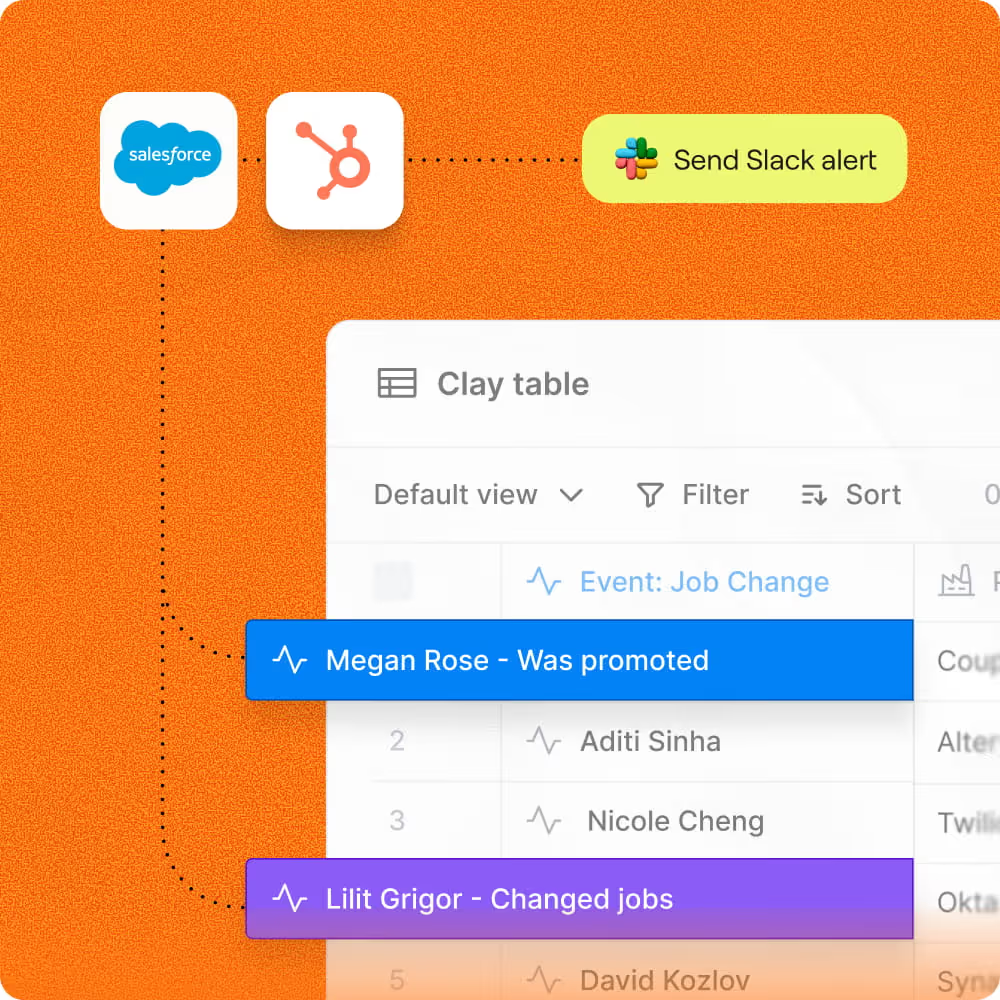
Signal-based job-change monitoring
Catch the highest-value decay signal before it kills a deal. Clay monitors each contact's LinkedIn URL for job changes and flags the record in seconds, so you reach a moved champion before your competitors do.
Conditional write-back to HubSpot or Salesforce
Refreshed fields write back to HubSpot or Salesforce only when the new value is fresher and higher-confidence than what is stored, protecting rep-verified data from being overwritten by a weaker source.

With Clay, we more than doubled our enrichment coverage from low 40% to high 80%
Frequently asked questions
How does Sculptor refresh stale CRM contacts?
Sculptor imports your stale contacts from a CRM list or spreadsheet and runs each record through a waterfall of 150+ data providers, including Lusha, Cognism, and ZoomInfo. It queries providers in sequence until it finds a verified email and current job title, then flags every record where the data has changed so you can act on it immediately.
How accurate are the refreshed emails and titles?
Single-provider lookups typically cover around 20 to 30% of contacts. Clay's waterfall enrichment pushes that to roughly 80% by layering multiple sources in sequence and validating each email before returning it. B2B contact data decays at about 22.5% per year, so running scheduled refreshes every 30 days keeps your records consistently current.
Can I refresh stale contacts in bulk?
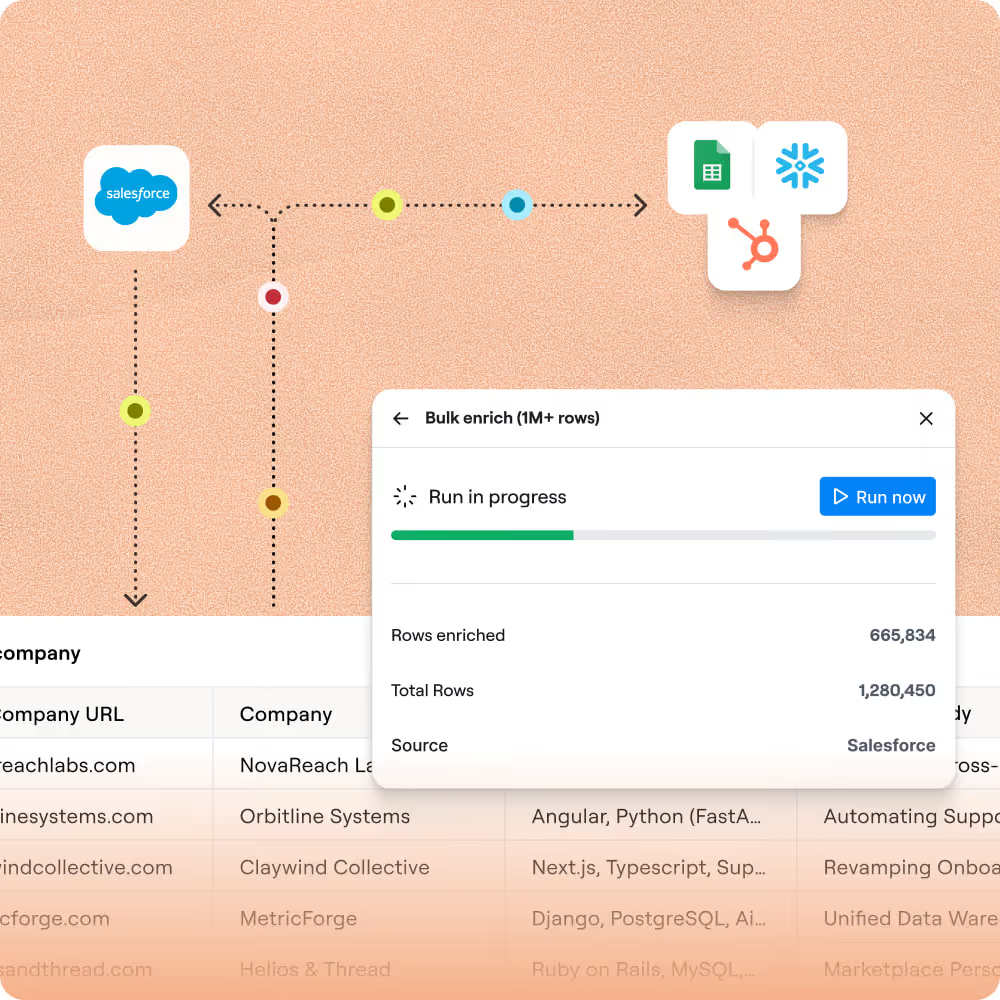
Yes. Paste a list, upload a CSV, or connect a dynamic CRM list filtered by "Last enrichment date is more than 30 days ago" and Clay re-enriches every record automatically. Use the "Create or Update" action to push refreshed emails and titles back to HubSpot or Salesforce, or export the results as a CSV.
Is refreshing contact data compliant with email laws?
In the U.S., the CAN-SPAM Act applies to all commercial email, including B2B, and requires accurate sender information, a working opt-out mechanism honored within 10 business days, and a valid physical address. Penalties reach up to $53,088 per non-compliant message. In the EU, GDPR allows B2B outreach under the legitimate interest basis (Article 6(1)(f)), but you must document a balancing test and inform contacts at first contact.
Always check the rules for your jurisdiction before emailing refreshed contacts, and honor every opt-out promptly.