







































.avif)




























How to generate warm and hot leads
Describe your target market and industry
Describe your target market or industry and the title you want to reach. Sculptor scans Clay's company database for companies showing funding, hiring, or intent signals that signal warm or hot fit.
Sculptor sources and scores matched companies
Sculptor builds a list filtered by industry, headcount, and growth signals like recent funding and hiring activity. It then waterfalls through 150+ providers to find a verified email for your target title on matched rows.
Get your scored list and verified contact emails
The finished table has company name and, for rows the waterfall enriched, a verified contact email. Export to CSV, sync to Salesforce, or pipe into your outbound tool of choice.
Why Clay for generating warm/hot leads
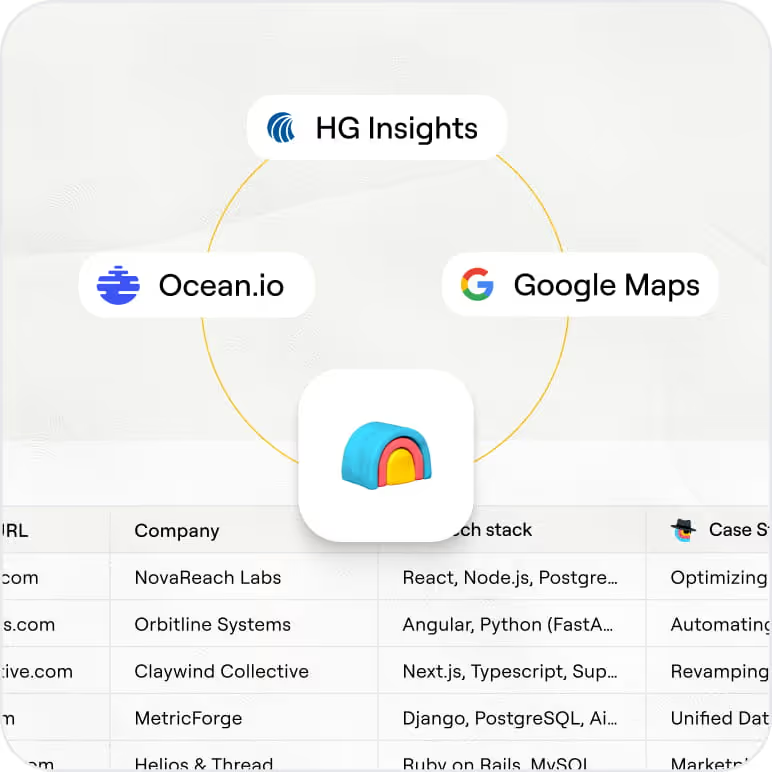
ICP filters that surface ready-to-buy accounts
Get a pre-filtered list of accounts that match your ICP. Clay's B2B company database lets you stack filters across industry, headcount, funding stage, tech stack, and hiring activity to surface only the companies already showing warm signals.
AI scoring on fit and buying signals
Every matched row gets scored on two axes: ICP fit and intent. Claygent browses each company's site, careers page, and recent news to return a fit label and the buying signals that made the account hot, so reps never start cold.
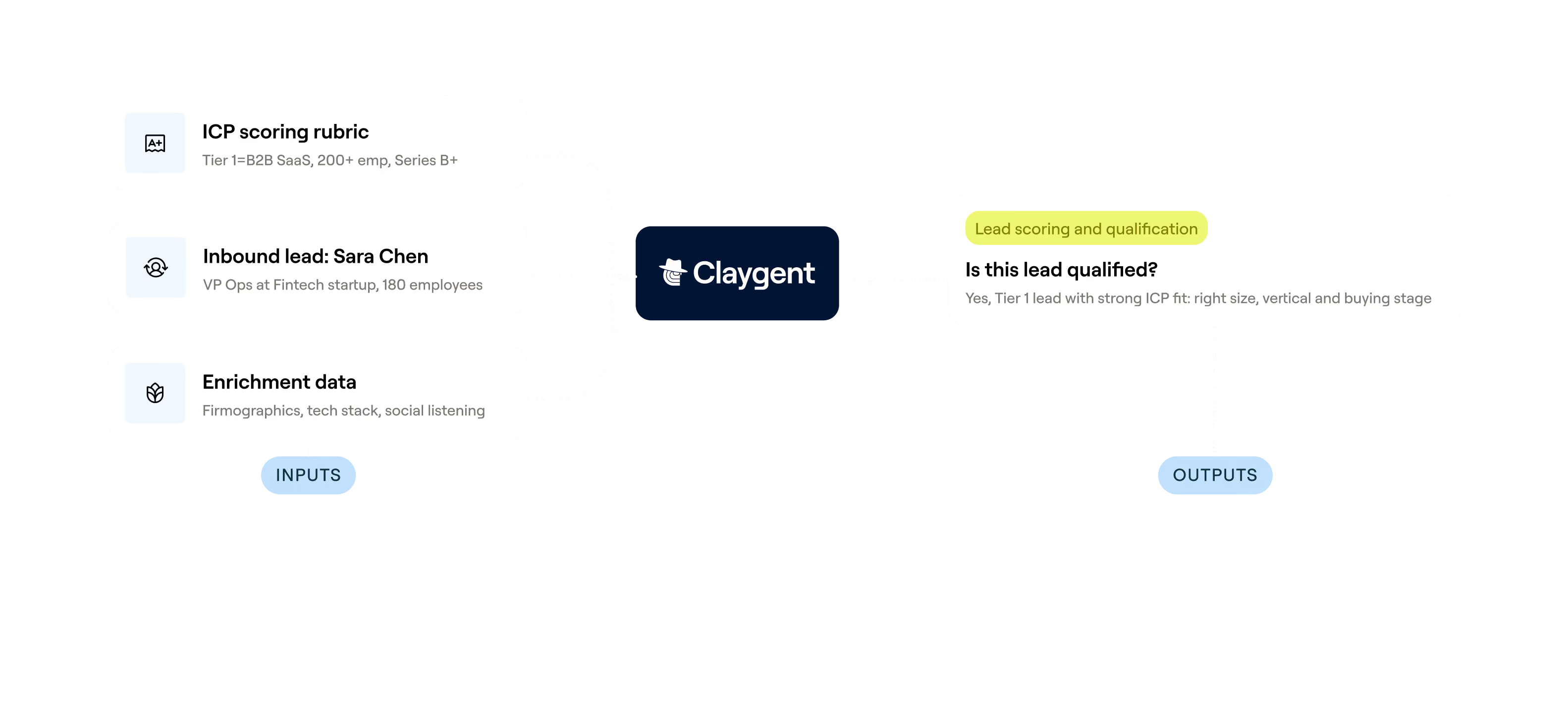

Waterfall enrichment for verified contact emails
Get a verified email for your target title on matched rows. Clay waterfalls through 150+ providers in sequence and charges credits only when one returns a hit, giving you typical match rates of 60-85% depending on the title.
Slack alerts and CRM sync on top accounts
Tier-one accounts trigger instant Slack alerts to the assigned rep with an AI summary of the buying signals found. All other scored rows sync automatically to HubSpot or Salesforce so your pipeline stays current without manual exports.
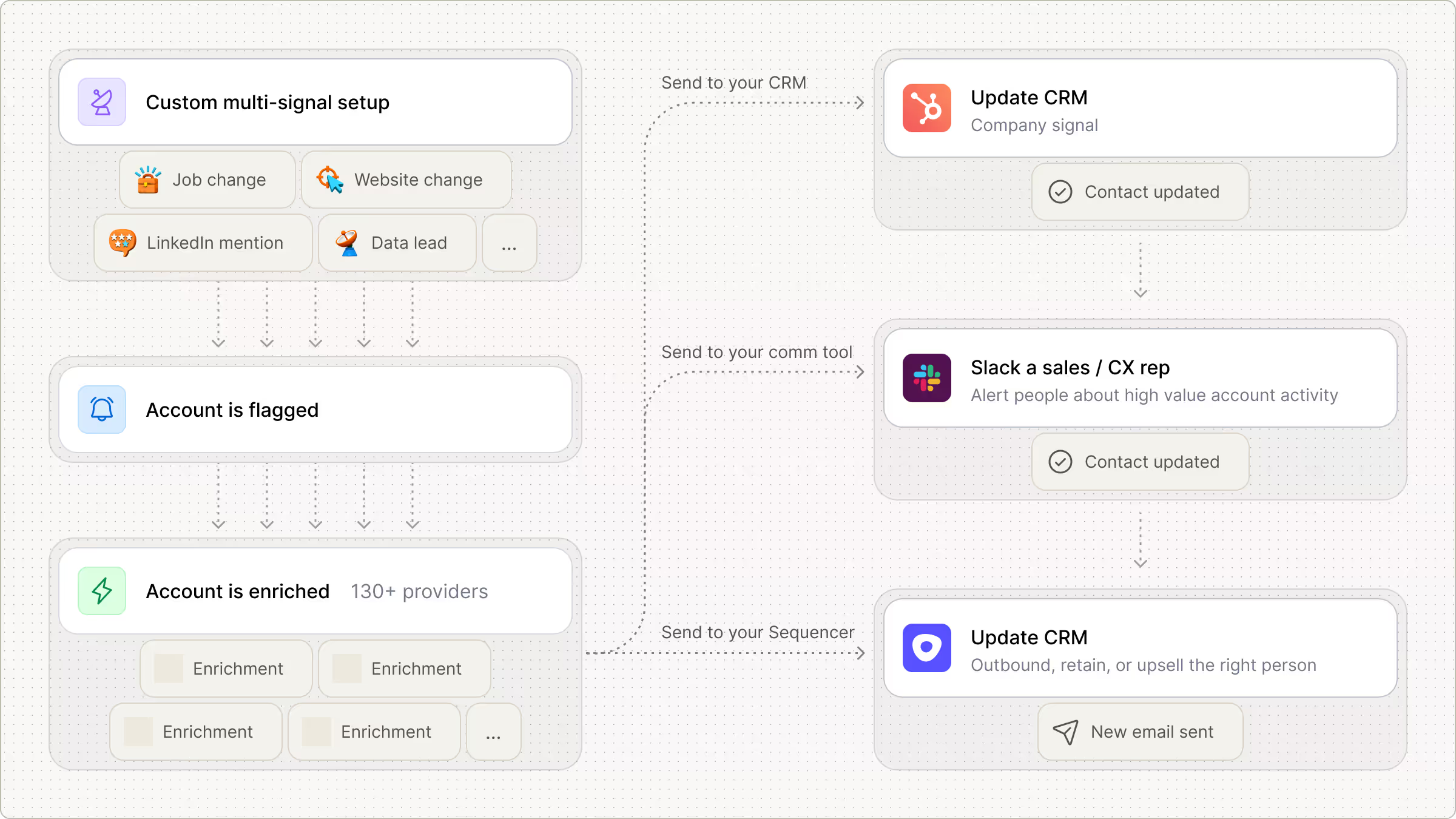

Every lead is pre-qualified, scored on unique signals, and routed automatically through Clay. We're now generating pipeline from segments we weren't even touching before.
Frequently asked questions
How does Sculptor generate warm and hot leads?
Sculptor queries Clay's company database and layers multiple intent signals, including job openings, recent hires, funding announcements, and website visits, to surface accounts that match your ICP and show active buying motion. It then runs waterfall enrichment across multiple contact-data providers to find a verified VP of Sales email for each company. You get a scored, ready-to-action list in one step.
How accurate are the warm leads and contact emails?
Clay's waterfall enrichment lifts VP-level email coverage from roughly 30% with a single provider to ~80% or higher by querying multiple sources in sequence. Individual email providers in Clay's stack score above 96% confidence for SMB contacts and up to 84.88% for enterprise. Stacking multiple intent signals per account also reduces false positives, so the leads that surface reflect genuine buying activity.
Can I generate warm leads for a whole list at once?
Yes. Paste a list of target industries or upload a CSV to generate intent-fit accounts in bulk. Sculptor builds the full table of company names and VP of Sales emails in a single run. From there, push the entire list to HubSpot or Salesforce with one click, or pipe it to your sequence tool so reps start outreach on the hottest accounts immediately.
Is it legal to use intent data for B2B outreach?
GDPR permits B2B prospecting under legitimate interest (Article 6(1)(f)) when outreach is relevant to the contact's professional role and includes a clear opt-out. In the US, CAN-SPAM requires an unsubscribe mechanism in every commercial email. California's CCPA now covers B2B contact data, so honor opt-out-of-sale requests from California contacts.
Signal-based targeting strengthens your legitimate interest case because you contact only accounts showing active buying behavior, which aligns with data minimization principles. Always check the rules for your jurisdiction before launching campaigns.