






































.avif)




























How to find company website by name
Paste your company list into Sculptor
Drop in your company list, and Sculptor waterfalls through Clay's provider network to resolve each name to a verified website domain.
Sculptor resolves names to verified domains
Sculptor queries multiple data providers in sequence to match each company name to its official website domain. Where providers return a result, Claygent browses the site to confirm the domain is live and accurate.
Review verified company name and domain
The finished table has company name and verified website domain for matched rows. Export to CSV, sync to Salesforce, or pipe into your outbound tool of choice.
Why Clay for finding company website by name

Multi-provider waterfall resolves names to domains
Get a verified domain for matched rows in your company list. Clay waterfalls through multiple providers in sequence, including Company URL Finder, stopping at the first confident result and charging credits only on a match.
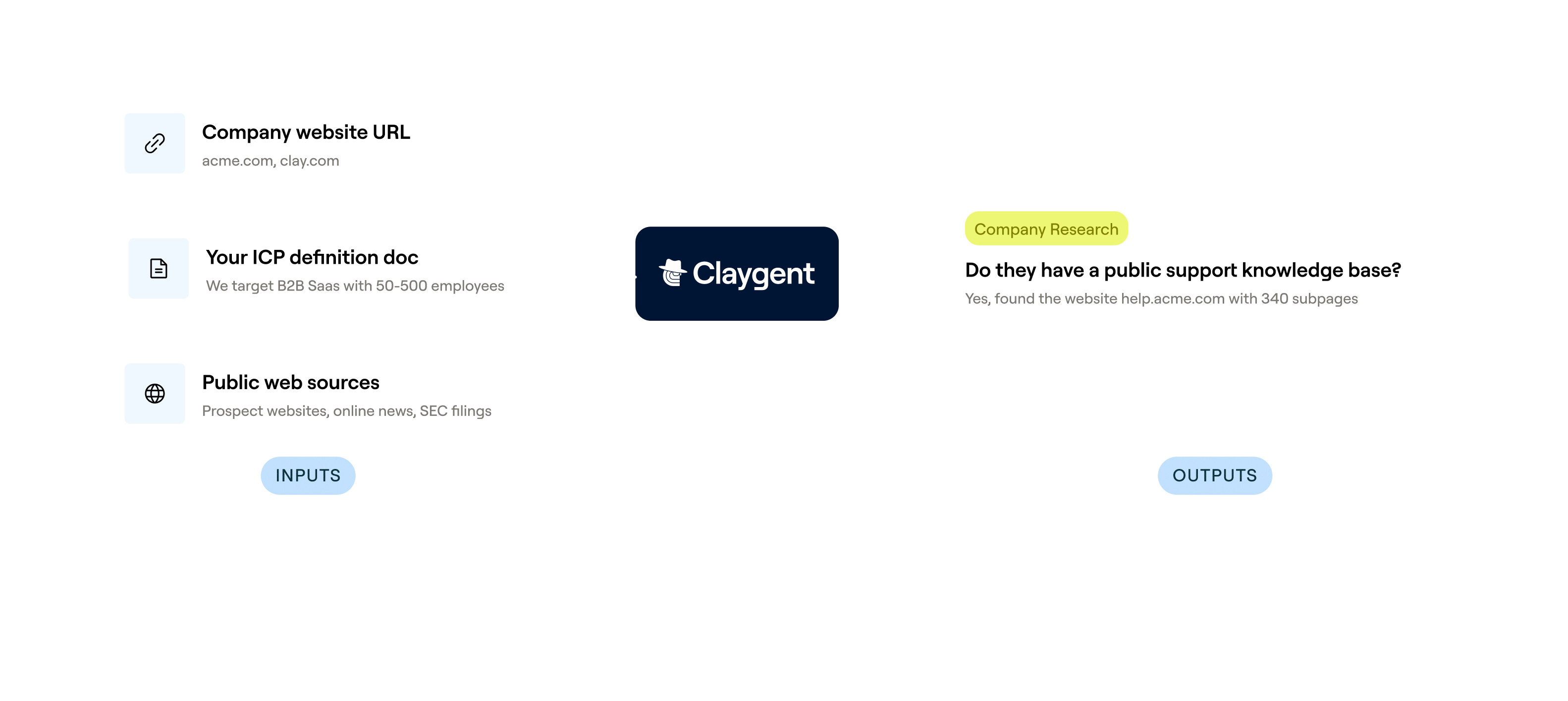
Claygent confirms each domain is live
Matched domains get a Claygent pass: the AI agent browses each site to confirm the page is live and belongs to the right company, flagging redirects and mismatches before they reach your CRM.
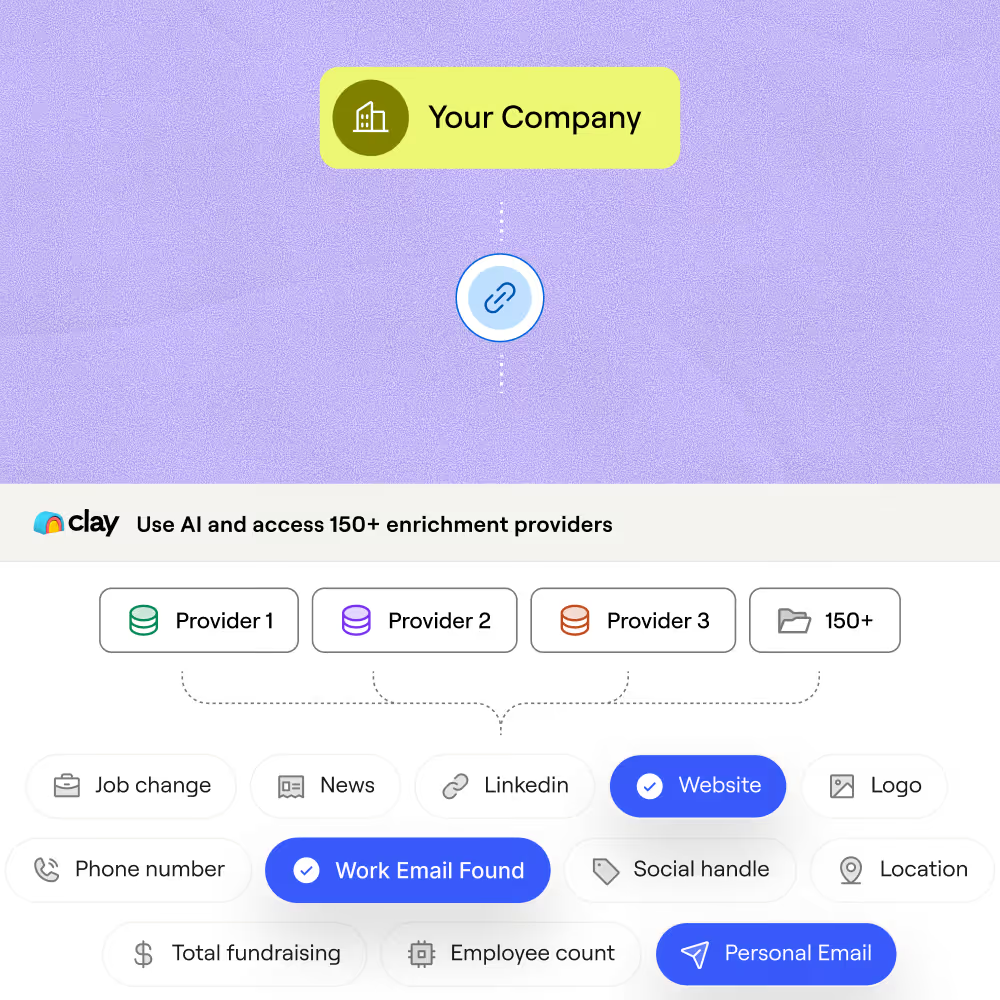
Immediate firmographic depth on resolved domains
Once a domain is resolved, Clay automatically layers in headcount, industry, funding stage, tech stack, and location using its waterfall enrichment system, turning a bare domain into a full account record.
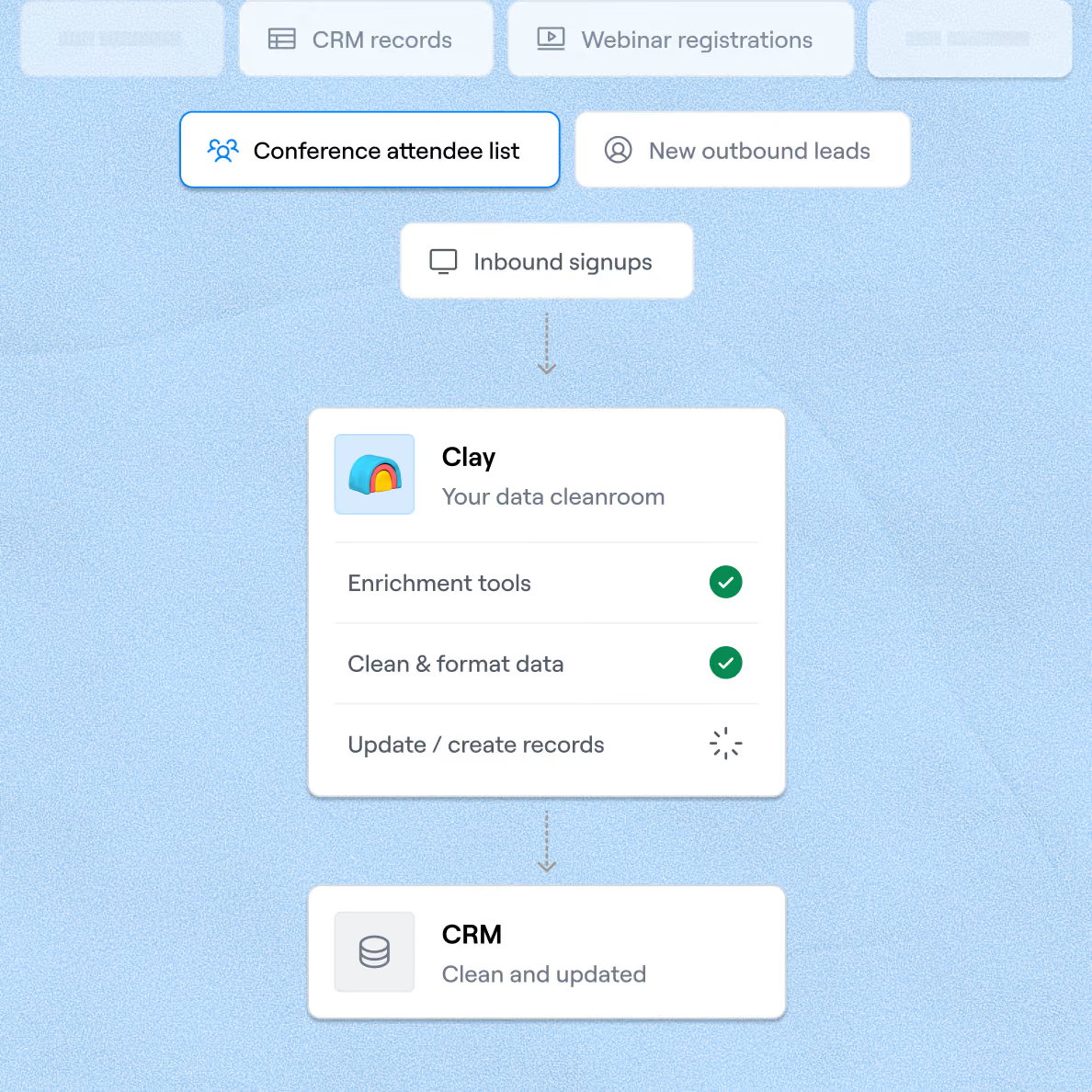
Sync enriched records to HubSpot or Salesforce
Finished rows push directly to HubSpot or Salesforce via Clay's native two-way sync, writing company name and verified domain into the correct CRM fields without manual exports or duplicates.

When one provider doesn’t have it, Clay automatically checks the next one. It really helps our inbound and outbound motions because we can leverage the best source of data. I’ve never seen a tool that was so easy to do this process.
Frequently asked questions
How does Sculptor find a company website by name?
Sculptor runs a two-step waterfall. It sends each company name to Clearbit first, which returns the matching domain at no credit cost. If Clearbit misses, a live Google search fires as a fallback and grabs the top result. Once the domain lands in your table, Sculptor queries 50+ providers to enrich each row with firmographics, then finds the VP of Sales and pulls a verified work email through providers like Prospeo, Dropcontact, and Datagma.
How accurate are the company website results?
Clearbit matches hit roughly 98% accuracy on returned domains, and the Google fallback fills coverage gaps Clearbit misses. For the VP of Sales email, Clay's waterfall enrichment routinely triples coverage compared to a single provider, pushing email hit rates from around 30% to 80% or higher. ZeroBounce validates each email before it reaches your table, so bounced addresses stay out of your outreach.
Can I find company websites for a whole list at once?
Yes. Paste a list of company names directly into Sculptor, upload a CSV, or pipe rows from an existing Clay table. Sculptor processes every row through the same Clearbit-then-Google waterfall and enriches each company in parallel. When the run finishes, push the full batch of verified websites and VP of Sales emails into HubSpot, Salesforce, or export as a CSV to load into your sequencer.
Is it legal to collect company emails for B2B outreach?
In the U.S., the CAN-SPAM Act applies to all commercial email, including B2B. It requires accurate sender information, a valid physical address, a working unsubscribe link, and opt-out requests honored within 10 business days. Each violation can carry penalties up to $53,088. In the EU, GDPR Article 6(1)(f) allows B2B outreach under a legitimate interest basis, but you must demonstrate relevance and respect opt-out requests.
Always check the rules for your jurisdiction before launching outreach campaigns.