






































.avif)




























How to detect buying signals
Paste your target account list
Drop in your target account list with company names or domains. Sculptor scans each account for buying signals, including funding rounds, job postings, leadership changes, and website intent.
Sculptor identifies and dates each signal
Sculptor monitors each account across Clay's signal network, including news, hiring activity, and web intent. Claygent browses company pages and public sources to classify the signal type and log its date for every account that triggers a match.
Signals table with company name, type, and date
Your finished table shows company name, signal type, and signal date for matched accounts. Send new signal matches to Slack and log the account in your CRM so your team acts within minutes.
Why Clay for detecting buying signals
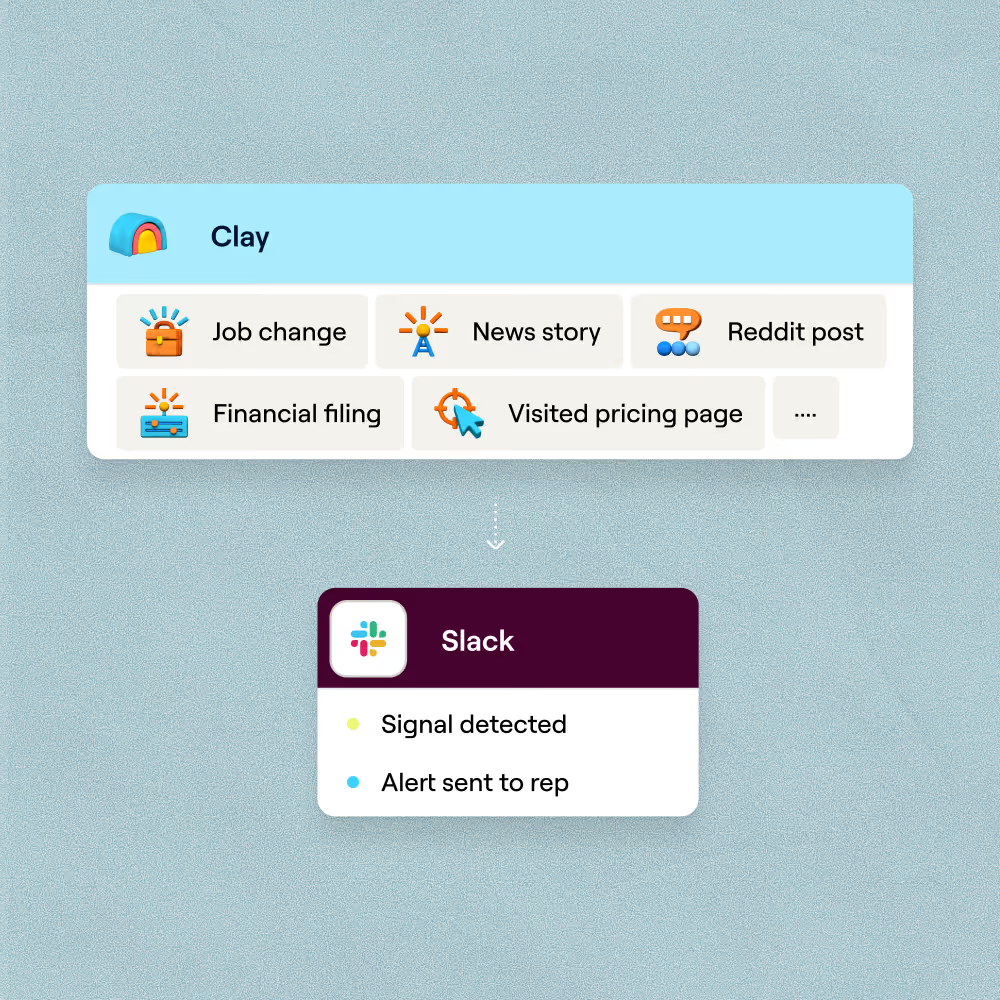
Real-time signal detection across signal categories
Get buying signals from your target accounts as they happen. Clay monitors career moves, funding rounds, job postings, brand mentions, and website intent on a daily, weekly, or monthly cadence you control.
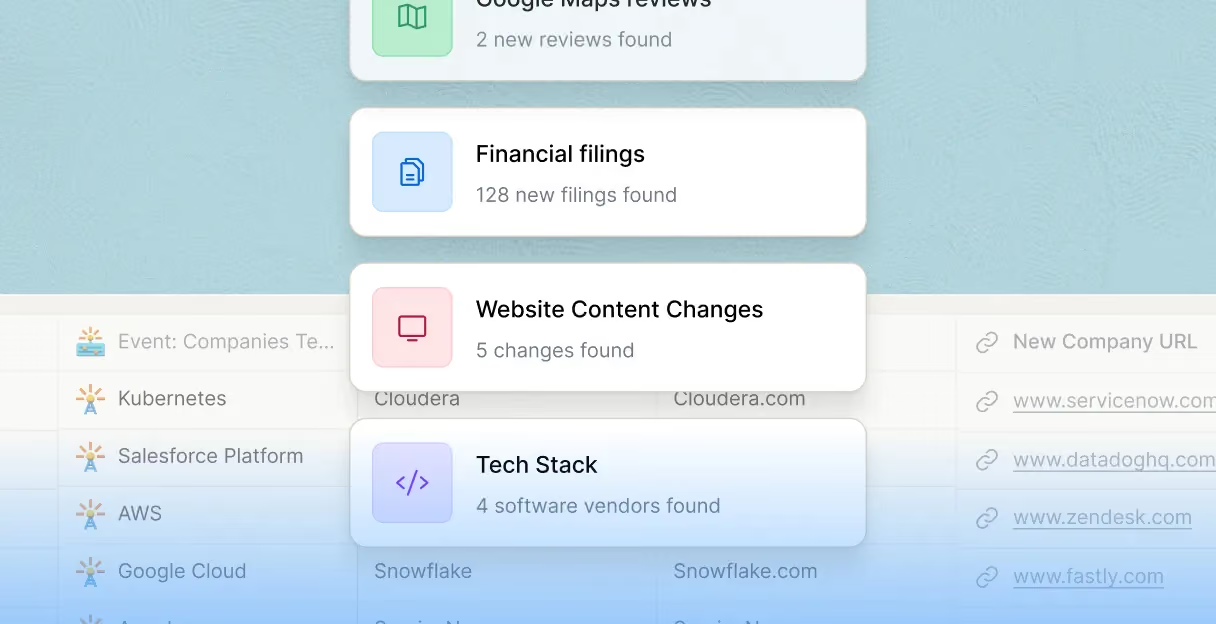
Multi-signal monitoring from funding to tech changes
Layer hiring patterns, funding announcements, news events, and tech stack changes into one signal table. Claygent browses company pages and public sources to classify each signal type and log its date.
Slack and CRM routing on every signal match
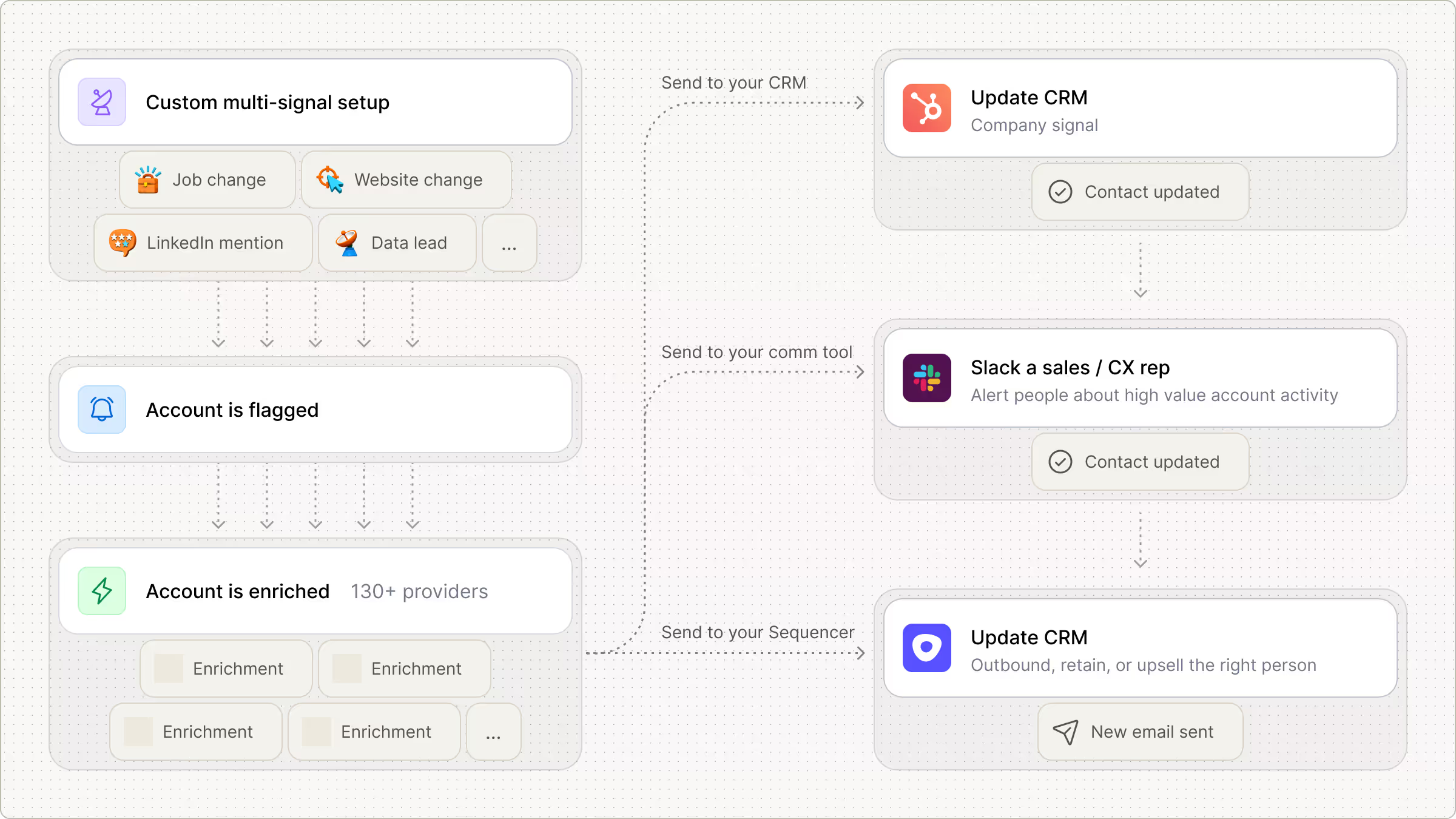
Hot signal matches route to a Slack alert with a drafted opener, while medium-priority accounts push an enriched record into HubSpot or Salesforce so your team acts within minutes.
Triggered outreach from signal to sequencer
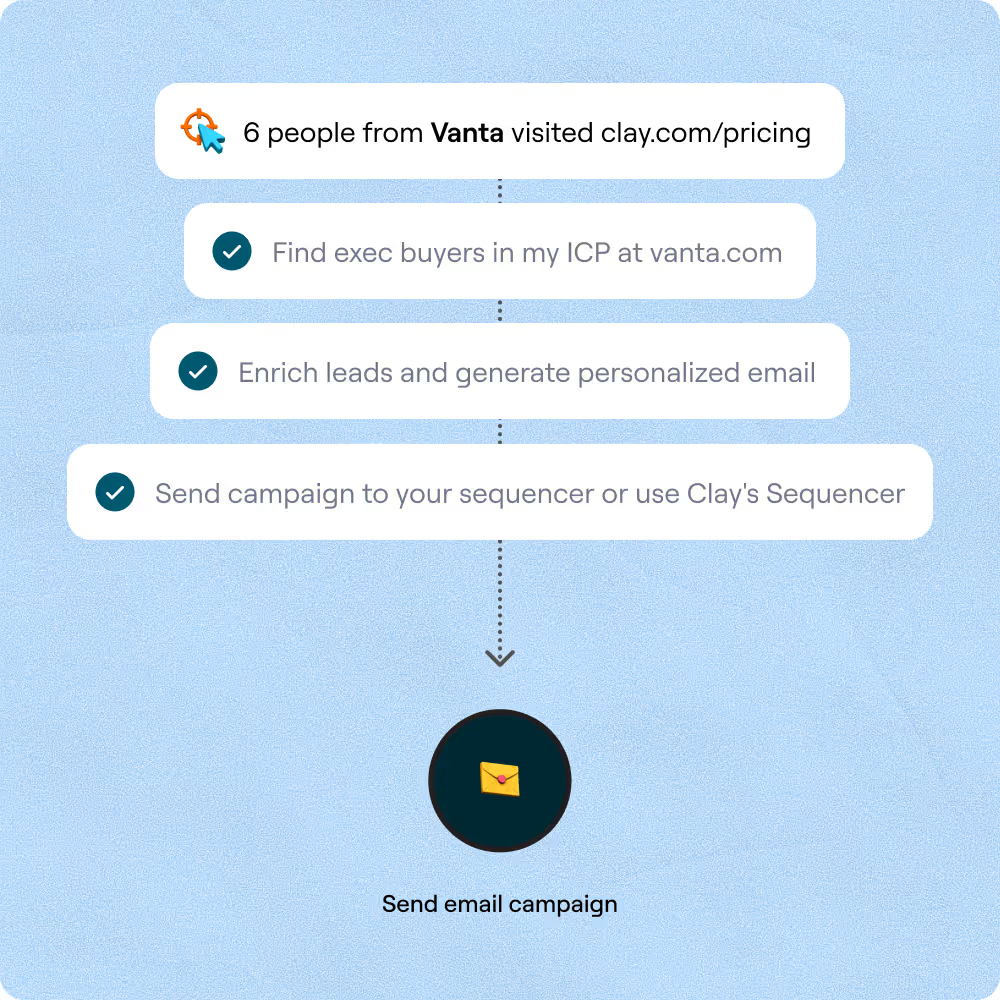
When a signal fires, Clay finds the right contact, pulls a verified email through the waterfall across 150+ providers, and pushes the completed row to Smartlead or Outreach for a personalized sequence.

Every lead is pre-qualified, scored on unique signals, and routed automatically through Clay. We're now generating pipeline from segments we weren't even touching before.
Frequently asked questions
How does Sculptor detect buying signals for target accounts?
Sculptor scans multiple data sources for companies in your target industry showing intent, growth, change, or distress signals. It flags accounts based on indicators like funding rounds, hiring surges, leadership changes, and website intent, then runs waterfall enrichment across 200-plus providers to attach a verified VP of Sales email to each flagged company. You type your target market into the bracketed field, hit Generate, and get a signal-ranked list ready for outreach.
How accurate are Clay's buying signal results?
Signal relevance depends on the category: late-stage intent signals (competitor research, content downloads) correlate most closely with active buying, while growth signals like funding or hiring catch accounts earlier in the cycle. Industry benchmarks show teams acting on intent data within 48 hours see up to 4x higher conversion rates. Clay's waterfall enrichment lifts email coverage from roughly 30% to 80-plus percent, so the VP of Sales contact attached to each signal row is verified across multiple providers before it reaches your table.
Can I detect buying signals for a whole list at once?
Yes. Paste a list of target industries or accounts, upload a CSV, or pipe an existing Clay table into the workflow to process hundreds of companies in one run. Clay's pre-built default signals for funding, job postings, and leadership changes fire daily across your entire list without manual configuration. Push the enriched results directly to Salesforce or HubSpot so your reps can act on every flagged account while the signal is still fresh.
Is it legal to use buying signal data for B2B outreach?
In the US, CAN-SPAM permits B2B email outreach as long as messages include a physical address, honest subject lines, and a working unsubscribe link. Under GDPR, Recital 47 recognizes direct marketing as a potential legitimate interest under Article 6(1)(f), but you need a documented balancing test and must honor opt-out requests immediately per Article 21. If intent data includes tracking pixels or cookies, the ePrivacy Directive requires separate consent even for B2B visitors.
Rules vary by jurisdiction, and US states like California (CCPA/CPRA) now extend consumer-level rights to B2B contacts. Always check the regulations that apply in your prospect's location before launching outreach.