







































.avif)




























How to track buying signals
Paste your target account list to monitor
Drop in your target account list and Sculptor scans each company for buying signals detected this month, returning company name and signal type.
Sculptor detects and surfaces active buying signals
Sculptor monitors each account for signals like funding announcements, new executive hires, tech stack changes, and social activity. Claygent browses company sites and news sources to identify and classify each signal type by recency.
Reviewed signal table, routed to CRM or Slack
The finished table has company name and signal type detected this month. Send new signal matches to Slack and log the account in your CRM so your team acts within minutes.
Why Clay for tracking buying signals
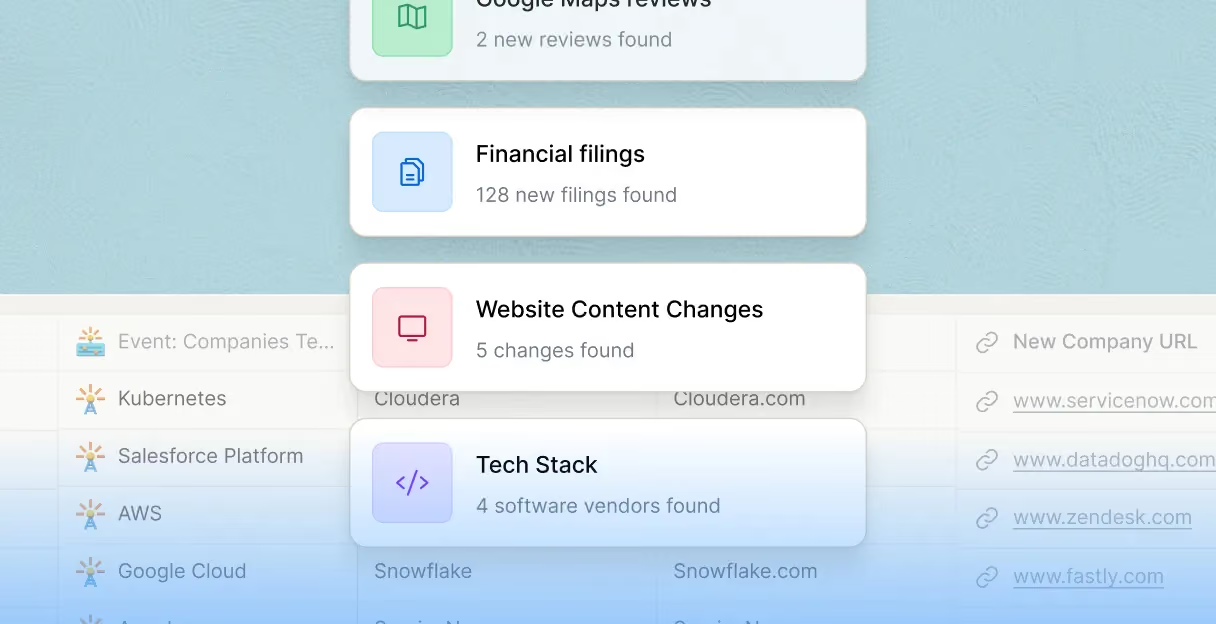
Real-time monitoring across six signal types
Know the moment an account enters a buying window. Clay's Signals surface monitors funding, hiring, job postings, tech changes, brand mentions, and website intent as standing monitors that refresh automatically on your schedule.
Custom signals from any digitally accessible source
Build proprietary signals competitors can't replicate. Claygent browses company sites, job boards, and news sources to detect subtle patterns like SOC2 certification activity or pricing page changes, classifying each by type and recency.
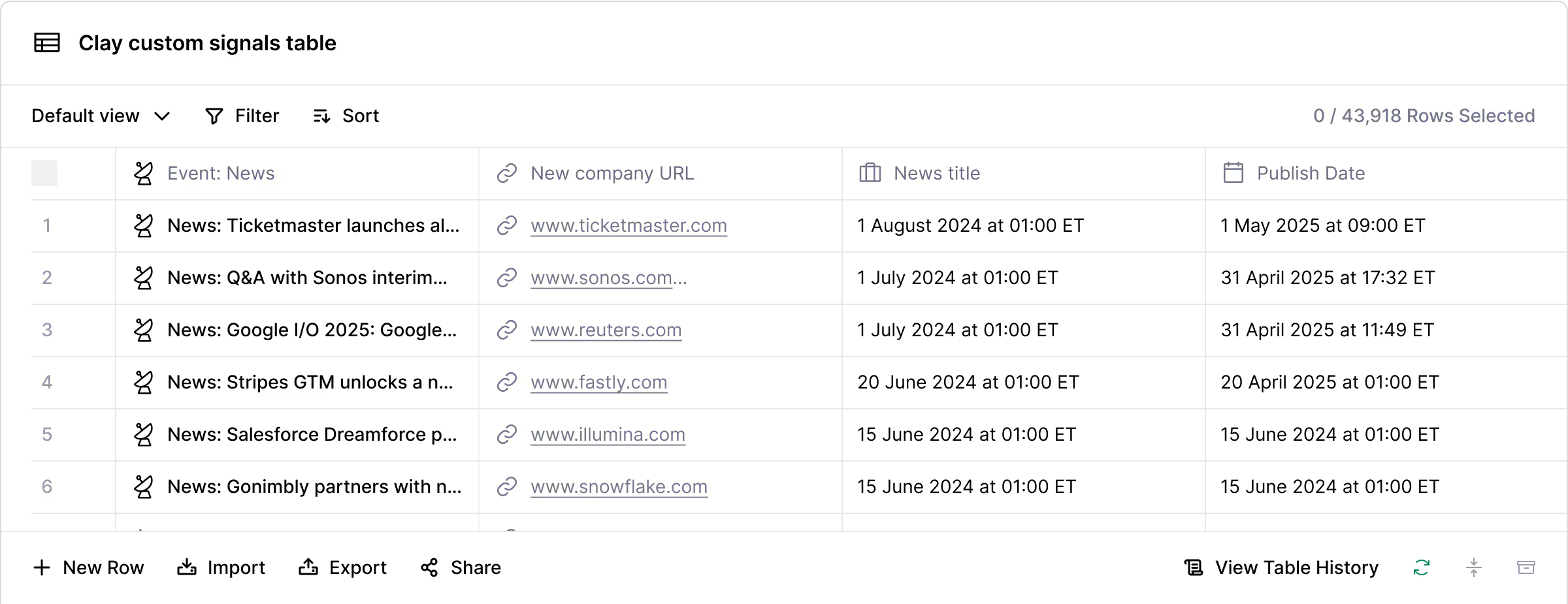
Multi-signal stacking and urgency scoring
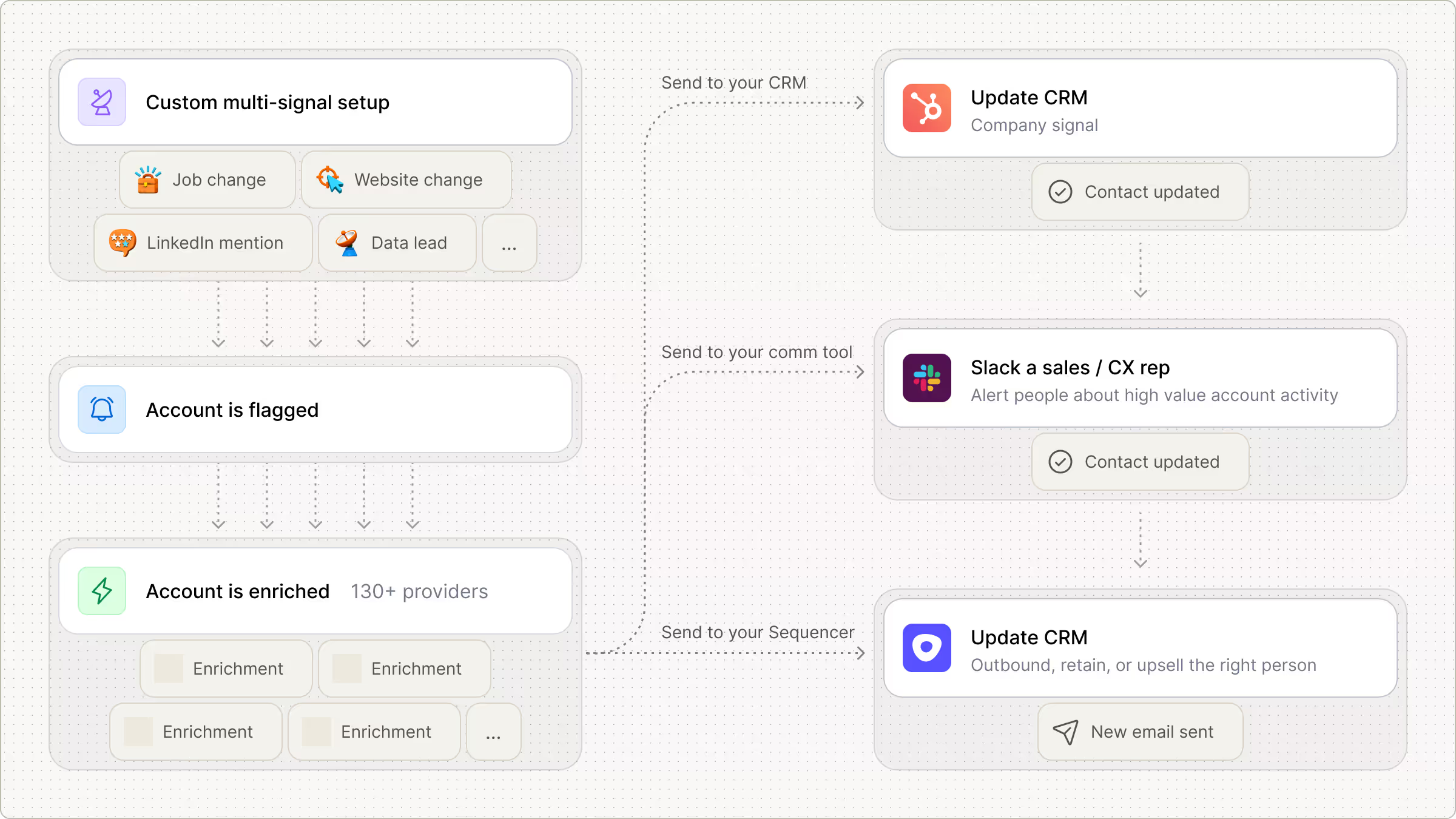
Stack multiple signals on one account to separate real momentum from noise. Formula columns count active signals within a rolling window and score urgency so the hottest accounts reach your team in minutes, not days.
Automatic routing to Slack and Salesforce
High-urgency matches fire a Slack alert to the owning rep with signal context and a drafted opener already attached. Medium-urgency accounts write directly into Salesforce or HubSpot as enriched records ready for a sequence.
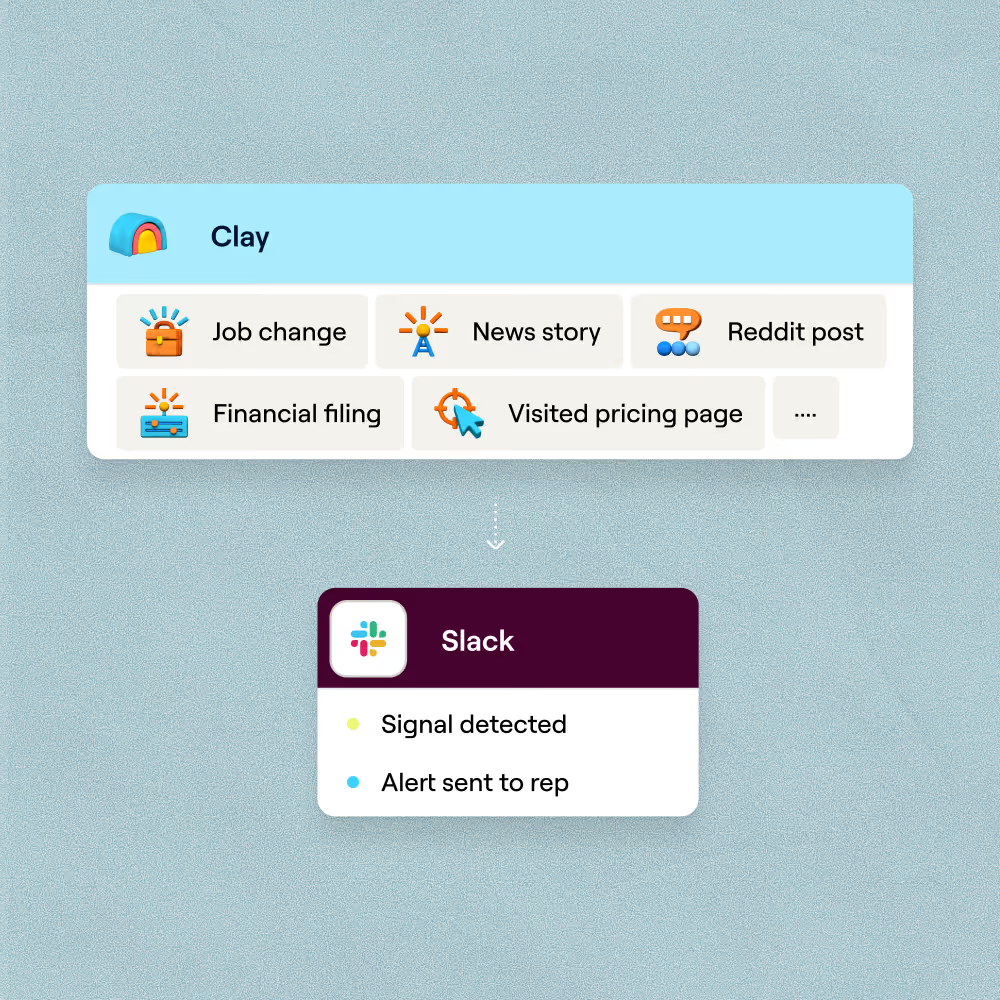

Every lead is pre-qualified, scored on unique signals, and routed automatically through Clay. We're now generating pipeline from segments we weren't even touching before.
Frequently asked questions
How does Sculptor track buying signals for my accounts?
Sculptor monitors your target accounts for default signals like funding rounds, hiring surges, leadership changes, and website traffic shifts, then layers in custom signals from tech stack changes, RSS feeds, or Gong call transcripts via Claygent. When a trigger fires, Clay waterfalls across 200+ data providers to find a verified VP of Sales email for each flagged company. Triggers can run as frequently as hourly so you can act within 24 to 48 hours of a signal.
How accurate are Clay's buying signals and contact data?
Clay's waterfall enrichment pushes email coverage from roughly 30% with a single provider to 80% or higher by querying multiple sources in sequence. Signal accuracy depends on the trigger type: default signals from providers like Lusha pull structured data (funding amounts, department-level hiring rates), which reduces false positives. Clay University recommends measuring conversion rates from each signal and adjusting triggers based on false positive rates to keep quality high.
Can I track buying signals for a whole list at once?
Yes. Paste a list of company names, upload a CSV of target accounts, or pipe rows from an existing Clay table into Sculptor to monitor hundreds or thousands of accounts in one run. Each row returns company name, the triggering signal, and a verified VP of Sales email. Push the enriched, signal-flagged rows directly to Salesforce or HubSpot for immediate outreach.
Is it legal to use intent data for B2B outreach?
GDPR permits B2B outreach under the legitimate interest basis in Article 6(1)(f), and Recital 47 specifically recognizes direct marketing as a valid legitimate interest. You must document a three-part balancing test and honor opt-out requests under Article 21. In the US, CAN-SPAM governs commercial email and requires a working unsubscribe link. California's CCPA B2B exemption expired in January 2023, so contacts in California now have full consumer privacy rights including the right to opt out of data sharing.
Always check the rules for your jurisdiction and confirm your intent data providers collect signals through consent-based or privacy-compliant methods.