







































.avif)




























How to use intent signals for outbound
Paste your target account list into Sculptor
Drop in your target account list and Sculptor scans each account for buying signals detected in the past week.
Sculptor detects and surfaces this week's signals
Sculptor scans your account list against Clay's signal data, checking for intent signals such as funding rounds, job postings, leadership changes, and web engagement. Matched accounts return a company name and the specific signal detected that week.
Review signal matches and trigger outbound campaigns
The finished table has company name and signal detected this week. Send new signal matches to Slack and log the account in your CRM so your team acts within minutes.
Why Clay for using intent signals for outbound
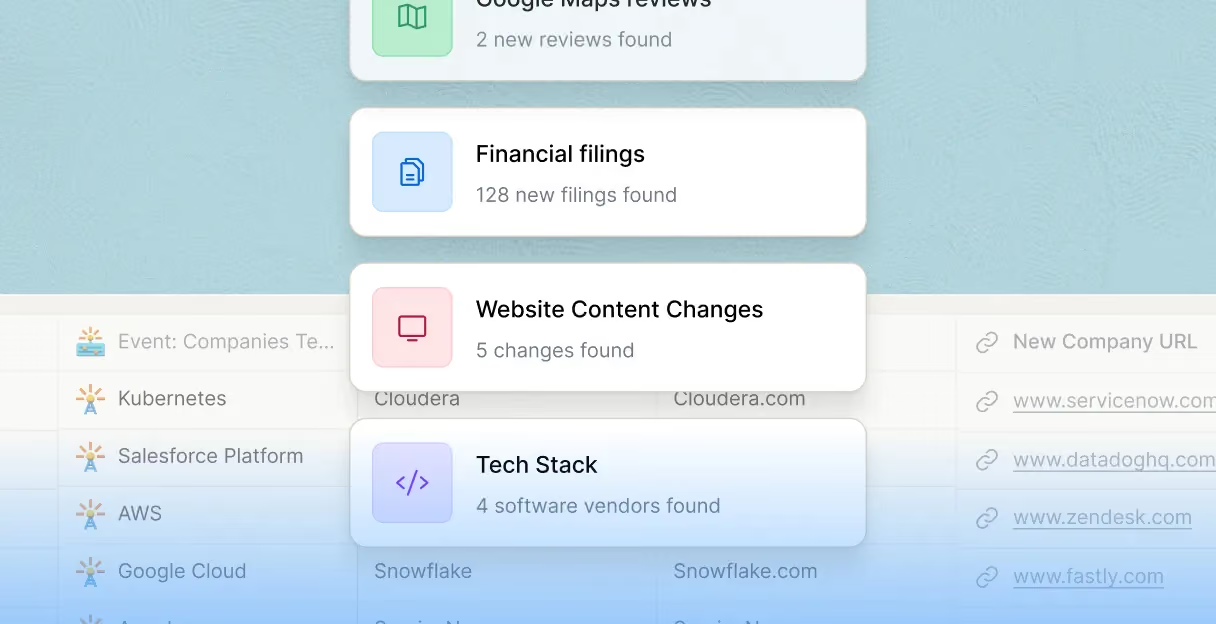
Four signal categories monitored in real time
Catch funding rounds, leadership changes, job postings, and web intent as they happen, not days later. Clay's Signals product monitors all four categories on a daily or weekly cadence across your full account list.
Layer multiple signals per account
Combine funding announcements, CISO job postings, compliance changes, and website engagement into a single account score. Claygent browses each account's site and news to surface context that static intent data misses.
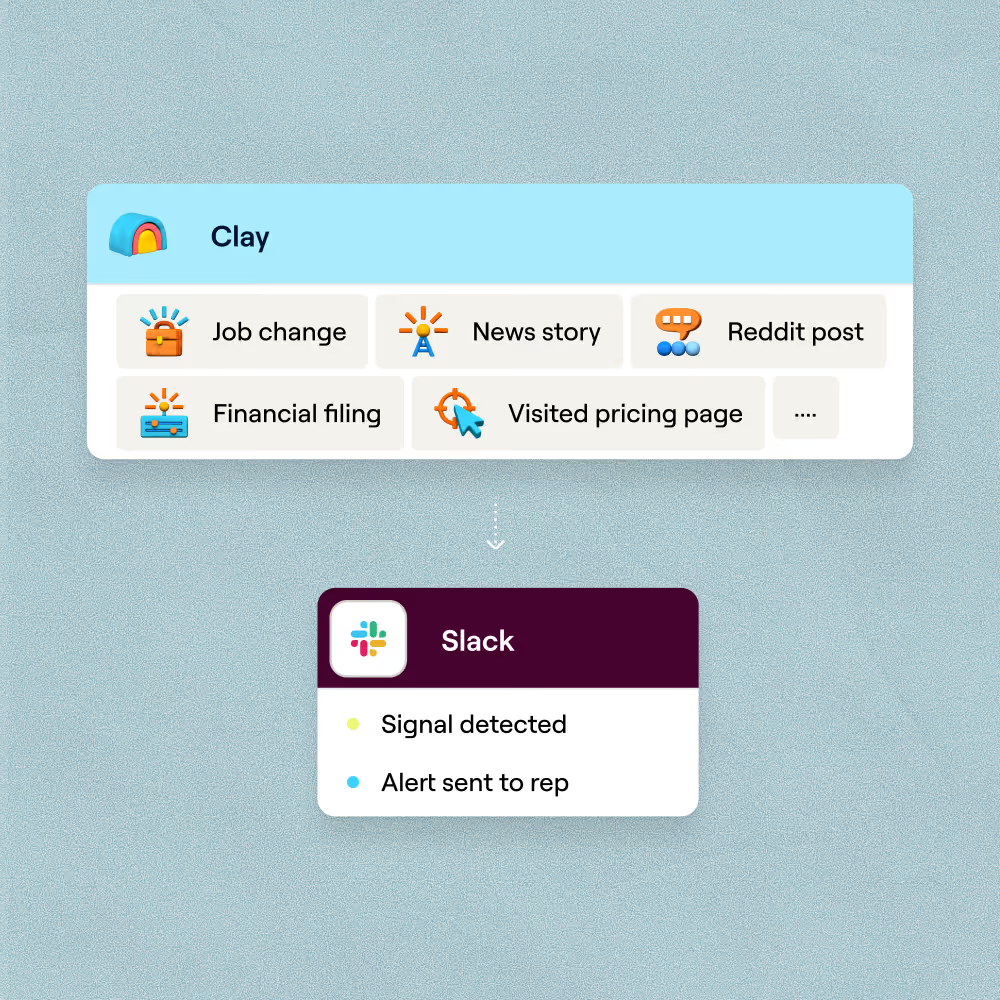

Enrich signal rows with verified contacts
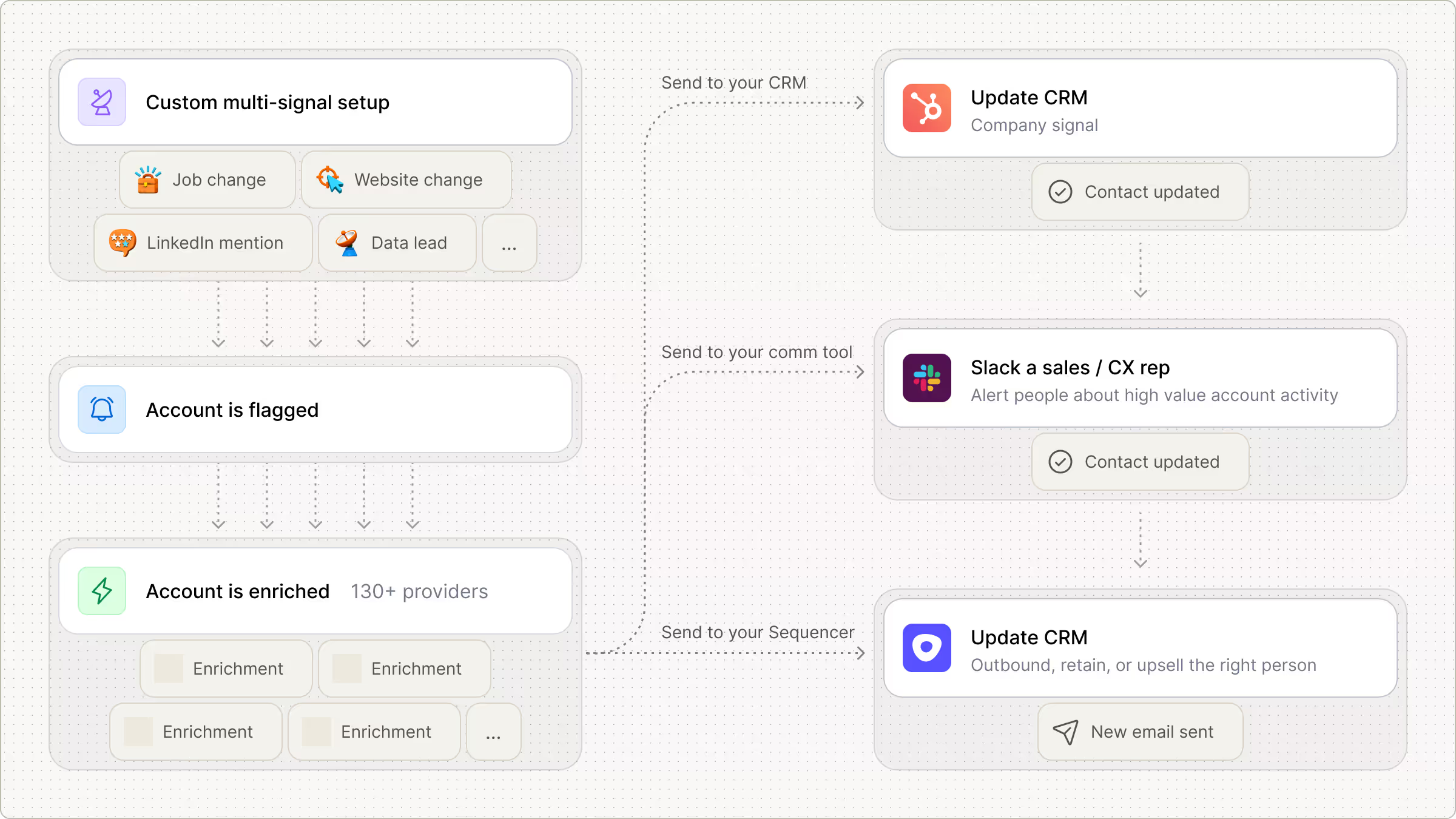
For every account that fires a signal, Clay waterfalls through 150+ providers to find a verified contact email, charging credits only when a provider returns a hit.
Route signals to Slack, CRM, and sequencer
When a signal match clears your threshold, Clay pushes a Slack alert to the assigned rep and writes the account into Salesforce or HubSpot automatically, so your team can trigger outreach in minutes.

Every lead is pre-qualified, scored on unique signals, and routed automatically through Clay. We're now generating pipeline from segments we weren't even touching before.
Frequently asked questions
How does Sculptor find accounts showing buying intent?
Sculptor monitors four signal categories, including intent, growth, change, and distress, then filters accounts that match your ICP criteria such as industry, headcount, or tech stack. Once it surfaces companies showing active buying signals like pricing-page visits, competitor mentions, or category research on TrustRadius, it runs waterfall enrichment across multiple contact-data providers to return a verified VP of Sales email for each account.
How accurate are intent signal results from Sculptor?
Prospects who trigger on competitor mentions convert at 40% higher rates than those who trigger on content downloads alone, so signal type matters. Clay's AI scoring column ranks each account by signal strength, recency, and ICP fit to filter noise before outreach fires. Waterfall enrichment lifts email coverage from around 30% with a single provider to 80% or higher, so most surfaced accounts include a usable VP of Sales email.
Can I find intent signal accounts in bulk at once?
Yes. Paste a list of target domains, upload a CSV of accounts, or pipe an existing Clay table into Sculptor to score hundreds of companies for buying signals in a single run. Each row returns company name and verified VP of Sales email, and you can push the entire list to Smartlead, Outreach, HubSpot, or Salesforce in one automated step so reps start working in-market accounts immediately.
Is using intent data for B2B outbound legally compliant?
GDPR Recital 47 recognizes direct marketing as a legitimate interest, but you must document a three-part Legitimate Interest Assessment covering purpose, necessity, and balancing before processing any personal data. In the US, CAN-SPAM governs commercial email and requires a working opt-out mechanism, while CCPA/CPRA grants California-based B2B contacts full consumer privacy rights since the B2B exemption expired in January 2023.
Company-level intent signals (topic surges, category research) carry lower compliance risk than contact-level tracking. Always honor opt-out requests promptly, provide Article 14 notice when data comes from a third-party source, and check the rules for your jurisdiction before launching outreach.