



































.avif)










The problem: Making decks manually takes hours of tedious work
Customer success and growth strategy teams can spend hours per account building decks like pitch presentations and quarterly business review decks. They're pulling data from Snowflake, Salesforce, Gong transcripts, and spreadsheets all while trying to piece together what customers actually want from or achieved using your product.
And the worst part is that the results sometimes just don't seem worth it. When you're in a hurry, decks can feel too generic. And when you want them to be perfect, teams often overcommit time and resources to them that could be better spent elsewhere.
TL;DR
- Clay's automated slide deck creation workflow pulls data from Snowflake, Salesforce, and Gong to generate near-complete presentations without manual assembly.
- A CS rep managing 15 accounts can save 90+ hours per quarter by automating deck prep, freeing time for actual customer conversations.
- The workflow is triggered via a Slack slash command and delivers a sourced, reviewable deck in minutes.
- Start with your most data-complete customer, validate output quality, then expand to your full portfolio.
The solution: Automated slide deck creation from your data sources
Clay built a deck automation tool that pulls product usage data, CRM records, and conversation history to generate complete presentations. We've found that this saves hours of manual work per client and makes it so teams just need to focus on reviewing and refining the decks.
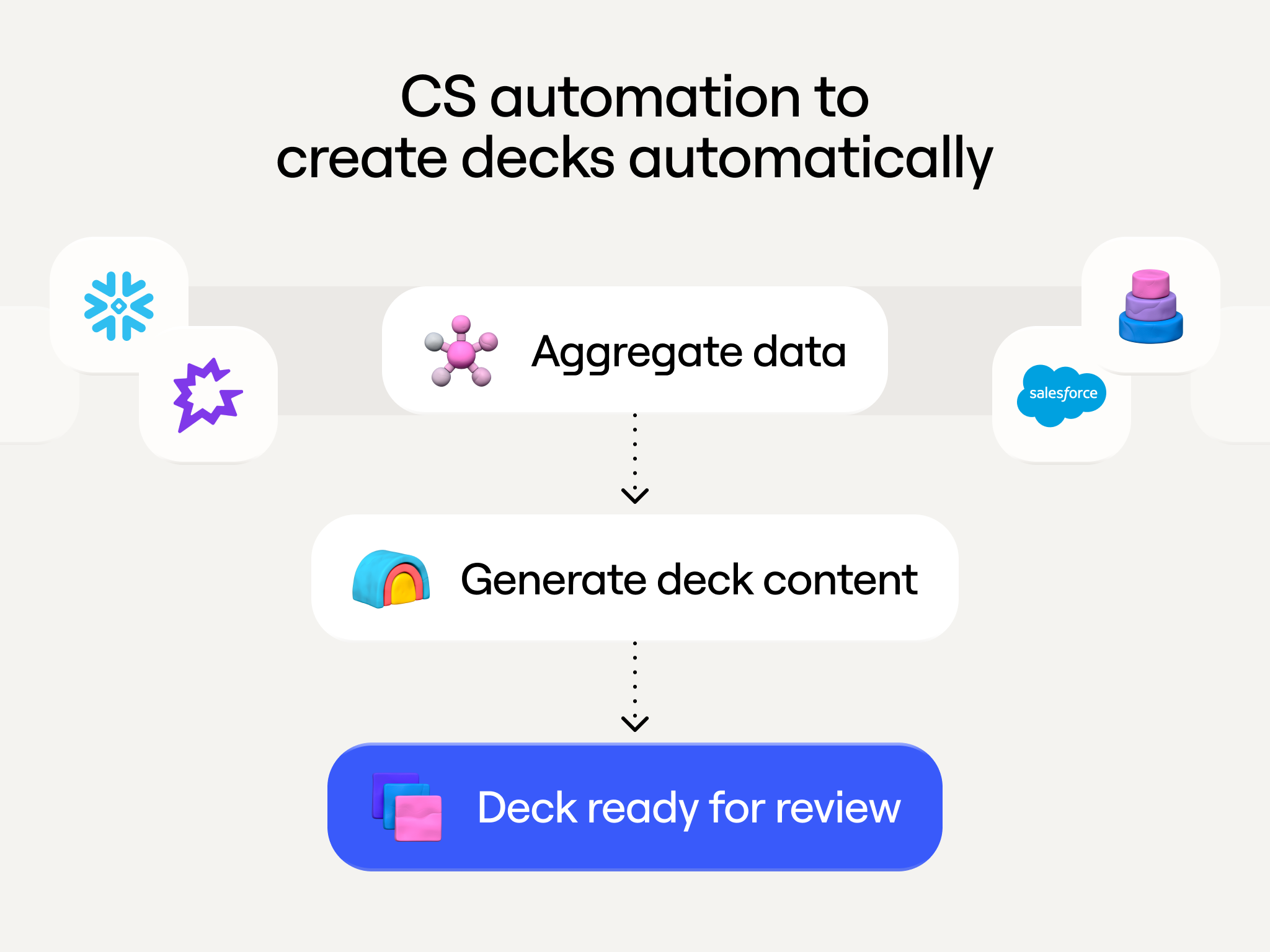
Here's what the workflow does:
1. Aggregate data from multiple sources
- Product usage metrics from your data warehouse (Snowflake, BigQuery, etc.)
- Use case implementation status from Salesforce
- Conversation insights extracted from Gong transcripts and emails
- Customer engagement patterns and feature adoption
- Learn more about building complete prospect profiles with AI here
2. Generate comprehensive deck content
- Cover page with customer branding
- Enrichment and account activity overview with specific metrics
- Implemented use cases with supporting data
- Forward-looking use case roadmap
- Data credit pacing and expansion recommendations
- Data and talking point citations for easy review
3. Deliver finished decks to CS reps
- Slack command triggers deck generation for any account
- CS rep receives a near-complete presentation in minutes
- Source citations show where each data point came from
- Rep reviews and personalizes before customer meeting
The impact: CS teams save hours of work per account

For a CS rep managing 15 accounts, automation saves 90 hours per quarter or more than two full work weeks. Every customer gets the same quality QBR regardless of account size. CS reps spend saved time actually talking to customers and identifying expansion opportunities instead of building slide decks.
How automated slide deck creation works in Clay
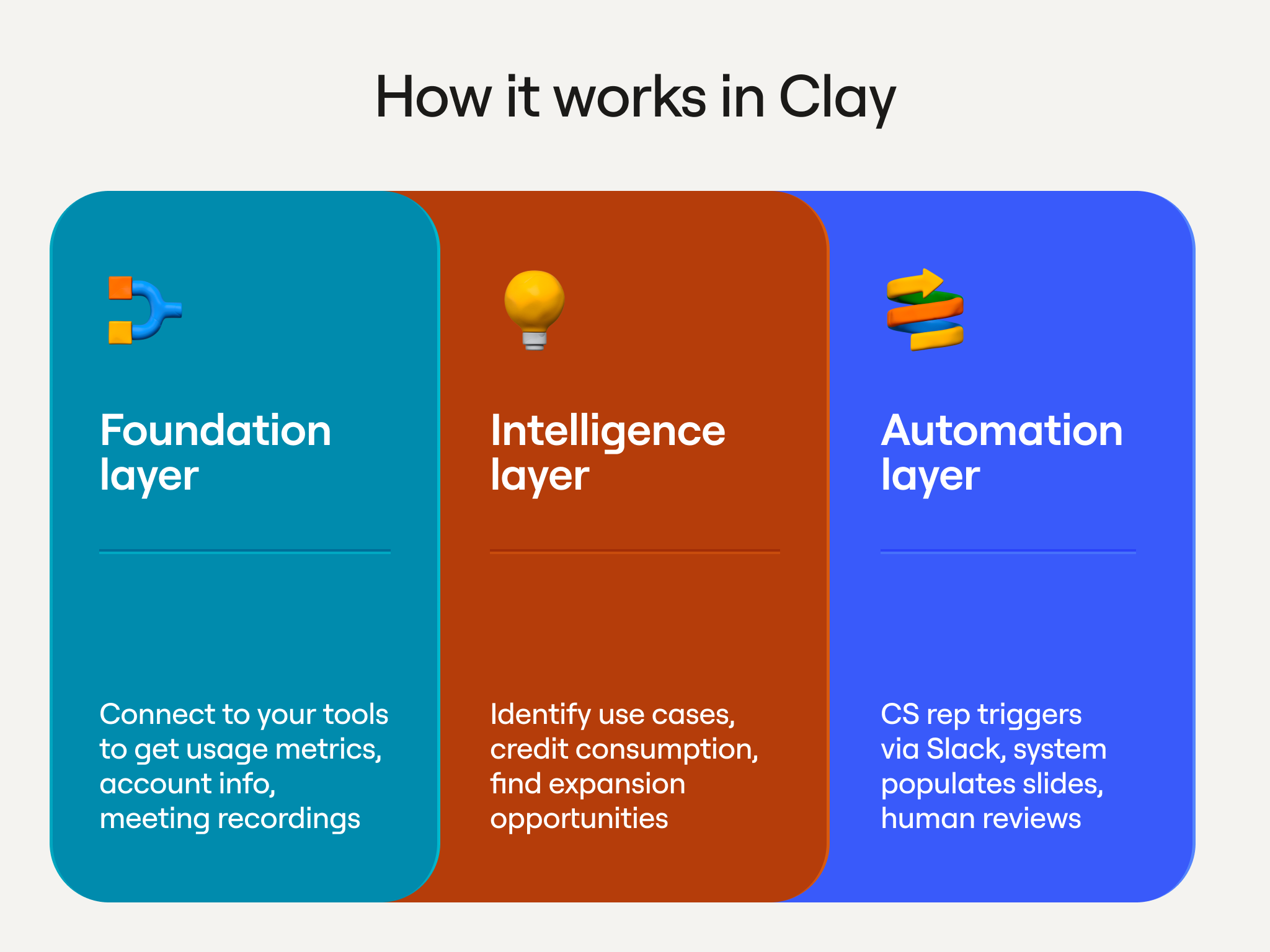
The foundation:
- Connect your product database (Snowflake, etc.) for usage metrics
- Link Salesforce for account information and use case tracking
- Process conversation intelligence from Gong/call recordings
The intelligence layer:
- Extract implemented use cases from customer conversations
- Match product usage data to specific use cases
- Calculate data credit consumption and pacing
- Identify discussed-but-not-implemented opportunities
The automation:
- CS rep triggers generation via Slack slash command
- Clay pulls all relevant data sources for the specified account
- AI generates narrative content with source citations
- System populates slide template with metrics and insights
- A human always reviews and edits everything before the deck is circulated
What you need to build this
- Clay account with AI capabilities
- Product usage database (Snowflake, BigQuery, etc.)
- CRM with customer use case tracking (Salesforce, HubSpot, etc.)
- Conversation intelligence platform (Gong, Chorus, etc.)
- Presentation template standardized for multiple use cases
The business case
A CS rep earning $300K all-in who spends 60 hours per quarter on manual deck prep is burning ~$23K in labor costs that can be automated away. Those 60 hours get reallocated to actual customer conversations, expansion discussions, and relationship building which drives more revenue per CS rep. Every customer gets consistent, thorough decks instead of prioritization based on team bandwidth.
Getting started
Start with your most data-complete customer. Map where their information lives (product database, CRM, conversation tools). Build a simple workflow that pulls that data into Clay and generates one section of a deck.
Validate the output quality. Refine the prompt and data sources. Then expand to the full deck and automate for your entire customer portfolio.
Want to build this yourself? Watch our workshop where Clay GTME Bruno Radice walks through the complete implementation. You'll learn how to connect data sources, process customer intelligence, and generate finished presentations automatically.
Frequently Asked Questions
How does automated slide deck creation work in Clay?
Clay connects to your product database, CRM, and conversation intelligence tools to pull account-specific data automatically. A CS rep triggers deck generation via a Slack slash command, and Clay assembles a near-complete presentation with source citations in minutes. The rep then reviews and personalizes before the customer meeting.
Can I customize the generated presentations?
Yes. The workflow populates a standardized slide template with your customer's metrics, use cases, and branding. Every deck includes source citations so reps can verify and edit any data point before the deck is shared. A human always reviews and edits everything before the deck is circulated.
Do I need design skills to build this workflow?
No design skills are required. The workflow uses a pre-built presentation template that Clay populates with data. Your job is to connect the data sources, define the template structure, and review the output.
How accurate are the AI-generated presentations?
Accuracy depends on the quality of your connected data sources. The workflow cites every data point back to its source (Snowflake, Salesforce, Gong, etc.), which makes it straightforward for reps to spot and correct anything that looks off before the deck goes to a customer.















.avif)









.avif)















.avif)











.avif)