
























.avif)










.avif)










Early to mid-sized sales teams often drop the ball on their inbound leads. Some teams waste hours with bad-fit prospects; others lose customers on dead spreadsheets.
This guide contains our advice on researching inbound leads, scoring them, and assigning them to different automatic email campaigns. All you need is Clay and a CRM! Everything below is based on our experience building an inbound lead engine that nets dozens of leads a day.
TL;DR
- Use Clay to automatically enrich inbound leads from a web form, pulling in company size, role, location, and more from just a name and email.
- Tag your best-fit leads as MQLs directly in your Clay table, then route them into separate automated email campaigns based on qualification status.
- Clay connects to your CRM, Slack, and email tools so the entire inbound process, from form submission to demo booking, runs without manual work.
- Work emails enrich more reliably than personal emails, but Clay's integrations with People Data Labs and Clearbit make personal email enrichment possible too.
How to qualify and engage your inbound leads
Inbound leads can vary hugely in terms of relevance. Qualifying your leads is critical to help you prioritize who is most worth spending time on. (Knowing about your inbound leads can also help gauge the impacts of your current marketing campaigns.)
In the past, qualifying inbound leads was extremely time-consuming. It would take hours to use a name + email to research someone's company size, role, location etc. Today, you can fully automate this process on Clay.
How to set up an inbound lead process
At Clay, we implemented an inbound interest form about a year ago and initially offered live demos to all of our inbound leads. As demand grew, we built ways to automatically qualify leads to help us prioritize which ones to spend the most time on. We set up different automated emails, depending on which leads were the best fit.
Let's go through each part of a great inbound lead collection tracking and engagement process.
Publish a form on your website
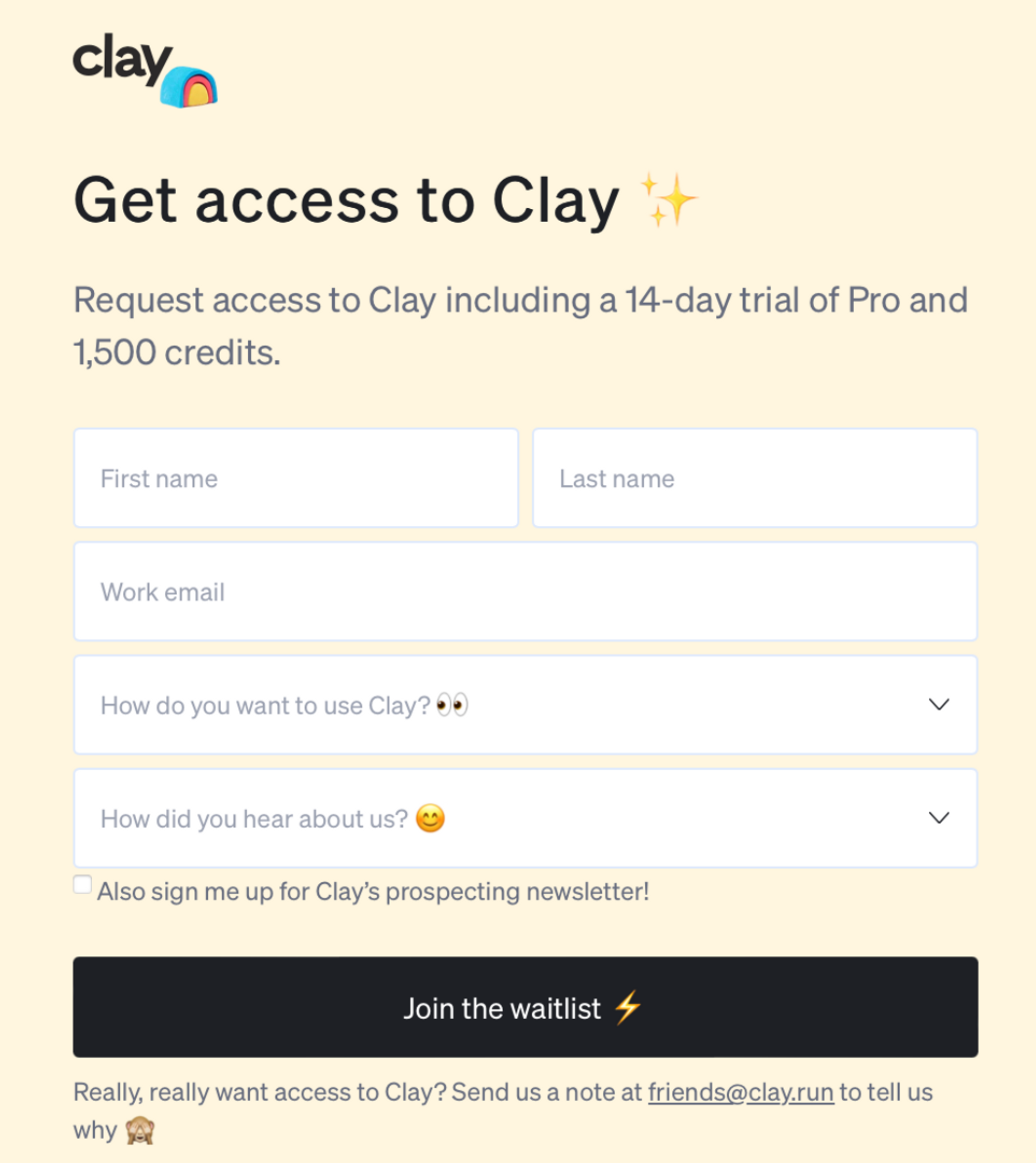
The easiest way to collect inbound leads is to set up a short website form. At Clay, we separate our first and last name fields to make it easier to use "first name" as a greeting in future email sequences. We also ask specifically for work emails, because personal emails are a lot harder to enrich (more on that below!) Finally, we ask people what they want to use Clay for and how they heard about us to refine our ICP and marketing.
Set up a Clay table to track inbound leads
We use a Clay table as our core tracker and information hub for each inbound lead. As soon as someone fills out our web form, the Clay table populates with their first name, last name, and email address. (Watch our video on using webhooks with Clay to easily set this up.)
As a bonus, we also track our leads live on Slack. A channel called "waitlist signups" posts each inbound lead's name, email, use case, and traffic source (pulled from Hubspot) and pulls a weekly recap of waitlist numbers. This makes it easy for us to scan and check the state and source of our inbound leads overall.
Enrich and sort your inbound leads
Given your leads' names and emails, you can use Clay to find their social media page, company name, location, role, and more.
Given someone's work email, you can use Clay's "Find & Enrich Person from Google Search'' and "Enrich Company" features to learn more about them. Given their personal email, you can use Clay's integrations with People Data Labs and Clearbit. (Finding information about a lead given a personal email, until now, was impossible for most sales teams. Many companies actually trashed personal email leads instead of even trying.) For a full walkthrough of how to use Clay to enrich both personal and work emails, watch this video.
At Clay, we enrich our inbound leads and scan the list daily to check for relevance. We mark the best fit leads as MQLs in our Clay table to be able to send them custom emails later.
Set up automated email campaigns
You'll want to use a tool to ingest information from your inbound lead tracker and use it in automated email campaigns. (We often recommend using Customer.io as a CRM, unless you're already using Hubspot.)
The simplest email campaign to set up is a waitlist confirmation email. As soon as someone submits an interest form to Clay, we send them an automated email to confirm that they're on a waitlist and ask them to stay tuned for updates. We customize this email slightly differently for qualified vs. non-qualified leads.
If a lead was qualified (referencing our "MQL" column above), we offer them an invitation to sign up for a demo call before giving them access:
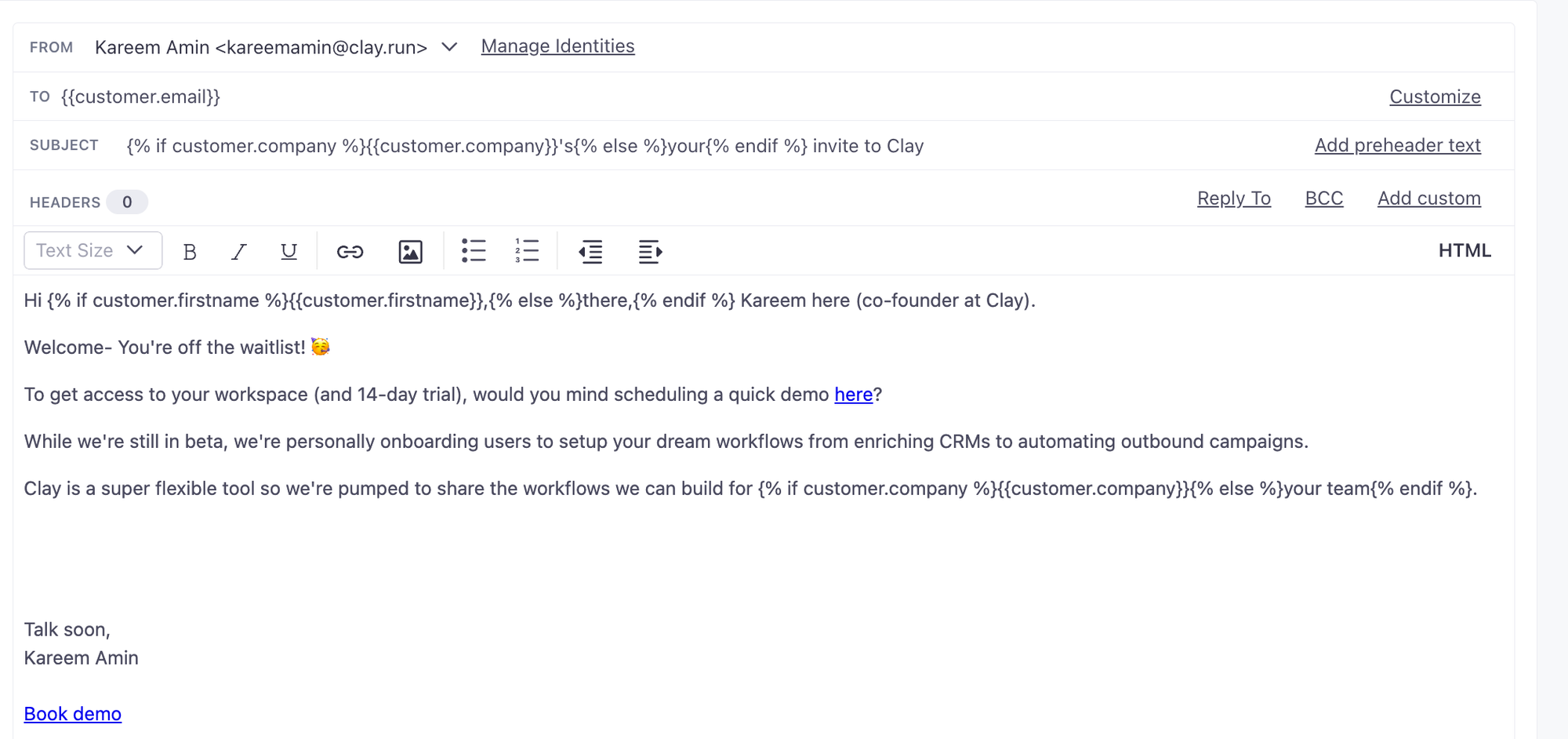
If a lead was not qualified, we send them a link to sign up for Clay, with an option to book a call with us.
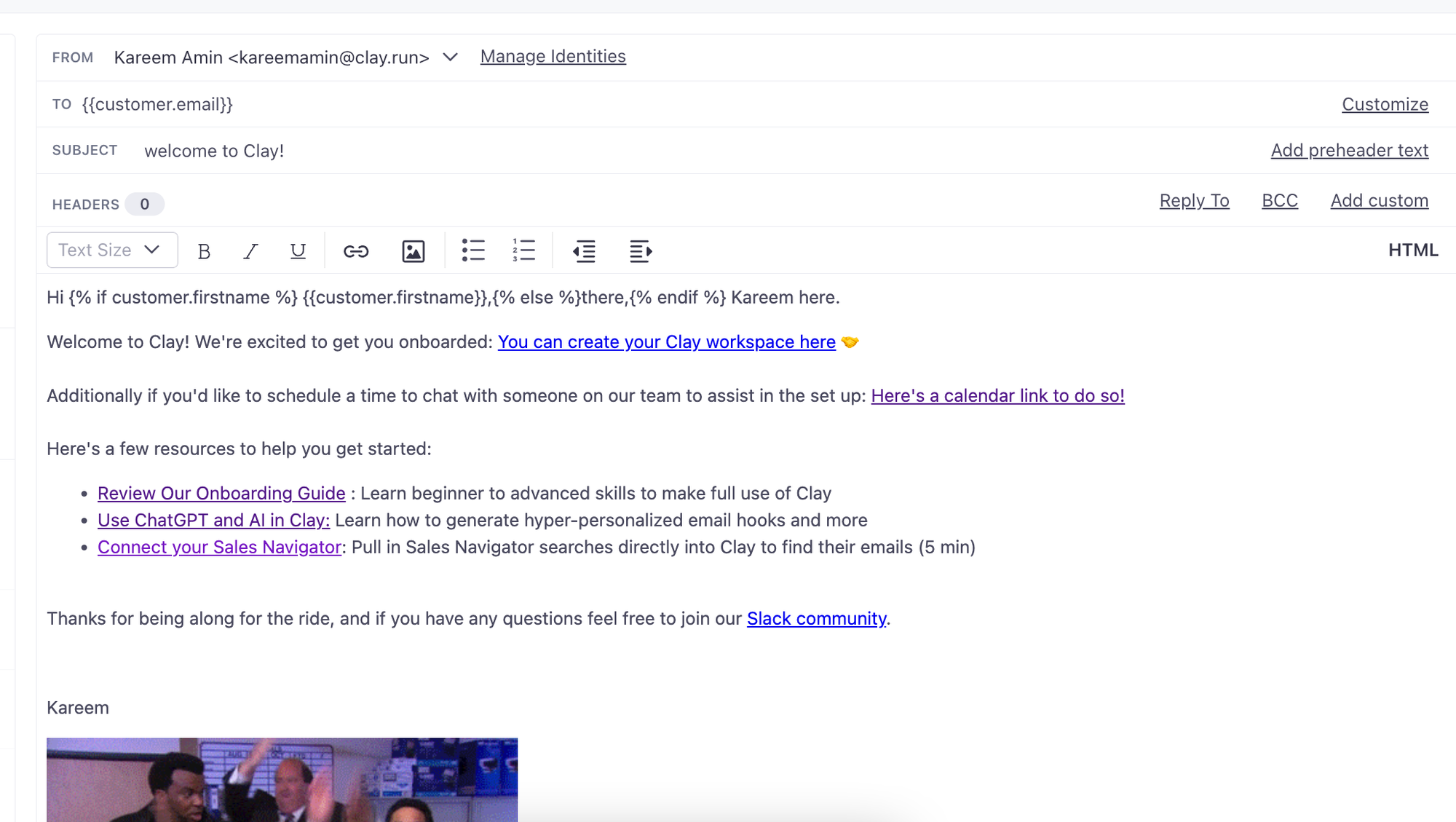
With Clay, you can also update your CRM with prospects, automate who on your team gets assigned the demo call with a prospect based on their size or geography, send a Slack notification to a specific channels, and more.
Using the steps above, you should be able to fully automate the process of enriching every inbound lead that you get from your website on Clay. Reach out to us with any questions!
Frequently Asked Questions
Is Clay a database or an enrichment tool?
Clay is neither a standalone database nor a single enrichment tool. It is GTM infrastructure that connects to 150+ data providers, letting you enrich leads from multiple sources in one workflow. You bring the leads (from a web form, CRM, or elsewhere) and Clay handles the data lookups, qualification logic, and downstream actions like email sends and CRM updates.
What information can Clay pull from an inbound lead's email?
From a work email, Clay can surface company name, company size, role, location, and social media profiles using its "Find & Enrich Person from Google Search" and "Enrich Company" features. For personal emails, Clay's integrations with People Data Labs and Clearbit can still return useful contact and company data, which was previously out of reach for most sales teams.
How do you separate qualified leads from unqualified ones in Clay?
The approach described in this post is to enrich all inbound leads in a Clay table, review them daily, and tag the best-fit leads as MQLs using a dedicated column. That MQL flag then drives which automated email campaign each lead enters: qualified leads get a demo invite, while unqualified leads get a self-serve signup link with an option to book a call.
What CRM and email tools does this inbound process connect to?
The workflow described here uses Clay alongside a CRM (Customer.io or HubSpot are both mentioned) and Slack for live lead notifications. Clay can push enriched lead data to your CRM, trigger email sequences based on qualification status, and route demo assignments by company size or geography.









.png)








.avif)














.avif)














.avif)