Account intelligence doesn’t scale as a rep’s book of business grows.
The reasons a deal stalled, or signals that an account is ready to expand, are often buried in call transcripts or scattered across email threads. Nobody has time to listen to hundreds of Gong calls or crawl through the reasons manually, so your RevOps team ends up piecing together data sources manually – and the answer is stale again by the time it’s ready.
Account Research Agents are built to close that gap, providing up-to-date account intelligence automatically. Reps know exactly who to call and what to say to convert more opportunities, while RevOps can run plays for expansion, re-engagement, and health checks across an entire book of business.
An agent with updated knowledge on every account in your book
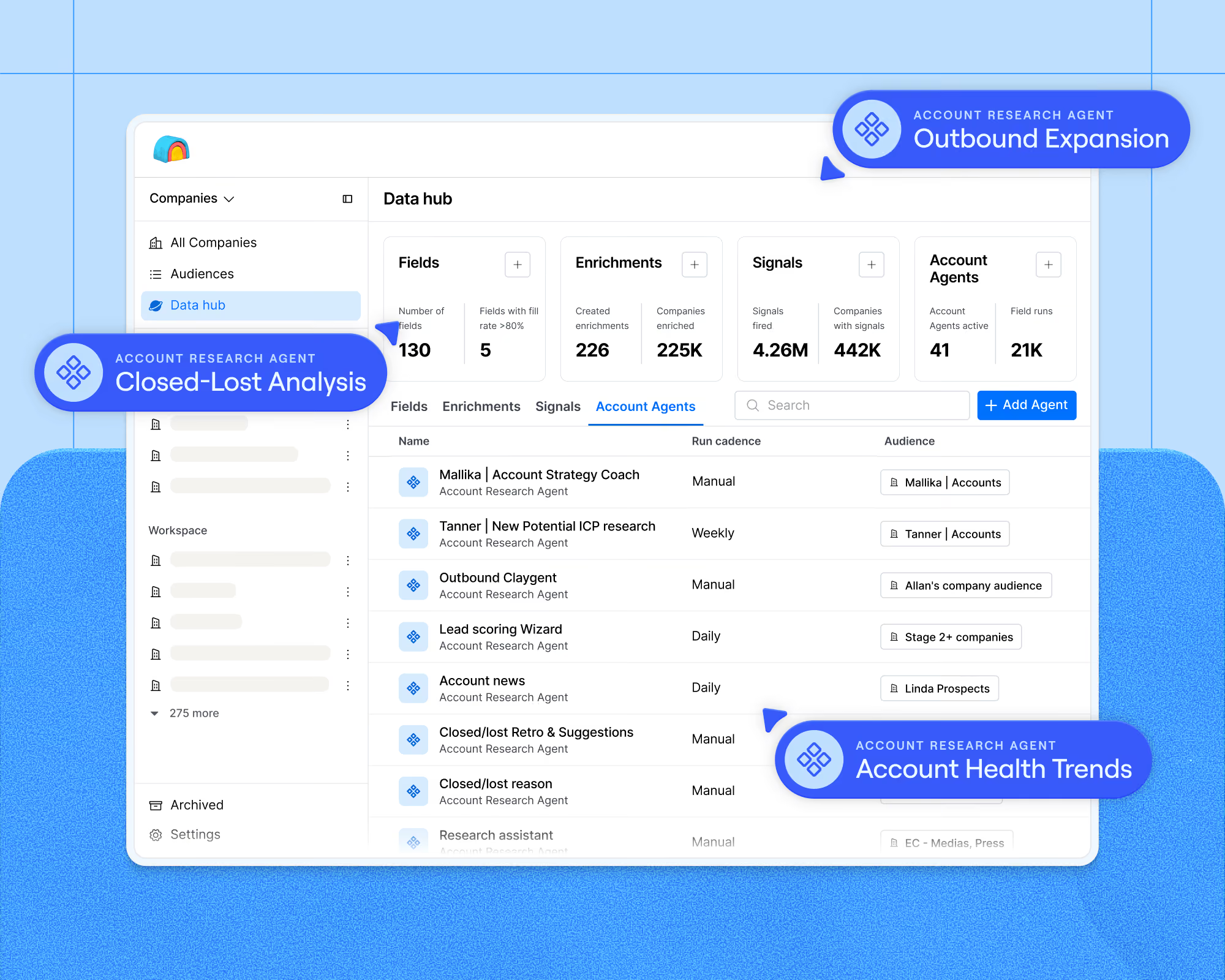
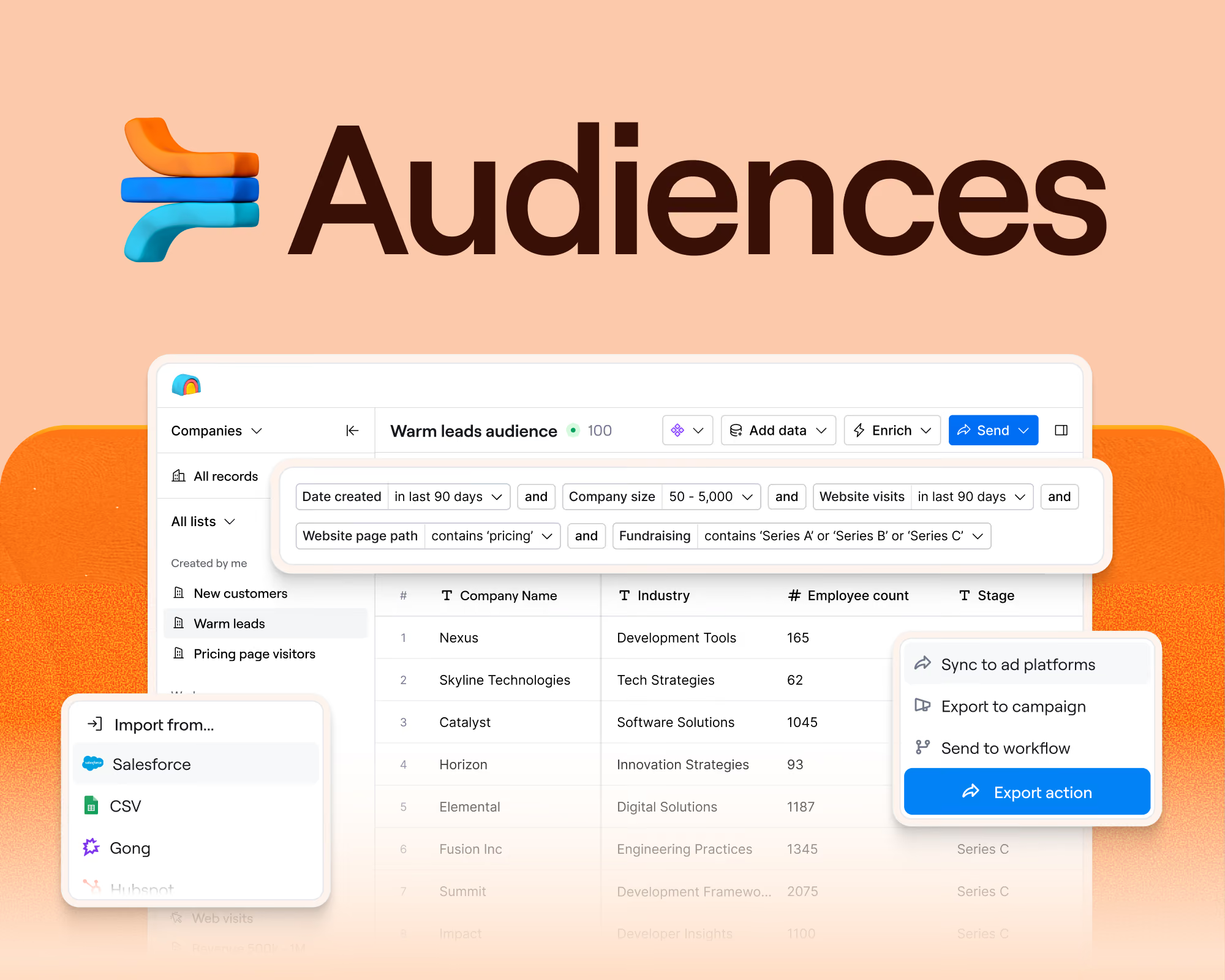
Account Research Agent is live today in open beta. Account Research Agents run over your entire unified data layer in Audiences within Clay, creating and maintaining fields in your CRM or data warehouse instead of answering a single question at a point in time. Point your Account Research Agent at any segment in Audiences such as your ICP target accounts or renewal book, and it gets full account context at once.
The data foundation for your revenue system already lives in Clay Audiences, which includes first-party data like Gong calls/transcripts, CRM & data warehouse records, email and activity history, as well as third-party enrichment and signals. Because they reason over that entire data layer, Account Research Agents give a complete picture of each account you’re targeting. This information then helps reps reach out at a timely moment with a tailored message.
Set up an Account Research Agent, and it will:
- Catch new information the moment they land in Audiences (e.g. signals, Gong call transcripts, a title change, a funding announcement)
- Synthesize the relevant structured and unstructured data about the account into clear, auditable fields that make the takeaway actionable
- Write those fields back into Audiences, which can be used to trigger plays or write back to your CRM or data warehouse
Top use cases for Account Research Agents
In practice, Account Research Agents are great at catching account information that is hard to track by hand. We’ve seen teams from our closed beta use agents over Audiences for use cases like:
- Product qualified account expansion: Target high-usage customers for expansion plays. The best expansion signals may live in product usage (especially if you have a strong self-serve business motion). We’ve seen customers use agents to flag accounts with a spike in seats, feature adoption, or usage volume; it then decides who to reach out to, with what message, and when. This makes outbound timely on usage-based signals that are difficult to track across hundreds of accounts.
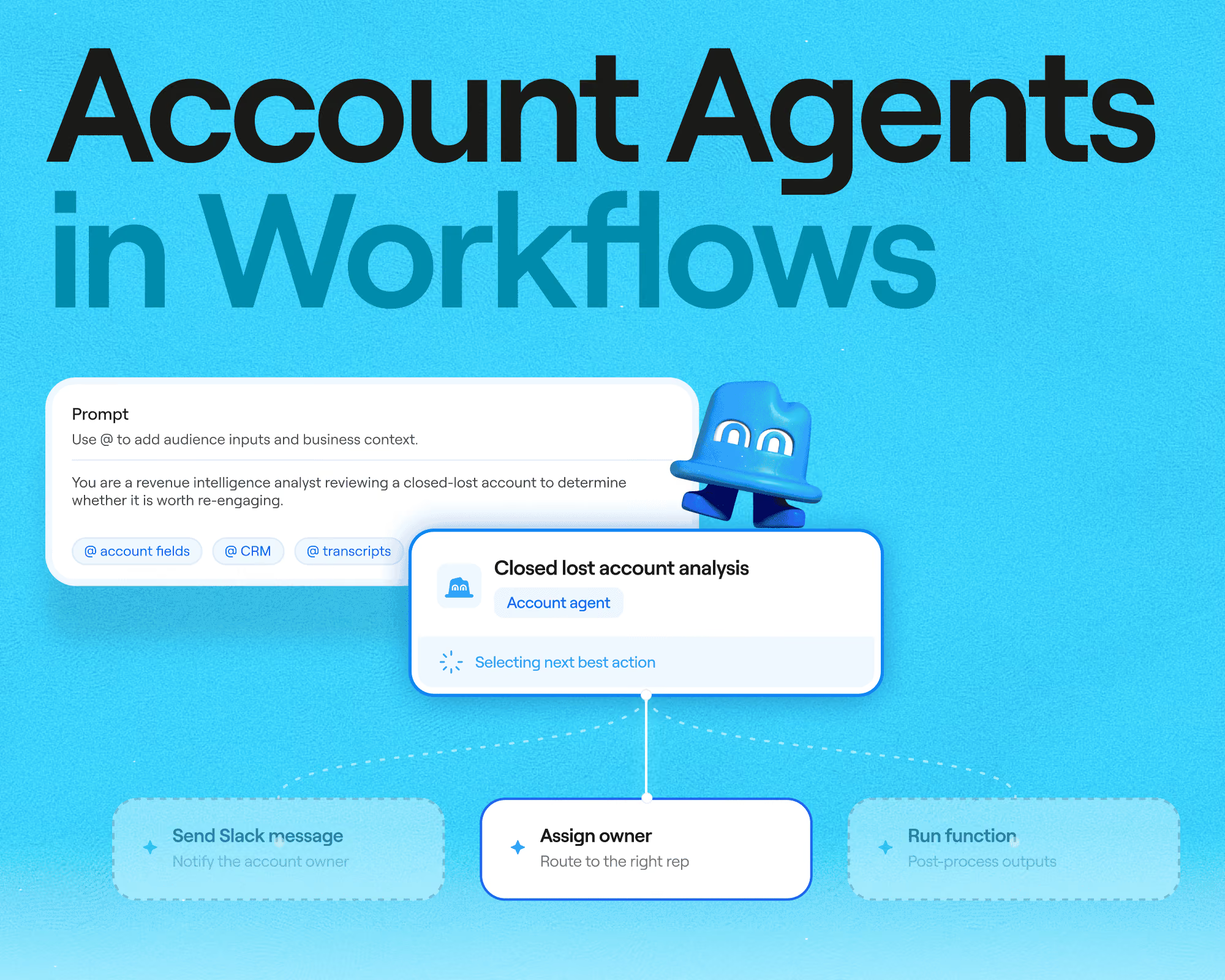
- Closed-lost analysis: Re-engage lost accounts with synthesized reasoning. The patterns behind why deals are lost (e.g. product gaps, competitive losses, timing issues) are hard to spot. Instead of spending hours digging manually or guessing, feed your agent’s synthesized outputs directly into your quarterly win/loss retros and start re-engaging lost accounts.
- Account health trends: Catch account risks before they turn into churn. On a large account with a lot of moving parts and stakeholders, early warning signs like a usage drop, failed payment, or delayed shipment are easy to miss until the account is already at risk. Our agents can surface these to the team proactively to address.
- Rep onboarding: Ramp new reps with full relationship history immediately. Picking up an account from someone else or just managing a lot of accounts at once usually means digging through old email threads and asking around for institutional context. Agents can hand over the full relationship history so a rep isn’t walking into the first call cold.
From build-it-yourself to already-built for the job
A Claygent is still the right tool for plenty of day-to-day GTM work, like finding a decision-maker's LinkedIn profile or a company's HQ address. But Account Research Agents are built for a different job; they hold context on an account and keep it current as things change, across an entire segment.
This shows up in three ways:
- Unlocking high-volume plays. Account Research Agents run on Audiences instead of a Clay table, so there’s no cell size limit or row limit. They also come pre-configured with context, scheduling, and enrichment built in. This combination unlocks high-volume plays like PQA/outbound expansion and closed-lost analysis, without rebuilding a pipeline every time someone asks a new question about the book.
- Improving with every run. A Claygent looks up an answer fresh each time, which works well when the answer doesn't depend on anything else you know about the account. An Account Research Agent's context persists in Audiences instead; it tracks what changed, so intelligence builds account by account instead of resetting with every pull. Everything downstream, including outbound, forecasting, and handoffs, also improves as a result.
- Govern your agents. The Data Hub dashboard in Audiences provides a central place to view and manage your agent activity. You can:
- See your agent run activity, errors, and spend over time, including a full log of every run down to which audience segment it touched and what it cost.
- Drill into any single decision and you see the actual data point the agent looked at, the evidence behind it, and the conclusion it drew
Some quick rules of thumb of when to use Claygent in a table versus Account Research Agents in Audiences:
What's next
Account Research Agent is the first agent we're running on top of Audiences, the data foundation for your revenue system. It's part of a broader shift already playing out across GTM engineering: agents that hold a goal and decide what's worth acting on, instead of a team writing conditional logic for every trigger.
Account Research is chapter one of that shift. The same reasoning that synthesizes a next-best read on an account today moves toward acting on it tomorrow – prioritizing where reps should spend time, drafting outbound, and handing off the play, so reps go from "who should I call" to "send." The same compounding logic will apply beyond this one agent, too: the more of your revenue system you run on Clay, the smarter every agent on it gets. Stay tuned for more agent updates in the coming month.
Get started with Account Research Agents
Account Research Agents is now available on all Enterprise, Growth, and Launch plans.
Account Research Agent runs on Audiences. Set up Audiences first by connecting your CRM, Gong, or other data. From there, you can create your first Audience segment and configure an agent. Check out our documentation to get started building your first Account Research Agent.
.avif)

.avif)



.avif)





.avif)


.avif)











.avif)












.avif)