Close
Thank you! Your submission has been received!
Oops! Something went wrong while submitting the form.
We couldn't find anything for that query...

Open-weight models are now available in Claygent

Run frontier-quality research at lower cost with Kimi K2.6 and GLM 5.2

Author
Author
Jeff Barg
Date
Jul 16, 2026

Claygent is Clay’s AI agent for GTM work, helping GTM engineers automate account research, lead qualification, account scoring, and outbound copy. Unlike a single-turn prompt, Claygent is agentic, which means it can plan, browse, and reason across dozens of steps before returning an answer.

The latest open-weights models handle that loop well, delivering state-of-the-art results on complex, multi-step reasoning. These models make it more accessible to run that research across your entire pipeline.

Today, we're adding new open-weight models to Claygent:

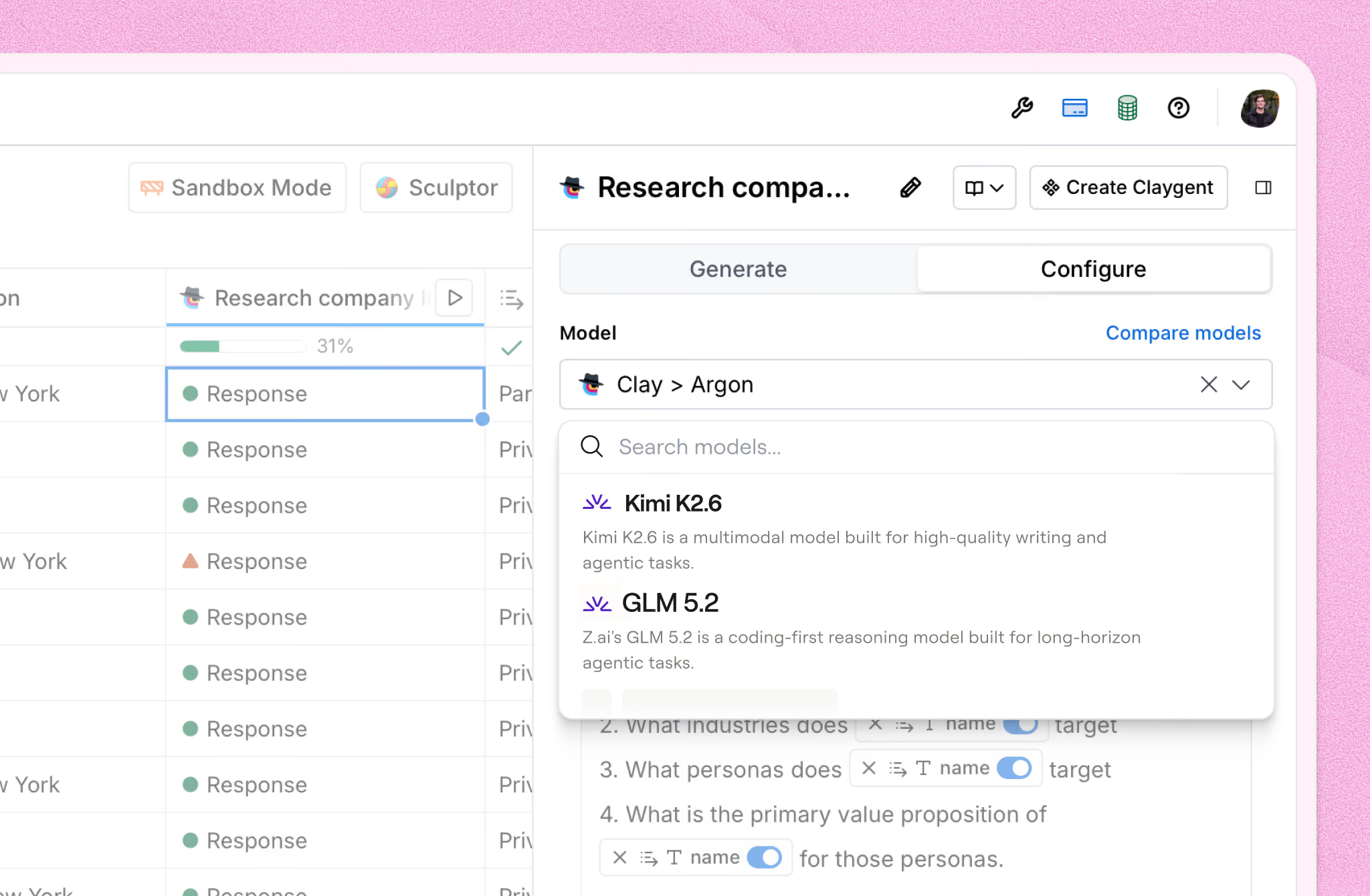
  • Kimi K2.6
  • GLM 5.2

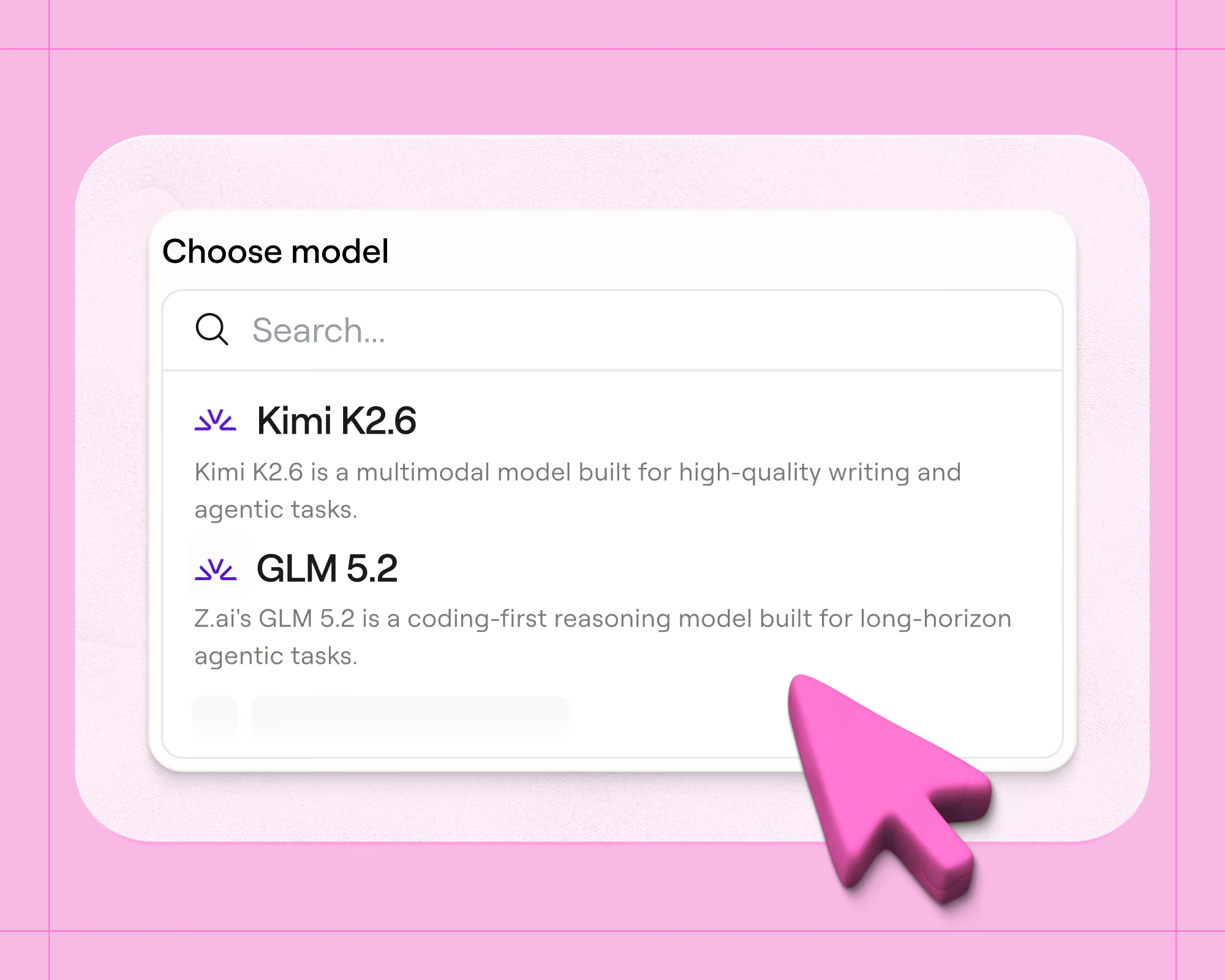
You'll find these in the model dropdown of any Claygent or Use AI column in Clay alongside the models you already use, at a fraction of the cost.
Open models can finally do real research

We've offered open-source models in Clay for about a year, going back to the launch of DeepSeek R1. But we only ever enabled them for content generation (i.e. summarizing, formatting, writing copy) because agentic research sets a much higher bar, as models need to reason over long horizons. This means they need to stay on task across dozens of tool calls, browse deliberately, and know when they have enough evidence to answer

The latest generation of open-weight models clears this bar. In our testing inside the Claygent harness, these models do high-quality GTM research, which is why this is the first time we're putting them behind Claygent, not just behind a writing prompt.

Frontier-level work at a fraction of the cost

Here's why this matters for your workflows: these open-weight models are much more cost-effective than comparable closed models.

Claygent tasks are long-running. A single research run can involve many searches, page visits, and reasoning steps, and those tokens add up, especially when you're running a table with 50,000 rows in it. Economical models enable you to do more: research your entire TAM instead of a sample, qualify every inbound lead instead of the ones that already look good, and re-score accounts weekly instead of quarterly. We're passing those cost reductions through in credits, so what's cheaper at the model level shows up as cheaper in your table runs.

We’ve validated these models against our core GTM task suite on: quality, cost, and latency. These results will feed into our model recommendations, so Clay can suggest the right model for your task.

The community is rallying behind open models

Models like GLM 5.2 and Kimi K2.6 have been earning an enormous amount of community enthusiasm, and many of you have asked us when you could use them natively in Clay without wiring up a third-party router yourself. You can now use these open-weight models straight from the dropdown like any other model in Claygent.  We’ve tuned the Claygent harness individually for each model -- adjusting browsing behavior, tool call budgets, and context management -- to keep runs efficient and answers grounded.

Try open-weight models in Claygent today

To get started, open any Claygent or Use AI column, click the model selector, and pick Kimi K2.6 or GLM 5.2. Different models shine on different tasks, so run a few rows with each and compare. You can test out different models in our Claygent Builder without spending credits.

Fireworks AI & Clay

A huge thank you to the team at Fireworks AI, our inference and hosting partner for these models. They’ve been incredible collaborators in helping us bring open-weight models to every Clay customer focused on speed, reliability, and cost-efficiency.

“The Clay team worked closely with Fireworks to bring the right models into production for each workflow, balancing quality, speed, and cost at scale. That kind of deep technical collaboration is what AI systems require and what helps GTM teams turn rich insights and agentic workflows into scalable growth. We’re excited to help power Clay’s vision of specialized intelligence.” - Lin Qiao, CEO

Not using Clay yet? Get started for free.

Claygent is Clay’s AI agent for GTM work, helping GTM engineers automate account research, lead qualification, account scoring, and outbound copy. Unlike a single-turn prompt, Claygent is agentic, which means it can plan, browse, and reason across dozens of steps before returning an answer.

The latest open-weights models handle that loop well, delivering state-of-the-art results on complex, multi-step reasoning. These models make it more accessible to run that research across your entire pipeline.

Today, we're adding new open-weight models to Claygent:

  • Kimi K2.6
  • GLM 5.2

You'll find these in the model dropdown of any Claygent or Use AI column in Clay alongside the models you already use, at a fraction of the cost.

Open models can finally do real research

We've offered open-source models in Clay for about a year, going back to the launch of DeepSeek R1. But we only ever enabled them for content generation (i.e. summarizing, formatting, writing copy) because agentic research sets a much higher bar, as models need to reason over long horizons. This means they need to stay on task across dozens of tool calls, browse deliberately, and know when they have enough evidence to answer

The latest generation of open-weight models clears this bar. In our testing inside the Claygent harness, these models do high-quality GTM research, which is why this is the first time we're putting them behind Claygent, not just behind a writing prompt.

Frontier-level work at a fraction of the cost

Here's why this matters for your workflows: these open-weight models are much more cost-effective than comparable closed models.

Claygent tasks are long-running. A single research run can involve many searches, page visits, and reasoning steps, and those tokens add up, especially when you're running a table with 50,000 rows in it. Economical models enable you to do more: research your entire TAM instead of a sample, qualify every inbound lead instead of the ones that already look good, and re-score accounts weekly instead of quarterly. We're passing those cost reductions through in credits, so what's cheaper at the model level shows up as cheaper in your table runs.

We’ve validated these models against our core GTM task suite on: quality, cost, and latency. These results will feed into our model recommendations, so Clay can suggest the right model for your task.

The community is rallying behind open models

Models like GLM 5.2 and Kimi K2.6 have been earning an enormous amount of community enthusiasm, and many of you have asked us when you could use them natively in Clay without wiring up a third-party router yourself. You can now use these open-weight models straight from the dropdown like any other model in Claygent.  We’ve tuned the Claygent harness individually for each model -- adjusting browsing behavior, tool call budgets, and context management -- to keep runs efficient and answers grounded.

Try open-weight models in Claygent today

To get started, open any Claygent or Use AI column, click the model selector, and pick Kimi K2.6 or GLM 5.2. Different models shine on different tasks, so run a few rows with each and compare. You can test out different models in our Claygent Builder without spending credits.

Fireworks AI & Clay

A huge thank you to the team at Fireworks AI, our inference and hosting partner for these models. They’ve been incredible collaborators in helping us bring open-weight models to every Clay customer focused on speed, reliability, and cost-efficiency.

“The Clay team worked closely with Fireworks to bring the right models into production for each workflow, balancing quality, speed, and cost at scale. That kind of deep technical collaboration is what AI systems require and what helps GTM teams turn rich insights and agentic workflows into scalable growth. We’re excited to help power Clay’s vision of specialized intelligence.” - Lin Qiao, CEO

Not using Clay yet? Get started for free.

More Articles