.avif)

Imagine you’re an engineer at Clay. You open your computer after lunch and get a Slack notification:
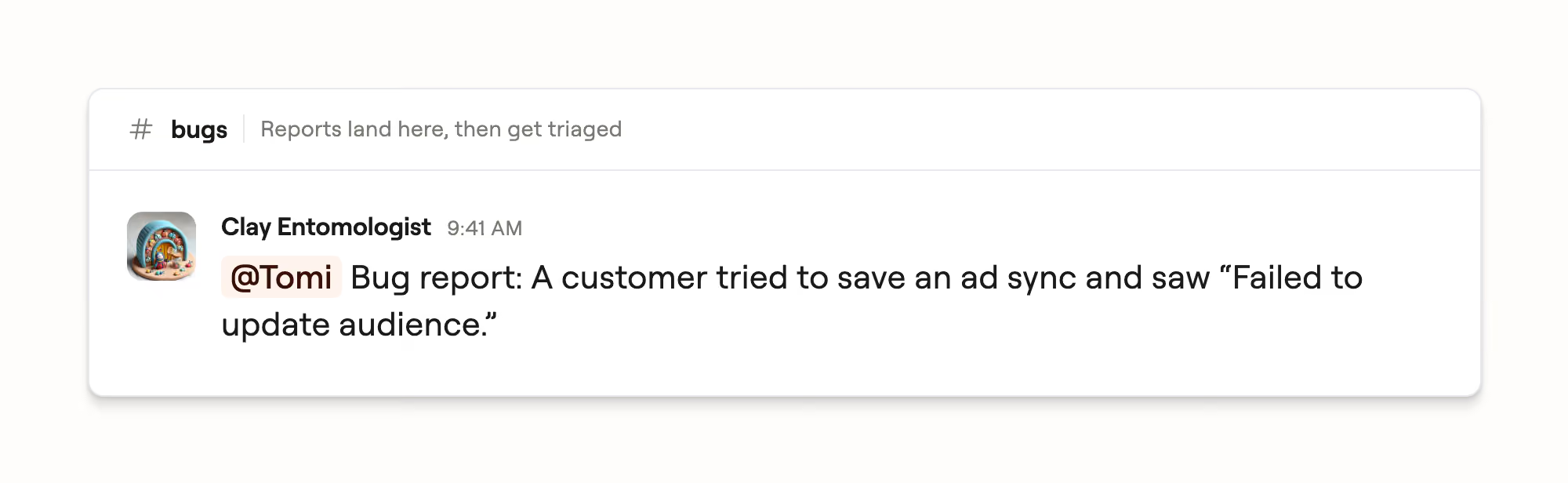
There are no clean reproduction steps. The report is a short text description and a link to the affected table. From there, you still have to answer a long list of questions: Is this a product bug? What exactly failed? Which code path is responsible? Who owns it? Is the issue isolated or urgent?
You can imagine what happens next. Before you can fix the bug, you have to reconstruct it: inspect the affected table, trace the user action through vaguely familiar code, and work out whether there is something to change.
One of our recent bug reports began this way. However, by the time it reached the responsible engineer, the investigation phase was already done.
Around 15 minutes after the report was submitted, our triage agent had isolated the failure to an unexpected object leaking into a field mapping that accepted only strings. It found the relevant code path, reproduced the failure in a test, demonstrated a fix, opened a small draft PR, and assessed its investigation confidence as high. The agent then routed the issue to the team that owned the affected surface.
Later, another customer encountered the same problem, making the impact clear. The assigned engineer validated and merged the agent-generated change. The customer confirmed that the feature was working again.
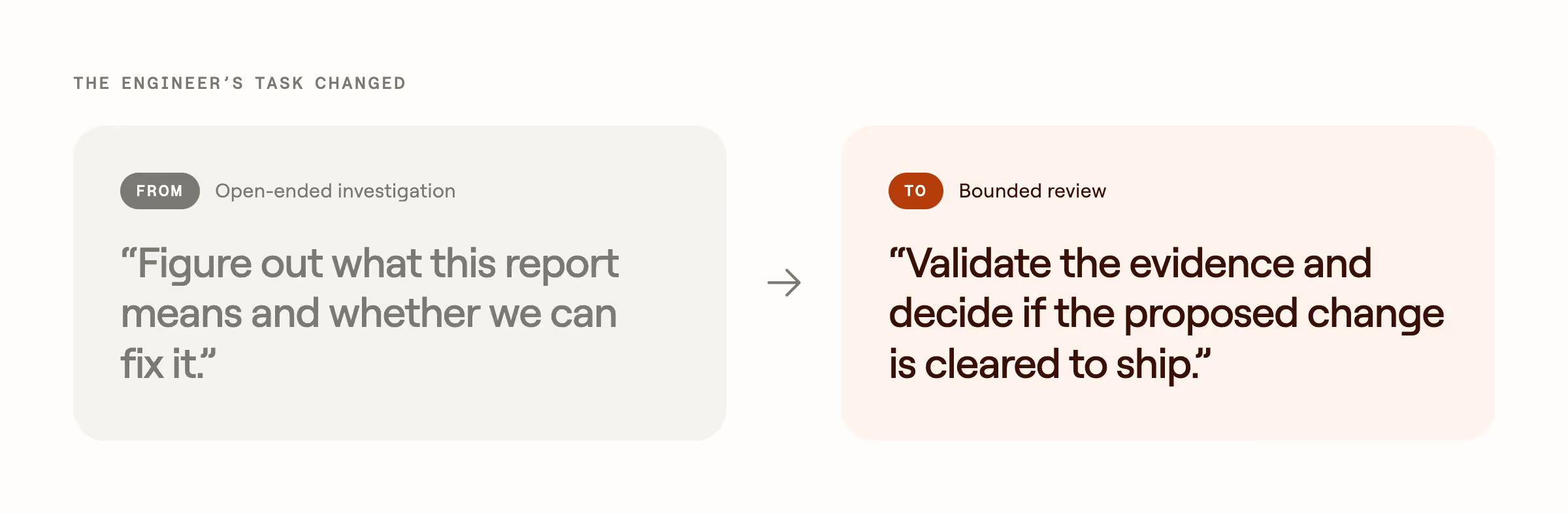
That shift is the point of our bug triage system. Speed matters, but the larger goal is to protect engineering attention. Engineers should spend less time assembling context, repeating first-pass investigations, and implementing fixes the system can prove safely. When a bug genuinely needs their attention, it should arrive as a loud, clear, bounded piece of work.
Automating a manual workflow
Like many engineering organizations, we once handled triage through a general rotation. As our Linear workflow evolved, reports from support conversations, Slack, and the product flowed into a shared queue.
We eventually centralized triage to one person working on it full-time. That was not scalable, but it concentrated the work enough to make the full process visible. It allowed that person to learn which details were routinely missing, which telemetry mattered for different failures, where ownership was ambiguous, which reports had known workarounds, and what an engineer needed before they could act without repeating the investigation.
Aside from the bug investigations themselves, that required pivotal cross-functional work. Engineering & CX leadership had to align on what “triage complete” meant, how escalations should work, which teams owned which failure modes, where engineering attention was most valuable relative to other business priorities, and which metrics represented actual improvement.
The first iteration of the agent had clear directives and followed the workflow of the human triager step by step. Because the process now existed outside one person’s head, we could measure it, version it, identify its weak points, and improve every future run instead of improving only the current ticket.
Bug report → Clear outcome
Today, the only required input is a Linear ticket. One continuous agent session carries it through the first technical pass:
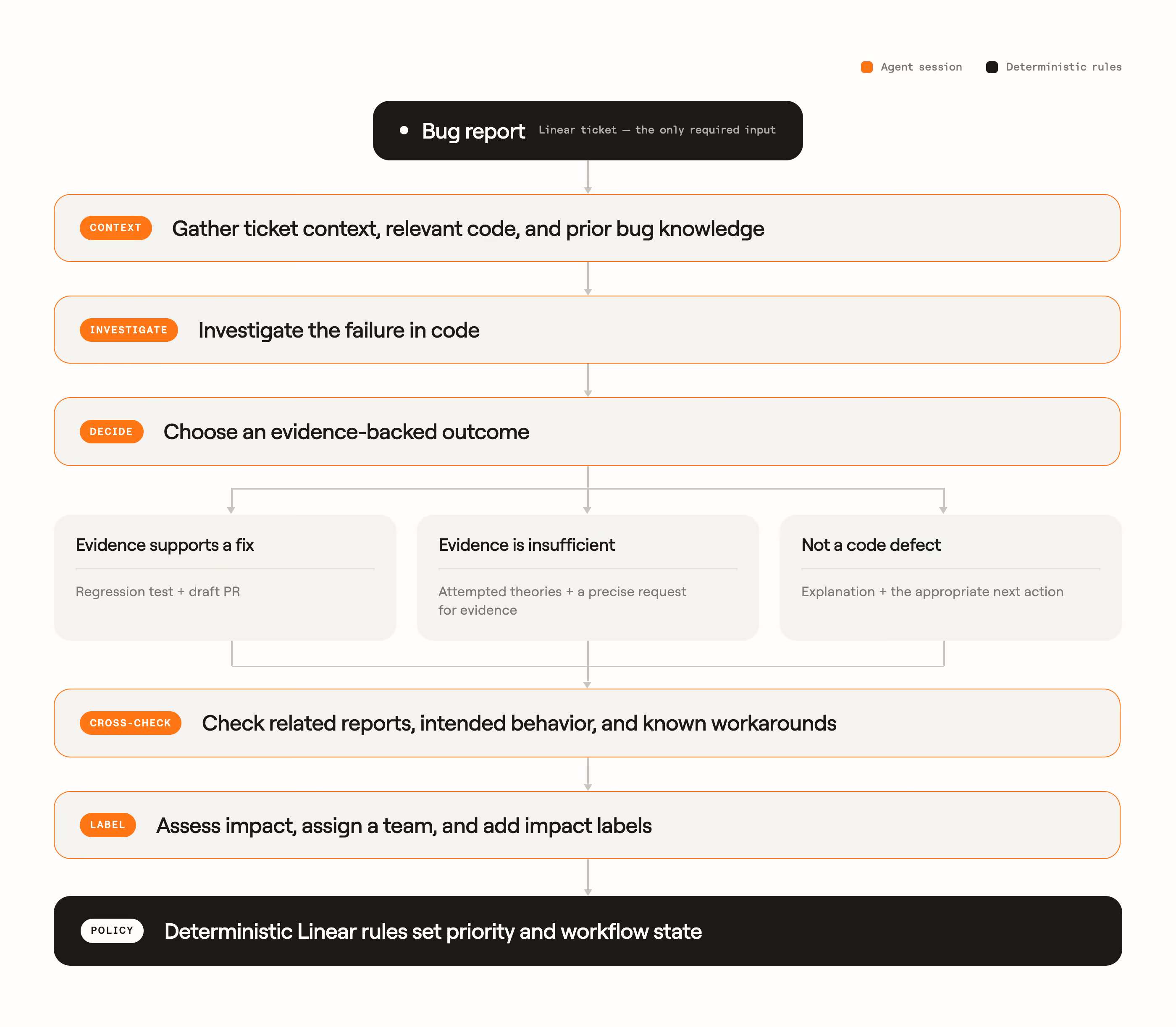
Devin traces issues, catalogs affected product surface area and proposes remediation PRs. Linear functions as the system of record and policy layer, and Clay automations handle parts of the operational handoff.
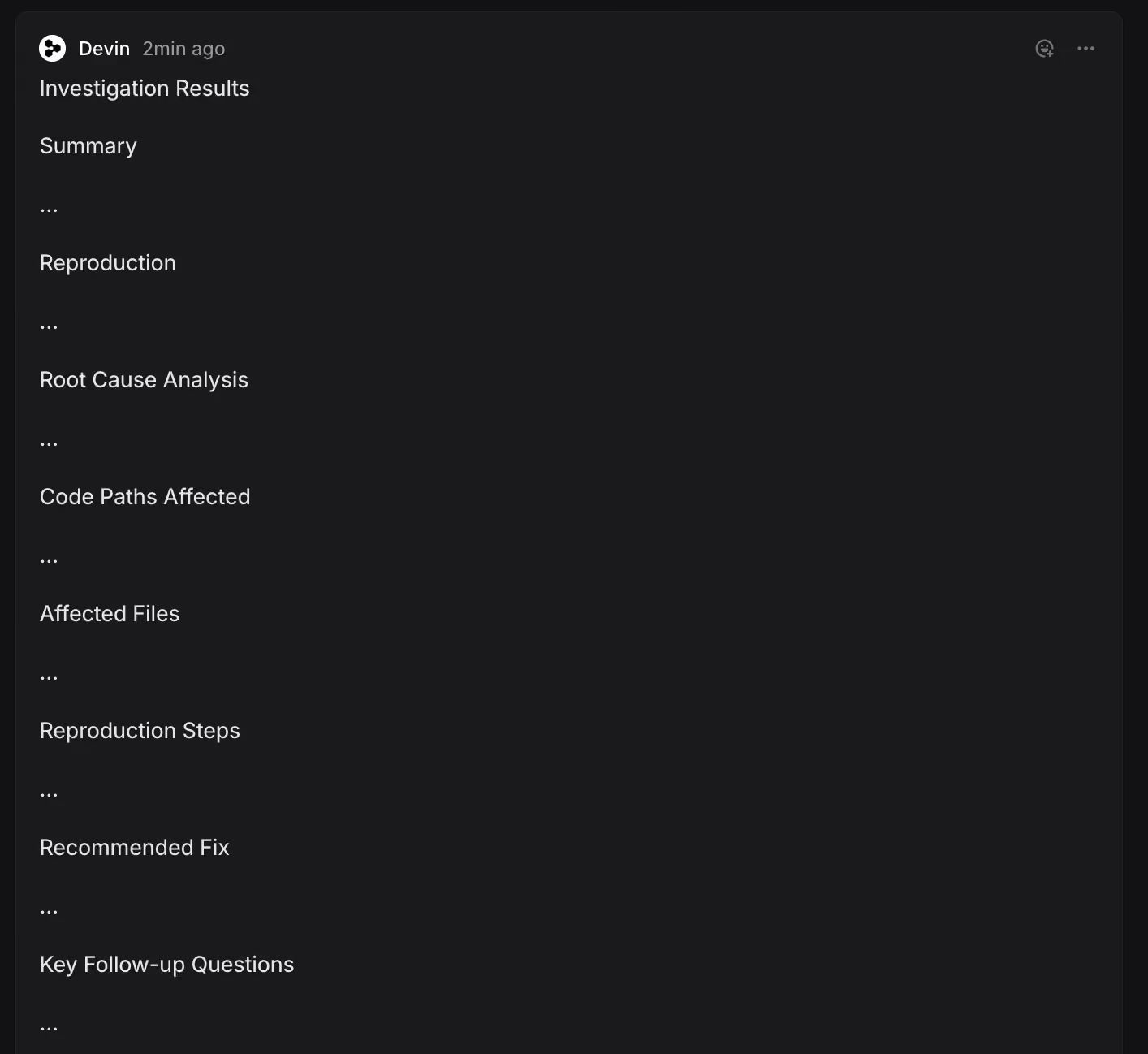
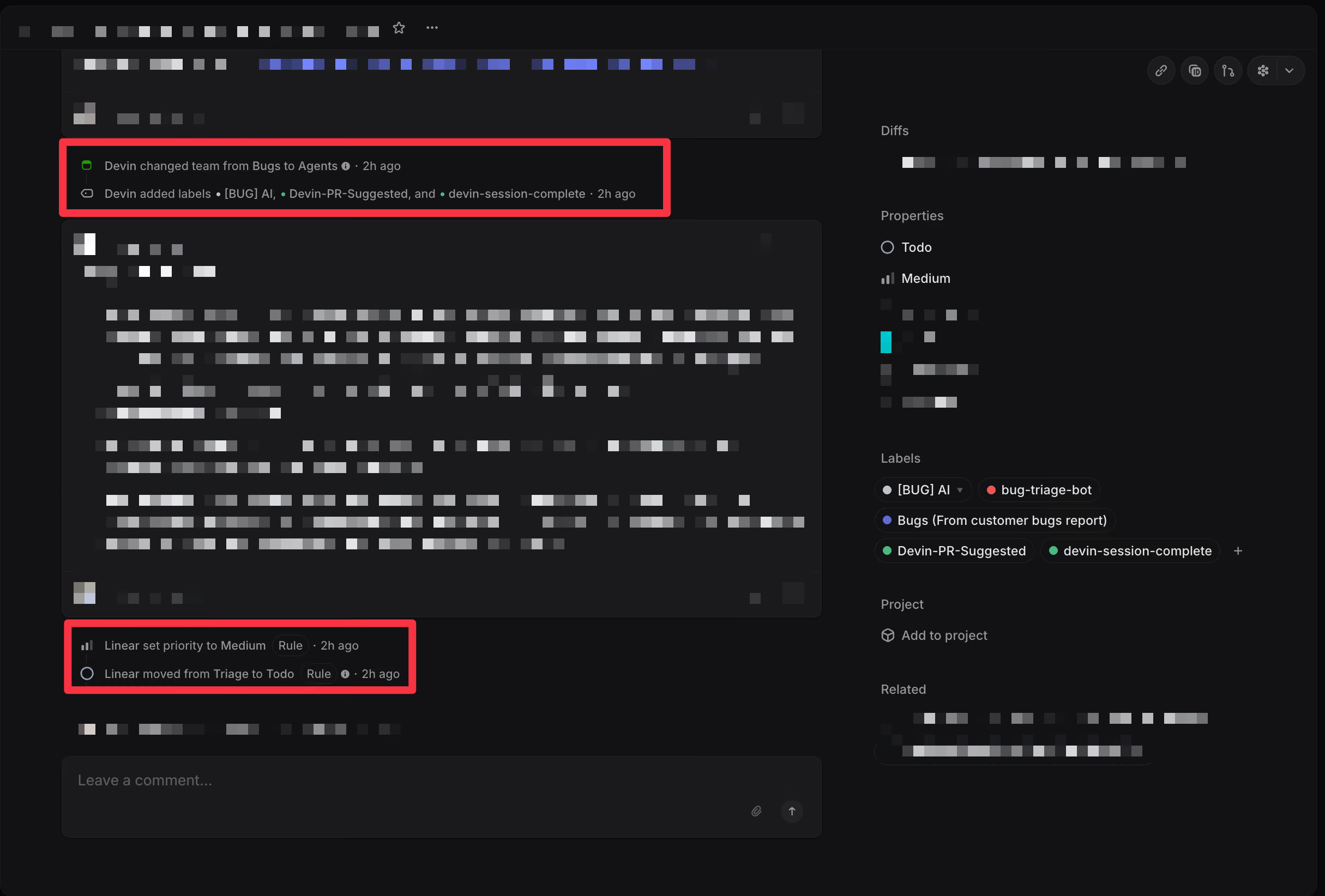
The process is split into small, versioned skills instead of one long prompt. Each skill owns a narrow responsibility: investigation, reporting, duplicate detection, workaround matching, behavior assessment, categorization, or routing. This gives us useful failure boundaries. If a ticket reaches the wrong team, we can ask whether the technical investigation was incorrect, the ownership documentation was ambiguous, or the routing skill applied the guidance incorrectly.
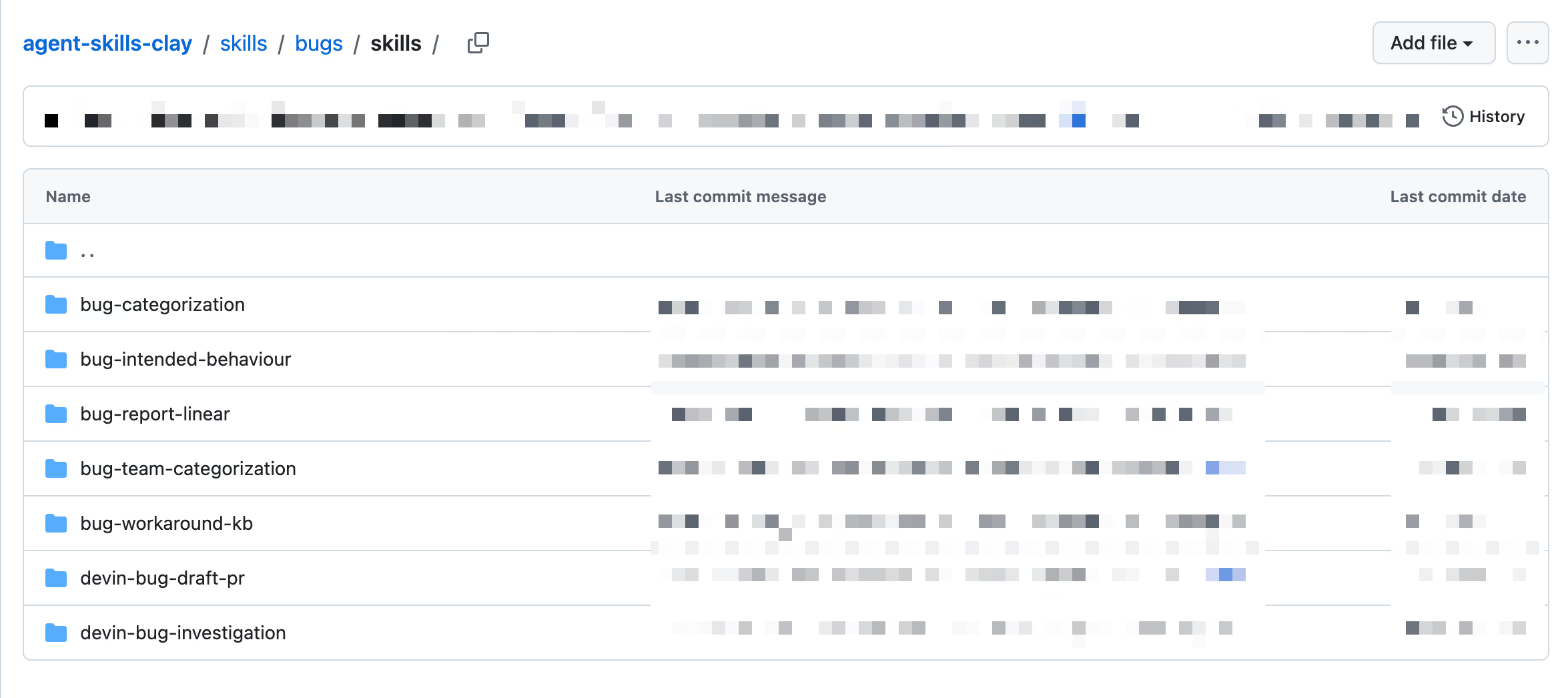
How does Linear fit into our system?
The concepts we use in triage are derived from the Linear team's guidance: we designate an IC called the "goalie" per team every week to be responsible for that team's bugs, we use labels liberally, and we build triage automations based on them. Since all of our engineering work lives on Linear, we benefit from being able to cross-reference bug issues with feedback and scheduled work. Linear's dashboard product made it possible for us to track metrics without requiring data team resources, and we use their GraphQL endpoints extensively in our internal bug reporting tool and for custom data needs.
How does Devin fit into our system?
Devin’s API was the biggest unlock for the system back in late 2025. It allowed us to programmatically kick off autonomous Devin sessions with specific instructions, allowing it to investigate bugs and come back with actionable reports. Devin runs in the cloud, so any user can easily access these sessions to see the work that it completed, and continue investigations by asking follow ups.
Today, we take advantage of Devin Automations to drive this process. Our Automation is triggered on every new Linear issue for a bug report and kicks off a session for investigation. We also take significant advantage of Devin’s machine snapshots. Every session boots a pre-configured environment where Devin runs our product locally, reproduces the bug end-to-end, and verifies that its proposed fix actually works.
The Automations dashboard lets us group all of the sessions in one place so we can track their spend, get notified on any failures, and drill into any individual session.
Agent judgement vs deterministic rules
Some aspects of the triage process require semantic reasoning. Agents are useful for connecting user-visible symptoms to code, deciding whether old workarounds still apply, or identifying the product areas that own the actual failure.
However, making decisions requires alignment across many leaders, teams and ICs. Delegating it entirely to AI can deteriorate trust. While our agent takes full advantage of the power and flexibility of AI, action is only taken by deterministic automations.
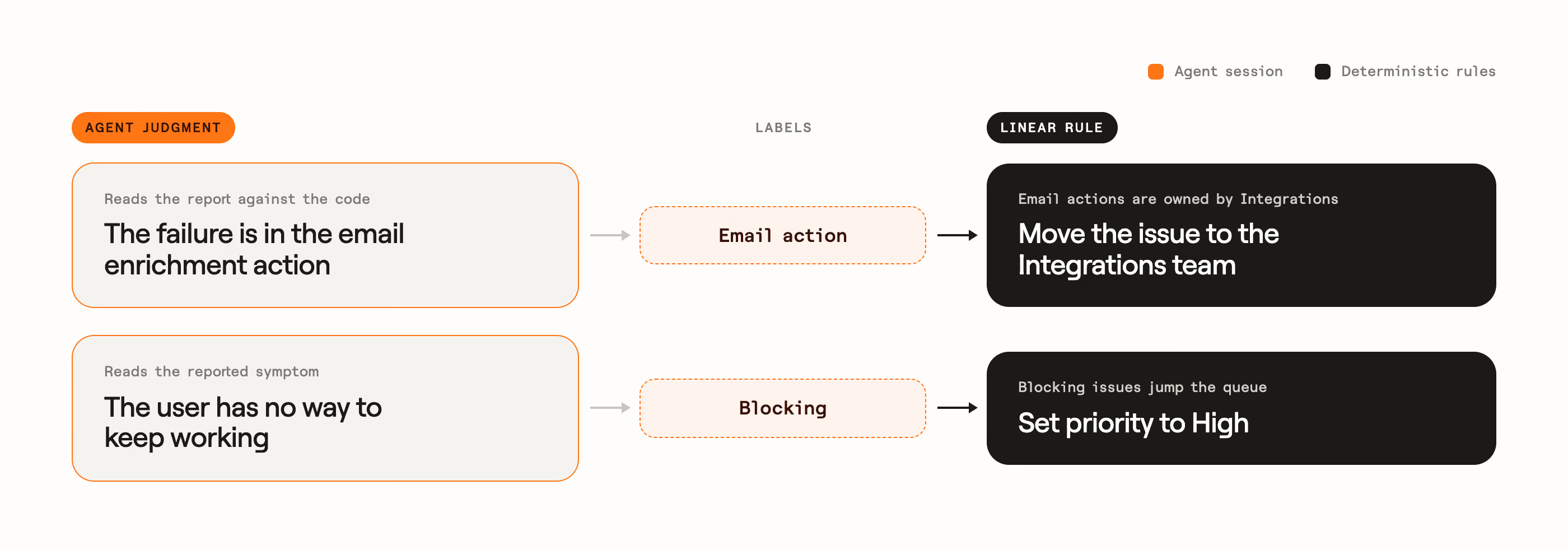
We handle the delegation of powers by allowing Devin to apply a wide set of labels to the Linear issue, but actions like priority setting and engineering team designation live in Linear. They take in those labels as input and, alongside other metadata collected at report time, take action.
So what changed?
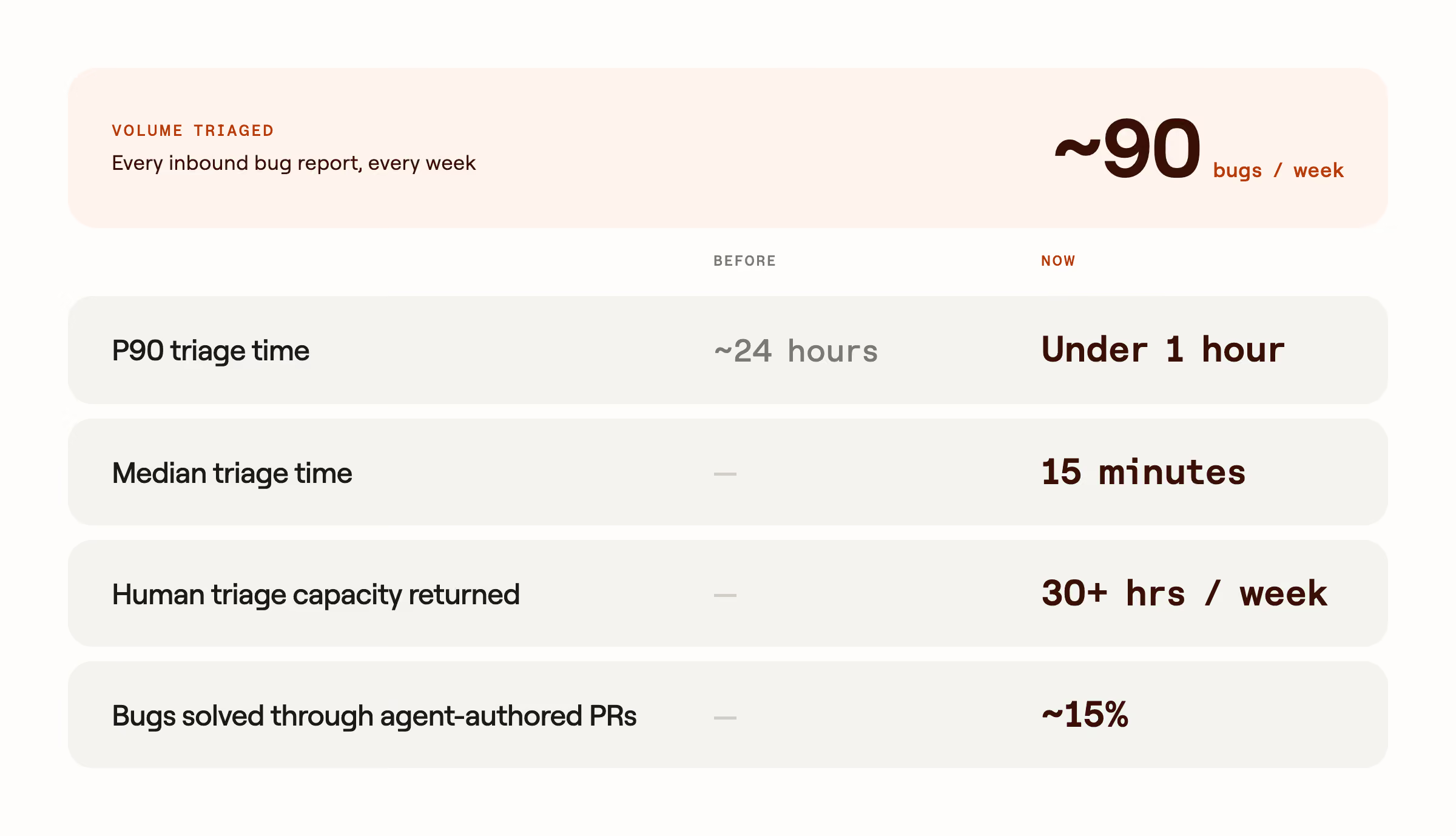
The speed is the most visible result, but the savings in engineering attention are arguably more important!
Engineers spend less time watching a queue, collecting context, and repeating first-pass investigations. They don’t have to context-switch in and out of bug threads. That creates more room for feature work without weakening our response to bugs.
When an engineer does need to engage, the signal is louder and the task is clearer. The issue arrives with its impact, investigation result, relevant code paths, evidence, confidence, and an explicit owner. Urgent failures stand out instead of competing with duplicates, known workarounds, and reports that still need basic context.
Where do we go from here?
You might have noticed we made no mention of AI reviewing production logs in the description of our system. That's because we haven't given our bug triage agent access to production logs yet (hopefully, that makes these results more impressive)!
While the team at Clay moves fast and embraces new tools to ship code, we are very mindful about security in the age of AI. Clay’s product is a platform and thus, our logs often contain confidential information. They would need access to some of our private data to utilize the information in the logs correctly, and there are a lot of operations that an agent can make that will directly or indirectly access the internet (just ask OpenAI and Hugging Face!). These 3 pillars represent Simon Willison’s lethal trifecta and have played a part in dozens of documented security breaches in the past few years.
We have scheduled work to bridge the gap. It’s structured as a project for our DevEx team, as opposed to a two-click MCP connector that anyone can enable. That way, we can tackle and resolve the issue of giving agentic AI safe and unlimited access to sensitive data sources across the organization for any use case.
.png)

.avif)


.png)





.avif)





.avif)














.avif)














.avif)