

We launched Claygent, our AI research agent, back in September 2023. By June 2025, it had passed 1 billion runs. Each one is a data point someone would otherwise have to dig up manually, like counting OSHA violations to find compliance-troubled companies. In May 2026, we launched Claygent Builder, where you build agents using plain language, test them for free on real data without burning credits, and deploy one Claygent across every workflow and share it company-wide.
Along the way, we’ve been watching how GTM teams are using these AI agents.
Now, after 5 billion runs, we pulled the data and found two distinct ways people are using AI in Clay: to conduct web research and to transform their own data. Here are the use cases:
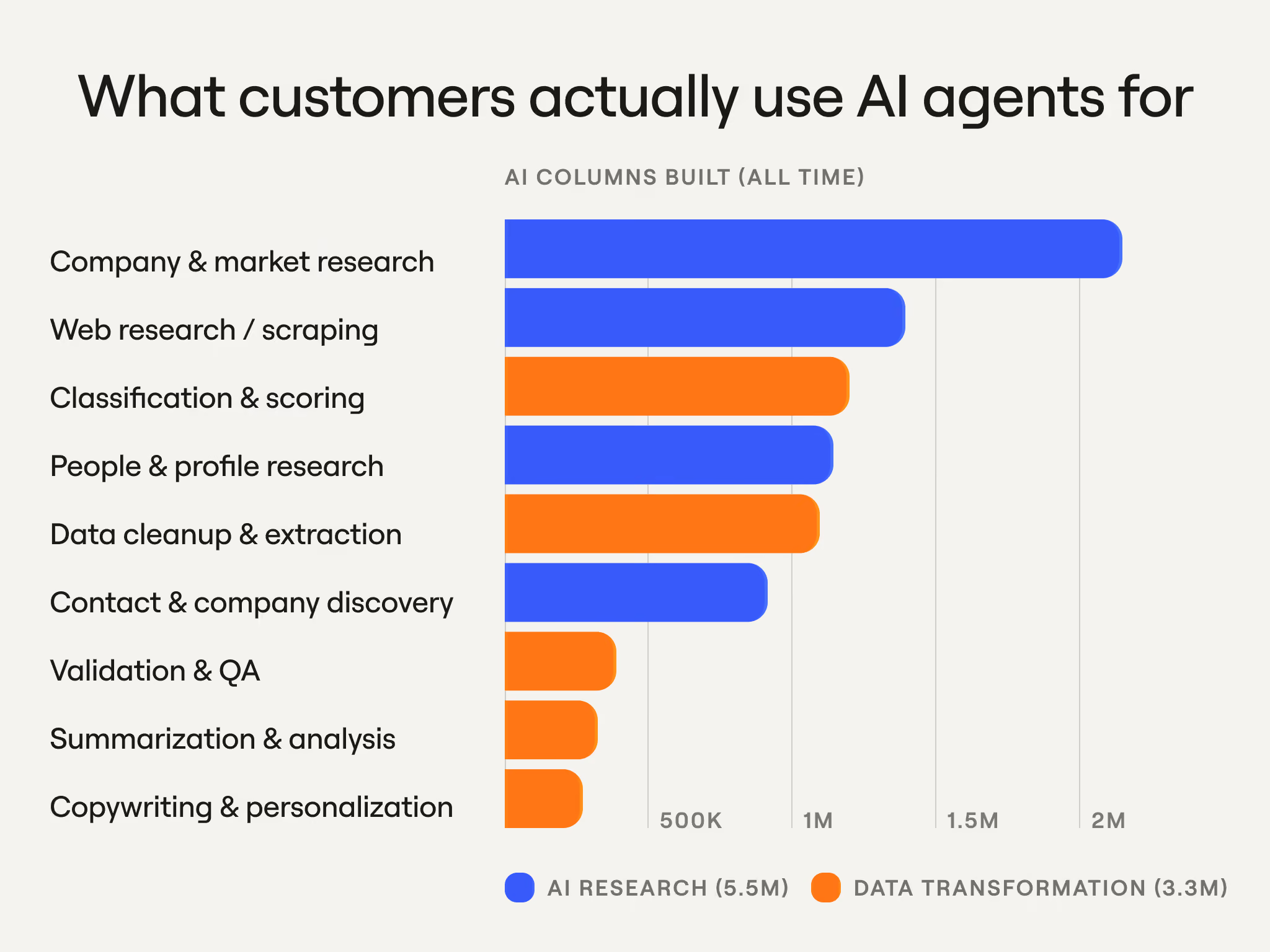
Of course, internally, we use agents in Clay ourselves.
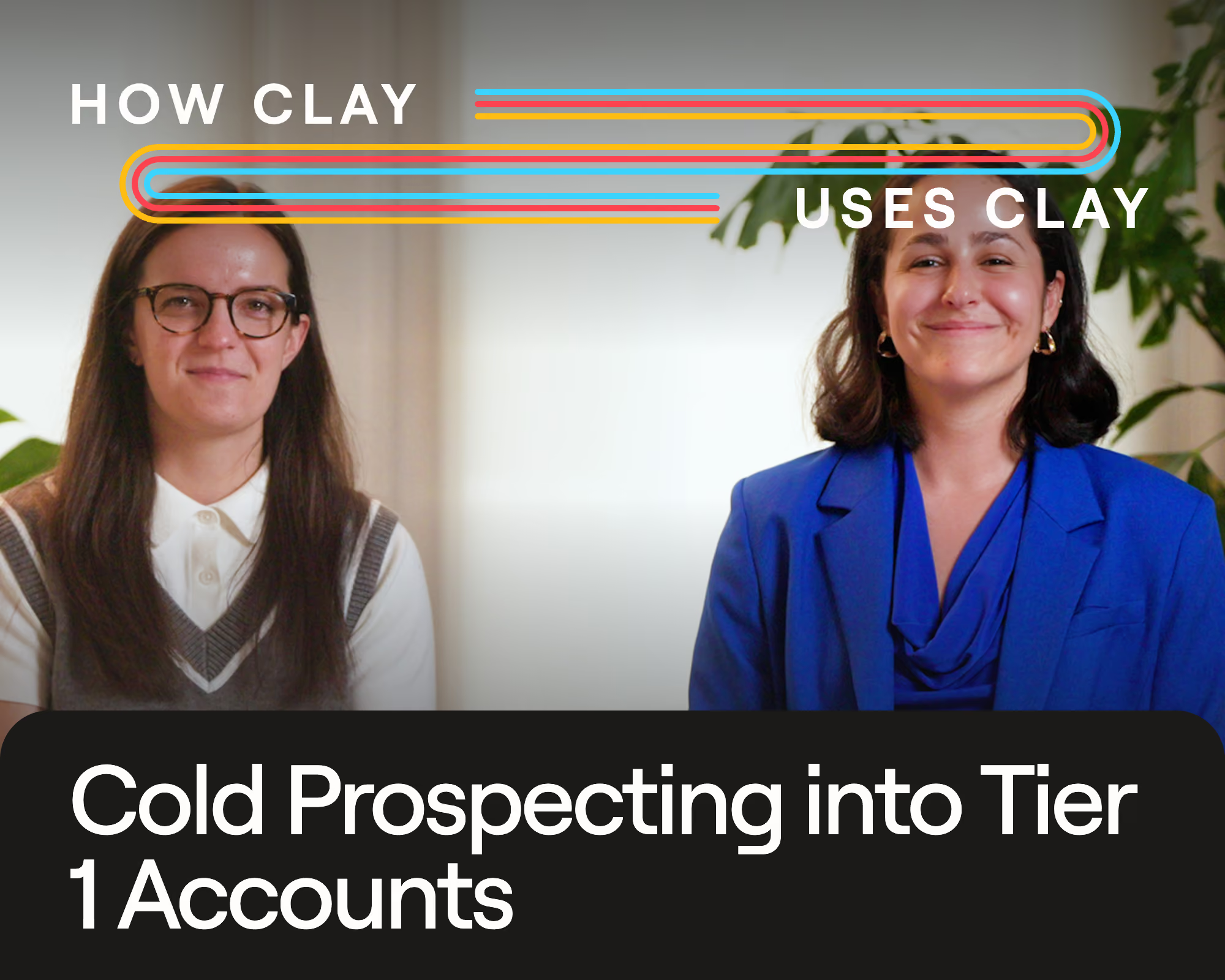
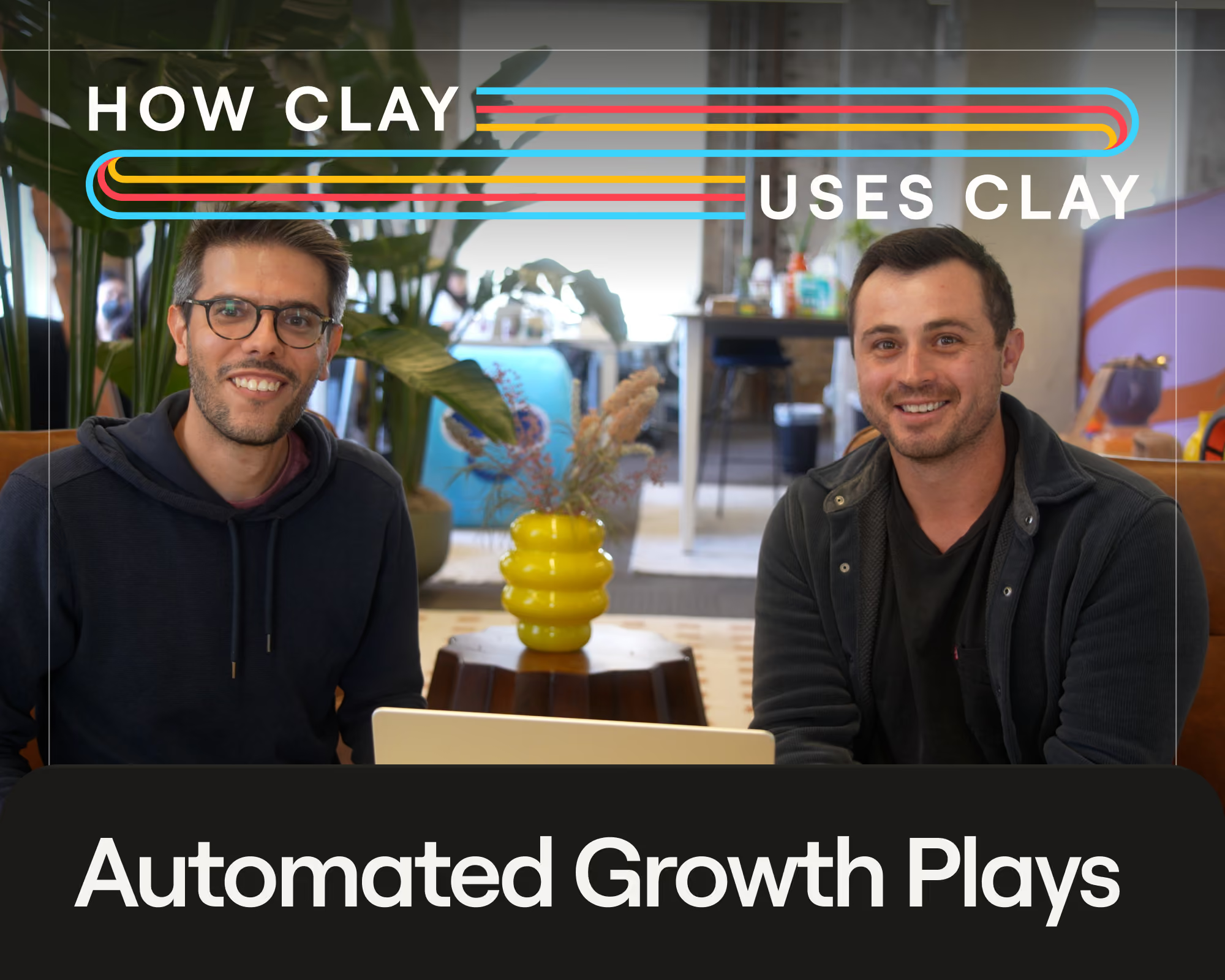
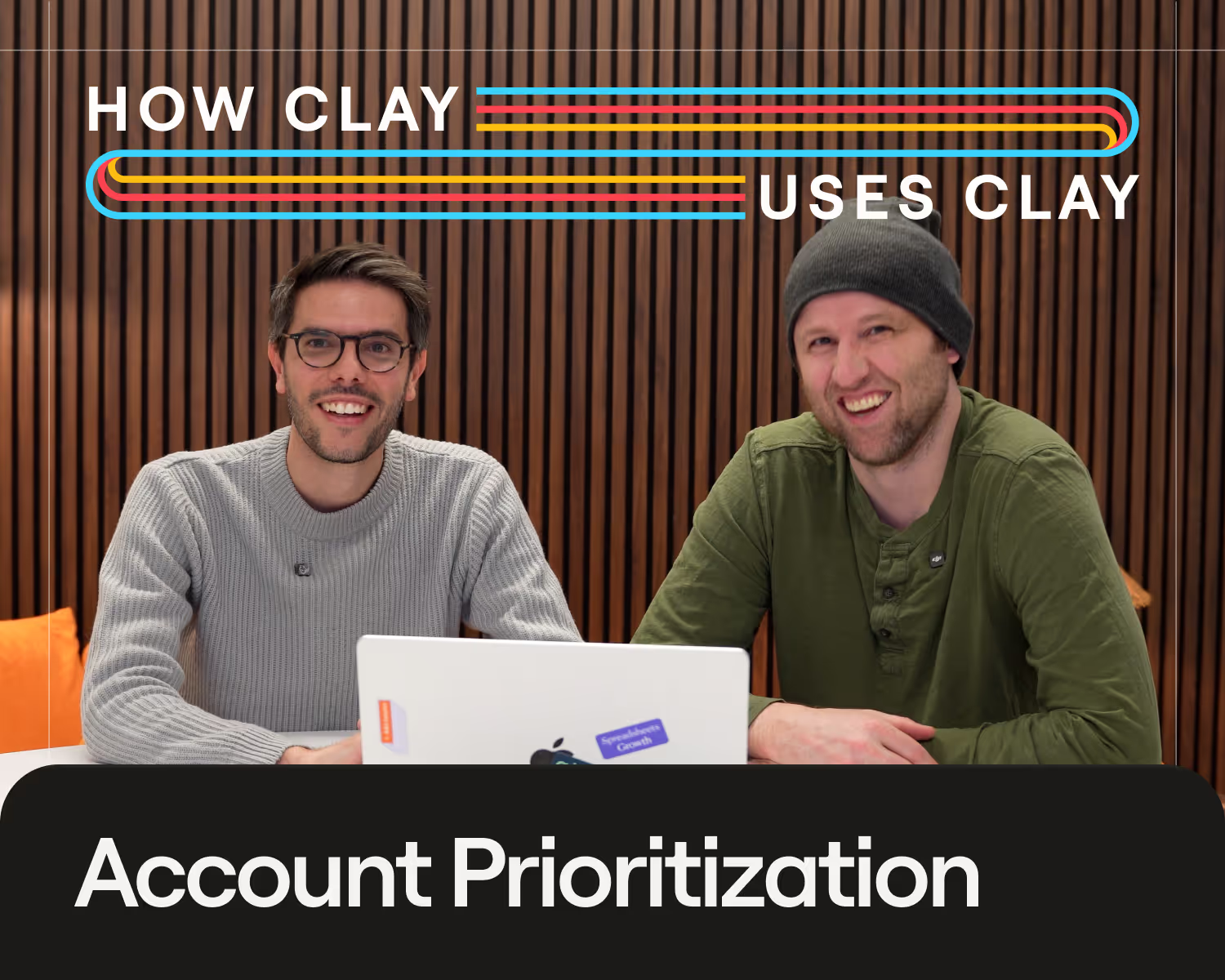
In a recent livestream of How Clay Uses Clay, Davide Grieco, Clay’s Head of Growth, and Nicole Goot, Growth PM, share the Claygent use cases we run for our own GTM motion. That includes looking for buying signals hidden in 10-K annual reports and running deal postmortems with conversational context from Gong transcripts. Read on for the full recap or watch the livestream.
Tl;dr
- Claygents are the AI agents native to Clay. You build them in plain language in Claygent Builder, feed them your business context, test them for free with the reasoning and confidence level behind every answer, then deploy one agent across your tables or Workflows with version history and credit limits, keeping it controlled.
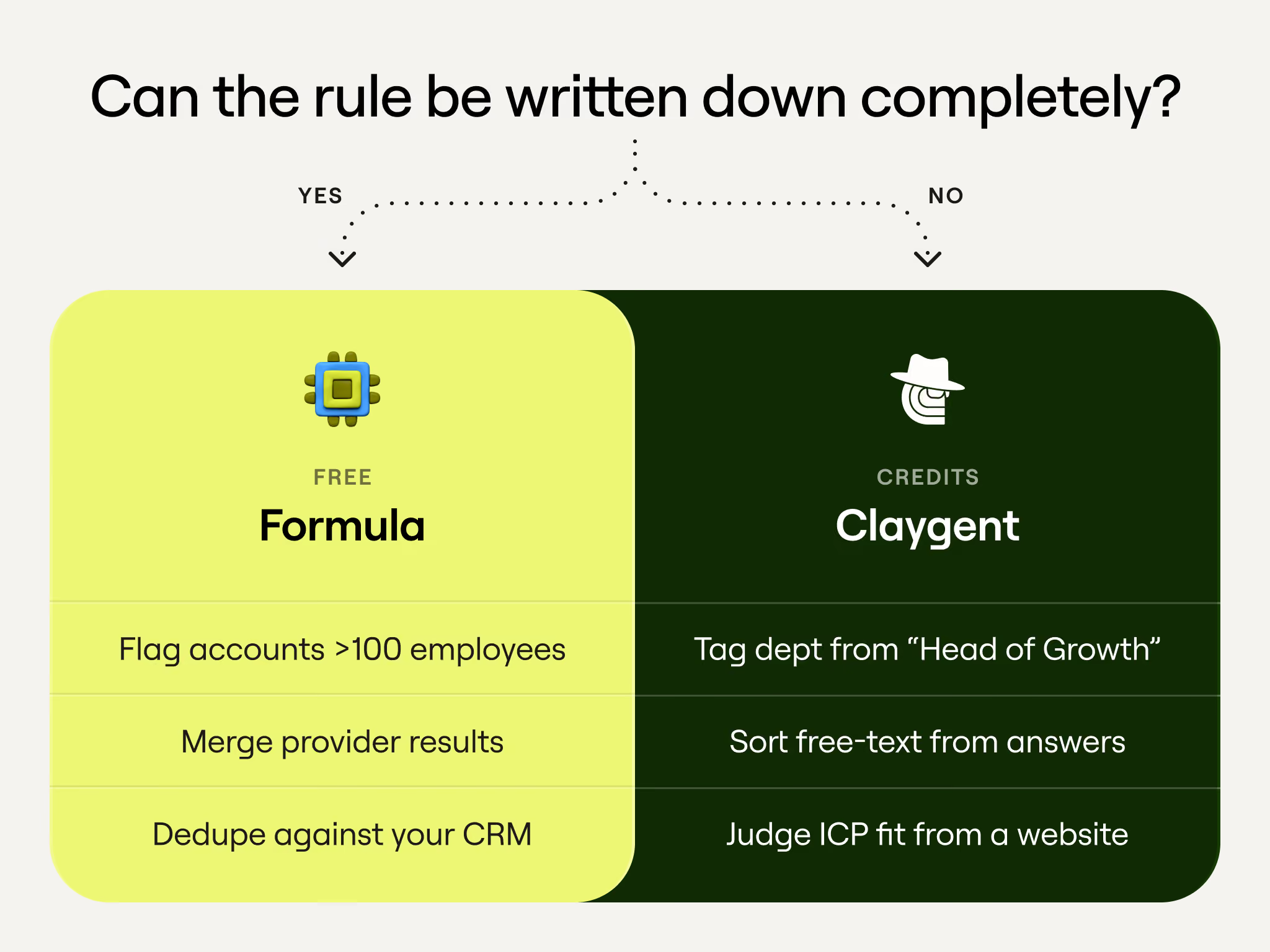
- Choose agents over formulas when the task takes judgment. Reading a messy job title or sizing up an account needs interpretation, so it’s worth the credits. When the rule can be written down completely, use a formula instead, since formulas are free and return the same output every time.
- AI research replaces manual account digging. Claygent’s web research mode pulls public information across every row of a table at once. We use it to find buying signals our competitors don’t have, research ABM targets, and track competitors week over week.
- Data transformation turns your first- and third-party data into fields you can act on. Agents read Gong calls, CRM notes, and form fills, then sort the mess into clean categories. That powers our deal postmortems, account health scores, persona labels, and email copy.
What are Claygents?
Claygents are Clay’s built-in AI agents, and they live inside your Workflows or tables. They plug into your first-party data, like CRM records and call transcripts, and third-party data, like enrichment pulled from outside providers. They handle work that requires judgment rather than rules: scoring accounts, classifying job titles, summarizing calls, and researching companies online.
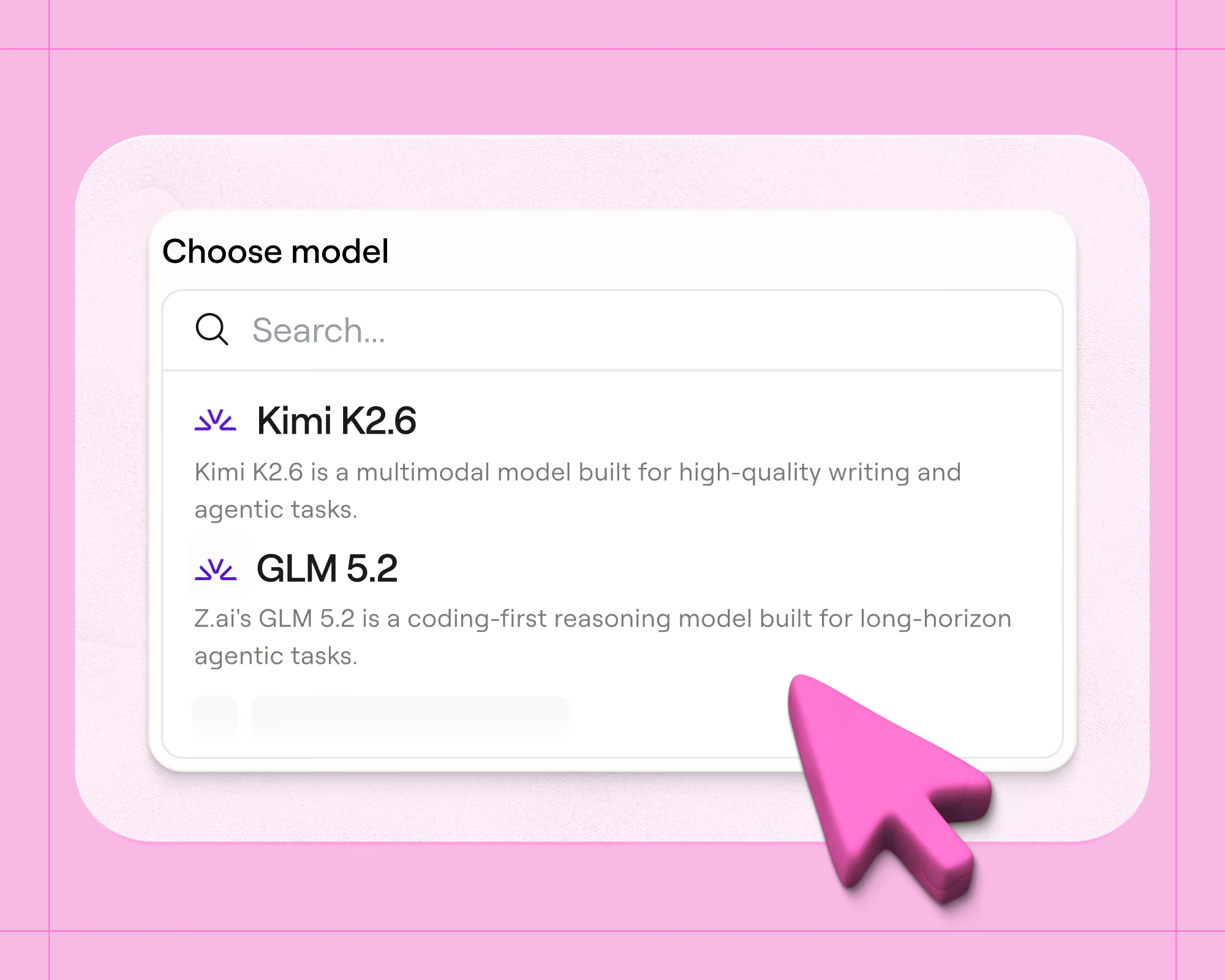
Under the hood, a Claygent is a language model plus your instructions. You pick the model, say Anthropic’s Claude Sonnet 5 or OpenAI’s GPT-5.4 mini. You give it an input, and it plans, acts, checks its results, and adjusts until the task is done. A Claygent can call tools, like web search, Clay’s contact and jobs data, or an MCP connection into an application like Slack. It can also remember past runs and load skills, which you can think of as saved playbooks for repeated tasks.
None of this is opaque: you can run a test and watch Claygent stream its reasoning live. Every change you make to a prompt is saved to a version history that you can roll back at any time.
Tips for building and deploying agents in Clay
Agents are only as good as the context you give them. Too little and it fills the gaps with guesses; too much and it loses track of what matters. Keep your agents grounded and avoid nonsense outputs in your tables with these guidelines:
- Give your agent a clear job. Limit each agent to one specific task. For instance, one agent that pulls details like objections and next steps out of Gong transcripts, and a second that writes email copy from those details, will work better and cost less than a single agent doing both.
- Write instructions like you’re onboarding a new hire. Break the work into clear, ordered steps, then read the prompt back. If you don’t understand it, your agent won’t either.
- Get visibility into its reasoning. Every run shows how the agent reached its answer, so expand the reasoning and actually read it. If the agent took a path you never would have, give it that feedback so future runs come back sharper.
- Create guardrails. Define the exact output you want, down to the fields and their format, so the agent can’t improvise. For web research, name the pages it should check and the ones it should skip. Then test on a handful of rows before letting it loose on thousands.
Formulas vs Claygents
Clay gives you two ways to fill a column: Formulas and Claygents.
Formulas are JavaScript-based conditional logic you can build without writing code, and the same input returns the same output every single time. They’re also free, so running one across a million rows costs nothing. Claygents spend credits to reason, which buys you answers to questions a rule can’t cover.
When to use a formula
Use a formula when you can write the rule down completely. If every case fits if/then logic, a formula handles it with accuracy at zero cost. Some examples:
- Qualify leads using hard criteria, such as flagging accounts with more than 100 employees or titles containing “operations.”
- Merge results from multiple data providers into a single clean column, retaining the best available value.
- Check whether a contact already exists in your CRM before pushing to avoid creating duplicates.
When to use an agent
Use an agent when the answer takes interpretation. If covering the edge cases would take a hundred rules, you want judgment. A few use cases:
- Tag a contact’s department from a raw title such as “Head of Growth,” which a keyword rule would classify as Uncategorized.
- Read a free-text form response and sort it into a clean category.
- Research a company’s website to judge ICP fit and find a reason to reach out.
How we use agents at Clay
Now that we’ve covered the basics, let’s get into how we use agents internally at Clay. Treat our own use cases as inspiration for what agents can do with your own data and market.
Everything we do with agents falls into these two buckets:
- AI research. Agents browse the open web to research the companies we sell to, finding the signals and contact details we need.
- Data transformation. Agents read the first- and third-party data we already hold and turn it into structured insights we can act on.
AI research use cases
Account research used to mean an SDR toggling across Chrome tabs: the company website, the customers and pricing pages, careers for job posts, LinkedIn for the right people, and even the latest earnings call. Done properly, that scouting takes half an hour or more for a single account.
Claygent’s web research mode runs that same process across every row of a table at once, retrieving virtually any public data point on the internet, with every answer landing as a structured column ready to sort and act on.
Account signals
SDRs use account signals to decide which accounts to work on first and when to reach out. But the standard signals, like funding rounds and job changes, are sold out of the box by every data provider. The signals worth having are tied to your product specifically, and you have to dig them out of filings, job postings, press releases, and public records.
That digging is what we point Claygents at.
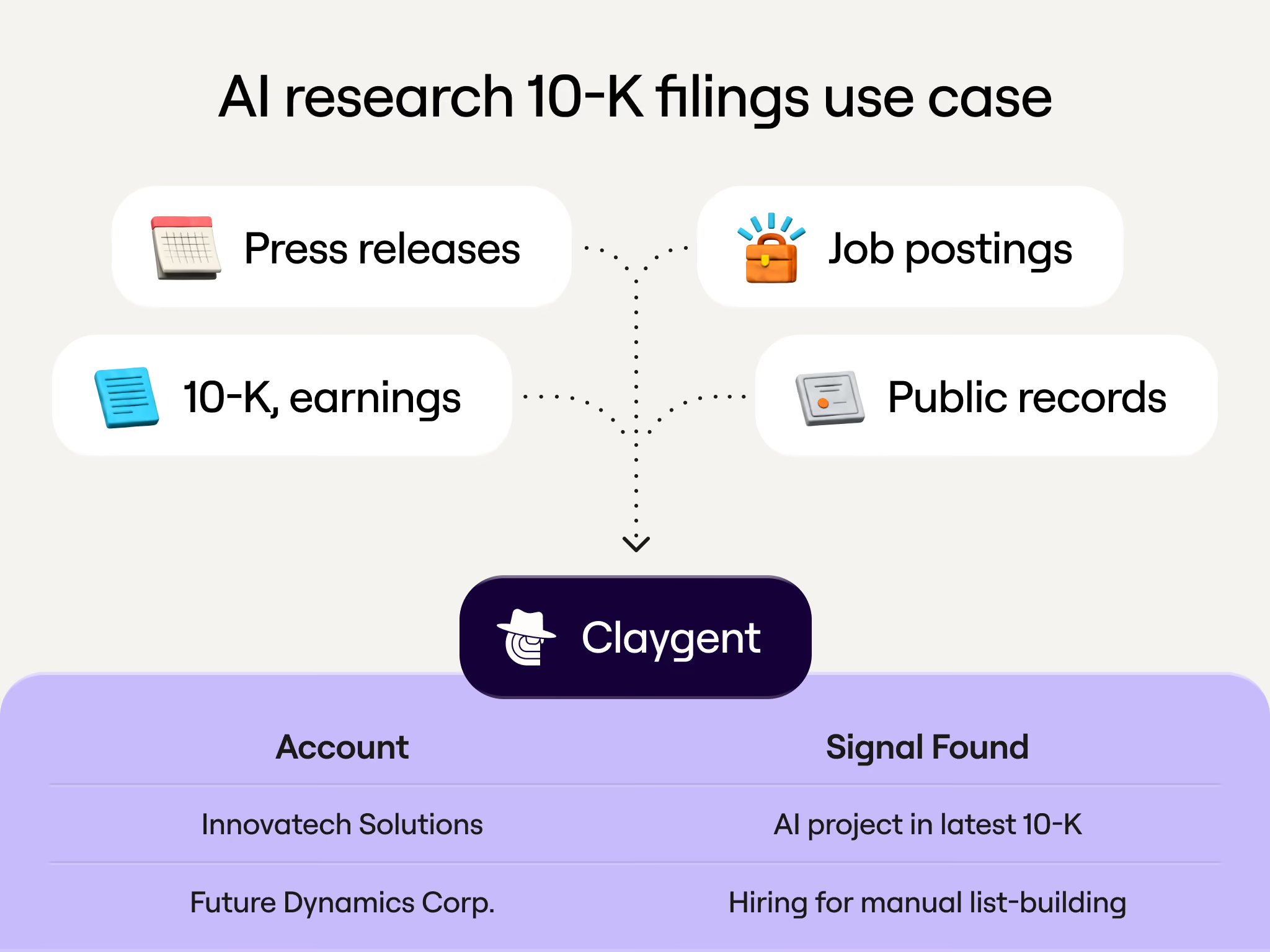
If you sell an AI product, a mention of an AI transformation project in a 10-K tells you the budget already exists. If you sell HR software, a company incorporating in a new country will soon need help hiring there. Job postings are worth reading line by line because a company hiring for a role full of manual list-building has the exact pain Clay solves, even if the posting never says so.
Here’s what we search for and where our agents look:
ABM campaigns
Account-based marketing flips the funnel: instead of casting a wide net, we select a short list of high-value accounts and build a campaign for each. We run ABM against our tier-one accounts, where the deal size justifies custom landing pages and copy written for a single reader.
That level of personalization takes days of research per account, so Clay agents do the fact-finding:
- Landing pages get personalized from real research. An agent visits the account’s website, pulls up their most impressive customers, and checks details such as whether they use Salesforce or HubSpot. All of it feeds the page.
- The account’s own sales motion shapes the pitch. The same agent reads their homepage to assess how they sell. A demo form signals sales-led, a signup button signals self-serve, and the landing page copy adapts to match.
- Even direct mail runs on agent research. To find where a target actually works, an agent compares their LinkedIn location with every office listed on the company site, and the closest match gets the mailer.
Competitive intelligence
A new Clay competitor seems to launch every week. Keeping tabs on what each one is shipping and how they show up where buyers search would be a full-time job. We hand this competitive intelligence work to our agents:
- A competitor digest lands every week. A dedicated Claygent crawls competitor sites on a schedule and sends a report on what they shipped and launched, so nobody has to live inside competitor release notes.
- AI visibility gets tracked like a search ranking. Buyers increasingly ask ChatGPT and Claude which tools to use, so a Clay table runs common prompts and records how often Clay appears alongside ZoomInfo and tangential products like HubSpot.
Data transformation use cases
Everything so far has had agents looking outward, pulling answers off the public internet. This second bucket points them inward. Plenty of what our GTM team wants to know was never online to begin with: why a deal died, whether a customer is drifting toward churn, and where our signups are coming from.
Mine your first-party data
We’re sitting on more unstructured data than anyone could read: Gong calls, product data, Salesforce notes, support tickets, and free-text website forms.
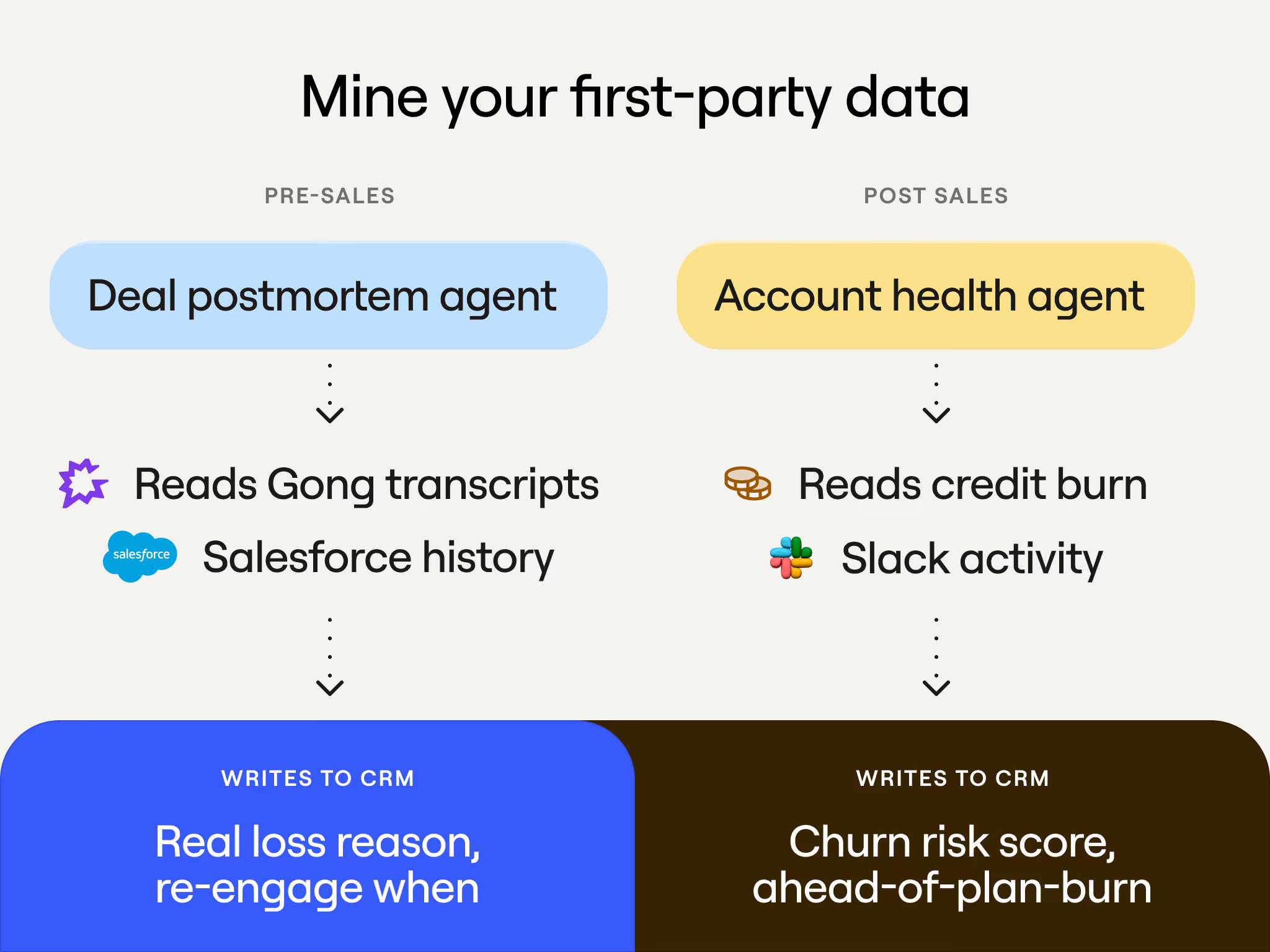
Two agents do most of the work of turning that pile into something useful, one before a deal closes and one after:
- Deal postmortem (pre-sales). When we lose a deal, an agent goes back through the Gong transcripts and the Salesforce history. It then fills in two fields in our CRM: the real reason the deal was lost and when it’s worth re-engaging. Other plays run off those fields. If a prospect chose ZoomInfo over us and their contract expires in January, we know to launch a win-back campaign in January.
- Account health (post-sales). Customers hear from our human success managers, but behind them is an agent prompted to think like a senior CSM. It reviews each account’s credit burn relative to what they bought, their activity in our shared Slack channel, and the tone of their recent calls with us, and then scores the churn risk. Accounts that look shaky get attention early, and accounts burning through credits ahead of plan get an upsell conversation before renewal.
Structure messy data
Plenty of what we collect is short and messy. That includes job titles typed fifty different ways (“VP Marketing,” “V.P. of Marketing,” “Vice President, Marketing,” “vp mktg”) and form fills that say whatever the prospect felt like writing that day. Our campaigns need clean categories to target, so we use agents to sort. These two run constantly:
- Persona analysis. Our lifecycle emails target by role and seniority, which means every contact needs a clean persona label. An agent reads each raw job title and description, then buckets the contact into ops, marketing, sales, or exec, and assigns a seniority level. Titles are too ambiguous for a formula, but an agent sorts “Head of Growth” correctly.
- Attribution. The “How did you hear about us?” question on our forms is free text on purpose, because people write answers a picklist would never capture, like a specific podcast or influencer. An agent reads each response and assigns it a category. Since the original text stays saved, we can always go back and see which podcast actually drove signups.
Email copy
Approach writing outbound emails with AI carefully; this is how sales emails turn into AI slop. Out of the box, AI copy gets to about 80% quality. But when the email goes to a key buyer, 80% isn’t enough. That last 20% is what we spent our time building.
Our outbound sequences are four separate emails, sent one after another, and we build them in tables. The input is a context summary, an aggregation of our first- and third-party data on the account.
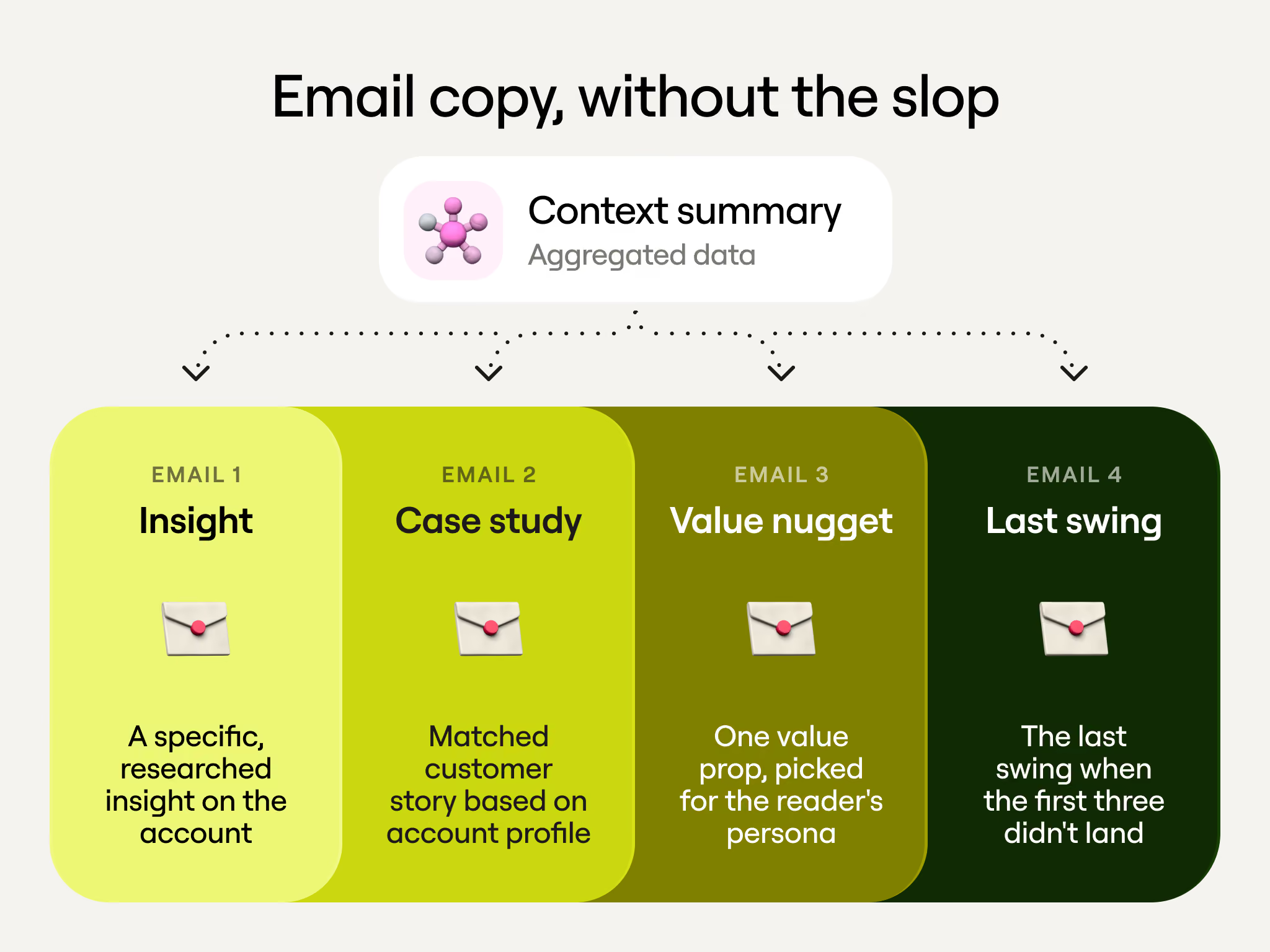
Each of the four emails takes a different angle, and each is written by its own agent:
- Insight. The first email leads with a specific, researched observation about the account, pulled from that context summary.
- Case study. The second shares an existing customer story. The agent’s context is our case study library and how each story maps to companies and personas, so it picks the right one for the account and writes around it.
- Value nugget. The third delivers a single value prop. Working from the persona analysis and the value props we can credibly claim, the agent chooses whichever fits the reader best.
- Desperation step. The final email, a last swing for accounts when the first three angles didn’t move.
Each agent has custom context and instructions to minimize the risk of hallucinations, plus strict rules on what to say and what not to say. There’s no knowledge-base dump anywhere, since too much context confuses an agent, while narrow context makes it hard to write gibberish.
Watch the full Claygent building demo
Check out the livestream to watch Nicole build live, from a blank Claygent Builder screen to a working buying-center research agent in a table. She also covers the smaller features that save credits. Her tips fall into four stages:
Lay the groundwork
A Claygent is only as sharp as what you feed it. Explore these settings before you draft anything:
- Set your AI context first. In settings, add your company description, ideal customer profile and buyer personas so every agent draws on them. Typing in your domain will auto-generate all three, but uploading the actual documents your team already has produces even better output.
- Start from a template. Clay provides four starter templates covering prospecting, account scoring, contact scoring and copywriting. You can also apply a saved template that a teammate has shared with the workspace.
- Let Clay assign the model. Clay picks the cheapest model that can handle the task, and day-to-day GTM work rarely needs a frontier model. If you’d rather bill against an existing contract, you can connect your own API keys.
- Connect to a custom MCP server. This gives the agent another tool when it needs one, like reading from a specific Slack channel.
Write the prompt
The prompt itself can be built in several ways:
- Build in the Claygent Builder. Describe the agent you want in plain language. You can attach files, Google Docs, or Notion docs to add extra context.
- Type @ in your prompt. That links to your saved business context or any other document, like a territory plan from sales leadership.
- Dictate with Wispr Flow. Talk the idea out and let the meta prompter turn it into a structured prompt. Then read the result over and fix anything that’s off.
- Use Sculptor to edit. Sculptor is the chat panel inside the builder. Tell it “only run this on US accounts,” and it rewrites the prompt for you.
Test and iterate
Before an agent touches a full table, make sure it behaves the way you expect.
- Test before you deploy. The test panel runs your agent on a single input and returns the output with its reasoning and a confidence level. Tweak and rerun until you’re happy before burning credits on a full table.
- Use version history. Every change is saved as a version you can inspect and roll back to.
Deploy and keep a watchful eye
Once you trust the agent, put it to work and keep an eye on what it spends.
- Add the agent to a table. The inputs map automatically to your existing columns. You can also hit Use AI inside any table to browse every agent your team has saved.
- Watch agent usage. You can see which tables each agent runs in, set credit limits per agent, and cap how much teammates spend.
Next up for Claygents
We’re in the middle of launching 12 features in 12 weeks, and a lot of them are things the Clay community has been asking about for a long time:
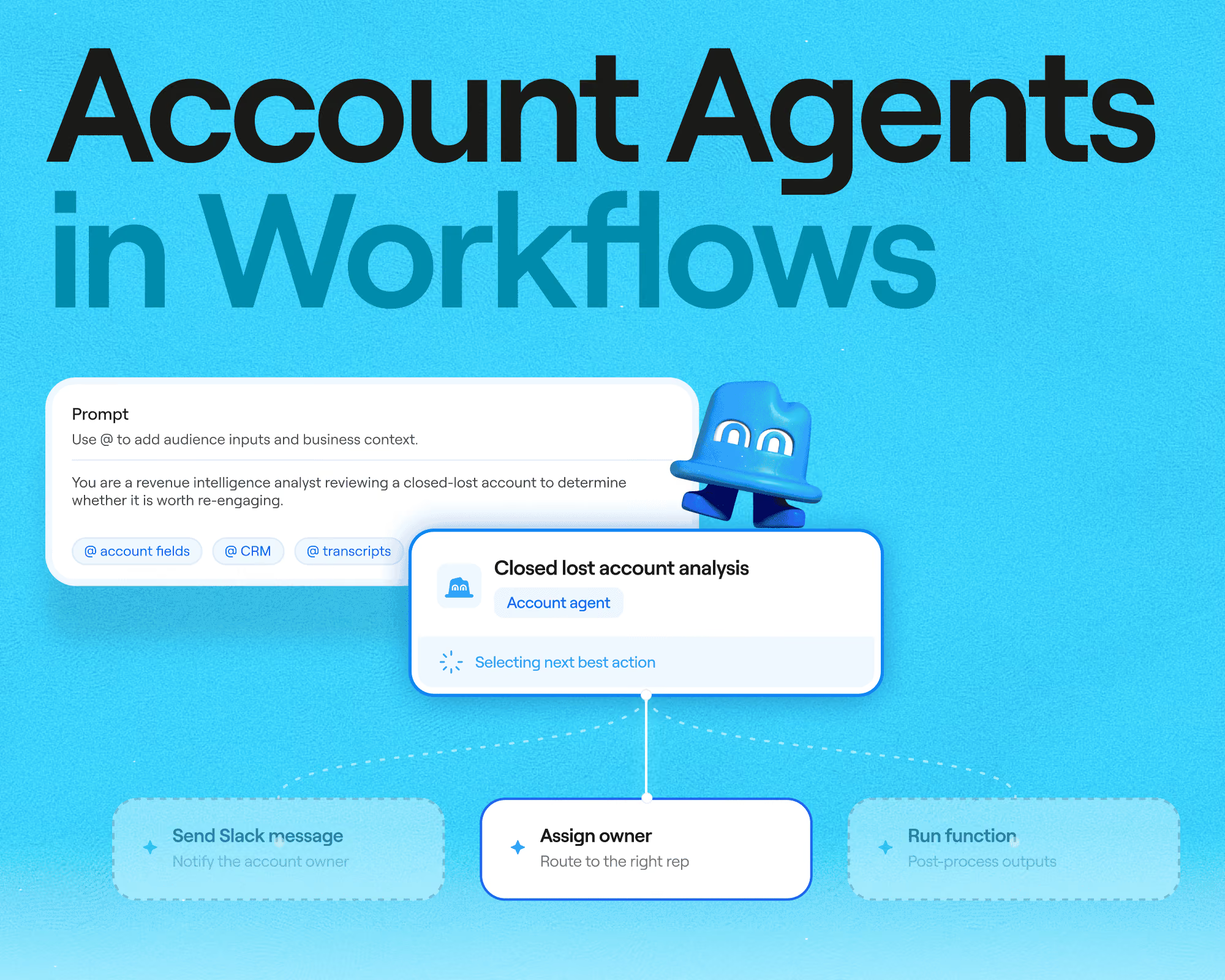
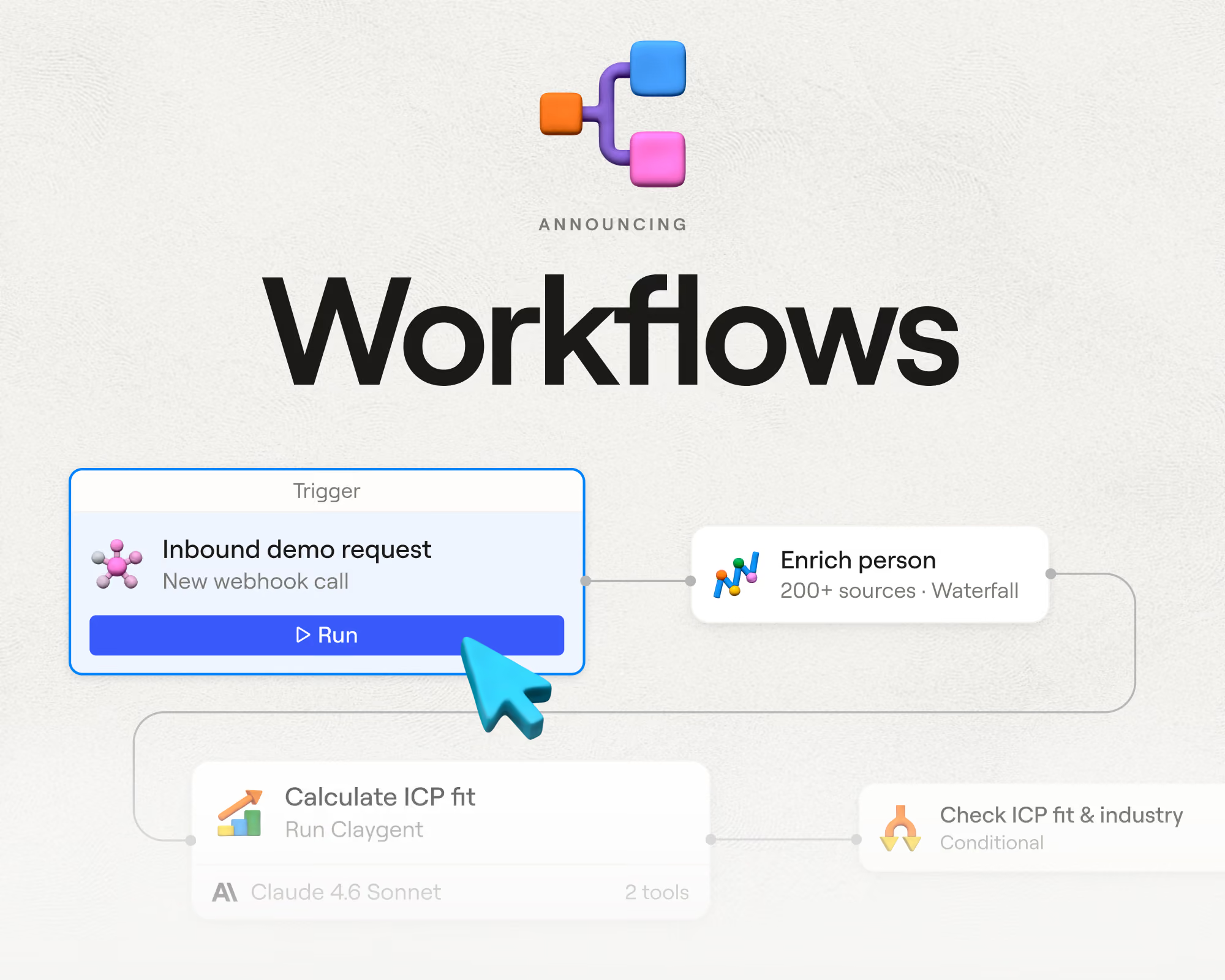
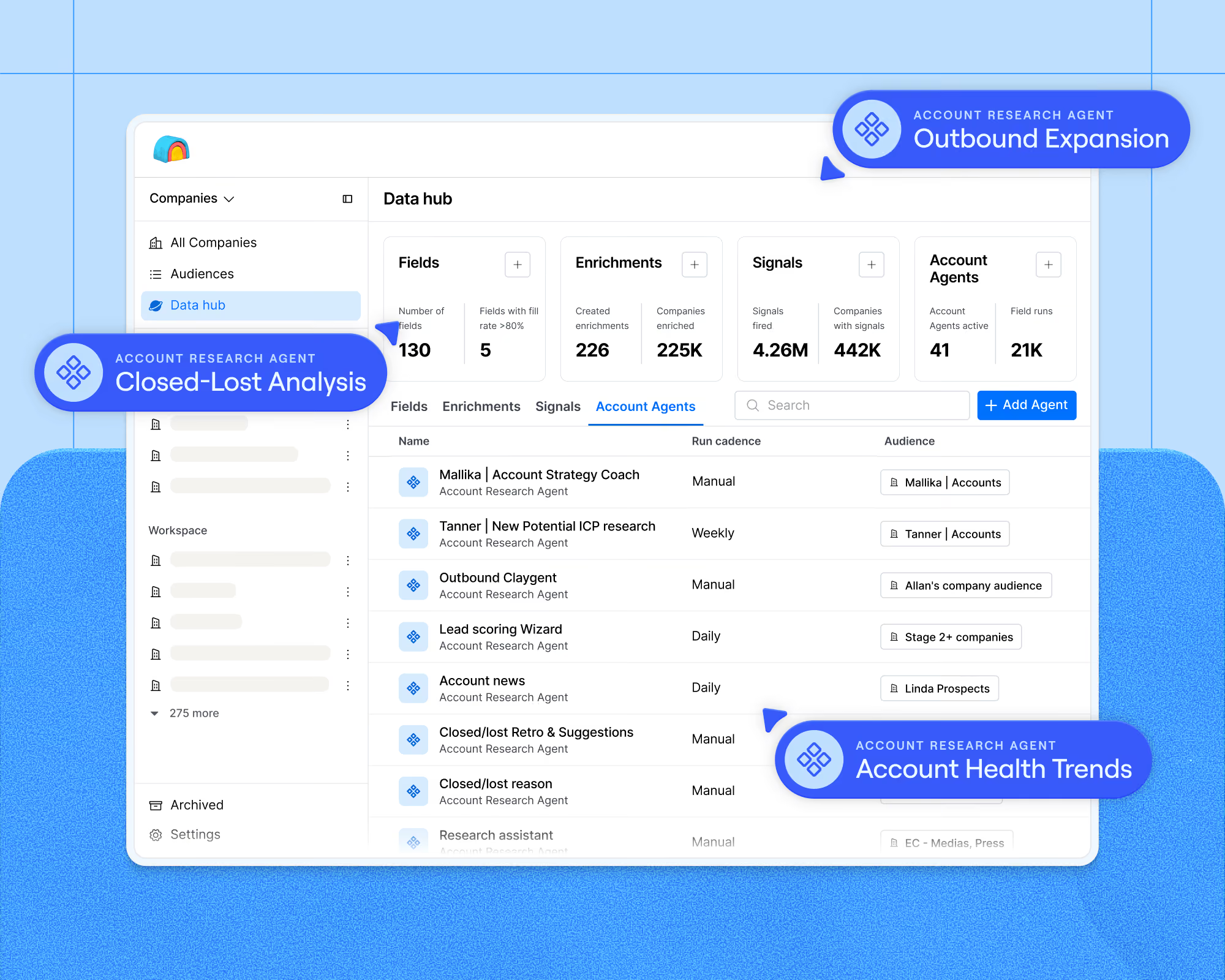
- New. We just launched Account Agents in Workflows, which drop into any play as a node, arrive knowing the account's full history, and decide the next action, like routing an inbound lead or timing a win-back.
- Coming soon. Learning loops will make agents sharper with every run, picking up better targeting and better plays from what’s already working in your workspace.
To catch these as they ship, keep an eye on our livestreams. That’s where new episodes of How Clay Uses Clay drop, alongside launch streams for everything else coming this quarter.
Frequently Asked Questions
Can I use skills from Claude and ChatGPT in Clay?
Yes. A skill is a packaged playbook: reusable instructions that teach an agent to do one task well, loaded only when that task comes up, and both Claude and ChatGPT support them. They’re helpful for repeat tasks, like drafting outbound copy in a set format or building decks to brand guidelines, and you can always call skills within Clay agents.
What’s the difference between Claygent Builder and Sculptor?
Sculptor is Clay’s AI copilot, a chat that works across the whole product to guide workflow setup, recommend enrichments, and answer questions about your data in plain language. Claygent Builder is where agents get made, and Sculptor shows up inside it as the panel that turns your natural language into prompt edits.
How should I think about the cost for agents?
Start by asking whether the task needs AI at all. Deterministic work belongs in a formula, and formulas are free, so most wasted spend is just AI doing formula work. From there, cost comes down to the model running your prompt. Let Clay pick, and it usually lands on a small one at one credit per row, with most prompts settling at five credits or less. Then weigh those credits against the time they replace, like the 30 to 40 minutes an SDR might spend mapping a single buying center by hand.
.png)

.avif)



.png)





.avif)



.avif)













.avif)













.avif)