

































.avif)









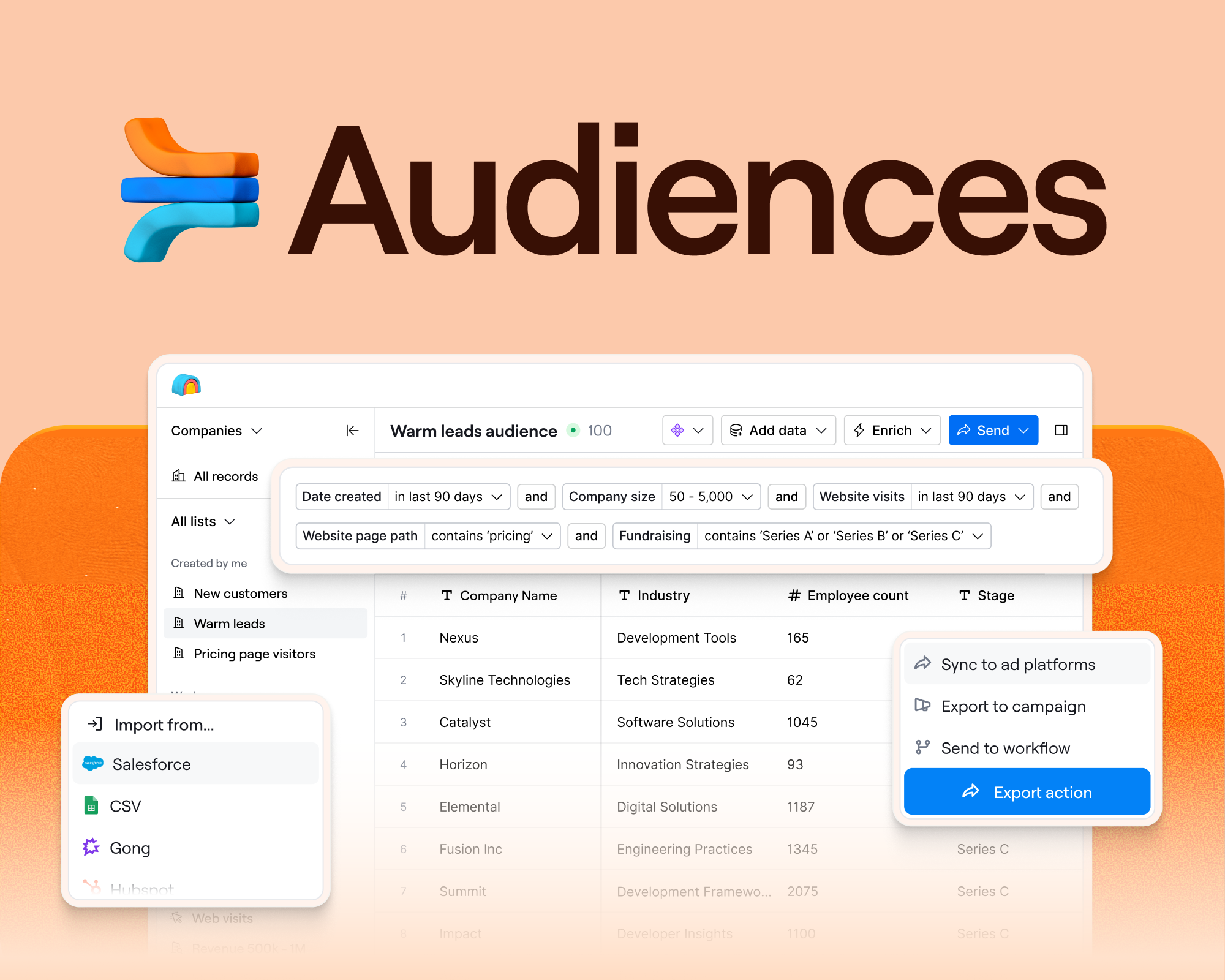
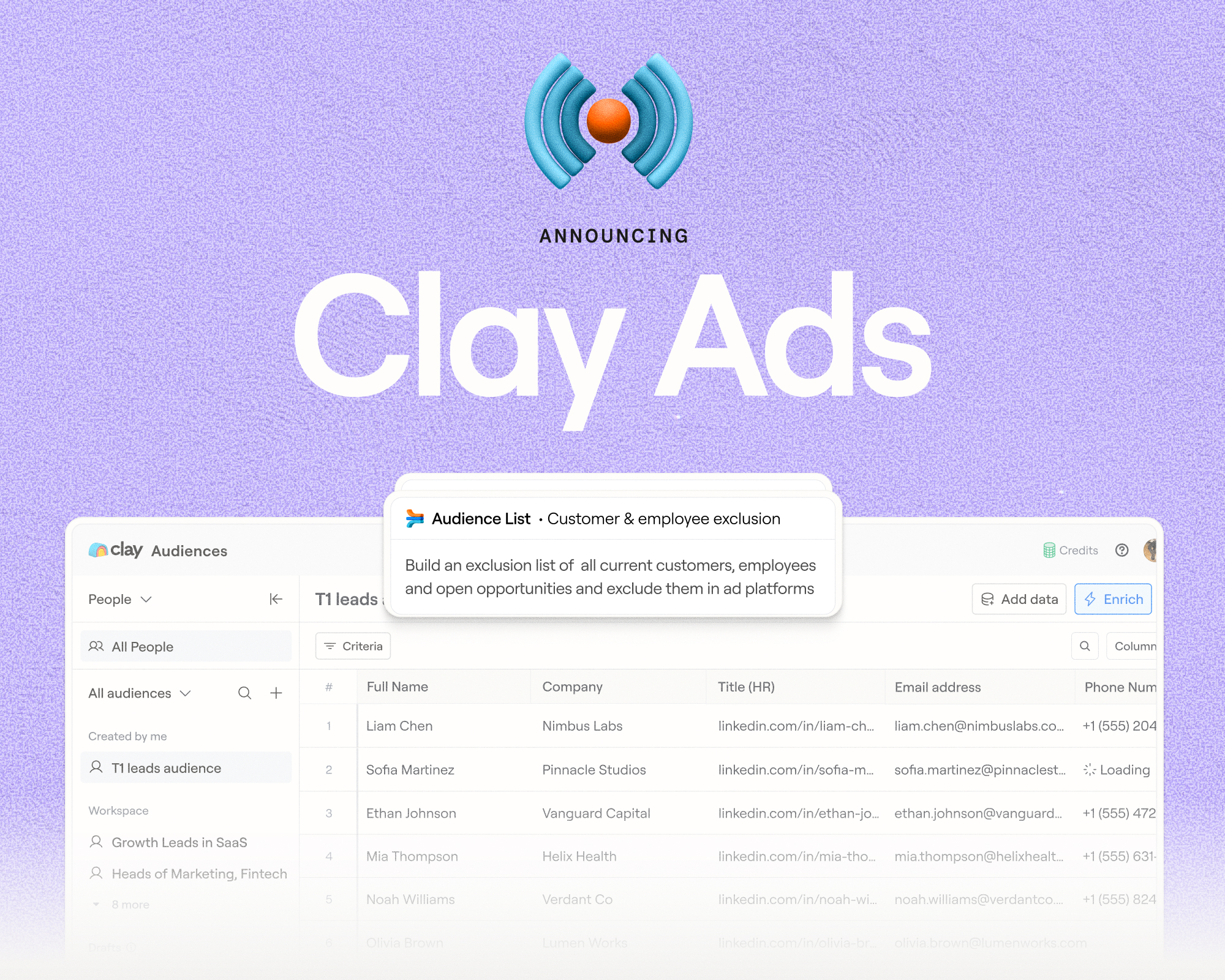
Today we’re launching Audiences. Clay users can now build campaigns at any scale, instead of being limited to working across 50,000 records at a time. Audiences lets you run unlimited people and company searches without row limits, import millions of records from your CRM and data warehouse, and enrich them with first and third party data.
Until now, building a large list of people and companies meant you’d need to split your data across multiple Clay tables just to overcome our 50K table row limit. Managing large workflows could get messy, manual, and harder as lists grew.
With Audiences, we’ve built the infrastructure to fix that; you can now source lists without limits, build re-usable segments, and take action by syncing records back to your CRM, scoring leads, running automated outbound, and more. All enrichments in Audiences are re-usable across your campaigns, so you don’t spend twice on credits.
GTM infrastructure that lets you build any play you can imagine
GTM is noisy. To build a competitive edge you need to use data in creative ways, experiment continuously, and scale what works. The fastest-growing companies find GTM alpha to make GTM their competitive advantage. Customers like Cursor, Rippling, Vanta, and Lovable use Clay as the foundation to combine first and third-party data for growth plays.
Audiences is the data foundation and infrastructure that helps you find your edge, without scale constraints.
- It unifies data to give you complete context on every customer, prospect, and account in your TAM: Pull in first-party records from your CRM and data warehouse, layer in third-party enrichments and intent signals, and build unlimited prospect and customer lists.
- It makes data orchestration easy: Every Audience is dynamic and reusable. They update automatically as data changes, so when a dormant account visits your pricing page or a champion moves to a new company, your data stays fresh. Clean data then syncs back to your CRM or warehouse.
- It lets you take action at the right time across channels. Take action across channels like ads, outbound e-mail, and direct mail, so the same person sees a coordinated, unified message at every touchpoint.
Missing context = mediocre output
GTM Engineers struggle with siloed, disconnected data. Customer history lives in the CRM, product usage in the warehouse, call transcripts in conversation intelligence tools. Disparate systems make it harder to run experiments that use the right context.
An e-mail that personalizes outreach based on one isolated data point, like a job change signal, is less likely to result in a positive response compared to one that personalizes based on the job change and product usage, third-party review information, and tech stack knowledge. Agents amplify this at a rapid pace. Agents that act with missing context can produce AI slop just as fast as agents that act with complete context can generate winning plays.
A GTM data layer unifies context
Audiences unifies data into a single layer. Your CRM, warehouse, and enrichment data are combined in a single system, so you can act on the right data at the right time.
This data foundation is what all of Clay’s future products—from workflows to rep tools—are built on.
Figma’s always-on CRM enrichment
Customers like Figma are already building with Audiences. Figma wanted to turn self-serve accounts into enterprise pipeline, but their Salesforce and Snowflake data weren't connected. Years of contacts had gone stale, and many prospects no longer worked at the companies they were listed under. At Figma's scale, this touched everything: routing, outreach, ad targeting, scoring.
Kyle used Audiences to import Figma's entire Salesforce database, establish cross-system deduplication, and configure always-on enrichment across ICP segments. It writes back to Salesforce with field-level controls, filling blank fields without overwriting existing data. Snowflake product signals now live in the same layer as CRM history and third-party enrichment.
"The data foundation had to come first. We needed a database that's constantly running, cleaning, and updating so that everything we build on top of it actually works." — Kyle Ketchum, Marketing Operations, Figma
Audiences changes the way you build in Clay
Today, Clay customers, partners and our community all build in Tables. Tables are incredibly powerful and flexible, and will remain a critical product surface.
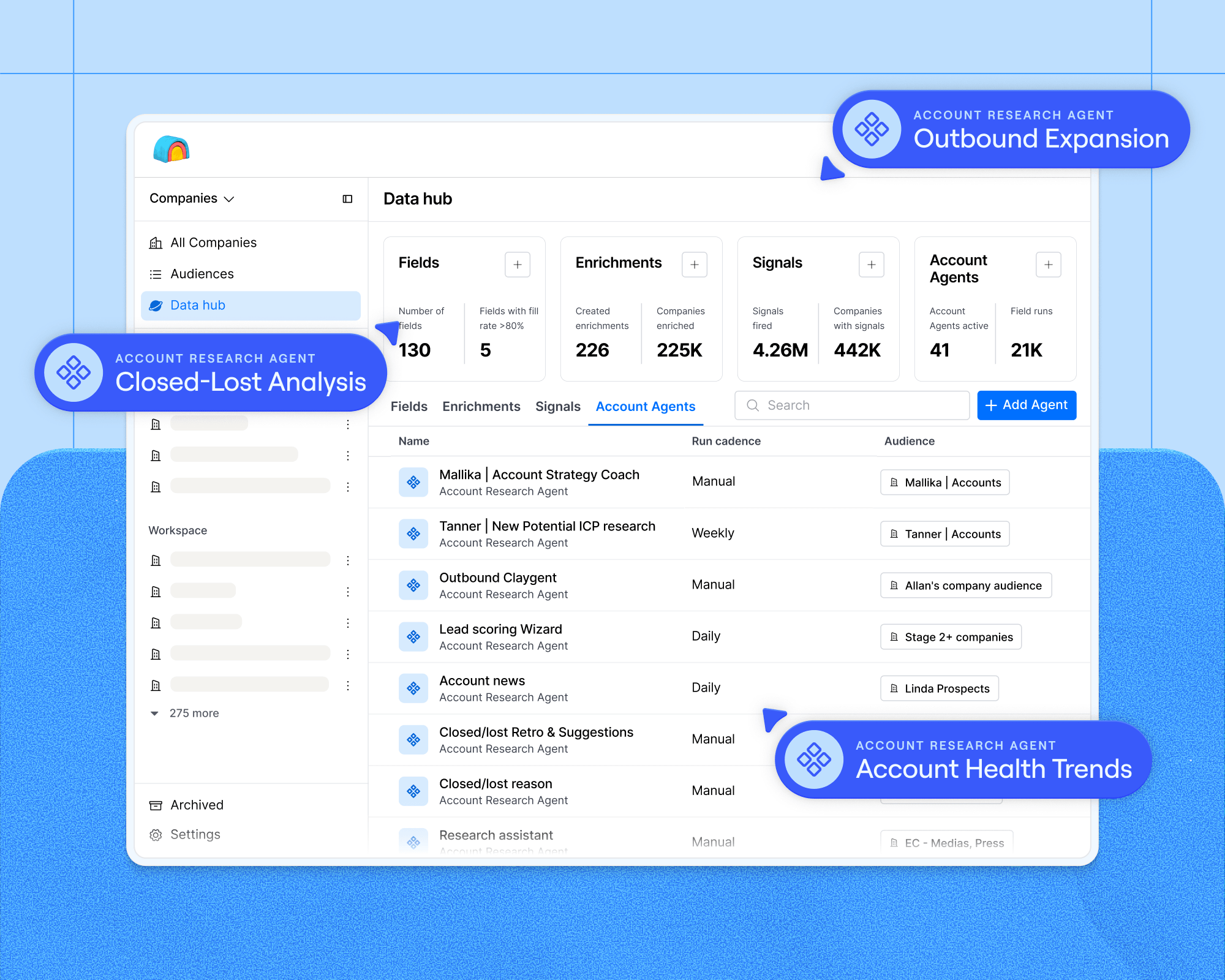
Audiences is Clay’s GTM data layer; a unified system that holds all your GTM context and lets you continuously segment, act on, and sync that data at a scale of millions of records.
Tables are optimal for one-time workflows on smaller datasets, and Audiences for continuous workflows on larger ones. Here are a few examples of use-cases that are a good fit for Audiences:
List building
Define an ICP, source accounts and contacts at scale, and manage your full TAM inside Audiences. Clay automatically searches for new accounts and contacts that match your criteria and enriches them as they are identified.
Customers who previously built 10–12 tables to stay under the 50K limit can now run the same workflow as a single filtered audience. If you’re sourcing third-party data via API key access to external providers, you should still start your workflow in a table.
CRM enrichment
Import your full CRM at any scale, configure field-level write logic (write-if-empty, always-write, never-write), and sync changes back to Salesforce continuously. Audiences stores every enrichment result, so records don’t need to be re-enriched.
A 1M+ record CRM would previously require 20+ tables in Clay. Audiences changes that.
Signal-based plays
Layer job changes, funding rounds, web intent, hiring trends, and product signals into a single account segment. When a record matches your signal criteria, downstream actions trigger automatically: push to sequencer, update the CRM, start an enrichment. New records that enter the CRM and match the segment get routed to the right workflow without any manual work.
The equivalent in Tables requires a separate table per signal, then manual logic to combine and prioritize.
Account scoring
Run a scoring agent or AI classifier across your entire database with one setup. Audiences is always-on: when net-new records enter the CRM without a score, enrichment kicks in automatically and applies the scoring function.
What GTM teams are building with Audiences
With Audiences you can now build targeted lists of prospects and customers that combine first-party data like call transcripts, product usage signals, and deal stage with third party enrichments like tech stack, funding and employee count. All without managing and stitching together multiple data sources and Clay tables.
Here are just a few examples of filtered audiences customers are now creating out of the box:
1. Champion job changers
Your best contacts that move jobs are warm leads at a new ICP company. Build an audience of key CRM contacts at top accounts, rank them by product usage and engagement, monitor the list for job changes, and auto-create enriched records at their new employer in Salesforce.
2. ICP accounts missing from your CRM
Your TAM is bigger than what's in your CRM. Combine ICP criteria with third-party company data to surface accounts that fit your profile but have never been touched, filtered against what's already in your CRM.
3. Target accounts for multi-threading
Your reps may be working accounts that are missing relevant personas that influence their deals. Build an audience of accounts with low contact coverage, find the missing contacts, enrich them with relevant signals, and sync them to Salesforce for reps to multi-thread with.
Try Audiences for free
Audiences is available for free on Clay’s modern Launch, Growth, and Enterprise plans. All plans support unlimited list building, and enterprise plans refresh new data from your CRM every 15 minutes. New Clay users can access Audiences on the free trial. If you're on a Legacy pricing plan, reach out to your Growth Strategist to discuss access.
To learn more, check out our Audiences course on Clay University.



.png)


.avif)













.avif)













.avif)