
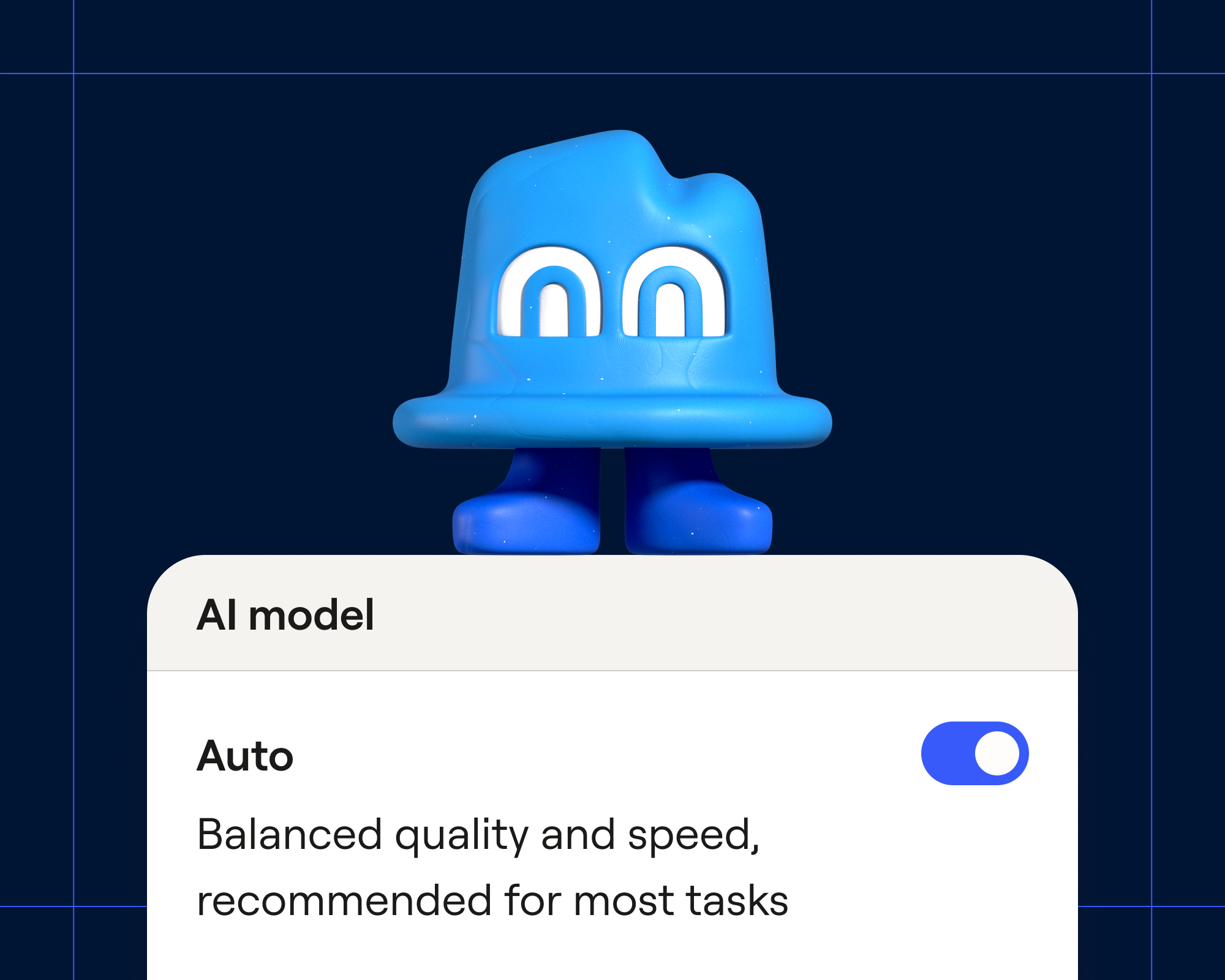
Claygent picks the right model for every task with auto-mode
Clay now has auto-mode as a new default setting for Claygent. Auto-mode picks the best model for each task while optimizing for cost. We post-trained the auto-mode model router in collaboration with Applied Compute. On production traffic, auto-mode cost 47% less than routing every task to the most capable model, while maintaining frontier quality.
Picking a model used to be a guess
With Claygent, Clay’s AI research agent, you can write a prompt in plain language, and it will search the web to answer it within your table. Until now, you picked one model when you set it up, and every row ran on that model.
That single choice had to cover every row, and rows vary more than you’d expect. For example, checking whether a well-known public company is B2B usually takes one search. But for a small startup with a bare-bones website, the same question can take several searches and more careful reading.
That meant you either paid for a frontier model on the easy rows or sent too weak a model to the hard ones. Picking the strongest model to be safe meant paying for it on every row.
How auto-mode works
Auto-mode helps route the right model to each task. Simple lookups go to fast, efficient models while complex research goes to the most capable ones. Each routing decision takes less than a second, so it doesn't slow your runs down.
Auto-mode works without any additional setup. It's the default for new Claygent columns in tables, or nodes in workflows. It's also selected by default when you test and iterate in Claygent Builder.
You can switch any column or node to a specific model at any time. Existing Claygents keep the model they use today, as well as any duplicates of them.
What you'll notice: lower costs overall
There is no extra charge for auto-mode itself; you just pay for the model that runs each task. Auto-mode aims to match the quality of the most capable model while using as few credits as possible. Simple rows run on lighter models and cost less, while harder rows use more capable models and cost more.
To estimate the cost of a large table, make sure to test and run auto-mode on a small sample of 5-10 rows first.
How we balance quality and cost
We worked in collaboration with Applied Compute to run every candidate model on a set of synthetic representative Claygent tasks. A judge model scored each answer, and those scores taught the router how well each model handles each kind of task. For every task, the router weighs predicted quality against cost.
Auto-mode also enforces a quality floor for every task category. That stops it from saving credits overall by doing worse on one type of research, like contact lookups.
In offline testing, the router we post-trained (AC-001) beat simpler routing methods on cost without giving up answer quality.
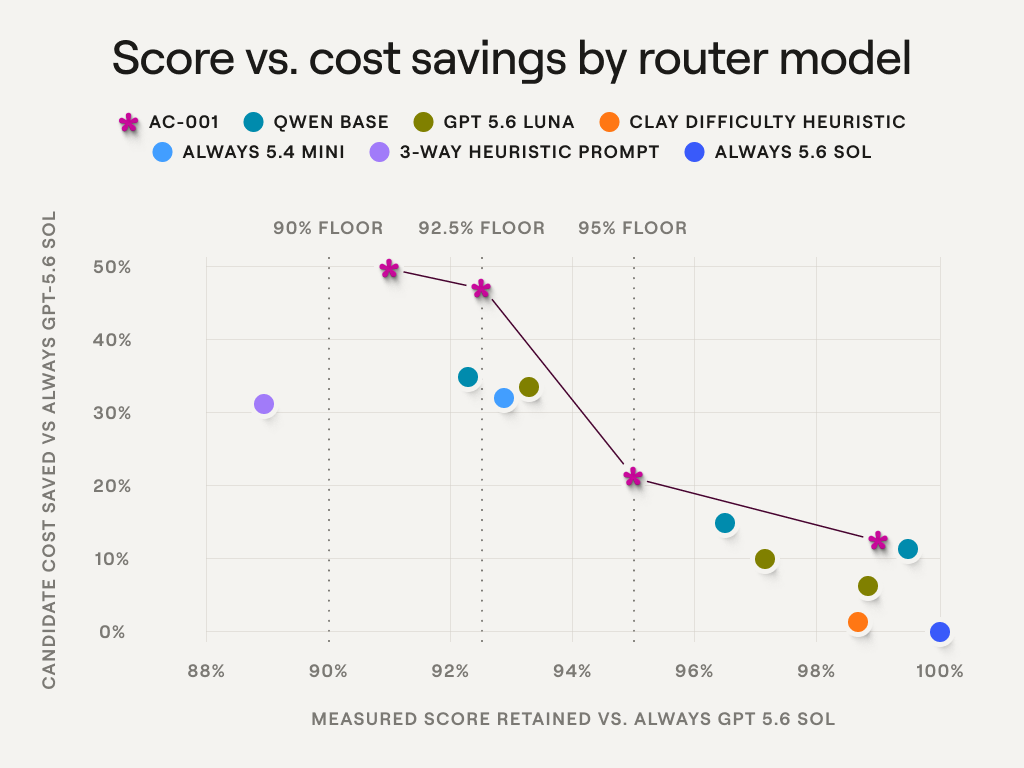
Caption: "Each line shows how much a routing approach saves at a given level of quality. The auto-mode router is shown in orange.”
In collaboration with Applied Compute
We post-trained an open-weight model in collaboration with Applied Compute to act as the auto-mode router and runs it on their platform, AC2. The router handles large bursts of Claygent traffic, at hundreds of millions of queries a month, and still makes each decision in under a second.
Read here for the full technical details, including how the router was trained and served.
Try auto-mode
Create a new Claygent column or Workflow node, and auto-mode is already selected. Try it now.


.avif)


.avif)