













.avif)










When xAI launched Grok Bot, I started experimenting with it on my own and to build go-to-market plays for the growth team at Clay. It runs on its own computer in the cloud and keeps working after you’ve closed your laptop. Instead of just one general assistant, you get an entire roster of bots, each with a single job to own.
Grok Bot added voice shortly after launch, so I talk to it aloud while I’m out walking my dog. With Clay’s agent plugin installed, Grok Bot has the Clay CLI, so it builds my workflows in Clay based on what I’m saying. When I’m back at my desk, I can just open the workflow to fine-tune it and check that everything is running right. For example, as a quick test of its capabilities, I set up a bot with one instruction: “Use Clay CLI to build and update GTM workflows and make MONEY.” Before I followed up with anything else, it named itself “Clayton” and assembled an outbound prospecting workflow.
I wanted to hear how others are using Grok Bot and Clay together, so I reached out to Eric Nowoslawski. Eric was around employee number 11 at Clay, where he helped build early versions of the product and brought GTM agencies onto the platform. When his own B2B outbound agency, Growth Engine X, took off, he left Clay to run it full time. His team now sends anywhere from eight to nine million emails a month for customers and gets around 300 to 450 positive responses a day.
Eric uses Grok Bot and Clay to plan and build outbound campaigns from a chat. Plus, he’s used the combination to run a daily self-learning loop on campaign results and to build lead magnets for prospects he calls “GTM hubs.” He walked me through it all.
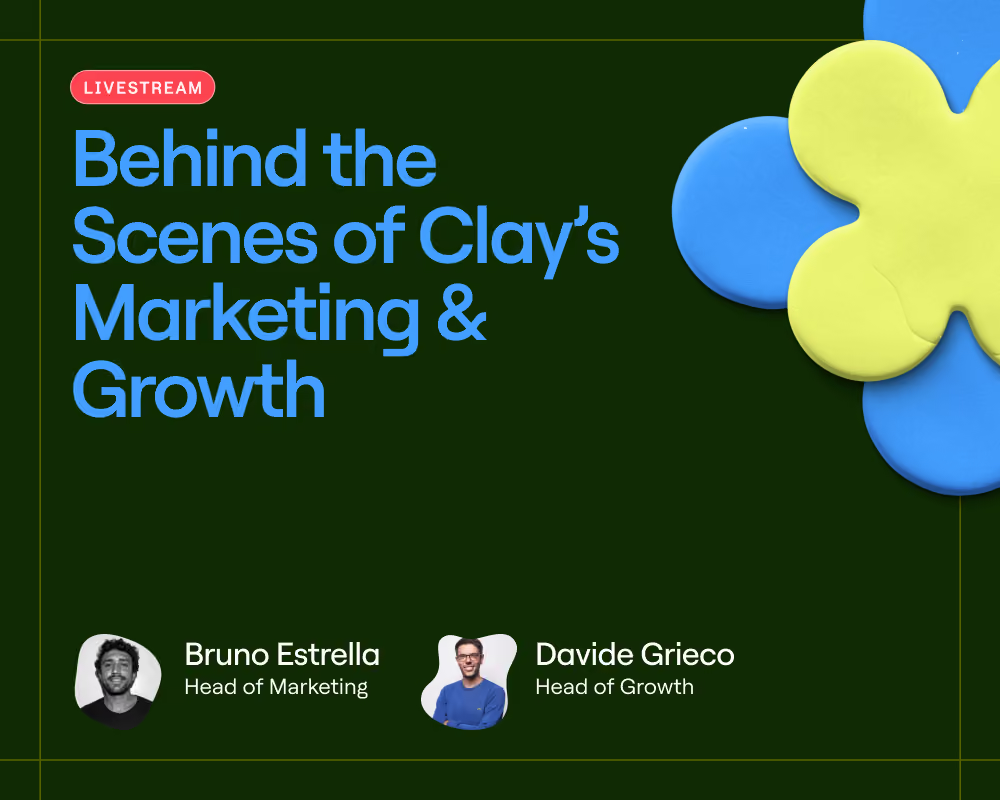
Watch the first episode of a new livestream series featuring technical builders outside of Clay: Tactical Playbooks. Agencies and operators join us live to show the workflows they’ve built with the Clay CLI (and whatever model they prefer). If you’ve built something worth showing with the community, pitch us.
Why Grok Bot?
Eric uses Grok Bot as the always-on layer that plans the work and talks to the Clay CLI. As a result, his campaigns get built and checked even when he’s not at his computer. He pays for the max plan at every major lab and experiments with every agent on the market. But four things sold him on Grok Bot and pushed some of the other options on the market to the back burner:
- Always on. Grok Bot has its own virtual machine that never turns off, so you can switch from phone to laptop while it keeps running. Eric’s dedicated Clay bot can build and fix workflows from his phone, in the cloud.
- It remembers everything. It works across chats and remembers every campaign you’ve launched. Although every major model is getting better at memory, Eric can come back days later and ask Grok Bot what happened with a campaign it built.
- Speak to it through voice. Talking through a build (instead of typing) has been super useful.
One bot per job. One bot per client.
Grok Bot gives Eric individual bots, each dedicated to one part of his business or one specific customer. He recommends the same for running your own GTM motions: whatever metric you check every day should be owned by an individual bot. Here are just a few of his:
- Per campaign: copywriting bot. Eric has a copywriting bot for each individual campaign, which must write within the defined template his team writes by hand.
- On request: list building bot. This one pulls a specific list together when someone on the team needs one.
- Daily: deliverability bot. Eric’s team sends from many domains. If a domain sends a lot of emails and gets few replies, it’s likely landing in spam. Every day the bot checks each domain’s replies against its sends and drops the worst 30%.
- Scheduled: client bots. For customers at risk of churning, a bot checks every day at noon and at 6 p.m. whether the copy or the inboxes should change. It also assesses whether the list still looks good.
Clay is the infrastructure. Grok Bot is the operator.
For Eric, Clay is the place in the cloud where the workflow actually happens, where you have the raw materials. Grok Bot is the operator that knows how it all works and how to build from it.
He now does much of his planning in Grok Bot by describing the list he needs and how to clean it. Grok Bot goes into Clay and builds the workflow. From then on, he can push any audience through it (without clicking into the Clay interface to create the nodes himself).
Best practices for building with the Clay CLI and Grok Bot
Like most agents, Grok Bot gets better with reps. To go from good to great, do the work to teach it your style and preferences for building plays in Clay:
- Build new things as Workflows. These are more readable than tables, and the CLI can convert a table to a workflow for you. Internally at Clay, every new build is a workflow.
- Have it review your existing tables. If you’re new to workflows, tell Grok Bot to review every Clay table you previously built and write a preference guide. That includes which data provider for which job, and how you build your email waterfall.
- Recycle the logic you already trust. If your operations team has built functions for individual tasks like scoring or routing to sales reps, just reuse them. Ask Grok Bot to mimic those instead of rewriting them from scratch. At Clay, I told my agent to use our ops team’s functions whenever it needs to assign a score or add a new record.
- Use AI to write the prompt, then review the initial outputs. Eric no longer writes prompts manually; he has the model draft the prompt instead, optimized for cached inputs. He then marks the first 50 companies (or messages) as “good” or “bad,” explaining why by voice. Once those 50 look right, the prompt runs on the full list.
- Correct actions as you go. The CLI defaulted to using the Claygent node more often than Eric wanted for jobs like ICP classification. He fixed this by telling it to use a regular OpenAI 4o mini node or a Jev node instead.
Use case 1: Two campaigns, from Grok Bot chat to SmartLead
AI labs increasingly license or purchase operational data from businesses. Polyshares is a data lab that arranges those deals. Eric’s team is an affiliate and runs two campaigns for them: one to find referral partners, and another that goes directly to whatever category of company Polyshares has identified as desirable for that time period.
- Campaign 1: Bankruptcy lawyers (referral partners). Companies going through bankruptcy can be open to licensing their data, so the lawyers who handle those cases make natural referrers. The pitch is a referral fee. The list is US bankruptcy and restructuring law firms, targeting lawyers and partners. The subject line is “do you know anyone,” and the copy has no custom variables, so the workflow is simple: “Hey first name, do you know anyone with over 30 employees filing for bankruptcy recently? Not sure if you know this, but the AI labs…”
- Campaign 2: Construction companies (direct). This was the category Polyshares wanted that week: US construction companies. Messages go straight to CEOs and the rest of the C-suite, but not HR. The subject line is “quick checklist,” and the body is Eric’s best-performing template, personalized with two variables: “My accounts payable team wanted me to reach out because you fit the little checklist they gave me. LinkedIn says you have {{number of employees}} employees. You do construction work. You’ve been in business since {{founded year}}.”
To set this up, Eric created a Grok Bot for the project and trained it on his existing Clay CLI workflows. In the chat, he gave it the target audiences and the email copy for each campaign, along with this specific set of guardrails:
- Build with the Clay CLI and Clay Workflows so the pipeline is visible on screen.
- Qualify companies and contacts with Jev, a fast, decision-only model from TypeSafe AI, and run it inside Clay rather than through Claygent, so every decision can be shown on a screen share.
- Only send to emails that pass validation in MillionVerifier or LeadMagic.
- Keep leads unique across the Polyshares account in SmartLead, so nobody gets emailed twice.
- Keep the campaigns in draft until he explicitly says go live.
- No Apollo, and no posting in the client’s Slack.
- Use Clay action credits for the workflow steps, but do the heavy data enrichment from his team’s own list builder, so the demo does not depend on Clay data credits.
- Send from SmartLead every 10 minutes, Monday to Friday, 9 a.m. to 5 p.m. ET.
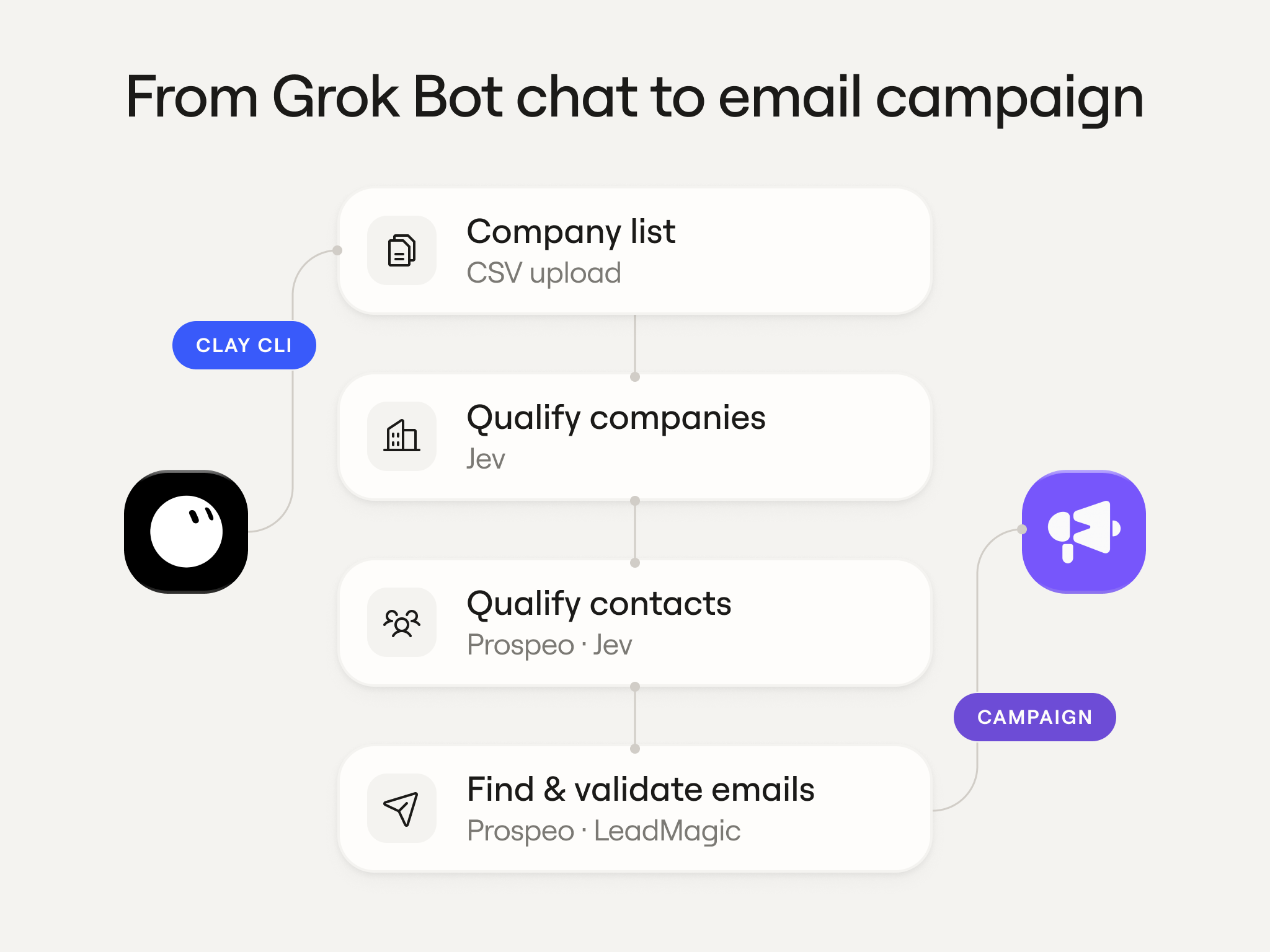
The bot pulled 400 firms for each campaign from Eric’s internal database and built this workflow on its own:
- CSV upload of the company list.
- A Jev call through Clay’s HTTP node to check each company against the ICP, then an if/then gate.
- Prospeo to find contacts, then Jev again to confirm each one fits.
- Prospeo to find the work email, then LeadMagic to validate it.
- Drop into SmartLead with the custom variables filled.
In SmartLead, Eric can spot-check the output and see that the companies and custom variables have landed correctly.
Use case 2: The GTM Hub, a prospecting package built for a single target company
Eric’s advice for anyone running outbound is to give prospects something useful before asking them for a meeting. He calls that a GTM Hub. It’s a prospecting package built in Clay for one specific target company and sent to them in a cold email.
For example, if the target is a software company with a sales team, the GTM Hub Eric sends them contains the following:
- A list of the companies and contacts their sales team would want to reach out to, with mobile numbers included.
- Every new hire in the last 90 days at those companies, pulled from the free database Eric’s team keeps on their website.
- Everyone who recently started a new role at those companies.
- Open jobs at those companies.
- Warm introductions. Clay pulls the work history of everyone on the target’s sales team and matches it against the contacts. For example, the hub can show that one of their reps and a decision-maker on the list both went to the same university.
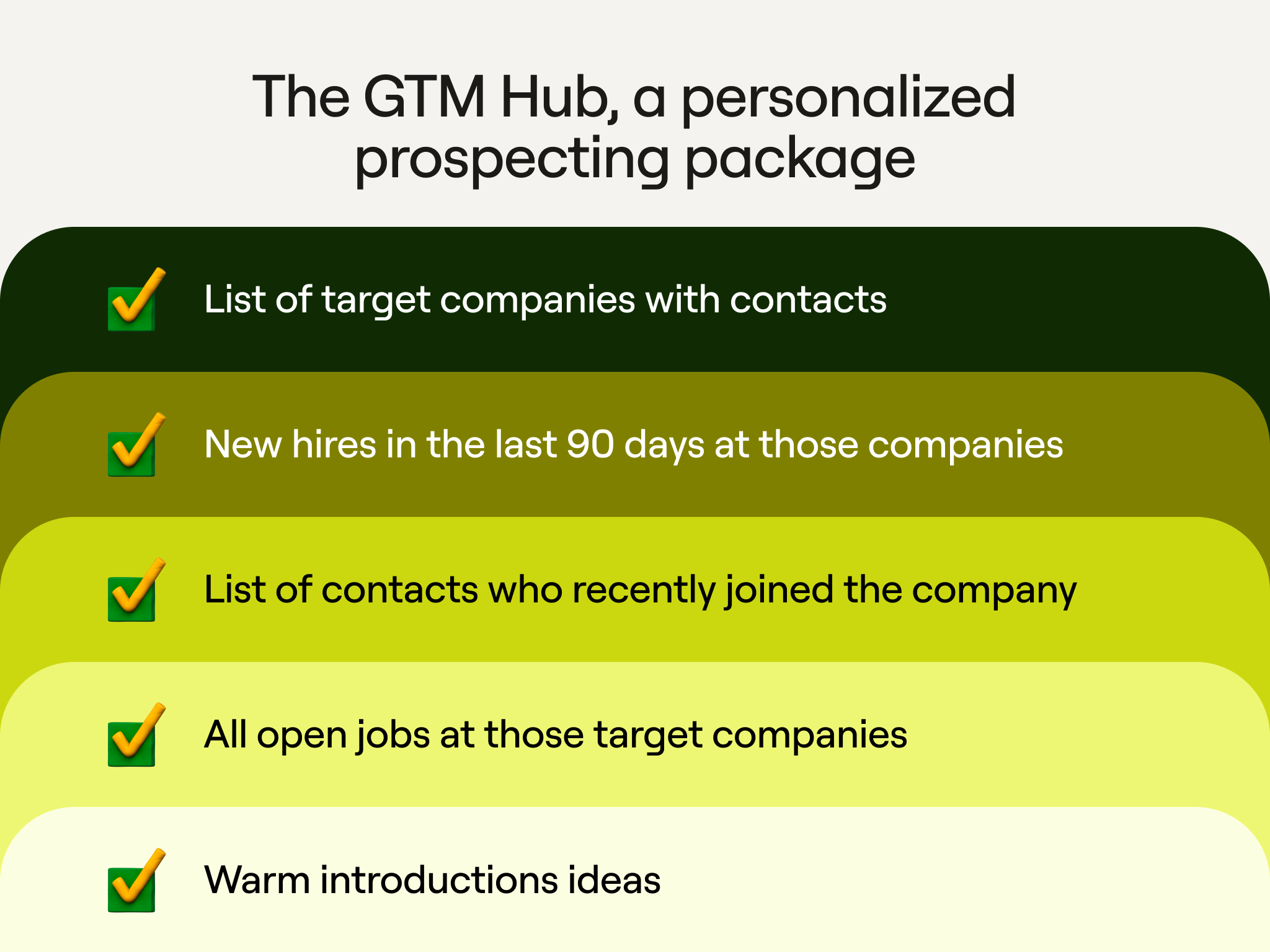
The prospect gets a ready-made outbound list for their own business, and Eric gets a much warmer conversation than a cold ask for a meeting. Eric had wanted to build this for years. Finally, the models got good enough, the Clay CLI made it possible to build the hubs programmatically, and Jev made it cheap to check that every company in the hub is a strong fit.
Use case 3: A learning loop that tests and improves campaigns
Every day, a Grok Bot routine reviews all of Eric’s live campaigns. It compares each one to its positive response target, and then recommends changes. It runs on Grok Bot’s own computer through the Grok Build CLI, a separate xAI coding tool that comes with more usage than Grok Bot. The daily instruction is roughly:
“Here is all the messaging we are allowed to use for each customer, and all the list filtering we are allowed to do. Run through their campaigns, and for any campaign that is not hitting its positive response target, suggest improvements.”
It comes back with specific suggestions, such as tightening the list for one campaign or replacing copy that isn’t resonating in another. The loop also runs tests.
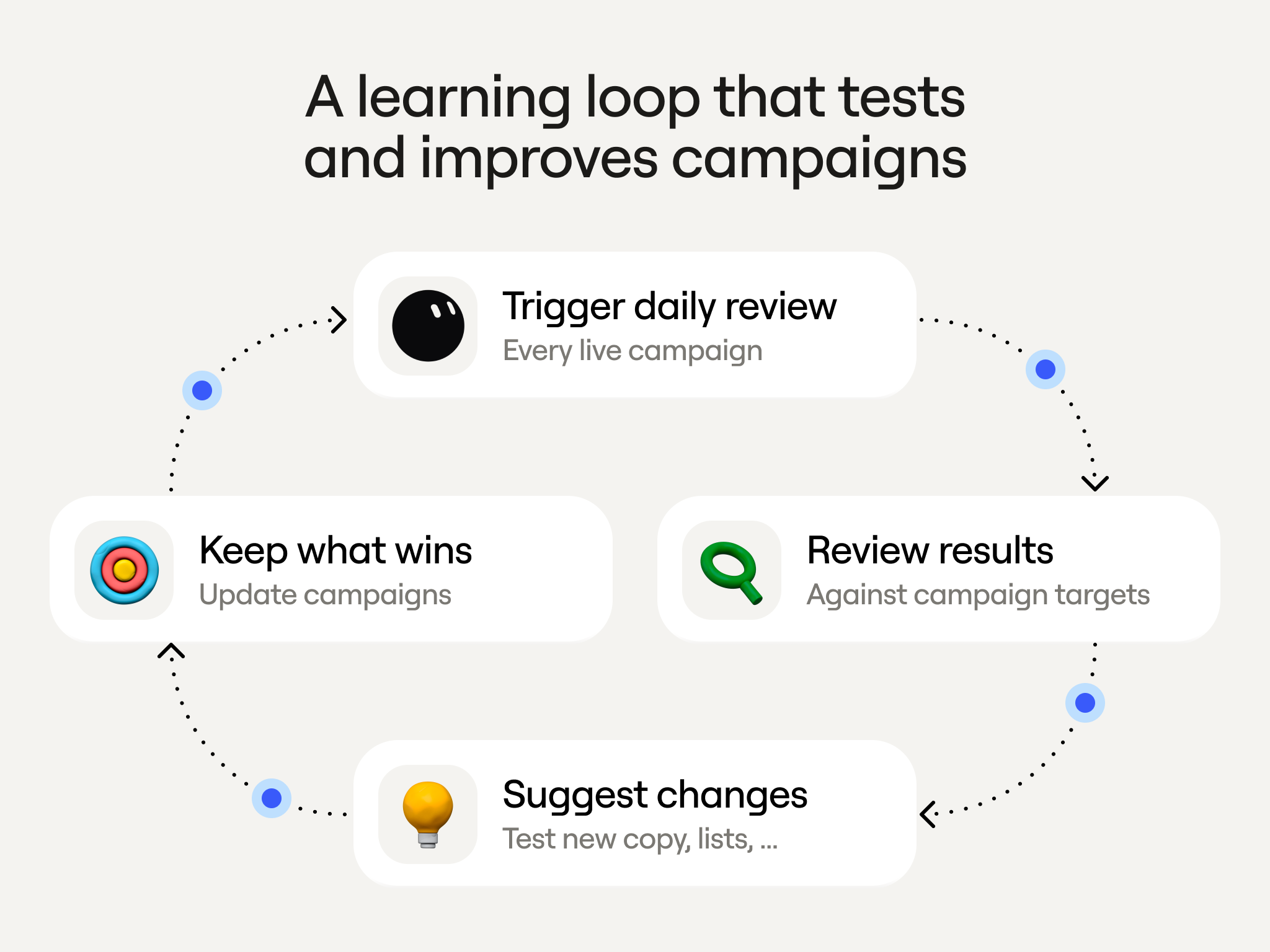
For a PR company that Eric works with, the email named an industry publication the prospect would want to be featured in, generated for each prospect from their industry and company description. Generating that name added cost, so the loop tested it against a version that simply named the Wall Street Journal and TechCrunch. The industry-publication version got 40% more responses, and the loop caught it because it checks results daily. With one client they ran this loop with, ClickUp, their campaigns went from 10 positive responses a day to about 40.
How to set up a learning loop
A loop like this only works if the bot knows exactly what it’s allowed to change and (what it’s not). Eric follows these rules when he sets up one of these learning loops in Grok Bot:
- Contain it. Define the ICP; this prevents it from deciding one day to email marketing agencies when your ICP is actually colleges.
- Define the goal. Some of Eric’s clients pay for meetings, not replies. If he doesn’t share this upfront, the bot’s first idea is usually to stop asking for a meeting, because a softer email gets more replies.
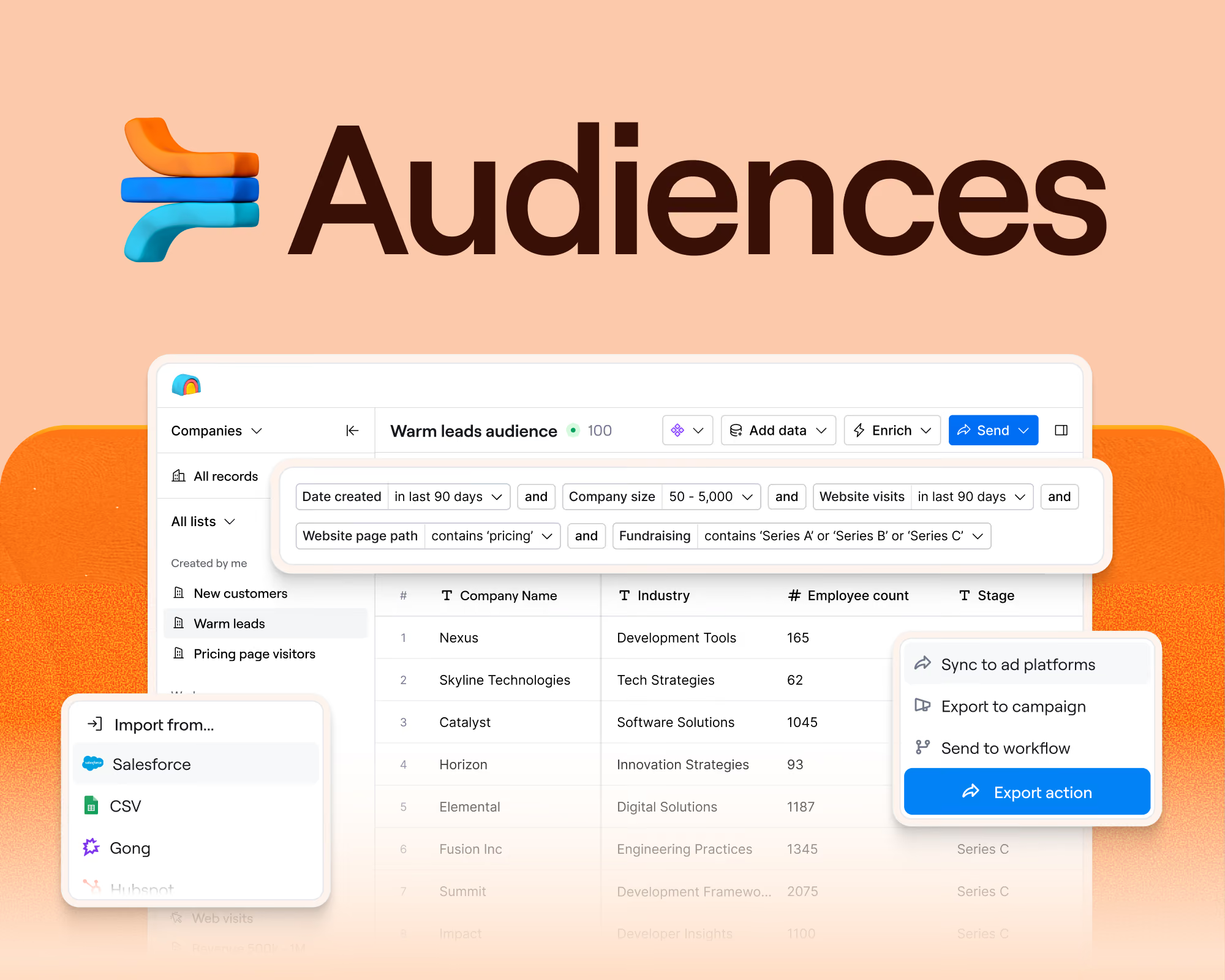
- Do all the data upfront. Use your own database or a Clay Audience enriched with everything you might want: Meta ad library, website tech, whether the person is new in the role, plus anything else you can think of. Otherwise, the bot makes a game-time decision, which can mean pulling the wrong data or overspending.
- Keep the template human. AI still doesn’t write pattern-interrupting copy; it defaults to the predictable. Eric’s team writes each email framework by hand and marks one spot where the model can test a different value proposition or pain-based question.
Get started: install the Clay plugin and try Eric’s skills
Whether you use Grok Bot, Claude, Codex, or Cursor, ask your agent to set up the Clay plugin by following the steps at github.com/clay-run/agent-plugins. It handles the installation and the authentication. For questions, the Clay agent plugin docs can help.
Eric has also published skills his team uses in the Clay Skills Marketplace, and any model can use them to help build your workflows. Install and run options like Funding Signal Line and Specificity Rewrite in your Clay account.
.avif)


.png)






.avif)


.avif)













.avif)













.avif)