Clay and ZoomInfo are two go-to-market platforms that help you get data that you can act on. That includes corporate email addresses, mobile phone numbers, firmographics like employee count, or signals like job changes. But the platforms’ similarities are mostly surface-level.
ZoomInfo is mostly a data company. It collects and verifies its own database of contacts and companies, then sells access through apps for sales, marketing, and recruiting. This model made ZoomInfo the default choice for more than a decade, when contact data was scarce. But it isn’t scarce anymore. An aggregated database is now easy to get, especially with AI. A single database can’t cover everything, so ZoomInfo now offers waterfall enrichment that pulls from 25+ external vendors. Their roadmap has unfolded slowly: these multi-vendor waterfalls and an AI-powered canvas only arrived with GTM Studio, which still remains in early access, years after those ideas became the standard.
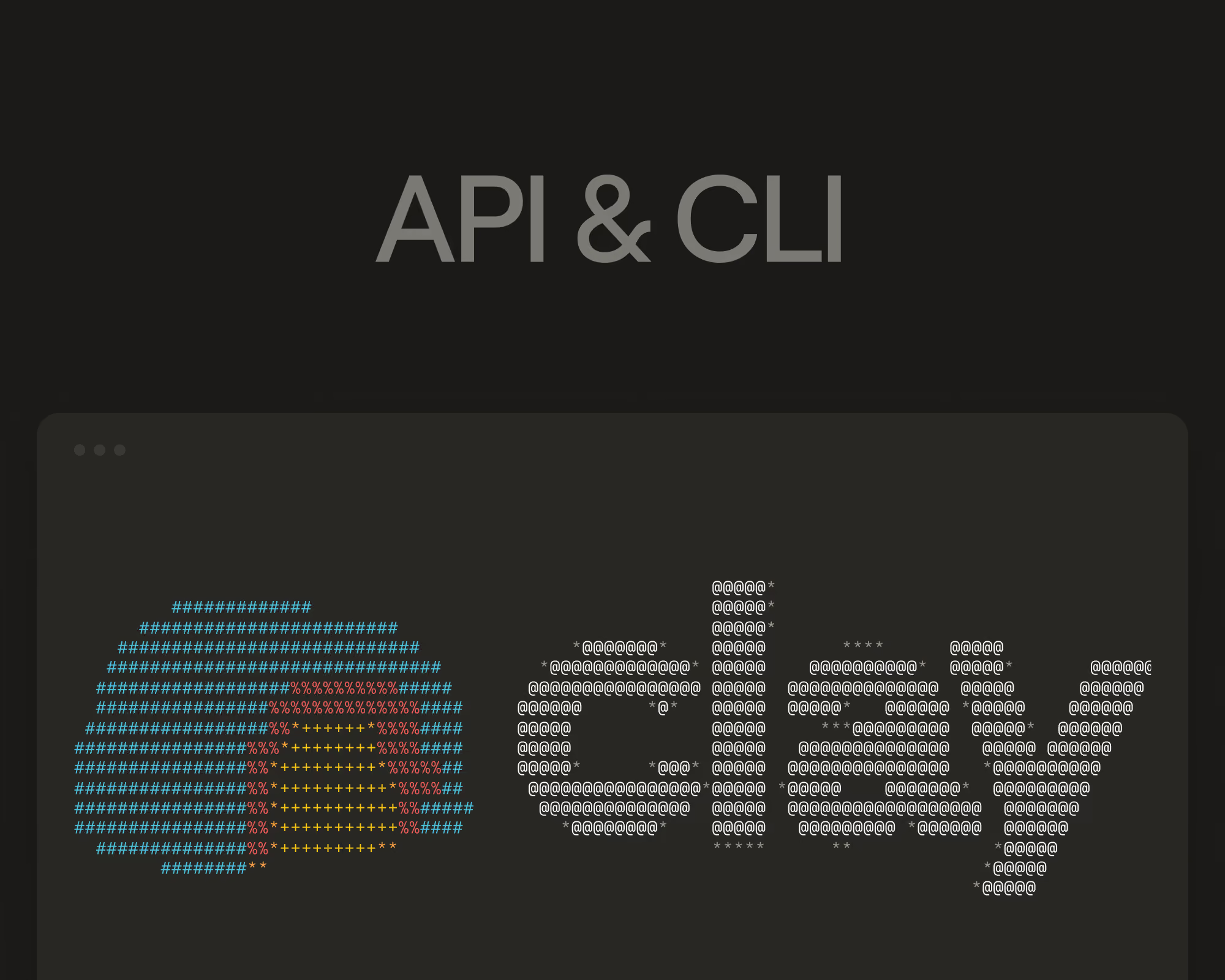
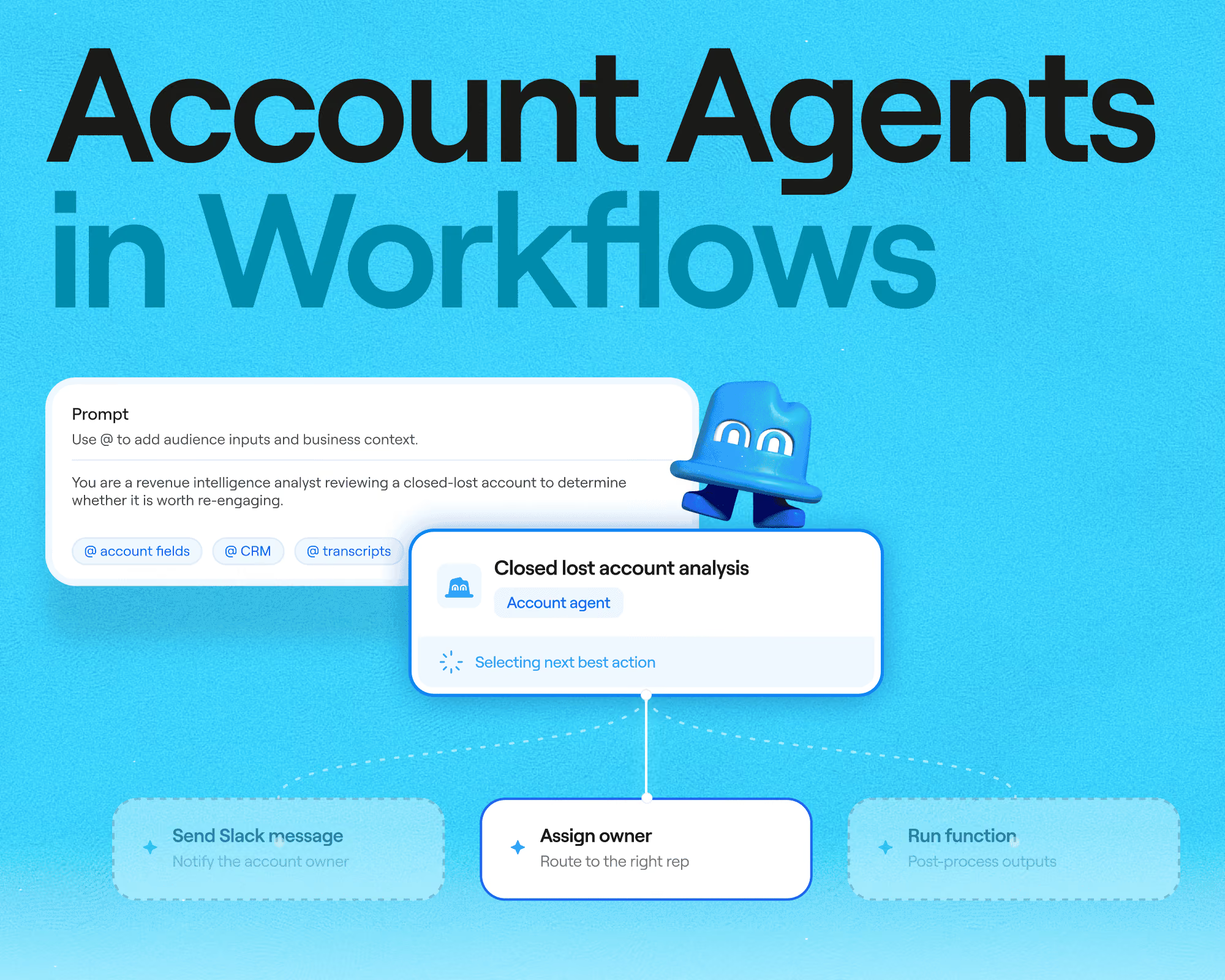
Clay has taken a different approach: it hasn’t built a proprietary contact database at all. Instead, it’s an infrastructure platform that connects you to 200+ data and AI vendors. With waterfall enrichment, your team can run them in sequence until a record comes back complete. But complete records are just your starting point in Clay. The platform also gives you agents and Workflows to act on those records, automating much of the busywork that comes with go-to-market plays. Clay ships products quickly and has a public changelog dating back to 2024. Their recent releases include Workflows, Sculptor, Account Agents, and the agent plugin’s CLI and API.
Read our guide on Clay vs ZoomInfo for a walkthrough of the two platforms, how they differ, and which is the better fit for your specific GTM team.
Key takeaways: Clay vs ZoomInfo
- Clay is infrastructure for building systems that grow your business revenue. Customers get access to 200+ providers with one contract, can run waterfall enrichment across them, and build agentic workflows on the results. ZoomInfo sells access to its own database of 420M+ contacts, wrapped in apps for sales, marketing, and operations.
- Clay keeps querying providers until you get a valid match, which routinely triples customers’ coverage. ZoomInfo’s coverage on any record is what its database holds, supplemented recently by a 25+ vendor waterfall in GTM Studio.
- Clay’s pricing is public and usage-based, with unlimited seats and a free plan. ZoomInfo doesn’t publish prices publicly, so you’ll need to reach out for details; quotes are built from licenses, feature tiers, and credit allocations, typically on annual contracts.
- ZoomInfo’s standout asset beyond the database is its intent network, while Clay’s is flexibility: custom signals, AI research agents, and workflows shaped to your exact motion. The two can also work together, with ZoomInfo available as a source inside Clay.
What is Clay?
Clay is infrastructure you use to build revenue systems for your business: get any data, run agentic workflows, and launch GTM plays. With the platform, you assemble your own data engine instead of just subscribing to someone else’s dataset. The company’s data marketplace puts 200+ data and AI vendors behind a single contract. For information no vendor sells out of the box, Claygent lets you send AI research agents to the Internet and get answers back, like a prospect’s tech stack or a hiring trend you’re watching for.
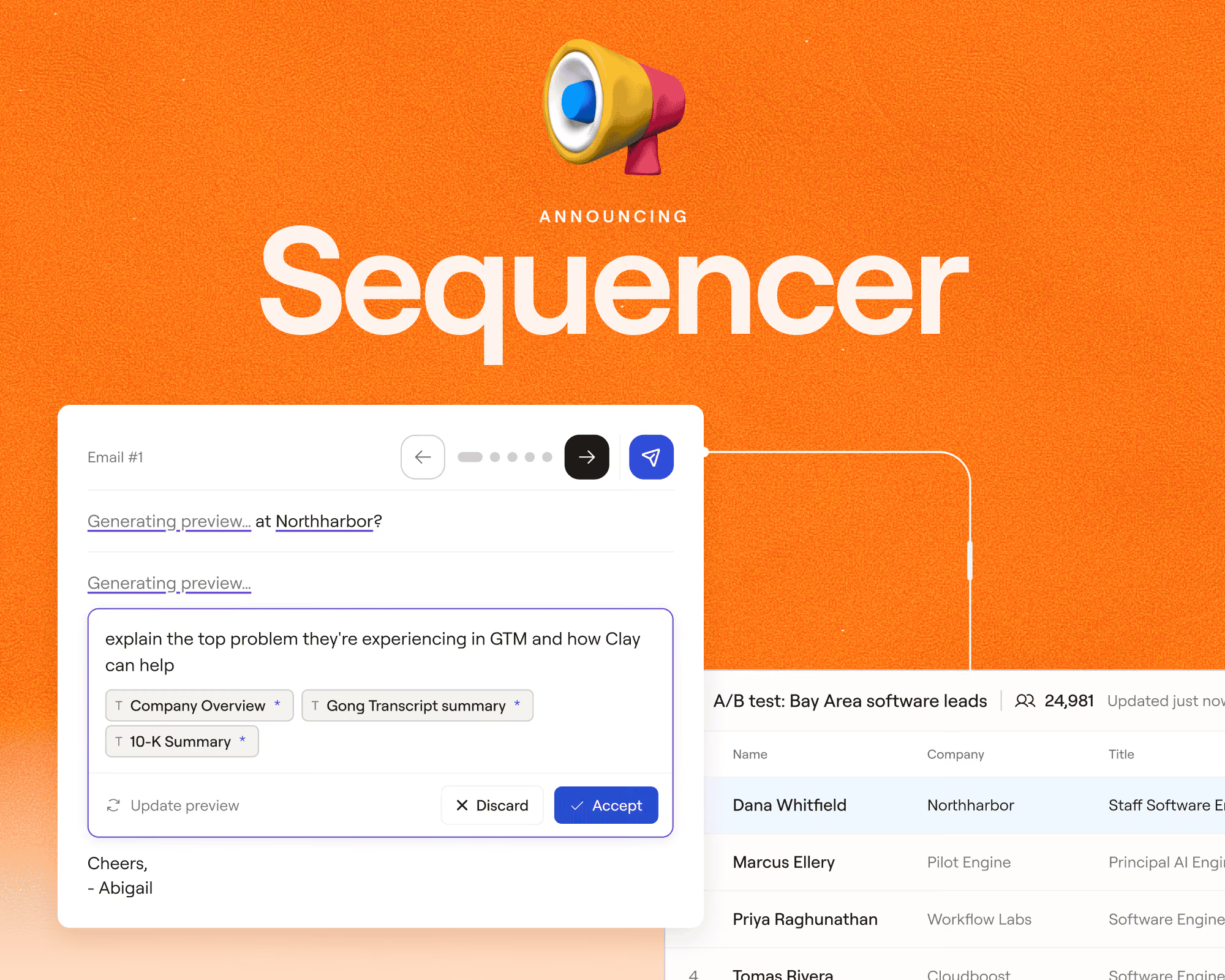
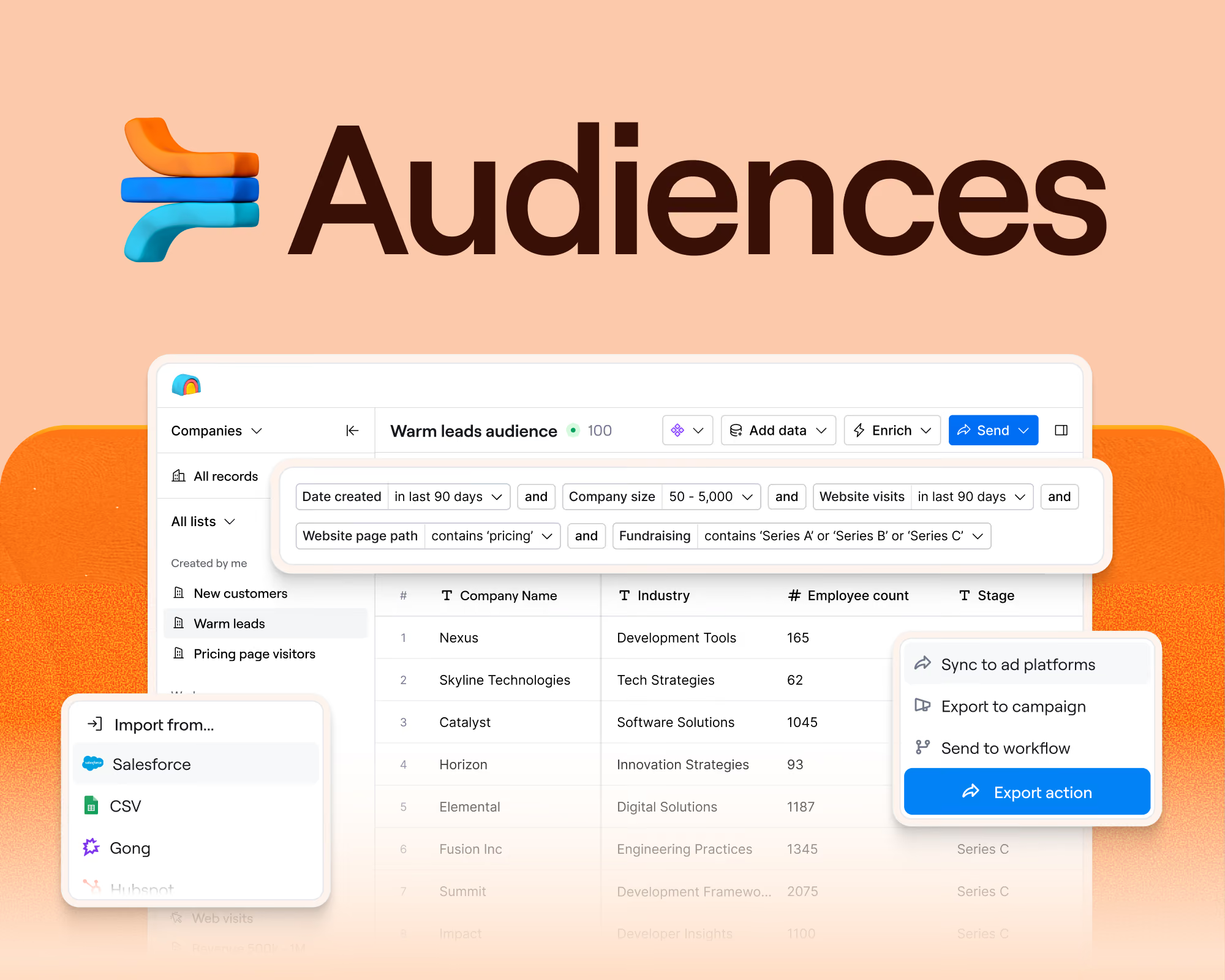
Founded in 2017, Clay is used by more than 500,000 GTM teams. That includes Intercom, which grew its outbound pipeline 140% with agents continually researching target accounts, and ElevenLabs, which lifted SQLs by 50% after cutting speed-to-lead to under five minutes. Your records live in Audiences, a data layer that pulls millions of contacts and accounts from your CRM and warehouse into one place. To put those records to work, Workflows gives you a visual builder where each one moves automatically through enrichment, scoring, routing, and outreach steps. When it’s time to reach people, you can send email through the native Sequencer or sync ad audiences to LinkedIn, Meta, and Google. Clay can save anything it finds or updates to matching records in your CRM, so your team sees the fresh data there too.
Clay will ask you to make more decisions up front than an out-of-the-box database. Sculptor, an AI copilot, makes those decisions easier: you simply describe what you want in plain language, and it builds the workflow and recommends enrichments for you. To learn the platform, from the basics to the nitty-gritty details, Clay University offers free structured courses, and the Slack community is full of GTM engineers trading builds and answering questions.
Key features in Clay:
- Data marketplace with 200+ data and AI vendors on a single contract
- Waterfall enrichment that queries providers in sequence until a field comes back valid
- Claygent research agents that mine the web for data points no provider sells
- Workflows for visual automation with branching, code nodes, and per-record traces
- Audiences as a unified GTM data layer over your CRM and warehouse, plus every provider you use
- Signals for job changes, funding news, web intent, and custom triggers
- Sculptor, an AI copilot that sets up workflows and enrichments in natural language
- Sequencer for native email campaigns with deliverability controls
- Ads to sync always-updated audiences to LinkedIn, Meta, Google, and more
- Functions and AI formulas for logic you define once and reuse
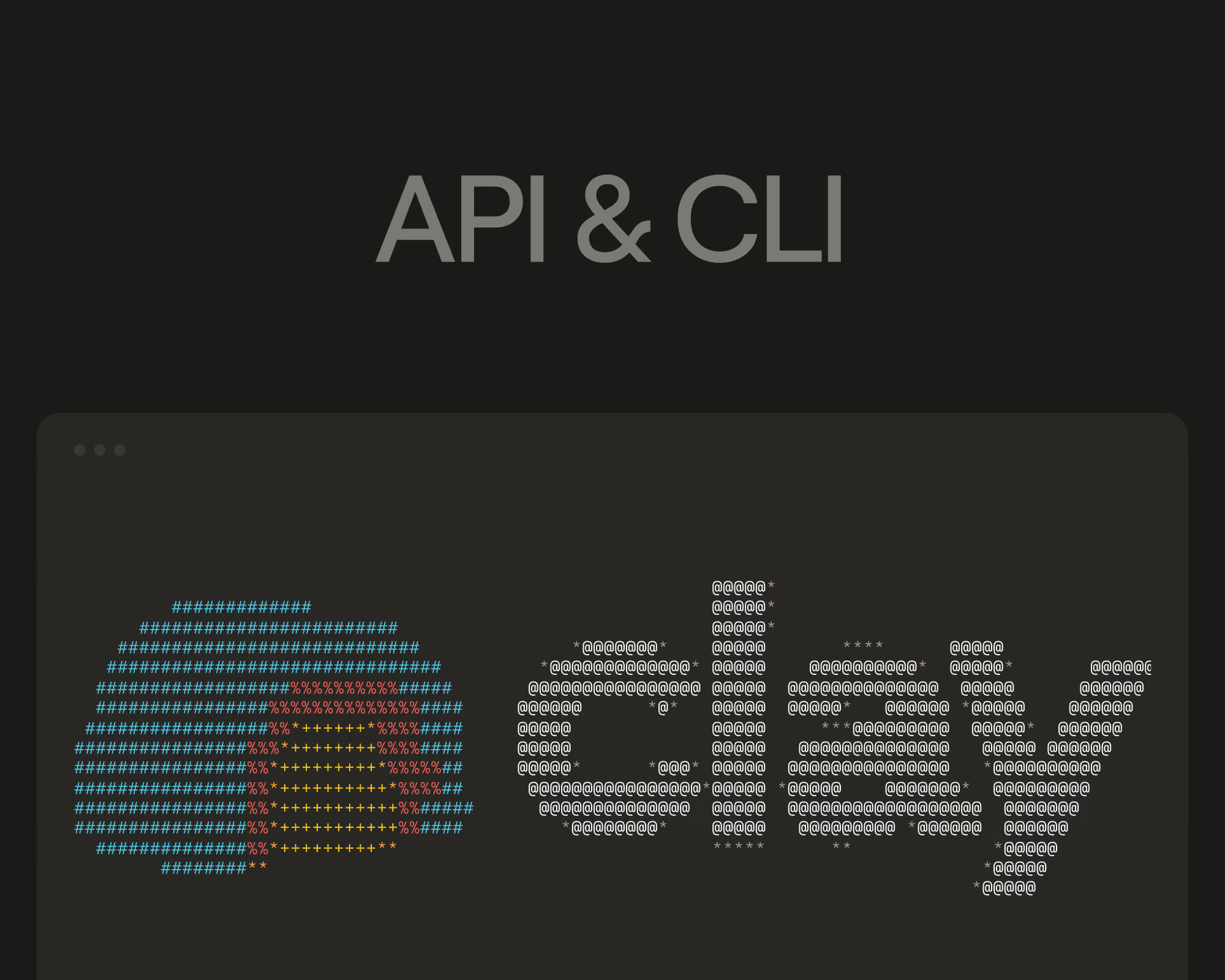
- Agent plugin with a CLI and API for building Clay workflows from a coding agent
- Clay MCP to give reps prospecting data inside their own AI tools
What is ZoomInfo?
ZoomInfo is built on a proprietary B2B database. The company was founded in 2007 and today serves 35,000+ customers. Its database covers 420M+ global contacts, 145M+ companies, and 300+ searchable attributes, assembled through a contributory network, public sources, and machine learning.
Around its core data offering, ZoomInfo sells role-specific apps for businesses:
- ZoomInfo Sales handles prospecting, list building, and outreach, with Copilot layering AI on top to prioritize accounts, draft emails, and surface buying signals.
- ZoomInfo Marketing runs ABM campaigns, display advertising, and website chat.
- ZoomInfo Operations cleans, deduplicates, standardizes, and enriches CRM records.
- ZoomInfo Talent serves recruiting teams, helping them find qualified candidates.
The company also offers ZoomInfo Intent, which flags accounts researching topics related to your category, and WebSights, which identifies companies visiting your website. The latest addition to their product offering is GTM Studio, an AI-powered canvas currently in early access, where operators can bring together data, build GTM plays, and run waterfall enrichment across 25+ outside vendors.
Key ZoomInfo features:
- B2B database with 420M+ contacts, 145M+ companies, and 300+ attributes
- Copilot, an AI assistant for account prioritization, meeting prep, research, and outreach drafting
- Intent data with person-level signals and Guided Intent recommendations
- WebSights for identifying anonymous website visitors
- Workflows that trigger outreach from signals like funding or tech installs
- Sales automation with multi-touch cadences, a dialer, and email
- Chorus for conversation intelligence and call analysis
- ReachOut Chrome extension for prospecting on LinkedIn and company sites
An overview: Clay vs ZoomInfo
Where the data comes from
Data on its own won’t fill your pipeline or help you reach your Q3 goals. But it still deserves some scrutiny: every one of your plays starts with a record, and thin coverage will inevitably limit how many buyers your sequences and ad audiences can actually reach. When you compare platforms, look at where the data comes from, how accurate it is, and what your options are when the first source comes up empty.
Clay
Clay’s bet is that no single company can maintain accurate data on every person and company in the world, so it doesn’t try. Instead, their marketplace gives you Prospeo, Datagma, People Data Labs, Hunter, ContactOut, and a couple hundred others under one contract. Customers use waterfall enrichment to run them sequentially until one returns a valid match. You only pay for results, and you can rearrange the order or swap providers whenever your coverage data suggests something better. That flexibility helps when you’re prospecting outside of North America. The marketplace includes regional specialists like Firmable for Australia, NBS for Japan, and Beauhurst for the UK and Germany, so teams selling internationally can build better lists.
It also reaches businesses that traditional B2B databases skip, with sources like Google Maps and Openmart for local and SMB targets. Clay has proprietary data of its own, too: a native database of people, companies, and jobs you can source net-new leads from. The difference is the role that data plays. At ZoomInfo, the proprietary database is the product, while at Clay it's a starting point. Waterfalls, marketplace providers, and Claygent research build on top of whatever it returns.
Compared to ZoomInfo, Clay often doubles or triples data coverage at 1/5th the cost or less. A client using ZoomInfo had 30% coverage on inbound leads at roughly 25 cents per enrichment. After switching to Clay and waterfalling multiple sources, coverage rose to 80%, and the cost dropped below a cent per enrichment. Not a bad deal. When no provider sells the data point you need, Claygent can find it for you online: you describe what you’re looking for, and it returns the answer as structured data you can use in any workflow.
Anthropic tripled its enrichment coverage after moving to Clay’s data marketplace, layering multiple providers where a single vendor had been leaving records blank. Read the full Anthropic case study.
ZoomInfo
ZoomInfo takes the opposite approach: it builds and owns its own database. Its database spans 420M+ contacts and 145M+ companies with 300+ searchable attributes. One vendor curates everything, so records arrive in a consistent shape, org charts and buying groups are built into the product, and your reps search one index.
The tradeoff? Coverage ends where the database does. If ZoomInfo doesn’t have a mobile number for a specific buyer, there has historically been no second source to try. Gaps like these are most noticeable for teams selling outside North America; ZoomInfo’s aggregation of its own reviews notes that “data staleness for non-US contacts surfaces frequently” and “teams with primarily EMEA or APAC-focused motions report thinner accuracy.”
To help address this, GTM Studio now includes waterfall enrichment across 25+ outside vendors for emails and phone numbers, and ZoomInfo’s CRM enrichment product supports multi-source and waterfall workflows. However, the vendor pool is a fraction of the 200+ Clay reaches, and the system picks the winning result for you, while Clay lets you choose the providers and the order they run in.
Pricing and how costs scale
Adding another piece of software to your stack often comes with the question of cost. You’ll want to check the sticker cost of any GTM platform, but also consider how that price will scale as your team grows, and you run more plays.
Clay
Clay publishes its pricing and charges for usage rather than seats. Data credits buy vendor data from the marketplace, starting at $0.05 and getting cheaper with volume, while actions cover platform work like running workflows and syncing systems. Every plan, including the free one, comes with unlimited seats.
Here’s an overview of Clay’s pricing, billed annually:
Unlike other GTM platforms that price per seat, Clay ties spend to value. An enrichment that returns nothing costs nothing, in either credits or actions. Unused credits also roll over on Launch and Growth plans, letting you bank up to twice your monthly amount. If you already contract directly with a specific data provider, like Apollo, you can bring your own API key and skip data credits for that source entirely. AI pricing follows the same idea, with Clay’s native models at flat rates and frontier models billed at token cost (with no markup).
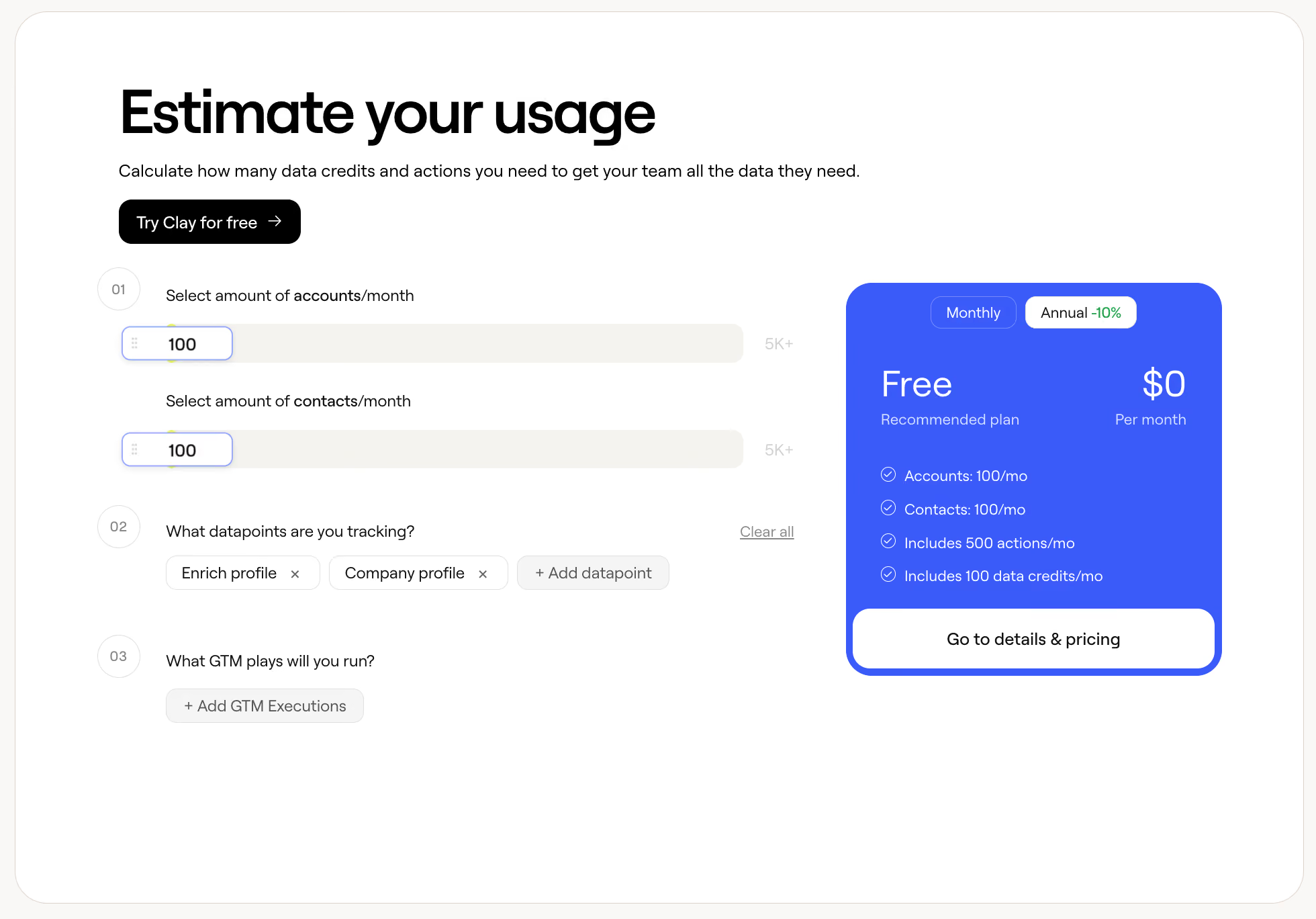
If you want a number before talking to anyone, Clay’s pricing calculator estimates the credits and actions you’d need based on how many accounts and contacts you work each month, the approximate data points you’re tracking, and the plays you plan to run. Then, it recommends a plan.
ZoomInfo
ZoomInfo doesn’t publicly publish prices on its website. You’ll need to fill out a form or request a demo for pricing details. ZoomInfo contracts are built from three levers: a platform fee, seats, and a credit pool. So, two similar teams can end up with very different bills. Publicly available figures are scarce, but the structure means costs start in the thousands per year and climb with each seat and credit block added. Plans span Professional, Copilot Advanced, and Copilot Enterprise on the sales side, plus separate marketing and talent tiers. Credits are consumed when your team exports a contact or company record, and packages include a predetermined monthly credit allocation; admins can set per-user limits that reset monthly. Add-ons like Streaming Intent are priced separately based on keyword volume and account universe.
Costs scale with licenses, so a growing team means a growing bill regardless of usage. Plus, unused monthly credits generally don’t carry forward. ZoomInfo has started addressing the second point in GTM Studio through Records Under Management, where paying for a record once buys a year of free re-pulls and re-enrichment on it.
Intent data and buying signals
A good list tells you who to contact, but it doesn’t show when they’re actually ready to hear from you. That timing comes from signals. For each GTM platform you’re assessing, look into where those signals come from, and how much say you get over what counts as one.
Clay
Clay doesn’t sell an intent feed. Instead, Signals lets you construct your own triggers from whatever data matters to your business. That could mean job changes or promotions. Maybe it’s funding announcements and tech stack changes or website visits and social mentions across LinkedIn and Reddit. Any of Clay’s 200+ enrichments, or any Claygent research task, can become a signal. With this level of flexibility at your fingertips, “intent” isn’t a predefined topic list; it’s whatever behavior actually comes before your deals. However, teams that want classic topic-based intent can pull providers from the marketplace and combine them.
When a signal fires in Clay, it starts a workflow. That workflow can then act on the account however you've set it up: enrich it with fresh data, score it, ping the right rep in a Slack channel, or draft outreach that references what triggered the signal in the first place.
Vanta monitors four signals at once in Clay, including SOC 2 certification announcements, compliance-related website changes, funding news, and CISO job postings, and routes the results straight into its outbound plays. Read the full Vanta case study.
ZoomInfo
ZoomInfo’s intent engine tracks signals from a network of 210 million IP-to-org pairings and more than 6 trillion new keyword-to-device pairings. It now surfaces person-level intent, which means it shows you the specific people researching a topic, not just the company they work for. Guided Intent goes further by analyzing your CRM’s closed-won history to recommend which topics predict opportunities for you. WebSights then helps identify companies on your website.
For international teams: ZoomInfo describes its intent network as sourced from over 90% of accessible devices across the US, so signal quality is strongest for American buyers.
Workflow automation and orchestration
A signal only matters if it’s acted on. Opt for a GTM platform with an automation layer that helps you assemble and run plays automatically, instead of waiting for someone to make time.
Clay
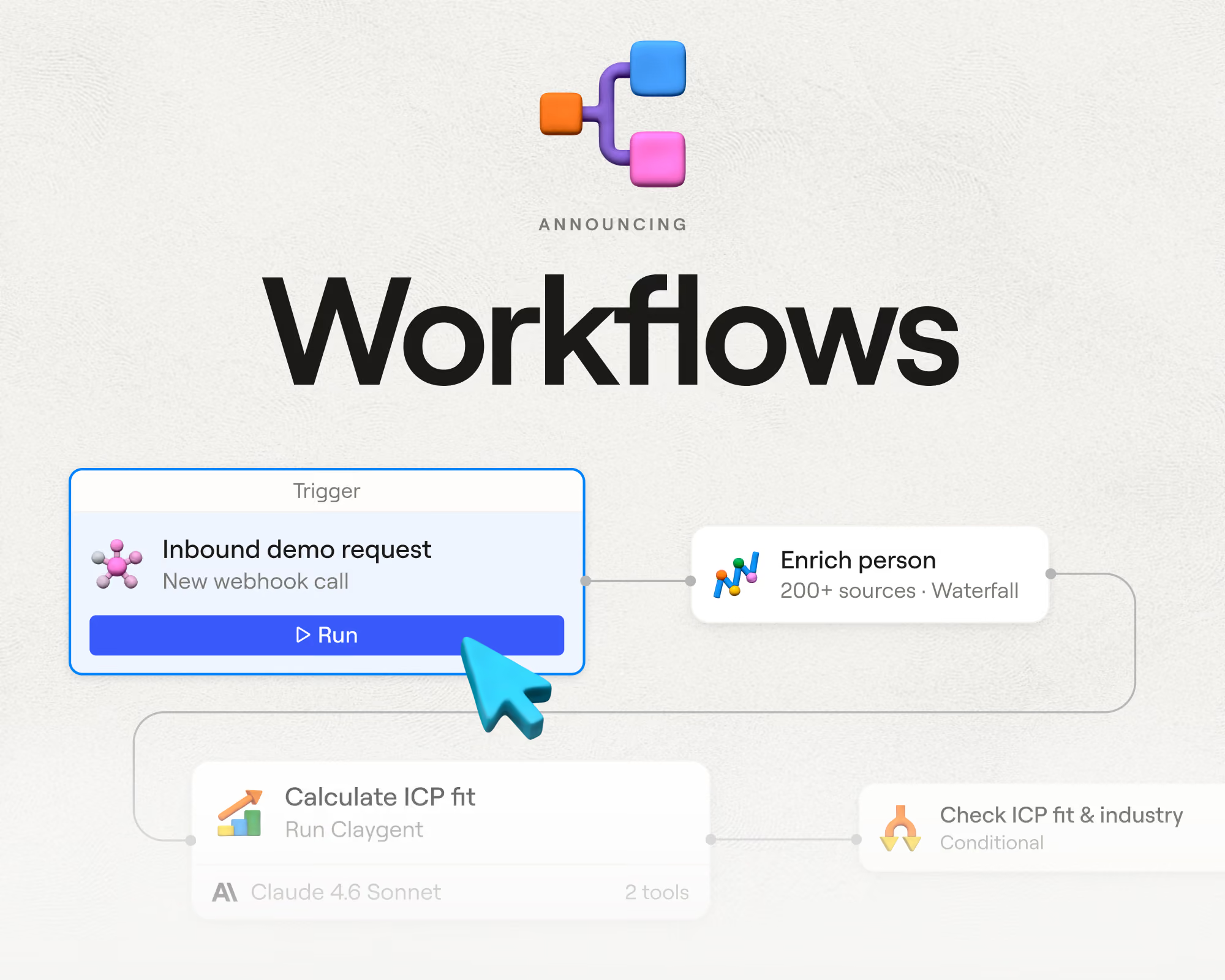
Workflows is a visual builder for full GTM plays. A play starts with a trigger, say, an inbound form fill or a job-change signal. From there, each lead flows through the steps you’ve laid out: a waterfall fills in their contact details, a code node scores the fit, Claygent qualifies them, and qualified leads get routed to the right rep with tailored outreach ready to send.
Workflows split records down different paths, and you set the rules for those splits: a simple condition like company size works, and so does custom code. Unlike tables, workflows have no limits on how many records they process or how many steps they run. The observability is there, too: you can trace any individual record through every step and see which logic fired. You can also build workflows conversationally through Sculptor, or via a coding agent through the CLI and API.
ZoomInfo
ZoomInfo’s Workflows automate actions off market signals. A Series C funding round or a hiring surge can enroll matching accounts into outreach through your connected tools. Operations adds the RevOps side, with lead routing, round-robin assignment, lead-to-account matching, and multi-step data orchestration described as no-code. GTM Studio brings a library of pre-built plays, like inbound acceleration and competitive displacement.
The pattern across all three of these options is that they’re configured from ZoomInfo’s menu of triggers and actions. The pre-built plays get standard motions running quickly, but they’re ZoomInfo’s plays, not yours. You’ll feel the limits when a motion needs custom scoring logic or a signal specific to your business. Clay treats those cases as the normal way of working.
AI research and personalization
ZoomInfo predates the AI era by a wide margin: it spent more than fifteen years selling database access before its Copilot arrived in 2024. Clay launched a decade later, wired for integrations from day one, so when LLMs came along, they plugged in like any other provider. In 2026, AI runs through most of Clay.
Clay
Clay was built with AI threaded through the whole platform rather than kept in one assistant or canvas:
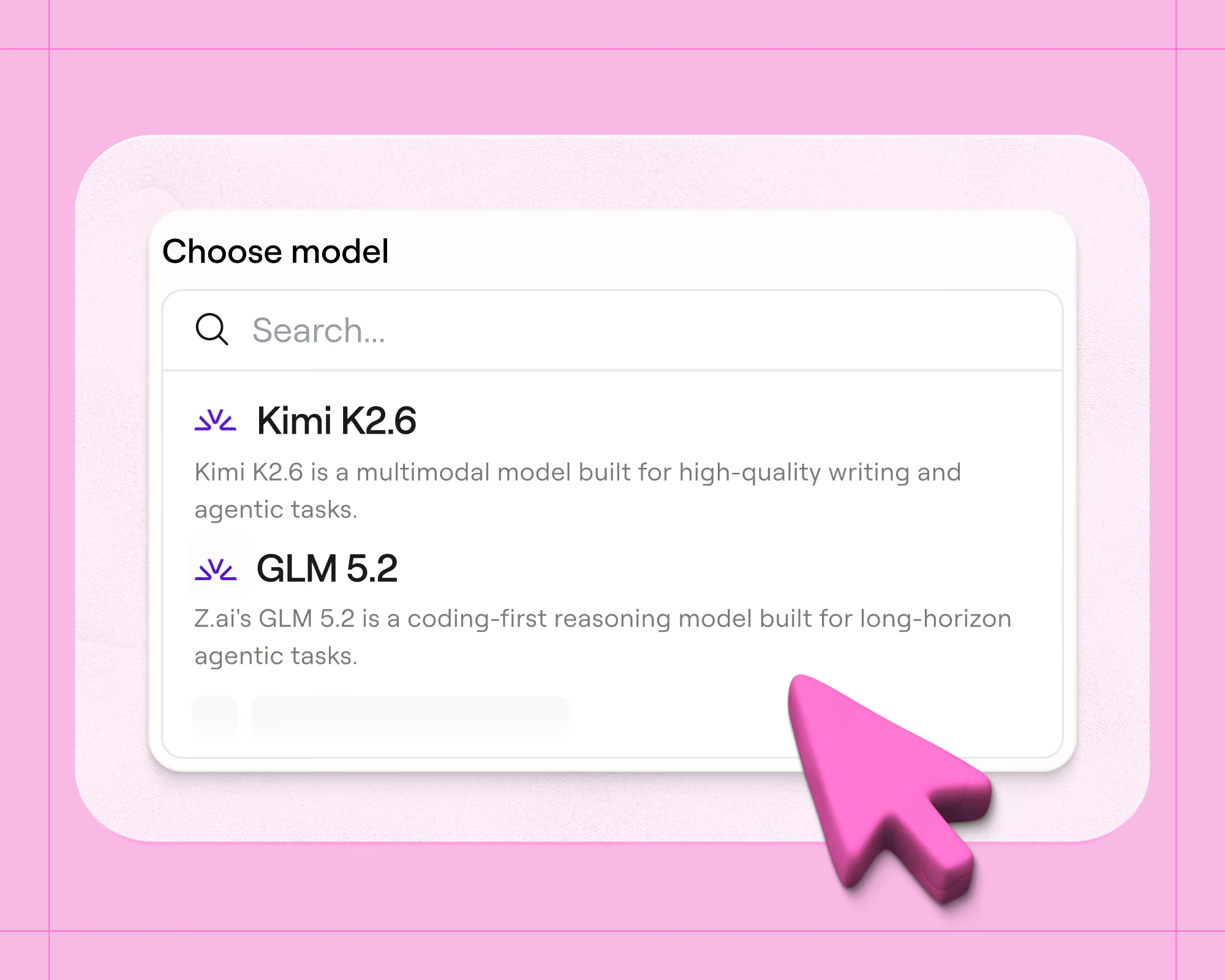
- Claygent runs open-web research on every record you point it at. Describe the task in plain language, pick from frontier models from OpenAI, Anthropic, and Google or Clay’s own flat-priced models, and get structured data back.
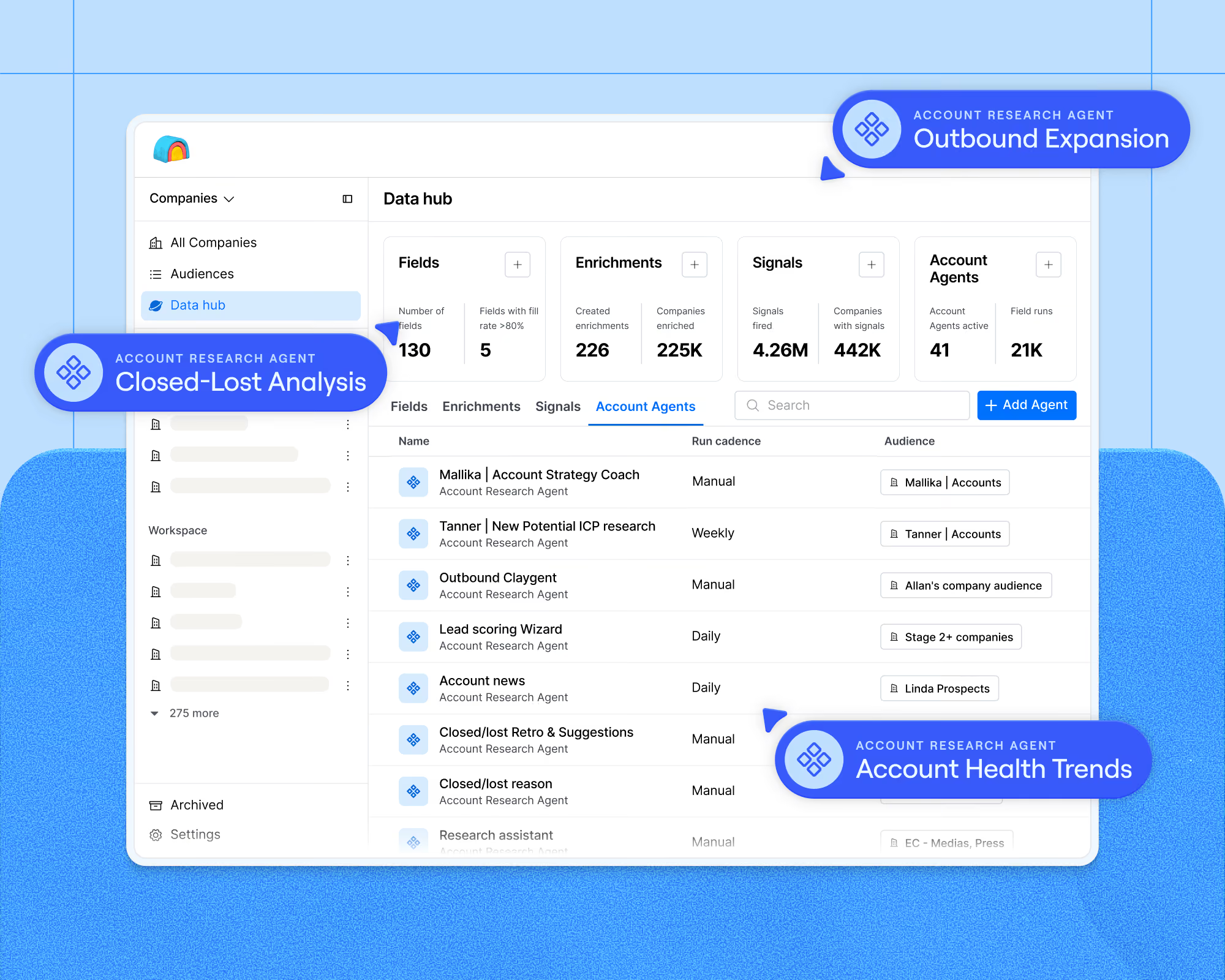
- Account Agents carry persistent memory across an account, tracking what changed instead of starting fresh each time, with access to sources like your CRM, Gong calls, and data warehouse.
- Sculptor is your personal copilot for Clay, turning your company’s business context into recommended enrichments, built workflows, and quick answers about your data.
- AI formulas handle jobs like normalizing phone numbers and company bios that arrive in a dozen different formats.
- Clay MCP brings all of this to your reps, who can pull prospecting data and account research into the AI assistants they already work in.
- Agent plugin runs in the other direction, exposing a CLI and API so a coding agent can build Clay workflows for you.
Everything above writes to the same tables and Workflows, and every agent run includes a full reasoning trace showing how it reached its answer. Clay has processed over five billion Claygent runs to date.
ZoomInfo
Copilot is ZoomInfo’s AI layer, designed to boost seller productivity. It ranks accounts using ZoomInfo’s buying signals, assembles pre-meeting briefs with org charts and account history, drafts personalized emails, and flags re-engagement moments. GTM Studio extends the same idea to operators, who can describe the accounts they’re after in natural language and get back a prioritized list with recommended next steps. Copilot reasons over ZoomInfo’s data universe plus your CRM, so it’s bounded by what that universe contains.
Clay’s agents go wherever the web goes, so they can answer questions no database has thought to store. Clay also offers more range: you can start with plain-language prompts and no AI expertise, then work your way up to complex agent workflows as you learn what’s worth automating. ZoomInfo’s AI stays closer to its packaged features.
Outreach and execution channels
Data and logic eventually have to become messages buyers see. A well-researched lead is worth nothing if the email bounces or lands in spam. When you assess this part of a platform, look at whether the outreach can actually use the data gathered upstream, and what the platform does to protect your domain reputation as volume grows.
Clay
Clay's native Sequencer handles cold outbound end to end, and it’s available on every plan, including the free tier. You set a campaign up once, and from there it runs itself:
- Enrollment is automatic. Leads enter campaigns directly from your Signals and Audience segments the moment intent fires, and the list keeps updating as leads qualify (or disqualify).
- Data stays fresh. Contact details get re-pulled just before each send, so nothing goes out stale.
- AI snippets personalize each email. They draw on your business context and data from providers, and you get to decide which parts of the template stay fixed.
- Deliverability is managed for you. You buy alternate domains and warmed inboxes with credits, and warming starts automatically.
- Spending has guardrails. Send caps and per-campaign budgets stop campaigns at whatever limit you set.
Clay isn’t trying to replace the sending tools you already use either, so enriched records flow just as easily into Outreach, Salesloft, HubSpot, Smartlead, or Instantly through native integrations.
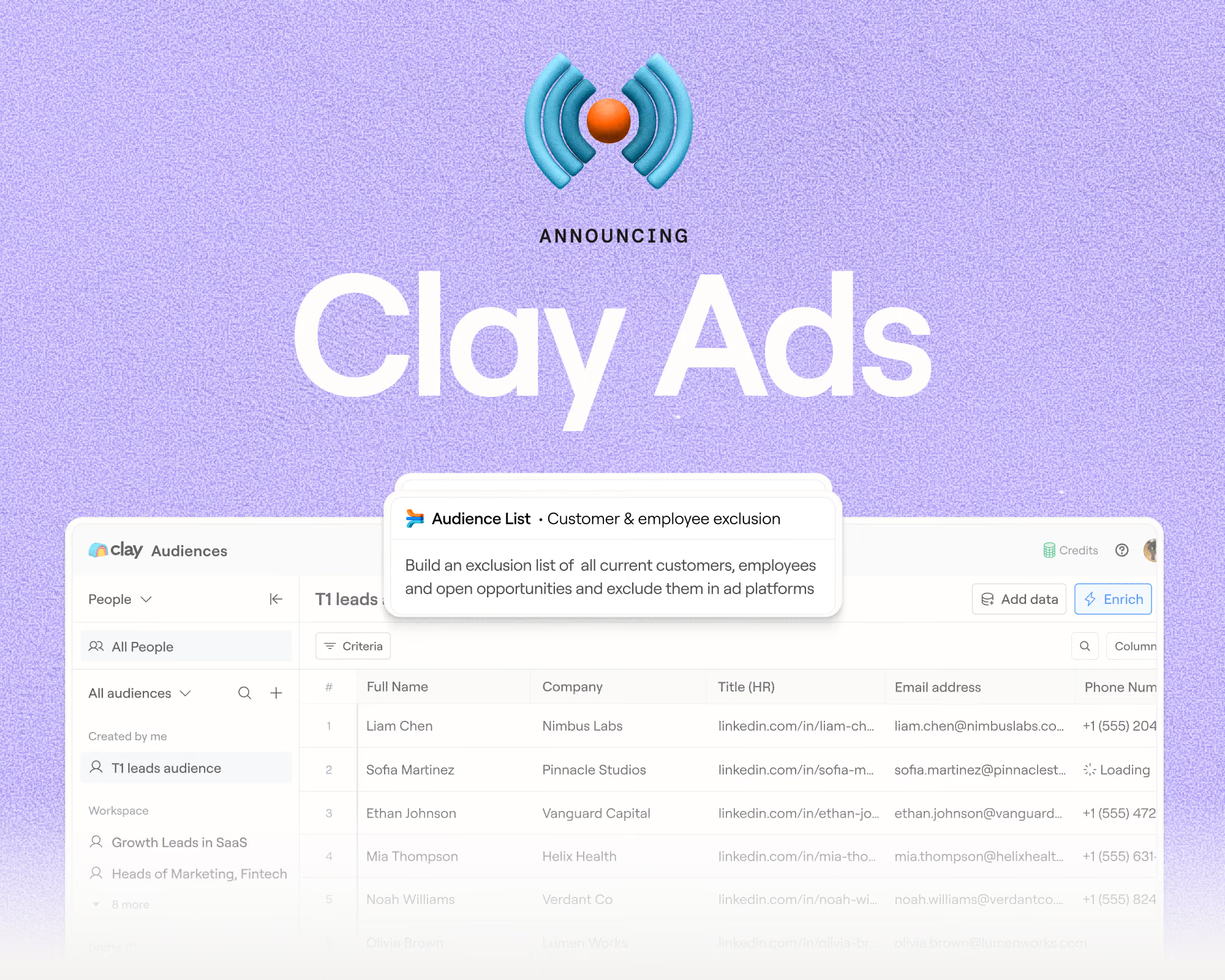
Email is only part of the execution story. Ads turns the same data layer into ad audiences that sync continuously to LinkedIn, Meta, and Google. Ad platforms can only show ads to contacts they recognize from your list, and because Clay enriches each contact with more identifiers, more get matched: up to 95% on LinkedIn, 85% on Google, and 70% on Meta. Audiences update themselves as CRM fields and signals change, so suppression lists stay current and closed customers drop out of targeting without anyone exporting a CSV. For instance, Depthfirst cut its Google cost per lead by 40% after moving audience building into Clay.
ZoomInfo
ZoomInfo puts execution tools directly in front of reps, so a seller can work an account from start to finish inside its platform:
- Sales automation covers multi-touch cadences with an integrated dialer and email, so an SDR can find a contact and start a sequence without switching tools.
- The ReachOut Chrome extension surfaces contact data wherever reps already prospect, including LinkedIn, Sales Navigator, corporate websites, and the CRM. For many teams, this is ZoomInfo’s stickiest surface, since reps build daily habits around it.
- Chorus records and analyzes the calls from all this outreach.
- ZoomInfo Marketing handles the advertising side, running display and social campaigns through its own DSP, plus website chat and form enrichment.
- Engagement platform exports are there for teams standardized on dedicated sending tools, with Copilot plans supporting Outreach and Salesloft.
The strength of this setup is convenience for individual reps. The tradeoff is that execution stays tied to ZoomInfo’s interfaces and its database, where Clay treats sending as one output of a data layer you control.
When to use Clay
Clay makes the most sense when data coverage or workflow logic is the thing holding your pipeline back. It’s a strong fit in situations like these:
- Data quality is a named pain. If you’re watching bounce rates climb, calling the wrong mobile numbers, or missing coverage in EMEA and APAC or on a niche ICP no database carries, waterfall enrichment across stacked providers, including regional specialists, is the most direct fix.
- Your best signals are custom. When the trigger that predicts your deals is a compliance badge, a lease expiration, or a competitor mention on Reddit, Signals and Claygent let you act on it instead of settling for a predefined topic menu.
- You’re consolidating vendors. Replacing several data subscriptions and point tools with one marketplace contract simplifies procurement, and you pay wholesale-style rates per provider.
- Plays outgrow your current tooling. Multi-step motions with enrichment, scoring, custom routing, and AI research belong in Workflows, where each record’s path is traceable.
- Efficiency is under the microscope. When leadership is scrutinizing SDR productivity or cost per opportunity, usage-based pricing with unlimited seats keeps the bill tied to output, not headcount, and the free plan lets you prove value before committing.
- Your team already works in AI tools. If reps live in Claude or ChatGPT-style assistants, Clay MCP puts prospecting data and account research directly inside them, and Sculptor means nobody needs AI expertise to build.
When to use ZoomInfo
ZoomInfo works when you need a verified database from an established vendor, with rep-friendly tooling. It fits well in cases like these:
- Reps are attached to their prospecting habits. The ReachOut Chrome extension works inside LinkedIn, Sales Navigator, and corporate sites, and sellers who prospect that way daily adopt it without training.
- Nobody owns a build. ZoomInfo works out of the box: if there’s no ops person or GTM engineer to design and maintain plays, searching the database and exporting to the CRM requires less from the team.
- You sell into org charts. ZoomInfo’s company hierarchies and buying group views help teams navigate large accounts with many stakeholders.
- CRM cleanup is the primary job. ZoomInfo Operations handles deduplication, standardization, and ongoing record hygiene as a packaged product, a strong fit when dedupe is the main thing you need.
- Recruiting shares the stack. The Talent product runs candidate sourcing on the same data, which consolidates vendors for teams that also hire.
Using Clay and ZoomInfo together
Running both is common, and it’s often the most practical path for teams mid-contract. ZoomInfo is a native data source inside Clay, with actions to enrich companies, enrich contacts, and search for new contacts using your own ZoomInfo account. Teams typically slot ZoomInfo high in their waterfall, let other providers fill the gaps, and use Claygent for the fields no database carries. Your reps can keep prospecting in the ZoomInfo interface they know while Clay handles enrichment and routing behind the scenes.
Build your GTM motion on better data: Book a Clay demo
ZoomInfo sells access to a database. Clay is GTM infrastructure your revenue engine runs on, with 200+ data providers and AI research agents on one platform. A new play, persona, or data point can go live in days, not quarters. Coverage stacks beyond what any single vendor offers, and Workflows act on the data instead of leaving it in a list. Clay covers who to target, when to reach out, and what to do next.
To see how that would work on your own accounts, book a demo. Or skip the sales conversation entirely: sign up for free and build your first play yourself, no credit card required.
Clay vs ZoomInfo FAQ
Can I use my ZoomInfo subscription inside Clay?
Yes. ZoomInfo is available as a native integration in Clay using your own ZoomInfo account. You can enrich companies and contacts, search for new contacts, and combine ZoomInfo results with 200+ other providers in a waterfall.
How much does ZoomInfo cost?
ZoomInfo doesn’t publish pricing. Quotes are based on features, licenses, and credit usage, with credits consumed as your team exports records and add-ons like Streaming Intent priced by expected volume. Clay, by comparison, publishes all plan pricing, starting free and moving to $167/mo billed annually on Launch.
Do I need a technical team to run Clay?
No. Clay is a no-code platform, and Sculptor builds workflows and recommends enrichments from a plain-language description of what you want. Resources like Clay University and the Slack community are there when you want help learning the platform. Technical teams can go further with code nodes and the CLI and API, but none of that is required.
What is ZoomInfo GTM Studio, and how does it compare to Clay?
GTM Studio is ZoomInfo’s data management and orchestration platform, currently in early access, with an AI canvas, pre-built plays, and waterfall enrichment across 25+ vendors.
It borrows several ideas Clay is built on, chiefly multi-source enrichment and unified GTM data. The main differences are scale and openness: Clay’s marketplace spans 200+ providers across data types, waterfalls run in whatever order you choose, and Workflows accept custom code, while GTM Studio orchestrates within ZoomInfo’s ecosystem and its supported building blocks.
.avif)

.avif)


.avif)





.avif)




.avif)













.avif)













.avif)